
Absolute Security, Guaranteed
The privacy and security of your data are of utmost importance to us. Everything we do at BrowserStack reflects this philosophy.
SOC2 Type 2 Compliant*
BrowserStack is SOC2 Type 2 compliant. We are audited regularly to check if your data is managed securely, and ensure your privacy is protected. Our SOC2 Type 2 compliance extends to both our data centers and our platform.
- We comply with 3 Trust Service criteria that ensure the security, availability, and confidentiality of your data.
- Our certification ensures that we monitor unusual system activity, authorized and unauthorized configuration changes, and user access levels.
- In the rare event of a security incident, we have proper alerting procedures in place so that we can take corrective actions in time.

CSA Overview

The Cloud Security Alliance (CSA) is a nonprofit organization led by a broad coalition of industry practitioners, corporations, and other important stakeholders. It is dedicated to defining best practices to help ensure a more secure cloud computing environment, and to helping potential cloud customers make informed decisions when transitioning their IT operations to the cloud.
CSA Star Level 1: CSA Star Self Assessment
CSA STAR Self-Assessment documents the security controls provided by various cloud computing offerings, helping users assess the security of cloud providers they currently use or are considering using. BrowserStack published the completed CSA Consensus Assessments initiative questionnaire on the CSA website.
CSA Star Level 2: CSA Star Attestation

The Level 2 CSA STAR Attestation is a collaboration between CSA and the AICPA to provide guidelines for certified public accountants (CPAs) to conduct SOC 2 engagements using criteria from the AICPA (Trust Service Principles, AT 101) and the CSA Cloud Controls Matrix. The STAR Attestation provides for rigorous third-party independent assessment of BrowserStack.
BrowserStack Level 2 CSA STAR Attestation is published on the CSA website.
HTTPS Implementation
HTTPS is a default implementation at BrowserStack. HTTPS means HTTP Secure or HTTP over SSL. It is the use of SSL (Secure Socket Layer) or TLS (Transport Layer Security) to encrypt all user communications with our servers.
- Every time you communicate with us, you are redirected through secure TLS (Transport Layer Security).
- Our HTTPS implementation guarantees the protection of the privacy and integrity of your data in transit.
- HTTPS is a bidirectional encryption that prevents eavesdropping and tampering of any communication.
GDPR Compliance
BrowserStack’s privacy policy is in compliance with the GDPR regulation. This means that in accordance with the General Data Protection Regulation (EU) 2016/679, we guarantee the protection of your data.
- GDPR compliance requires Data Privacy Impact Assesment (DPIA), employee training and policies in place for data retention, personal data collecting and processing, notices and consent.
- GDPR compliance covers all your account-related information and customer content.
- You can find a detailed report of our terms here.

Pristine Real Devices
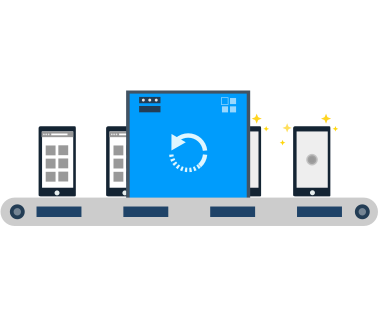
Every device that you use through the BrowserStack Cloud is brand new. Each test is run on a phone with factory settings. Once your test is complete, every last bit of data is destroyed.
- After every use, we return the used device to its original factory settings.
- Our devices are stored in locations with stringent security, where access is highly restricted.
- Only authorized personnel can handle the devices, and for maintenance and upkeep only.
Private Virtual Machines
We guarantee that every test runs on a tamper-proof virtual machine with original factory settings. Each machine is in a highly secure network, behind strong firewalls. Our users are not allowed to install any programs on the machines.
- After your tests are completed, all your data is destroyed.
- Every time user data is destroyed from a VM, it is also stripped of its registry contents, caches, cookies, and all running processes.
- As a fail-safe mechanism, every VM goes through a series of validation checks. VMs that fail even one check are immediately taken off the infrastructure.
Security of account information and usage logs
Your account information is encrypted before it is stored. We cannot view any of your credentials, even in the case of an emergency.
- Our data encryption and privacy policies apply to all payment details.
- Test history and log data are stored in a secure database on our cloud.
- A highly encrypted access mechanism grants data access to you and only you.
Destruction of browsing data
We guarantee that we have no way to view or store your browsing data. As soon as you log out, the smallest bits of user data are destroyed.
- Our restoration mechanism for remote mobile and desktop browsers is extremely thorough.
- We wipe out all browsing data as soon as a user’s session ends.
- The data erased include apps installed, temporary file caches, browsing history, cookies, passwords, testing logs, and downloads.
Your data is safe and secure when you use BrowserStack. We guarantee this. You can read about our Security Policy, Privacy Policy, Terms of Service, Cookie Policy, Candidate Data Protection Policy, and Vulnerability Disclosure Program.
If you need to contact us with regard to any of your rights as set out in these policies, you can make a request by email to compliance@browserstack.com.
Talk to us today!
Join over 50,000 teams already testing on BrowserStack.


