
 Join our Discord
Integrate Percy with Codemagic
Integrate Percy with Codemagic, a CI-CD platform built for mobile app teams
Follow these steps to integrate Percy with Codemagic:
Configuring Codemagic environment variables
Start by configuring PERCY_TOKEN, our project-specific, write-only API token. It can be found in your Percy project settings.
In your Codemagic application settings, go to Environment variables and add PERCY_TOKEN. Enable Secure to keep the value hidden in build logs.
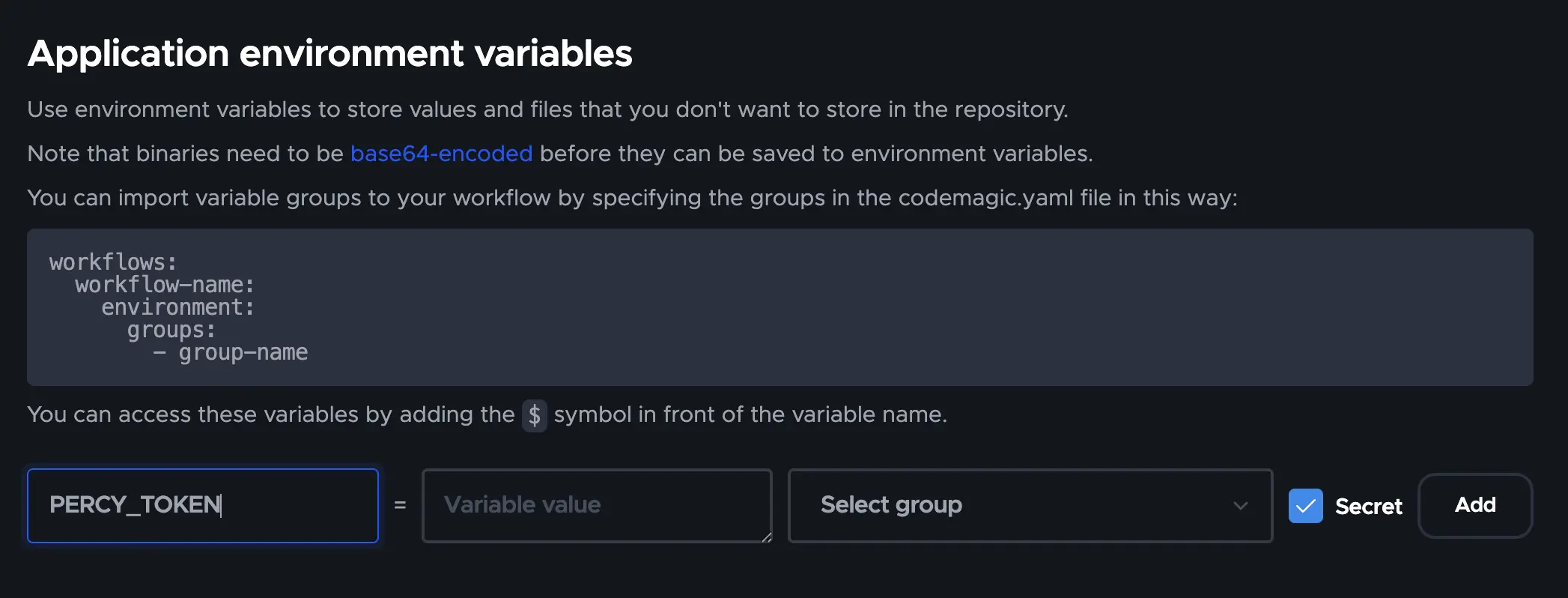
Alternatively, you can export the variable as part of your codemagic.yaml build script:
Commit, branch, and pull request information
Percy auto-detects Codemagic builds via the CM_BUILD_ID environment variable and reads the following native Codemagic variables:
-
CM_COMMIT— commit SHA -
CM_BRANCH— branch name -
CM_PULL_REQUEST— set totruewhen the build is triggered by a pull request -
CM_PULL_REQUEST_NUMBER— pull request number (when the build was triggered by a PR)
If any of these are not set in your environment, configure your environment to include PERCY_COMMIT, PERCY_BRANCH, and PERCY_PULL_REQUEST. See the environment variables docs page for more details.
Run your tests
With your environment configured, run your Percy snapshots via your test suite or another mechanism. Your Percy build will be created with the correct meta-data.
Parallelized build processes
If you parallelize your build across multiple workflows or machines, PERCY_PARALLEL_TOTAL and PERCY_PARALLEL_NONCE need to be configured. Percy automatically uses Codemagic’s CM_BUILD_ID as the parallel build nonce. Set PERCY_PARALLEL_TOTAL to the total number of parallel builds.
Keep your Percy token secret.
Anyone with access to your Percy token can add builds to your project, though they cannot read data. If your code is public, do not commit the PERCY_TOKEN to your code.
Reference Topic
We're sorry to hear that. Please share your feedback so we can do better
Contact our Support team for immediate help while we work on improving our docs.
We're continuously improving our docs. We'd love to know what you liked
We're sorry to hear that. Please share your feedback so we can do better
Contact our Support team for immediate help while we work on improving our docs.
We're continuously improving our docs. We'd love to know what you liked
Thank you for your valuable feedback!