
 Join our Discord
New Percy dashboard
See what changed in the redesigned Percy dashboard, where each review control moved, and how to switch back to the old version.
The new dashboard redesigns the review screen, the project and build lists, and the navigation between them. Your snapshots, builds, and baselines are unchanged, and you don’t need to change anything in your SDK, CI, or integration setup.
The new dashboard is rolling out gradually, starting with early-access customers. If you don’t see it yet, your account is still on the old version and there is nothing you need to do. If you do have the new dashboard, you can switch back to the old version one time only. You can’t return to the new dashboard on your own afterwards.
A redesigned review screen
The review screen shows the visual comparison and the diff in the main canvas, with the approve and reject actions at the top right. Controls that sat in the top bar, the Snapshot Tools row, and the bottom bar of the old version are now grouped in a single right-side panel, which leaves the comparison itself the largest thing on screen.
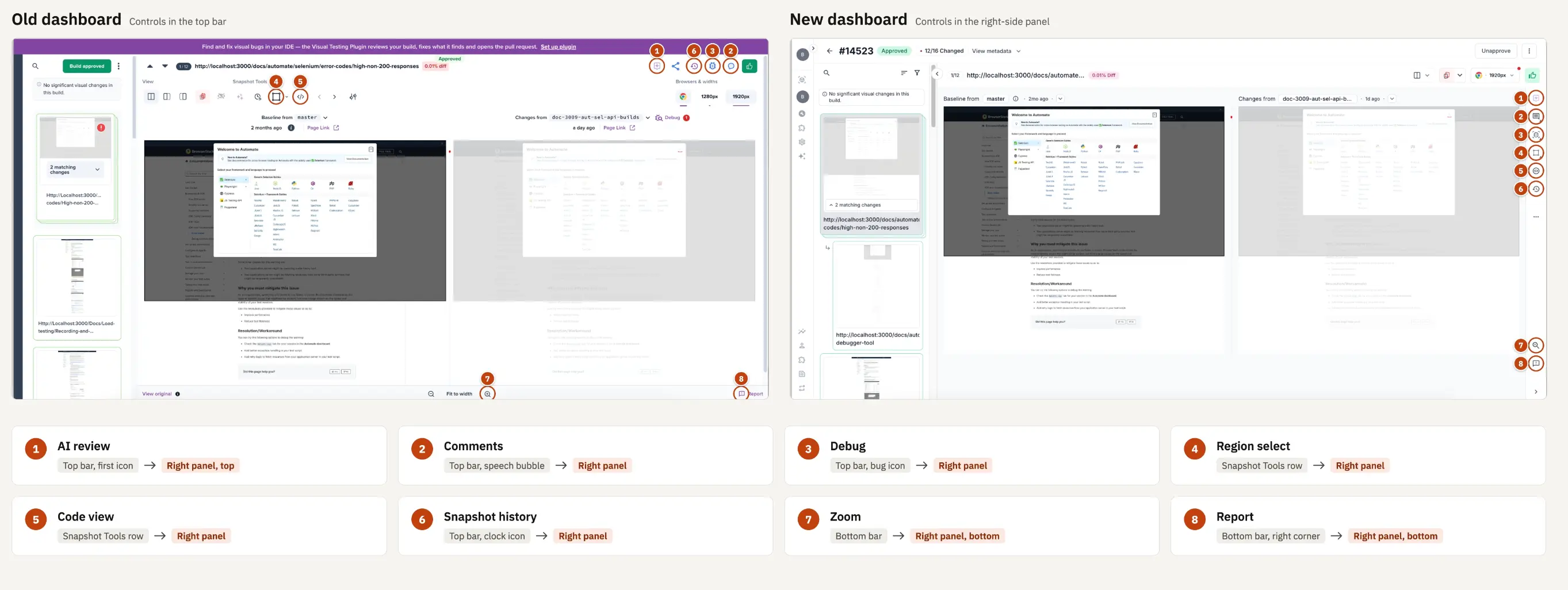
The numbers in the comparison match the numbers in the following table. The icons are unchanged, so you can look for the same icon in its new location.
| # | Icon | Control | Old version | New version |
|---|---|---|---|---|
| 1 |  |
AI review | Top bar, first icon | Right-side panel, first icon |
| 2 |  |
Comments | Top bar | Right-side panel, second icon |
| 3 |  |
Debug | Top bar | Right-side panel, third icon |
| 4 |  |
Region select | Snapshot Tools row | Right-side panel, fourth icon |
| 5 |  |
Code view | Snapshot Tools row | Right-side panel, fifth icon |
| 6 |  |
Snapshot history | Top bar | Right-side panel, sixth icon |
| 7 |  |
Zoom | Bottom bar | Right-side panel, bottom |
| 8 |  |
Report | Bottom bar, right corner | Right-side panel, bottom |
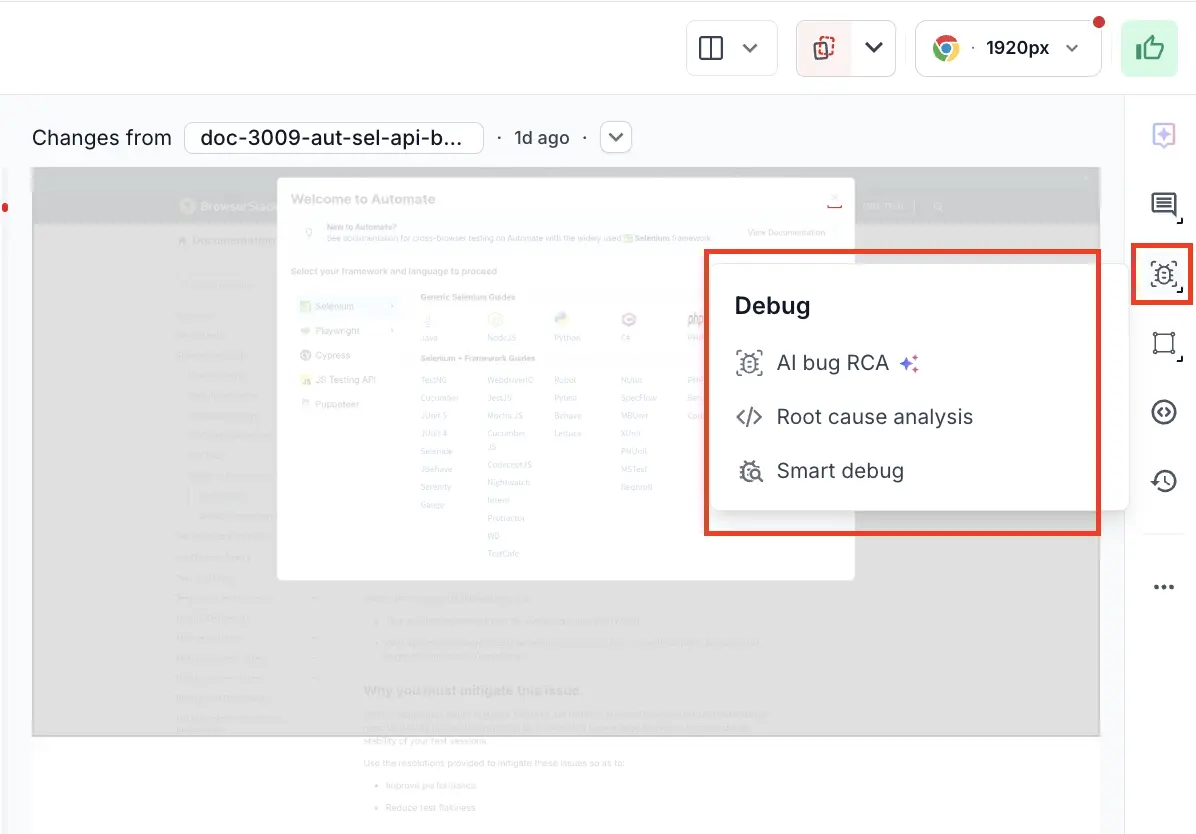
Select an icon in the right-side panel to open its tool over the comparison, which keeps the snapshot in view while you work. For example, selecting the Debug icon opens the Debug menu.
Build details in View metadata
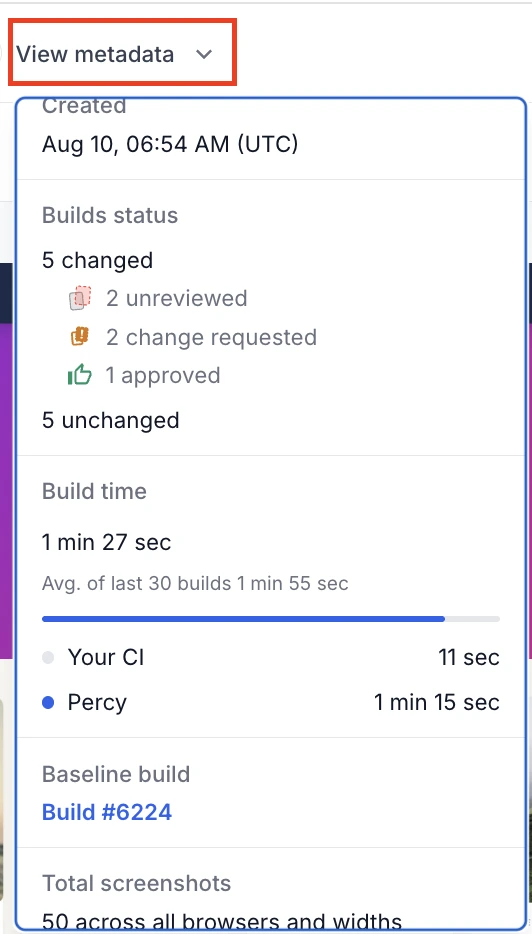
View metadata at the top of the review screen opens a panel with the details of the current build. It covers:
- Build status: how many snapshots changed and unchanged, with a breakdown of unreviewed, change requested, and approved.
- Build time: how long the build took, against the average of the last 30 builds, split between your CI and Percy.
- Baseline build: a link to the build this one was compared against.
- Total screenshots: the number captured across every configuration.
-
Environment: the SDK and client versions that produced the build.
- Browsers and Mobile Browsers: the browser versions used, and the device and operating system for mobile.
Sorting and filtering moved into two controls
In the old version, sorting and filtering sat in a panel that was always open along the left of the snapshot list. In the new version they are two icons above the list, and each opens over the snapshot list when you select it.
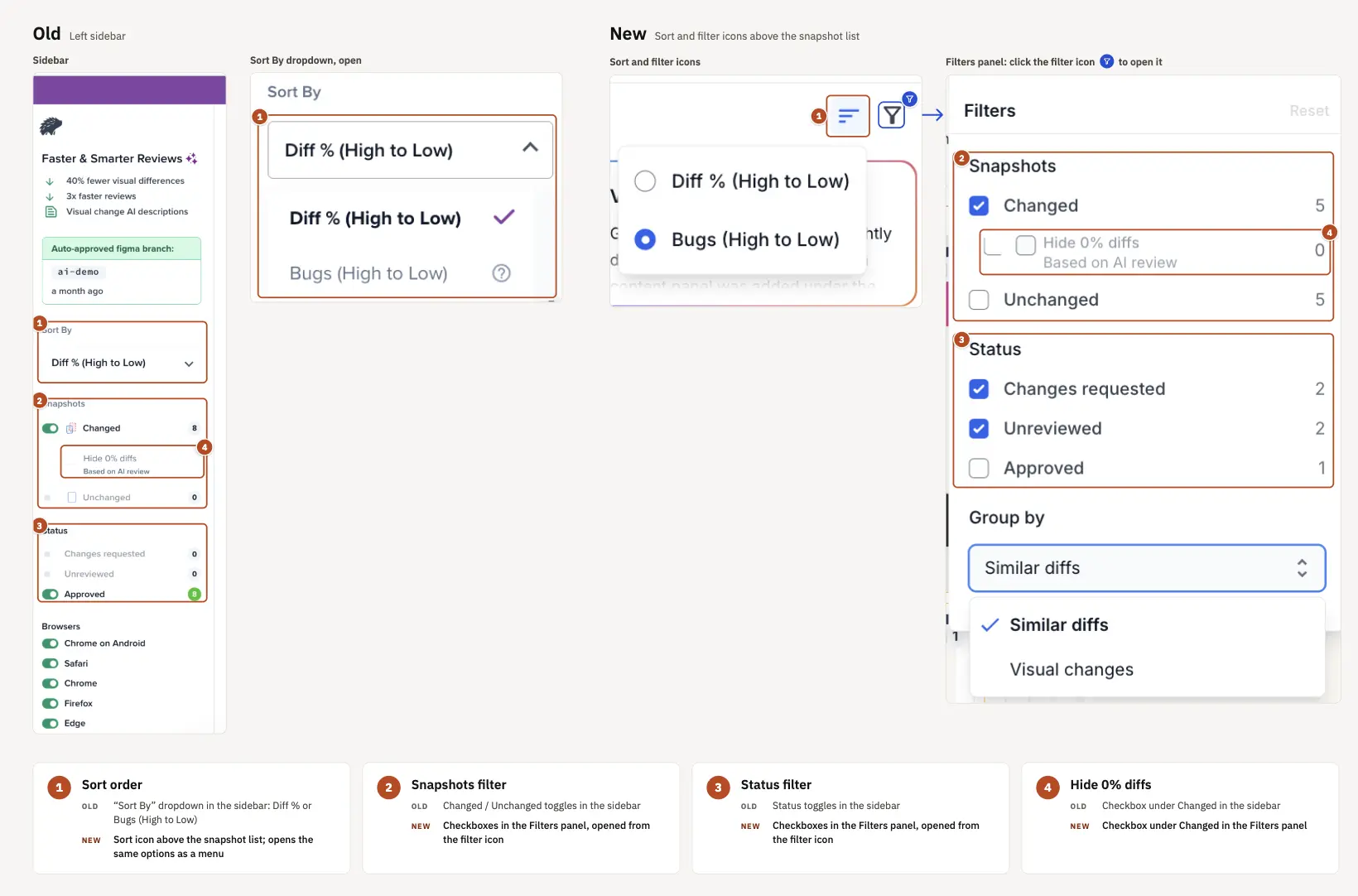
The options themselves are unchanged:
- Snapshots filters by Changed and Unchanged, each with a count. Hide 0% diffs, based on AI review, is still a checkbox under Changed.
- Status filters by Changes requested, Unreviewed, and Approved, each with a count.
- Group by organizes the list by Similar diffs or Visual changes.
- Reset clears every selection at once.
-
Sort is now on its own icon instead of inside the panel, with the same options as the old Sort By dropdown: Diff % (High to Low) and Bugs (High to Low).
- Browsers is no longer part of filtering. See New browser and width selection.
New browser and width selection
You can switch between browsers and widths during review from the selector in the review screen header.
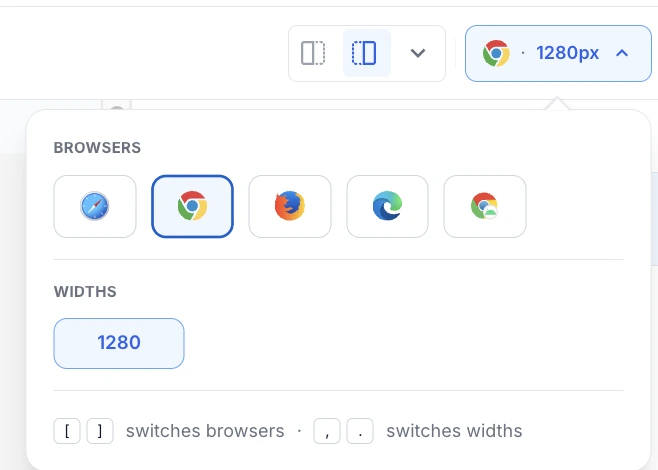
The selector lists only what is configured for the project:
- Browsers appear left to right as Safari, Chrome, Firefox, Edge, and Chrome on Android.
- Widths appear below the browsers.
-
Keyboard shortcuts: press
[for the previous browser and]for the next one, and,for the previous width and.for the next one.
Navigation on the project and build lists
The left navigation rail is always on screen, so you can move between projects, builds, and other BrowserStack products from anywhere in Percy.
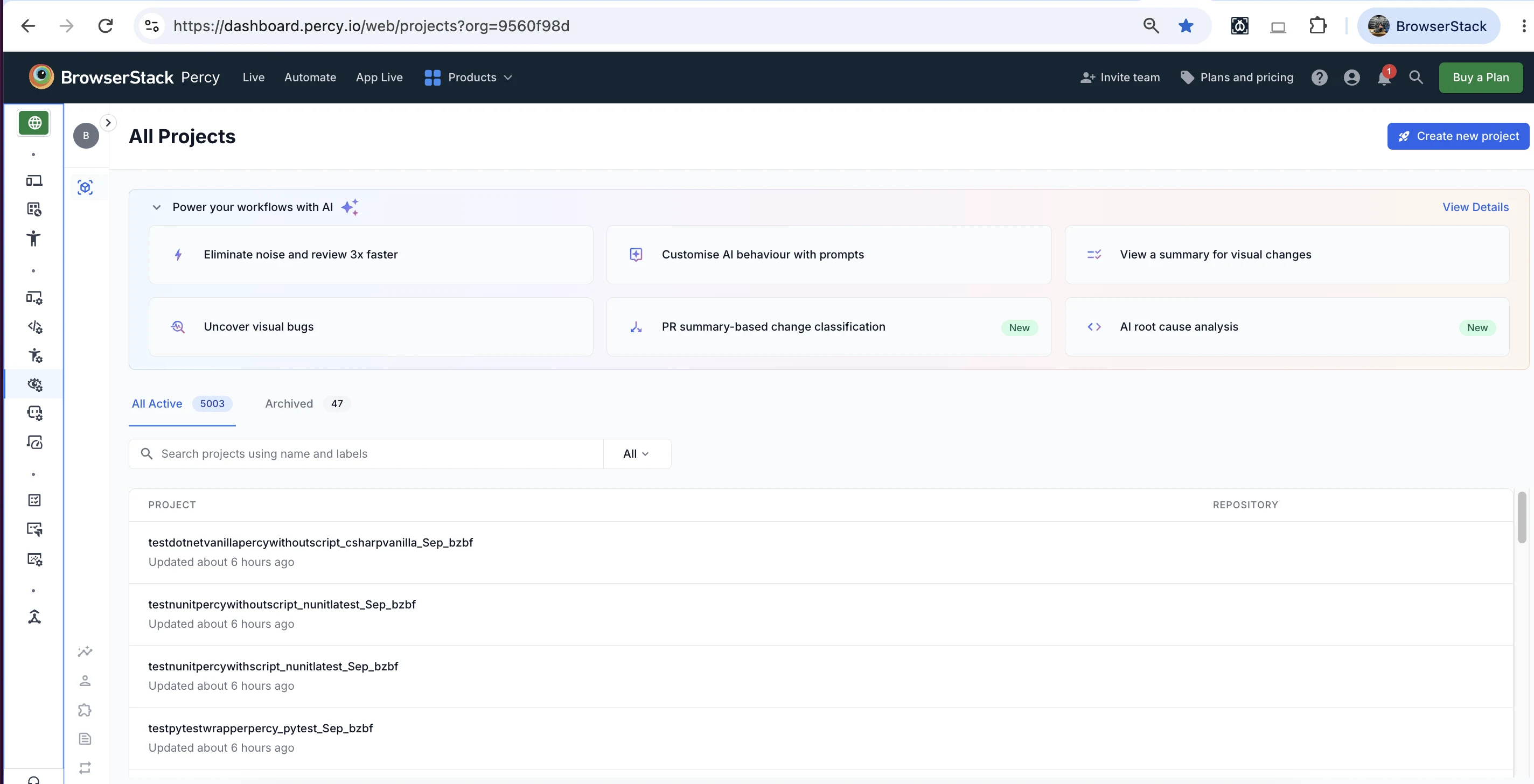
On the project list:
- Active and Archived are separate tabs, each showing a count.
- Search matches on project name and labels.
- Create new project is at the top right.
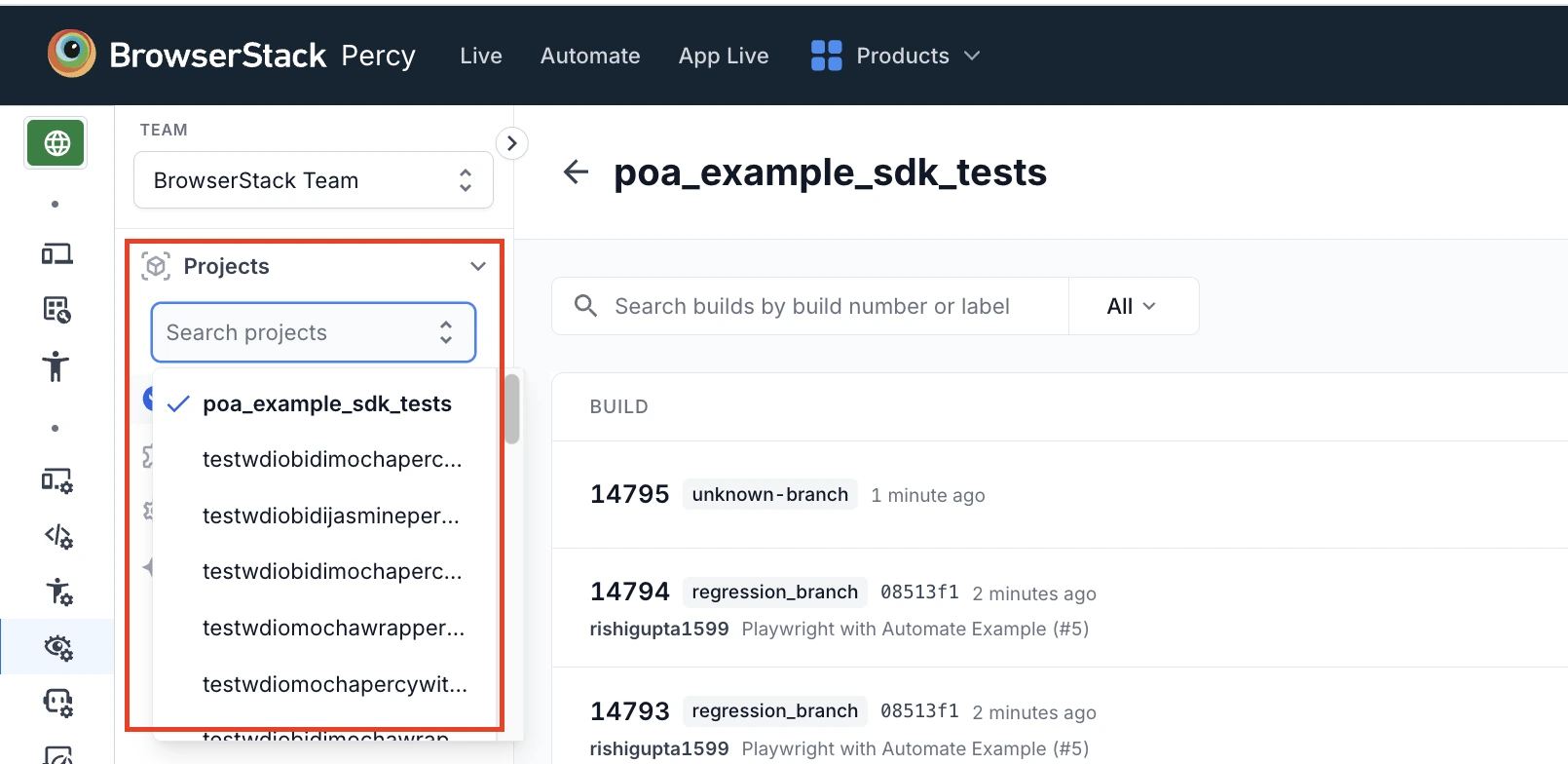
Switch projects without leaving the build list
Select the Projects switcher in the left navigation, then pick a project from the list or start typing in Search projects to filter it. The build list reloads for the project you choose.
If you work across several projects, you can switch between them without returning to the project list first.
On the build list:
- Search matches on build number or label.
- The dropdown next to the search field scopes the search to All, Build number, or Label.
Performance improvements
The project and build lists, build loads, search, filters, and snapshot rendering are faster, including on the largest builds.
How to switch to the old version
To go back, select Switch to Old Version at the bottom of the left navigation.
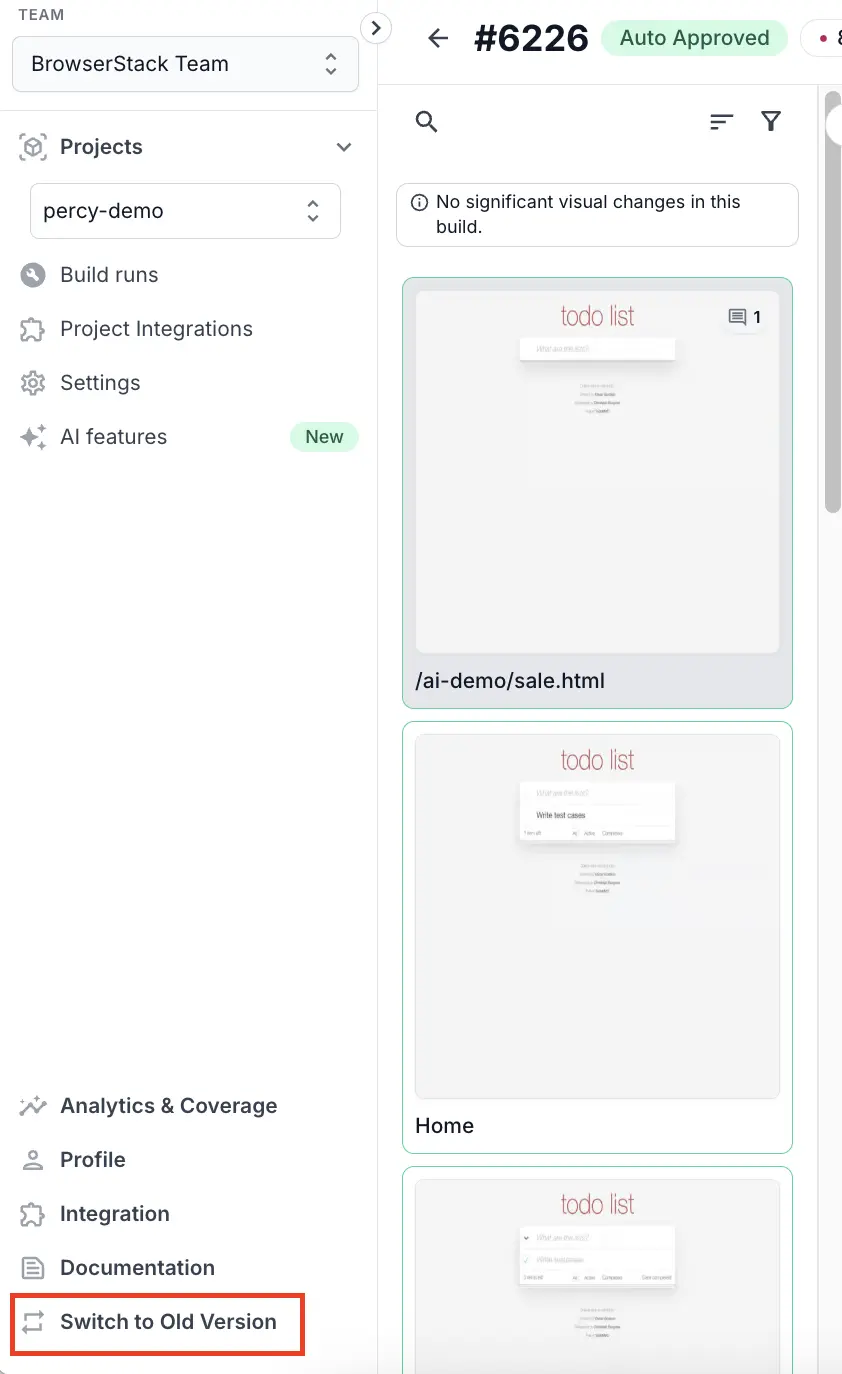
You can’t return to the new dashboard yourself once you switch. Contact BrowserStack if you want the new dashboard back.
We're sorry to hear that. Please share your feedback so we can do better
Contact our Support team for immediate help while we work on improving our docs.
We're continuously improving our docs. We'd love to know what you liked
We're sorry to hear that. Please share your feedback so we can do better
Contact our Support team for immediate help while we work on improving our docs.
We're continuously improving our docs. We'd love to know what you liked
Thank you for your valuable feedback!