
 Join our Discord
AI Root cause analysis
Trace each AI-detected visual regression in Percy back to the source-code change in the GitHub pull request that caused it.
AI RCA identifies the code change that caused a visual regression. When the Visual Review Agent flags an irregular diff, AI RCA points to the files in the pull request that most likely caused it and explains why, so you find and fix the cause without leaving the build.
Benefits
AI RCA helps you:
- Find the cause faster: Percy traces the visual change to the files in the pull request that most likely caused it, so you don’t have to search the code yourself.
- Understand each change: Every file includes a plain-language explanation of how it contributed to the visual change.
- Triage in one click: Open the linked Jira issue, or file a Jira bug that’s pre-filled with the snapshot, region, and contributing files.
- Review without switching tabs: Inspect the code diff for each file inside Percy.
Prerequisites
Before you use AI RCA, ensure the following:
-
A Percy project on a paid plan with the Visual Review Agent enabled.
-
A GitHub version-control integration. AI RCA supports GitHub only.
-
A build that is associated with a pull request at upload time. Builds that run directly against a branch with no pull request attached do not show AI RCA.
-
A build that contains at least one AI-classified irregularity region. For more information, see AI visual change summaries.
-
A pull request that contains code-file changes Percy can analyze. For limits, see Things to know.
AI RCA is available on paid Percy plans with the Visual Review Agent enabled. For more information, see the Visual review agent page.
Open AI RCA
To open AI RCA for a region, follow these steps:
- Open any build with diffs in Percy.
- Click the diff that has a bug icon. The Summary popover appears for that diff.
- In the Summary popover, click AI RCA.
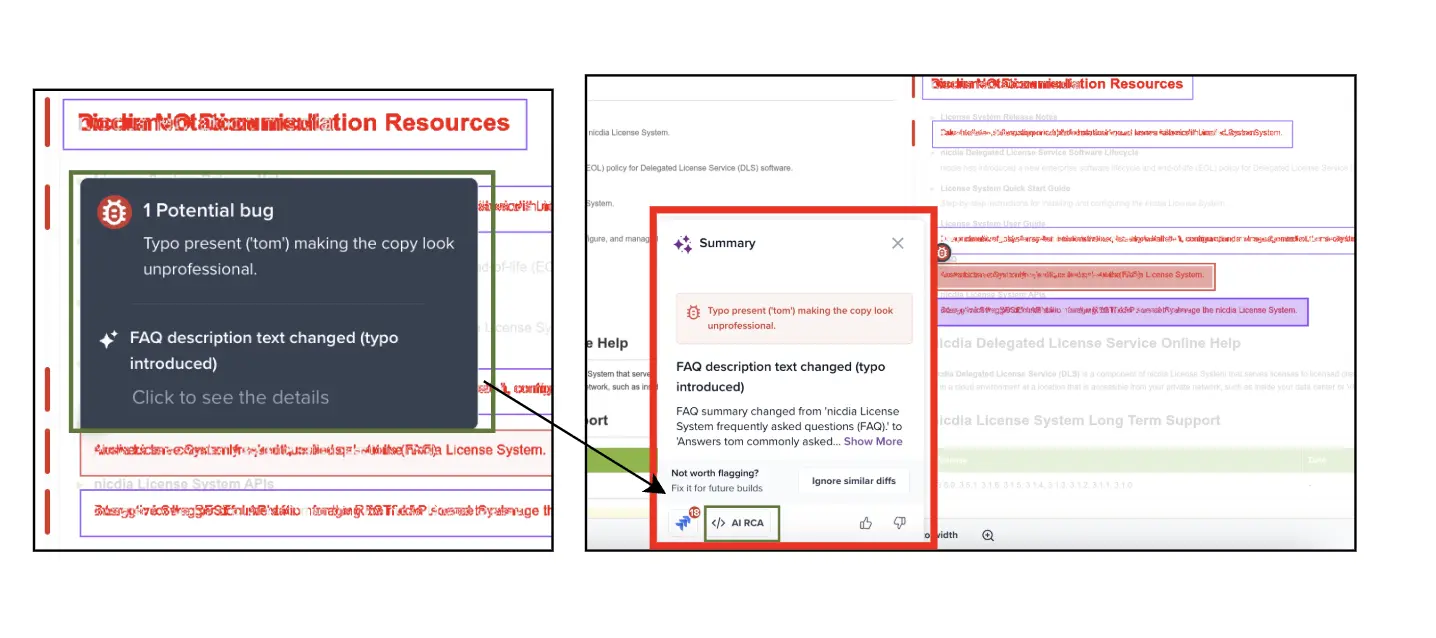
The AI RCA code panel opens at the bottom of the comparison view and shows the contributing source files for the selected region.
AI RCA review panel
The AI RCA code panel has three areas:
| Area | What it shows? |
|---|---|
| File tabs | Each contributing file Percy traced this region to. Click a tab to inspect that file. |
| Change description | A short, AI-generated explanation of why this file likely contributed to the visual change on this region. |
| Diff | The syntax-highlighted unified code diff for that file from the pull request, with added (+) and removed (−) lines color-coded. |
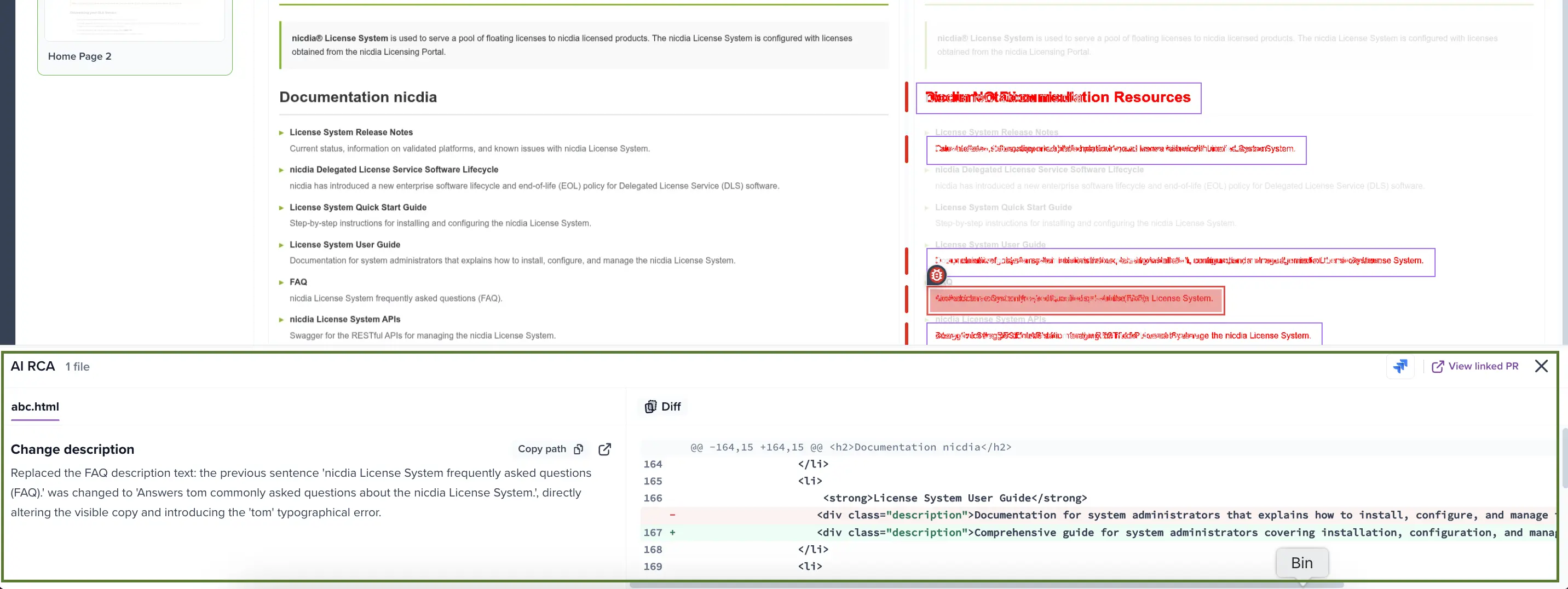
To copy the file path, click Copy path. To open the file on GitHub at the source-code head, click the external-link icon.
Linked snapshot issues
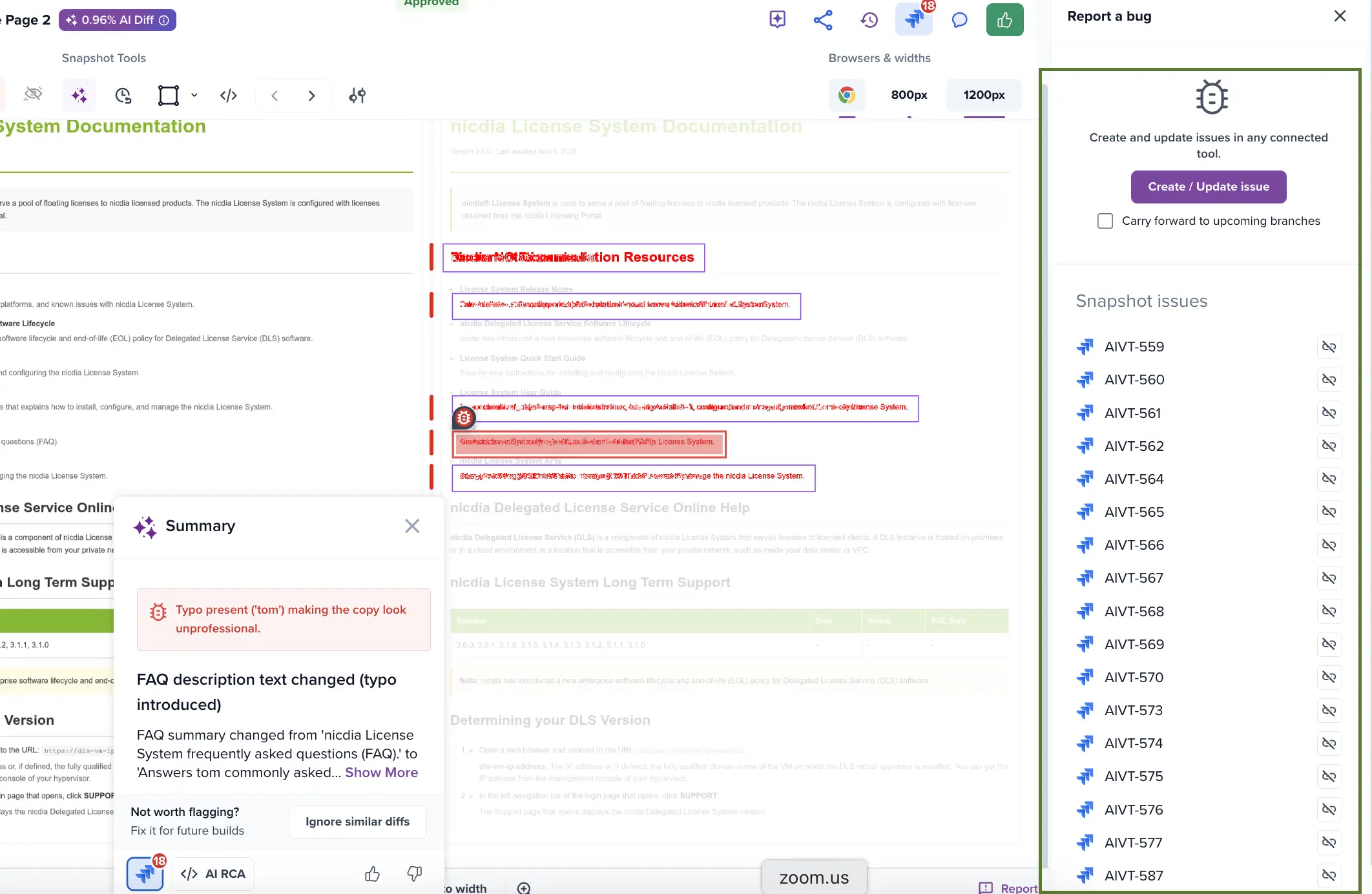
In the Summary popover, click the linked-issues icon, for example the Jira icon. The panel header shows Snapshot issues and opens the linked issues, such as Jira issues, on the right. Use it to track the bug, add context, or check the status of the fix.
Report a bug to Jira
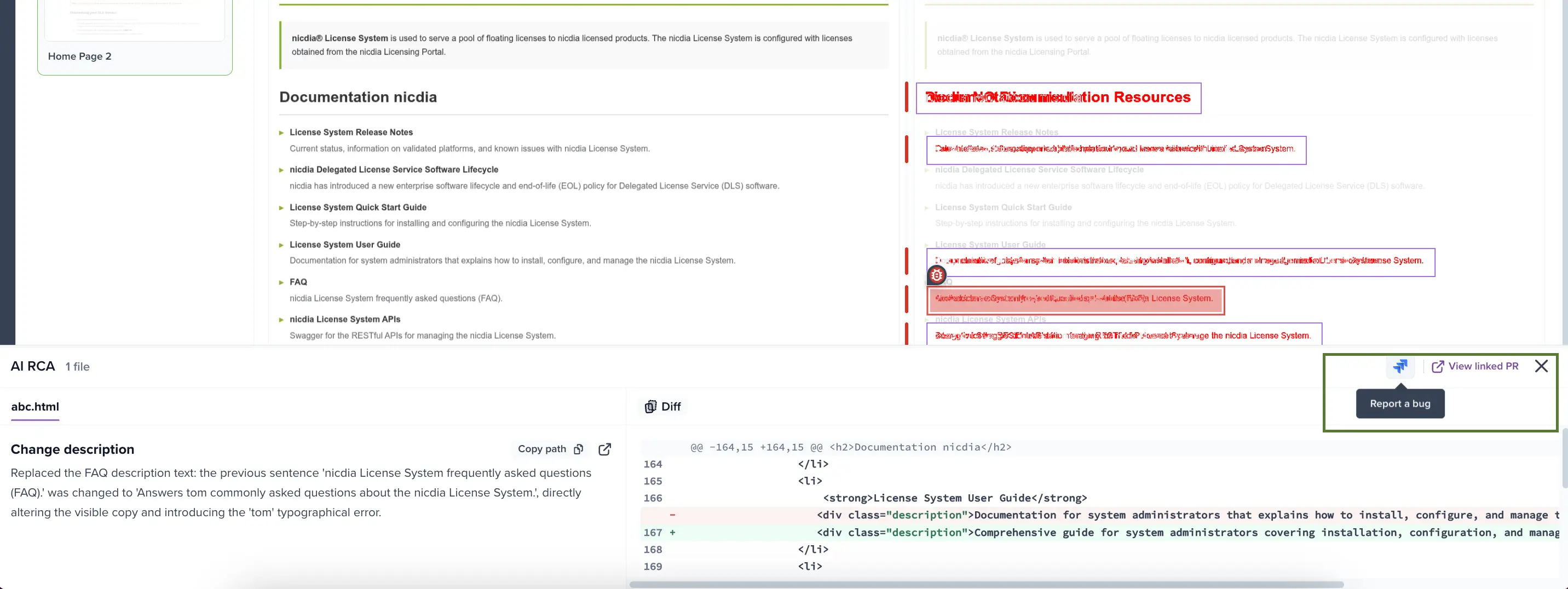
If AI RCA confirms the diff is a real regression, you can file a bug. Click the Jira icon in the panel header. Percy pre-populates the ticket with:
- A link back to the snapshot and region in Percy.
- The contributing file list and change descriptions.
- The diff thumbnail attached as an image.
This requires a configured Jira integration on the project.
Troubleshoot
The AI RCA button is hidden when any of these conditions are true:
| Condition | What to check? |
|---|---|
| Git integration is not GitHub | AI RCA supports only GitHub. |
| Build was not associated with a pull request | Run your Percy build inside a pull-request-based CI pipeline, or confirm your Percy client passes pull-request context at upload time. |
| Pull request has no analyzable code-file changes | After binaries and excluded extensions are filtered out, at least one analyzable file must remain. |
| Build has no AI-classified irregularities | Only irregular regions get AI RCA. Intentional changes are skipped. |
| AI service did not respond within 5 minutes | Re-run the build. If the problem persists, contact support. |
| AI could not confidently map this region to any file | Other regions on the same snapshot might still show AI RCA. Try them. |
Things to know
Review these constraints before you rely on AI RCA:
- GitLab, Bitbucket, and GitHub Enterprise are not yet supported.
- Percy analyzes only code files. It doesn’t analyze images, secrets, or package files, and very large pull requests might have some files omitted.
- Mapping is region-scoped. Different regions on the same snapshot can map to different files.
- Mapping is best-effort. Always confirm against the actual diff before you act.
- Contributing-file data follows the same retention policy as the build.
Related topics
We're sorry to hear that. Please share your feedback so we can do better
Contact our Support team for immediate help while we work on improving our docs.
We're continuously improving our docs. We'd love to know what you liked
We're sorry to hear that. Please share your feedback so we can do better
Contact our Support team for immediate help while we work on improving our docs.
We're continuously improving our docs. We'd love to know what you liked
Thank you for your valuable feedback!