Get your setup working faster. Join our Discord for optimisation tips from elite testers.Join our Discord
Cross-browser visual testing
Learn how to effortlessly see visual changes across different browsers
Percy is an all-in-one visual testing and review platform that allows you to run visual tests using either the BrowserStack SDK or the Percy SDK. Cross-browser visual testing is available for all Percy customers to effortlessly see visual changes across different browsers. You can manage browsers through either Automate or Percy. For more information, see Create a project.
Based on your browser selection management, refer to the appropriate section:
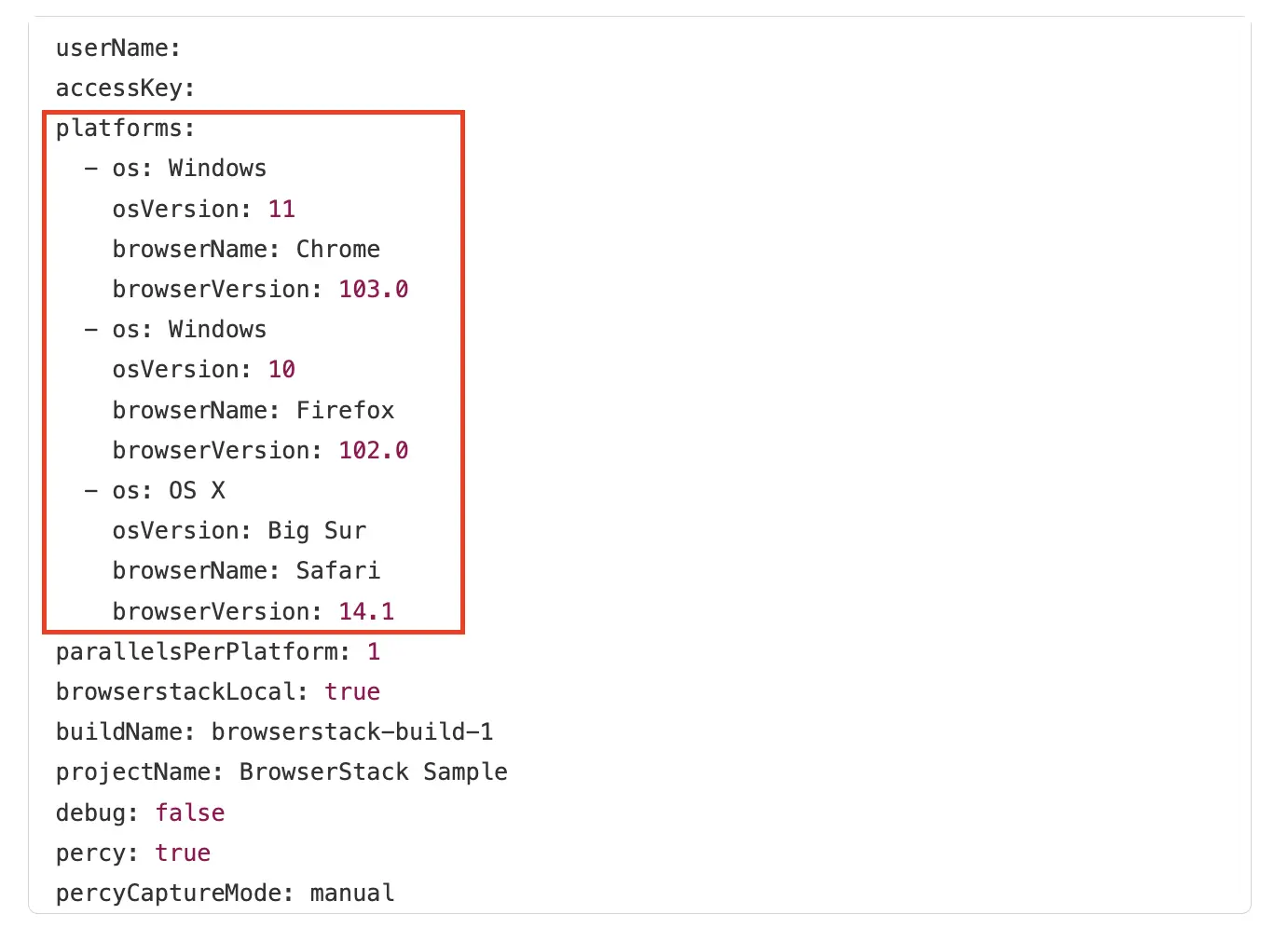
Percy runs visual tests for all browsers specified in your BrowserStack configuration file. Set the browser version by integrating your test with the BrowserStack SDK with Automate. Use the Automate capability builder to configure various browser names and versions.
In your BrowserStack configuration file, include the following browser details under the platform attribute:
os name
osVersion
browserName
browserVersion
Because each snapshot is captured on the operating system you specify, OS-level rendering differences such as system fonts, form controls, and scrollbars appear in the visual diff. Manage your browsers with Automate when you need to compare how a page renders across operating systems.
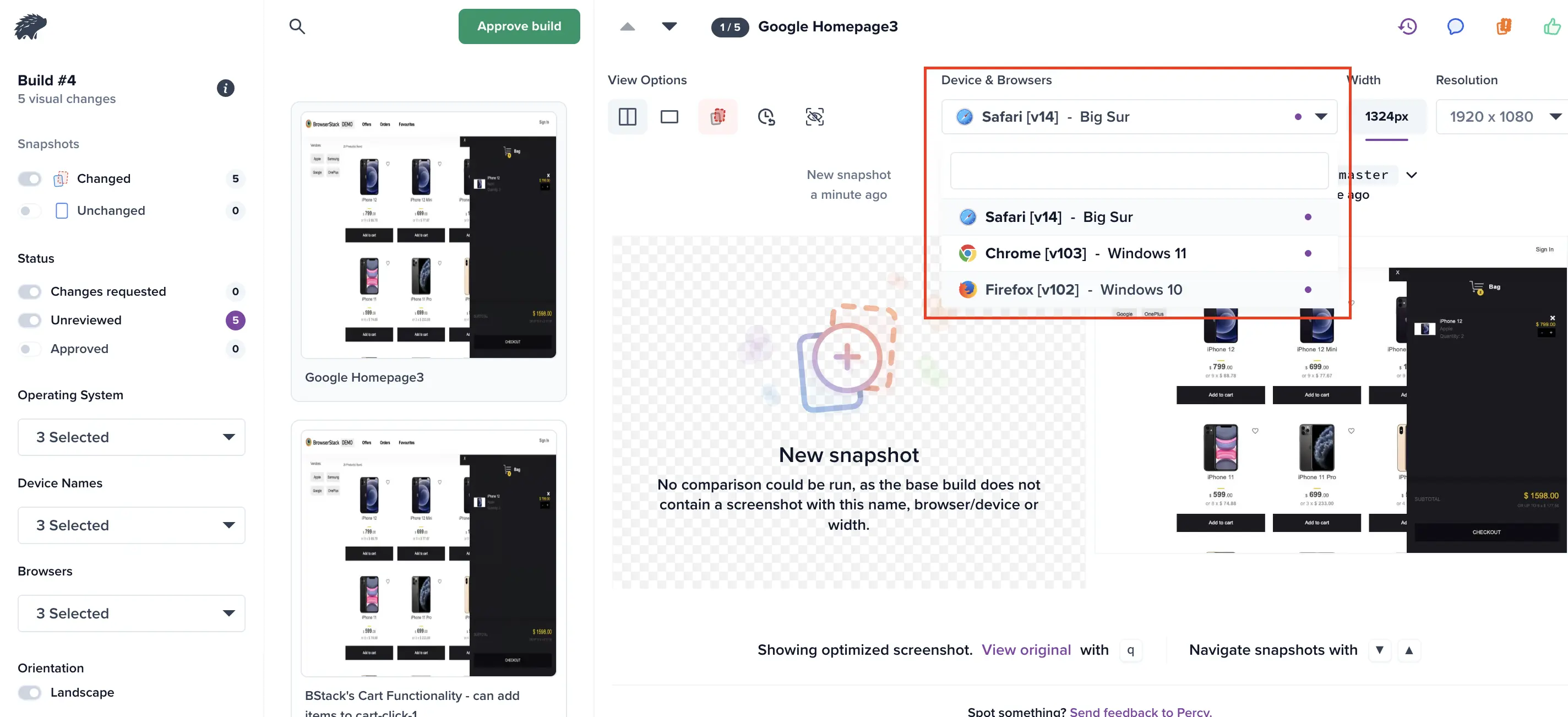
All specified browsers appear under the Device & Browsers drop-down. Select a device, and the build displays separate screenshots for that device and browser, highlighting the visual differences specific to each.
Usage
Each browser counts as a separate screenshot that counts towards your monthly screenshot usage. For example, a snapshot of your homepage in both Chrome and Firefox will count as 2 screenshots.
Percy supports modern browsers, including Chrome, Firefox, Edge, and Safari. Browser updates are managed automatically according to the following schedule:
Desktop browsers (Chrome, Firefox, and Edge): Updated every two quarters
Safari on macOS and mobile browsers: Updated annually
Percy runs visual tests for all the browsers that are enabled for the project on the Percy dashboard.
How it works
Because Percy stores the original DOM snapshot and page assets, we simply render the same page within different browsers when generating screenshots. This is handled entirely server-side and has no effect on the speed of your CI run since all rendering and diffing takes place in Percy, like normal.
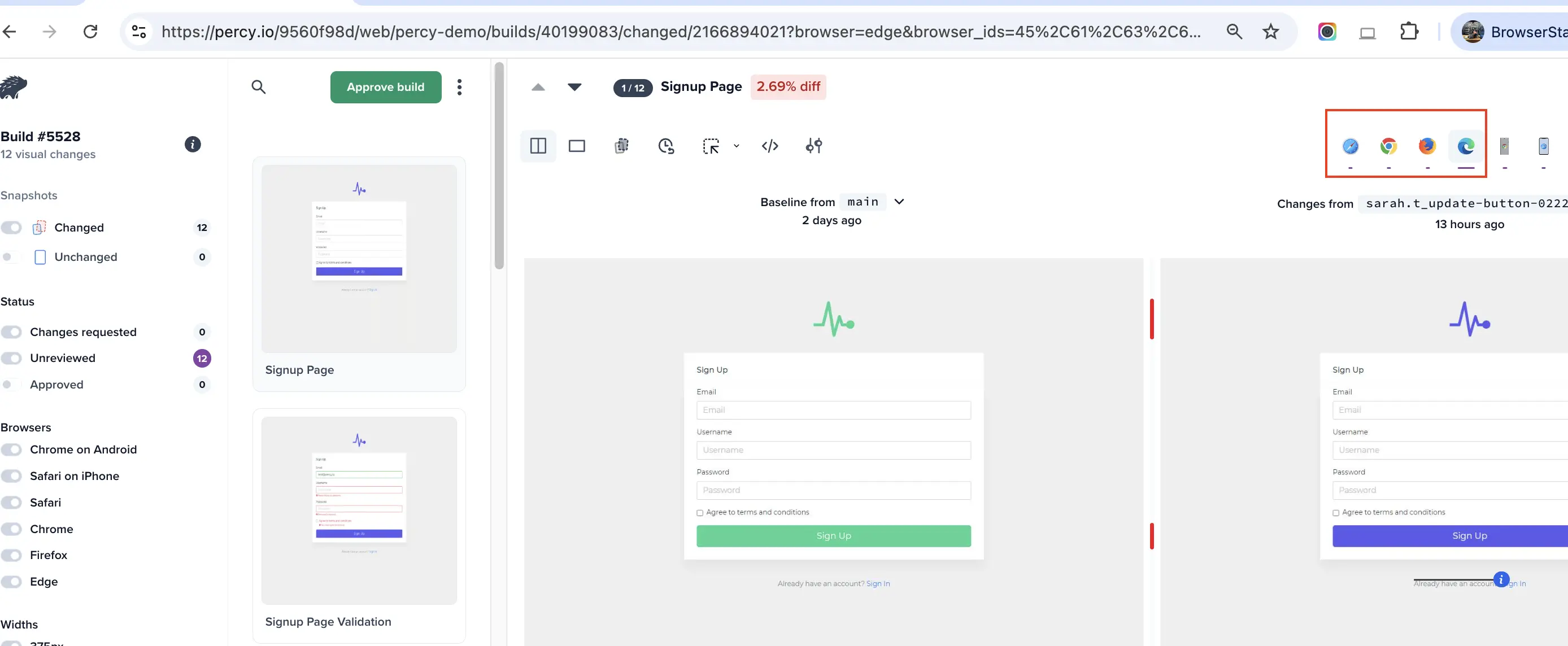
When cross-browser testing is enabled, each build will show separate screenshots for each browser, highlighting the visual diffs specific to each. The number of diffs for each browser will appear over the browser icon on your build.
Keep in mind that you will occasionally see different visual diff counts for each browser because each renders slightly differently. Catching those browser-specific visual regressions is an advantage of cross-browser testing.
Enabling and disabling browsers
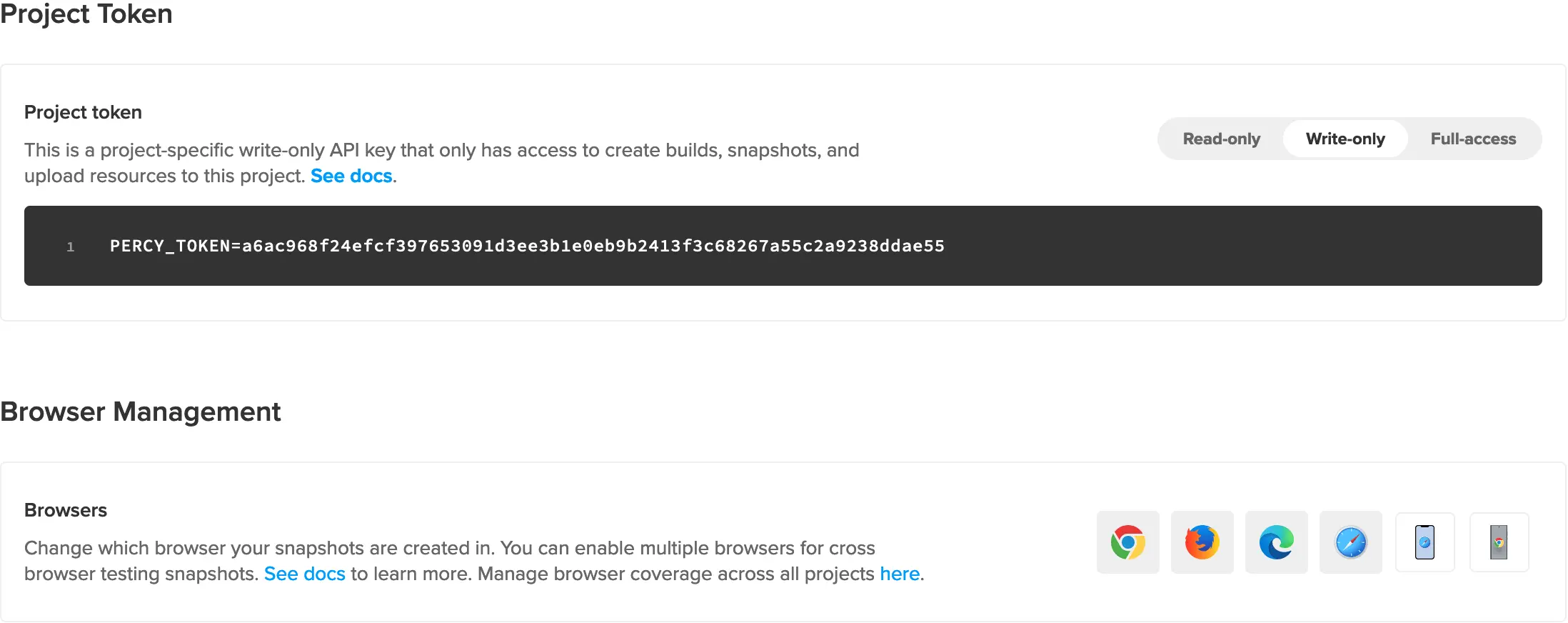
By default, Chrome, Firefox, Edge and Safari are enabled for each new project. Browsers can be enabled or disabled for any individual project at any time.
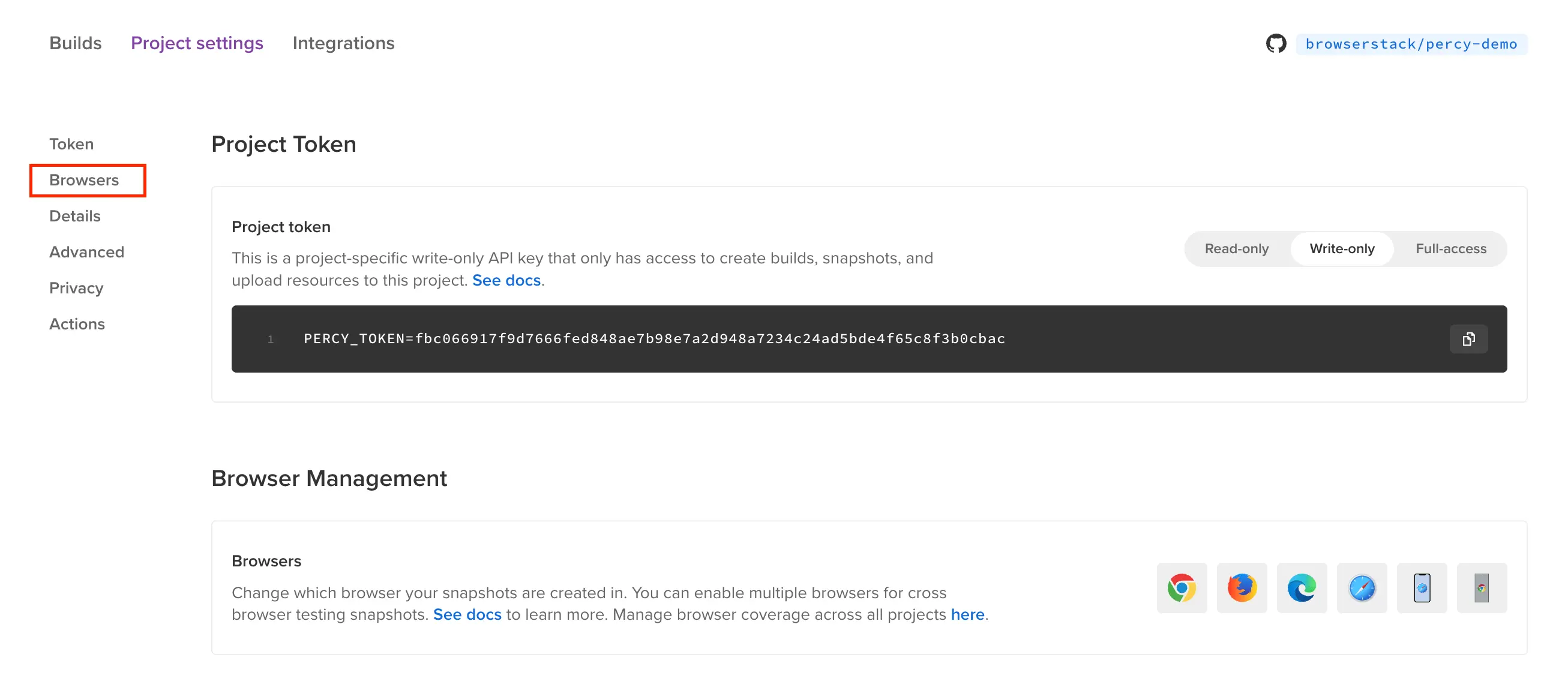
To enable or disable a browser, you will get the “browsers selection” option available in the created Project Settings.
Create a new Percy project and select “Percy” in Browser Selection to be handled by settings.
Click the Browsers tab. Select browsers to handle cross-browser testing for captured snapshots.
Note
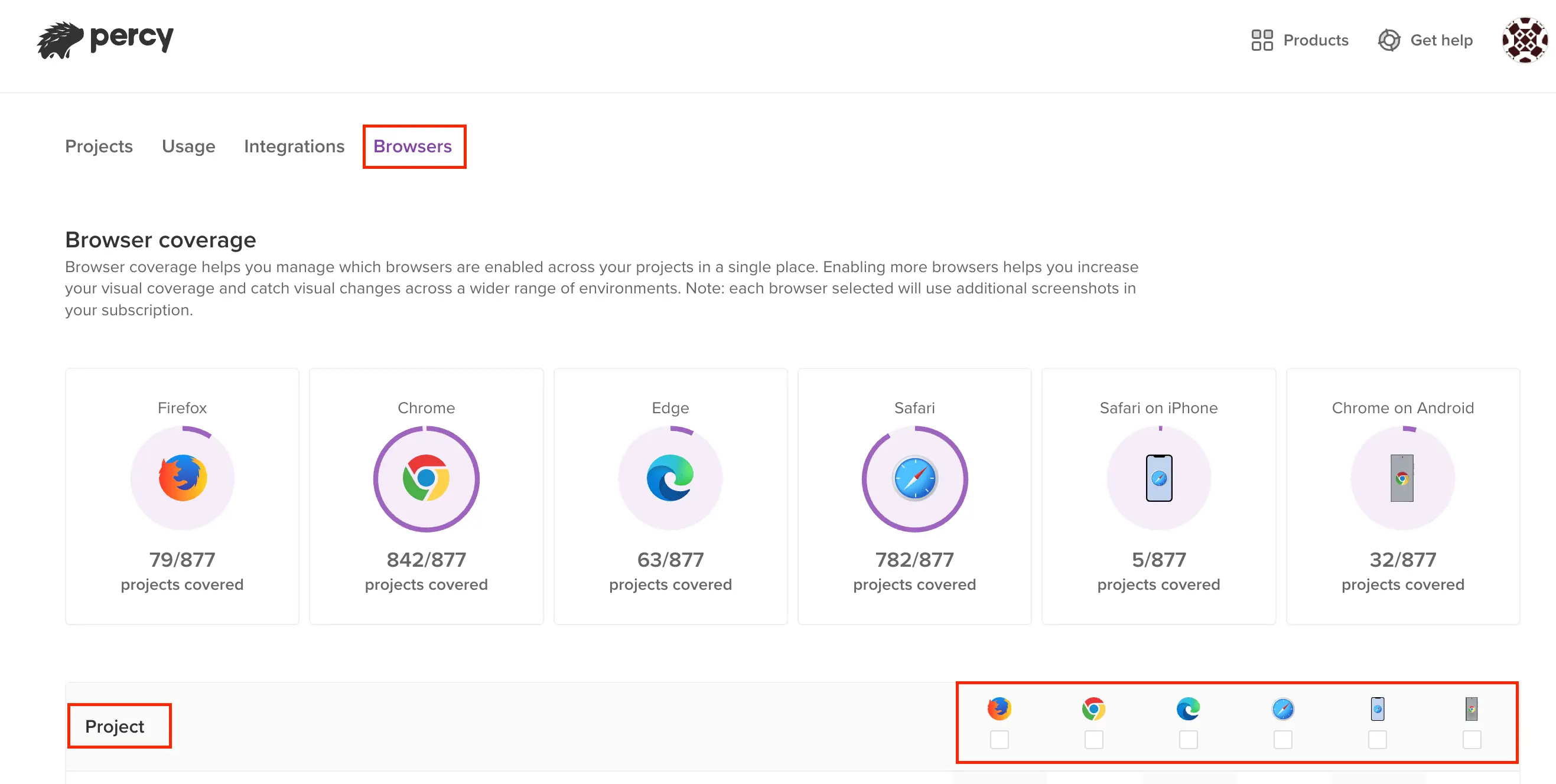
You can handle the browser’s management at the project level for all the individual builds, by selecting the browsers tab at Percy project home page.
After enabling a browser, a new baseline will be established on the project’s subsequent build. This means that the snapshots in the first build for that browser won’t have a baseline comparison. Read more about our baseline picking logic.
If you disable a browser and choose to re-enable it in the future, we will update the browser to Percy’s newest version and the subsequent build will create a new baseline for that browser.
Browsers and rendering environment
Percy renders your snapshots on its own infrastructure. Each browser runs on a fixed operating system that Percy manages, so the operating system isn’t something you select or configure when you manage browsers with Percy. Percy reports the browser name and version because those are the only details that vary. Percy updates the operating system and browser versions over time.
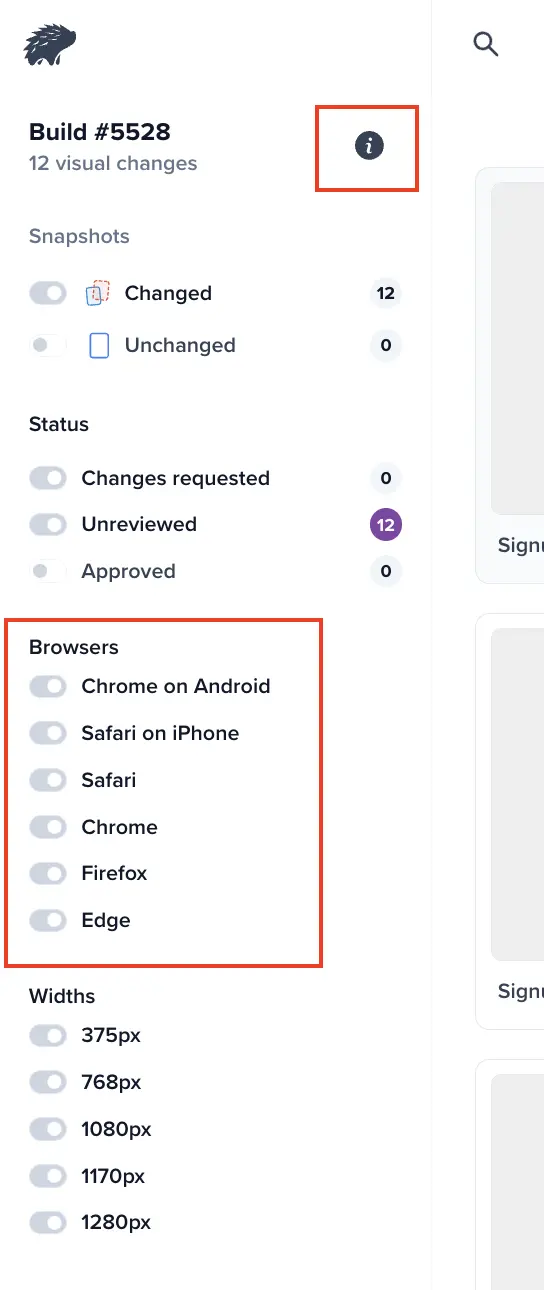
To check the browser version for your project, click the information icon:
Percy renders each browser on its own infrastructure and aims to use the font stack of the operating system that the browser runs on. Because Chrome, Firefox, and Edge render on Linux, text in these browsers can appear different from the same page viewed on a Windows or macOS machine.
To compare how a page renders across operating systems, manage your browsers with Automate. Specify os, osVersion, browserName, and browserVersion in your BrowserStack configuration file, and OS-level differences such as fonts, form controls, and scrollbars appear in the visual diff. See the Manage browsers with Automate tab on this page.
Usage
Each browser counts as a separate screenshot that counts towards your monthly screenshot usage. For example, a snapshot of your homepage in both Chrome and Firefox will count as 2 screenshots.
Did this page help you?
We're sorry to hear that. Please share your feedback so we can do better
Contact our Support team for immediate help while we work on improving our docs.
We're continuously improving our docs. We'd love to know what you liked
Thank you for your valuable feedback
Is this page helping you?
Yes
No
We're sorry to hear that. Please share your feedback so we can do better
Contact our Support team for immediate help while we work on improving our docs.
We're continuously improving our docs. We'd love to know what you liked

 Join our Discord