
 Join our Discord
Rerun tests on CircleCI
Configure the CircleCI integration so you can rerun failed tests from the Test Reporting & Analytics dashboard.
BrowserStack Test Reporting & Analytics lets you rerun failed tests directly from the dashboard after you integrate CircleCI. This integration removes the need to manually trigger CircleCI builds.
Before you proceed, complete the main setup to rerun failed tests: Rerun failed tests with Test Reporting & Analytics.
Configure the CircleCI integration
Each user who wants to trigger reruns must complete this setup:
- Go to the Integrations page and click Connect under CircleCI.
- Create a CircleCI personal API token:
- In the CircleCI web app, click your user avatar in the top-right corner, then click User settings. You can also go to User settings directly.
- Click Personal API Tokens > Create New Token.
- In the Token name field, enter a name that identifies where the token is used, such as
browserstack-rerun. - Click Add API Token.
- Copy the token and store it securely. CircleCI displays the token only once, and you can’t view it again.
- In the BrowserStack integration form, enter the token and click Submit.
- Rotate the token periodically, and remove it from Personal API Tokens in CircleCI if you stop using the integration.
For details, see Managing API tokens in the CircleCI documentation.
A CircleCI personal API token doesn’t support scopes. The token carries the full read and write permissions of the account that creates it, for every project that account can access. Create the token from an account that has access only to the projects you want to rerun tests for, and remove the token from Personal API Tokens when you no longer need it. To rotate a token, create a new one, submit it on the Integrations page, and then remove the old token.
Trigger reruns
After you complete the CI configuration, follow these steps to rerun failed test cases:
- Go to the Test listing to view failed test cases.
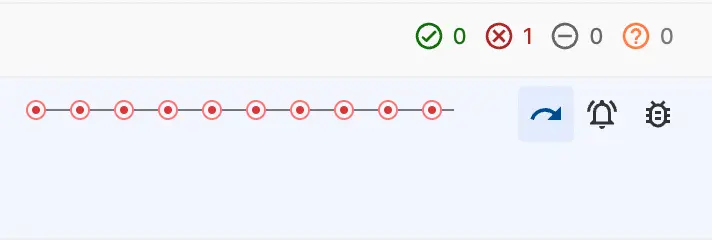
- Hover over the failed test name to display the action icons.
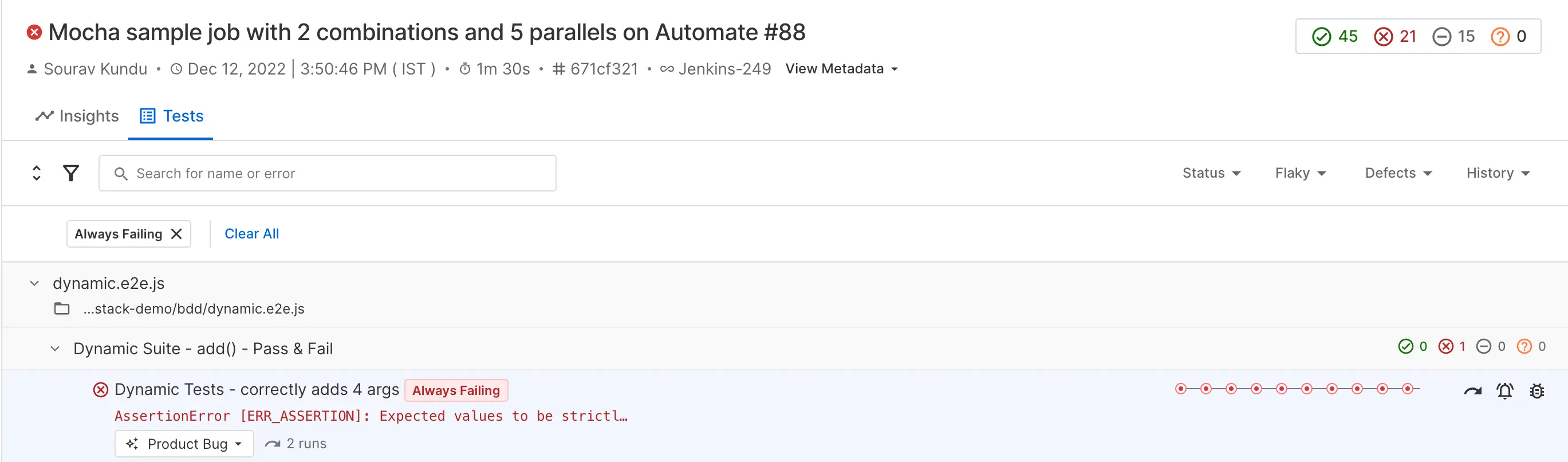
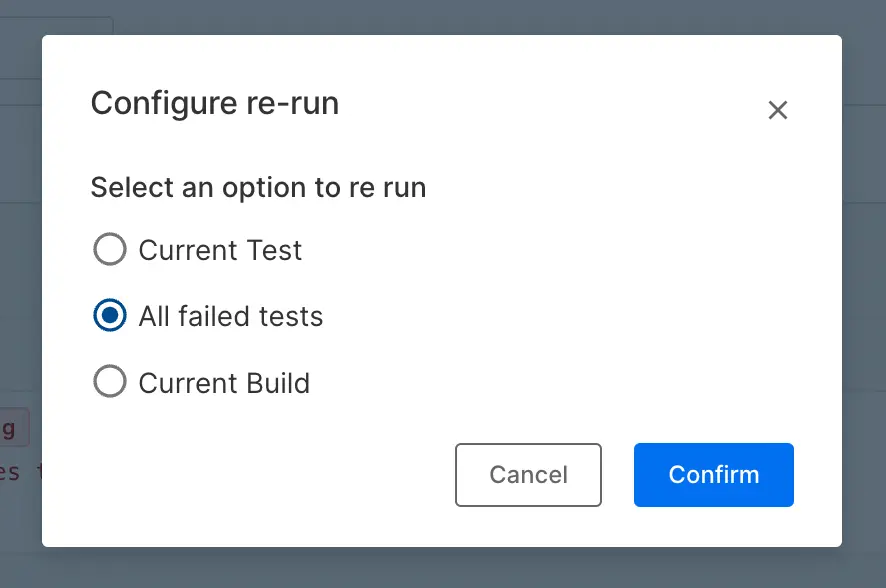
- Click the rerun icon to open the rerun options.
Related topics
We're sorry to hear that. Please share your feedback so we can do better
Contact our Support team for immediate help while we work on improving our docs.
We're continuously improving our docs. We'd love to know what you liked
We're sorry to hear that. Please share your feedback so we can do better
Contact our Support team for immediate help while we work on improving our docs.
We're continuously improving our docs. We'd love to know what you liked
Thank you for your valuable feedback!