
 Join our Discord
Rerun failed tests with Test Reporting & Analytics
Trigger reruns of failed tests from Test Reporting & Analytics and map them to previous runs of the same test case.
Automation engineers, especially those who run functional end-to-end tests, know the importance of rerunning test cases that fail on the first attempt. SDETs often rerun tests multiple times as part of the same CI job, or trigger the same job again with different parameters. Sometimes, the rerun is handled directly by the test framework.
Among the tests that you rerun, the common use case is to see only the latest status of the test. Test Reporting & Analytics solves this problem. You rerun your tests, and it maps each rerun to the previous runs of the same test case so that you see only the latest status.
This platform feature is available with Automate, App Automate, Test Management, Test Reporting & Analytics, and Automate TurboScale.
The following scenarios are supported:
- The framework automatically retries a failed test case.
- You re-trigger a CI job with failed test cases.
- The same CI job invokes the test runner again with the failed test cases.
- You want to rerun test cases, a single test or multiple tests, during manual analysis.
- You upload the results of a rerun as a JUnit XML or Allure report.
Map rerun CI jobs with existing build runs
Test Reporting & Analytics maps the test case runs with a previous run instance on a test rerun. If the test framework itself is rerunning the test, you don’t need to do anything and you see the retries of a test automatically.
If you rerun tests through approach 2 or 3, set the following environment variable in your runner environment just before you trigger the second and subsequent runs:
The BROWSERSTACK_RERUN=true environment variable ensures that all tests that run with this variable set are treated as reruns of the immediately preceding run. Set the variable to false before the next fresh build run that is not to be treated as a rerun.
Even if BROWSERSTACK_RERUN was not set to true on the initial run, you can merge a current run with a subsequent run after setting BROWSERSTACK_RERUN to true in the subsequent run.
Rerun specific tests
You can also trigger reruns of specific tests while you’re manually analyzing the failures, right from within Test Reporting & Analytics.
To do this, configure the rerun setting and the CI integration, as shown in the following steps.
Configure rerun setting
Go to the Re-run settings to turn the Re-run configuration on or off. The configuration is on by default.
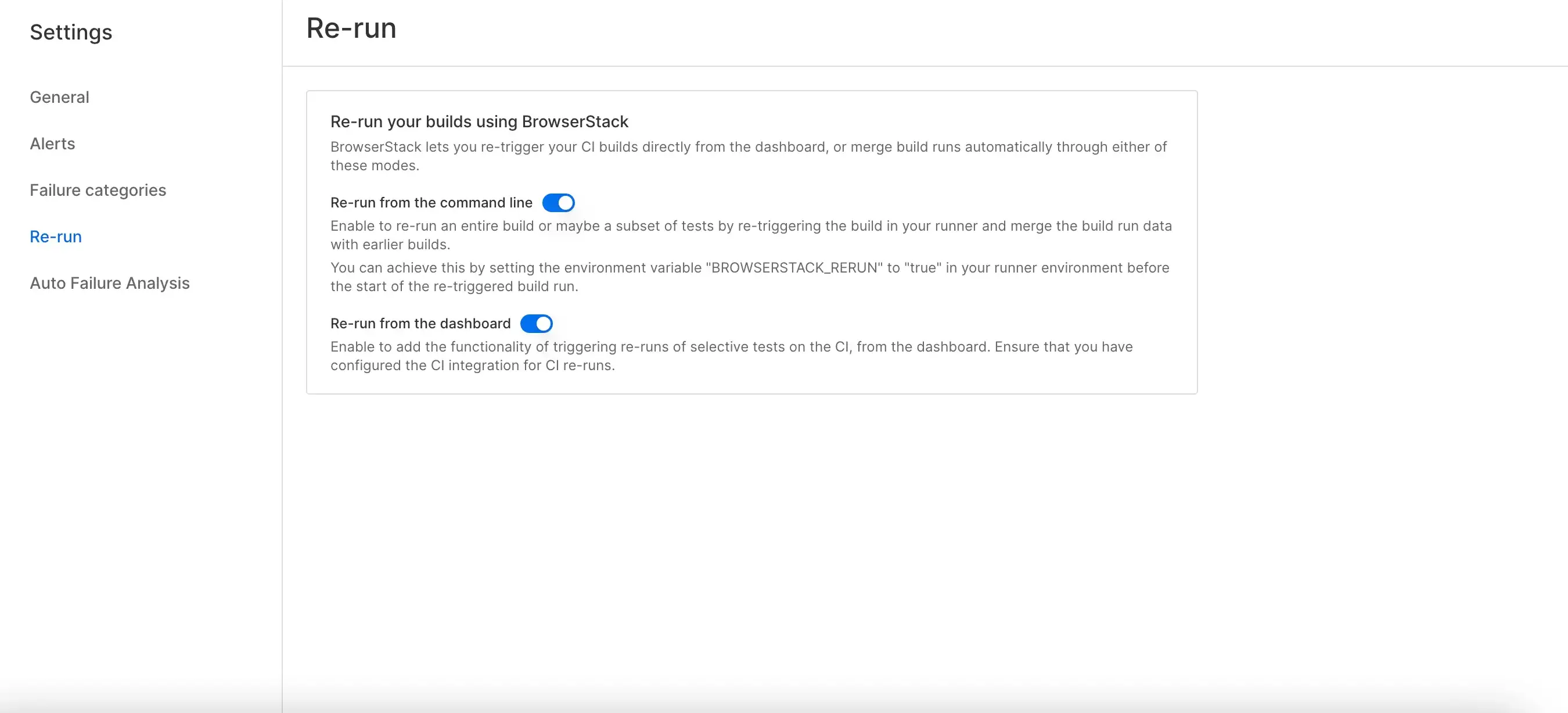
Configure CI integration for job triggers
After you turn on the rerun setting in the dashboard, the next step is to configure a CI integration so that BrowserStack can trigger CI jobs on your behalf when you choose to rerun specific tests.
Go to the Integrations page and configure one of the supported CI integrations. For the setup steps for your tool, see:
- Rerun tests on Jenkins
- Rerun tests on Azure
- Rerun tests on GitHub Actions
- Rerun tests on GitLab
- Rerun tests on CircleCI
Trigger reruns
After you complete the CI configuration, follow these steps to trigger reruns of failed test cases:
- Go to the Test listing to view failed test cases.
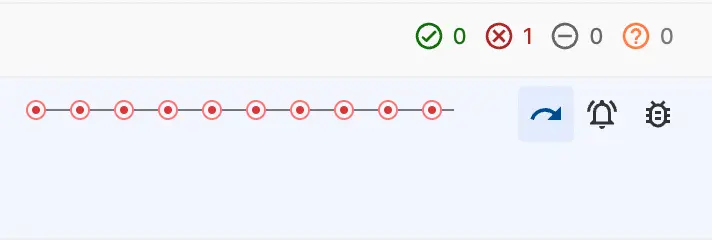
- Hover over the test name to display the action icons on the right, where the duration appears.
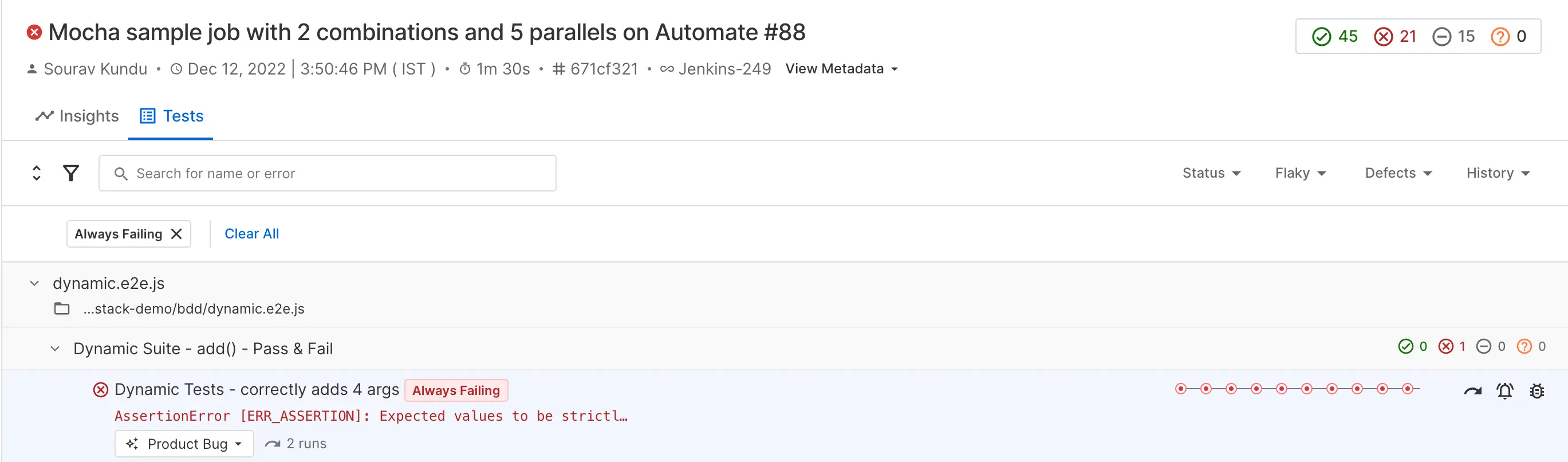
- Click the rerun icon to open the rerun options.
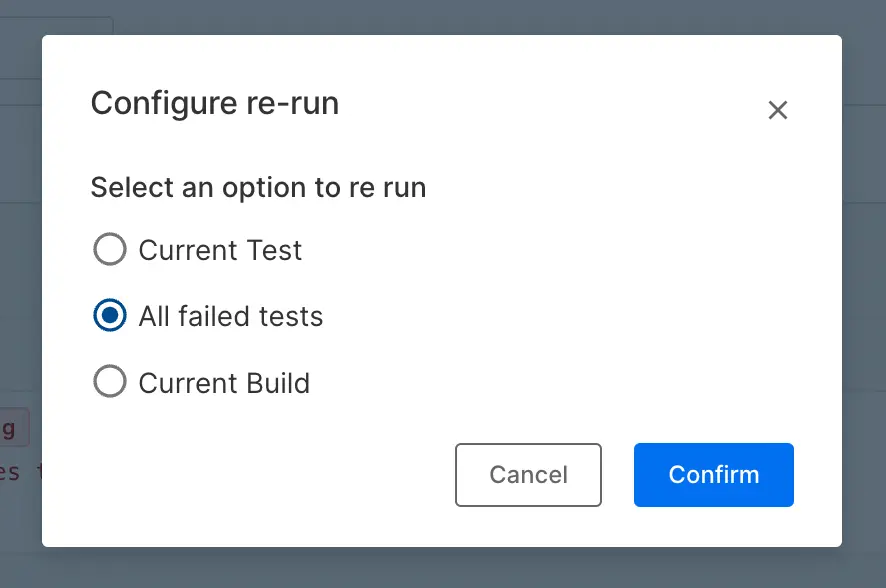
The Rerun All Failed Tests option doesn’t guarantee that only failed tests are rerun. Due to framework limitations, Test Reporting & Analytics might run extra tests.
Test Reporting & Analytics currently supports the rerun functionality on Azure Pipelines, Jenkins (Pipeline and Freestyle projects only), GitHub Actions, CircleCI, and GitLab.
Map reruns using JUnit XML or Allure reports
If you add tests to Test Reporting & Analytics by uploading JUnit XML reports or Allure reports, you can map the data to an earlier build run using one of the following parameters in the upload request:
| Parameter | Build run that the upload maps to | Time limit |
|---|---|---|
buildIdentifier |
The build run that was created by an earlier upload with the same buildIdentifier value. |
Six hours from the first upload that used the identifier. |
isRerun |
The latest build run that has the same buildName. |
None. |
Send either buildIdentifier or isRerun in an upload request, not both. If you send both, Test Reporting & Analytics rejects the upload with an error stating that you can configure only one of the two.
Rerun a specific build run
Use buildIdentifier to map the tests to a particular build run. Set buildIdentifier to the exact value used in the earlier upload, and Test Reporting & Analytics maps the tests to that build run instead of creating a new one.
A buildIdentifier expires six hours after the first upload. After it expires, an upload with the same identifier starts a new build run instead of mapping to the existing one. If your reruns can happen later than six hours, use isRerun.
Rerun the latest build run
Use isRerun when you want the new upload to map to the most recent build run with the same buildName. Set isRerun to true and keep buildName unchanged from the run you want to map to. This parameter has no time limit, so you can use it for reruns that you trigger long after the original run.
We're sorry to hear that. Please share your feedback so we can do better
Contact our Support team for immediate help while we work on improving our docs.
We're continuously improving our docs. We'd love to know what you liked
We're sorry to hear that. Please share your feedback so we can do better
Contact our Support team for immediate help while we work on improving our docs.
We're continuously improving our docs. We'd love to know what you liked
Thank you for your valuable feedback!