
 Join our Discord
Meaningful reading order
Ensure that the screen reader focus order of the elements in your app follows a logical and meaningful reading order. The reading order does not have to match the visual order, but it must remain logical and intuitive for users relying on assistive technology.
A meaningful reading order is crucial for users who rely on screen readers to experience content in the intended sequence and maintain proper context. When the reading order does not align with the logical flow, it can hinder the user’s ability to understand and interact with the app.
- Rule Category:
Focus and Navigation - WCAG 2.1 & 2.2 SC:
1.3.2 (A),2.4.3 (A) - RAAM 1.1 :
10.2 - Rule Severity:
Serious - Supported Platforms and Frameworks :
Android,iOS,React Native,Flutter apps
Success criteria
The specific criteria for success are:
- The screen reader focus order follows a logical and meaningful sequence.
- The order of focusable elements is predictable and supports the user’s understanding of the content structure.
- All screen reader-focusable elements, not just interactive elements, must follow a meaningful and predictable sequence.
AI-powered testing
With AI-powered analysis, App Accessibility Testing evaluates whether the screen reader reading order is logical and meaningful. The AI engine flags potential meaningful reading order violations and provides actionable insights for review.
The AI engine performs the following checks:
-
Issue classification: Analyzes whether the screen reader focus order is logical and indicates the status as:
- Not an issue
- Needs review
- Confirmed issue.
-
Suggests remediation:
- Identifies the elements that break the sequence.
- Provides details about the elements, from the Accessibility Tree, and their screen positions.
- Explains why the elements break the sequence and offers suggestions for remediation.
For more information about how BrowserStack App Accessibility Testing uses AI to improve app accessibility, refer to the AI-powered testing page.
How to fix
You can fix violations manually or by applying the AI-powered fix.
Manual fix
- Set the focus order: Set the focus order of elements to ensure that the screen reader focus moves through elements in a logical and predictable order.
- Test with real screen readers: Ensure that the focus order is logical by testing your app with actual screen readers.
- Ensure localization support: Verify that the reading order is appropriate for different languages or localized apps, especially for right-to-left (RTL) languages, such as Arabic or Hebrew.
Platform-specific implementation
To ensure a meaningful reading order for assistive technology users, follow these steps:
- Make sure the order of elements in the view hierarchy matches the intended reading order for screen readers.
- Use the following attributes to set the focus order:
-
android:accessibilityTraversalBefore: Specifies which element should receive focus before the current element. -
android:accessibilityTraversalAfter: Specifies which element should receive focus after the current element.
-
AI-powered fix
You can use the AI-powered suggestions to ensure the screen reader focus order of the elements in your app follows a logical and meaningful reading order.
The AI engine only generates the suggestions. You must manually review and implement the suggestions in your codebase using the steps mentioned in the Manual fix section.
Examples
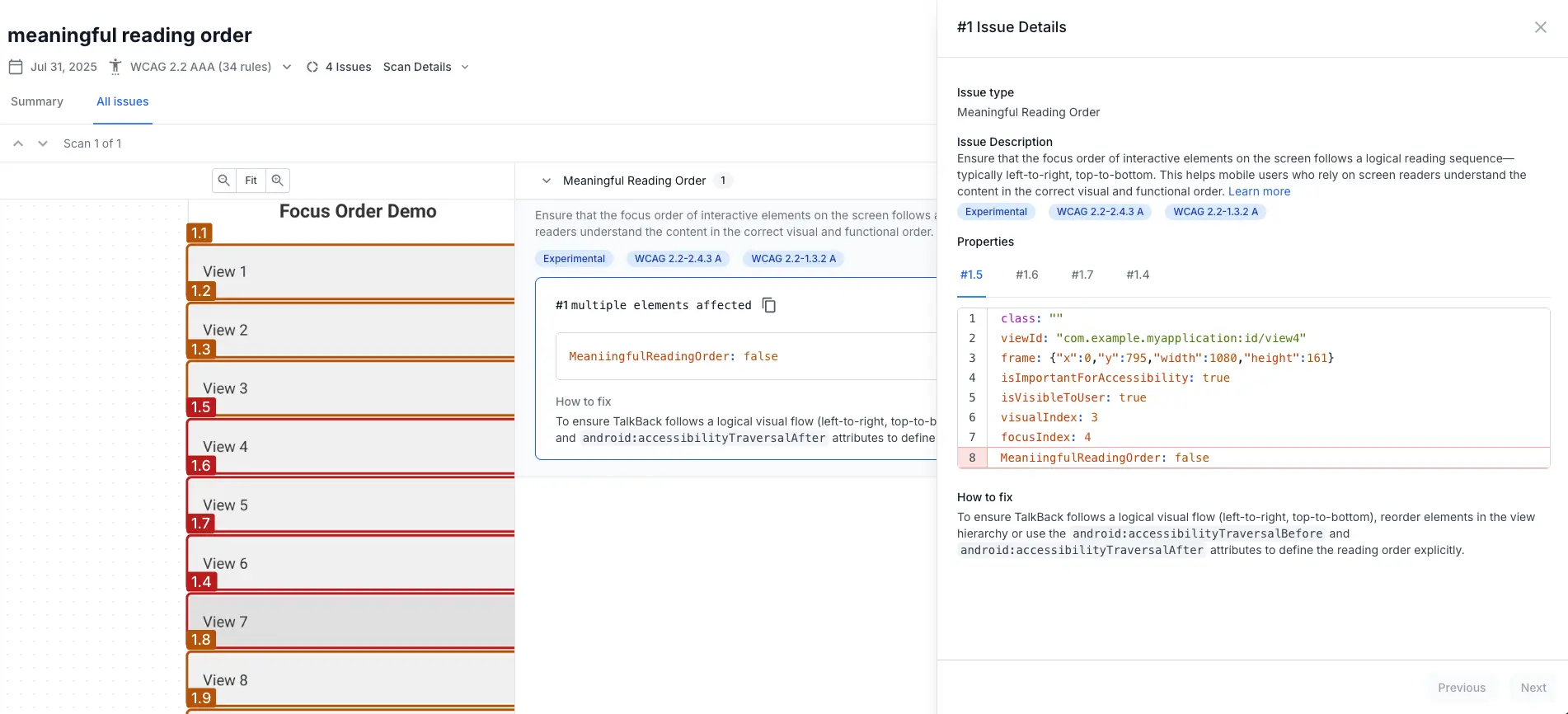
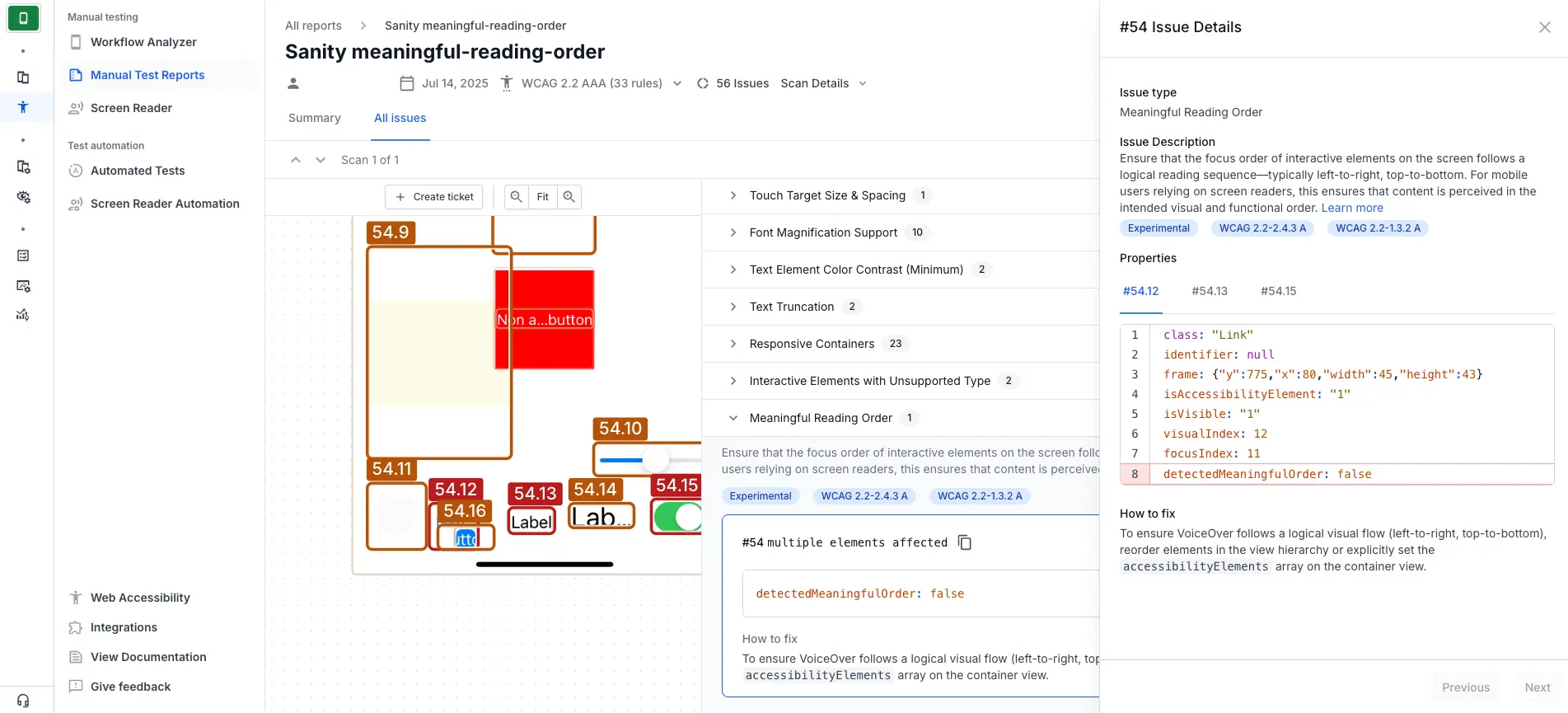
The following Android example scan report highlights an app interface where the elements do not follow a logical reading order, causing a meaningful reading order violation.
Fix
To correct this violation:
- Use the
android:accessibilityTraversalBeforeandandroid:accessibilityTraversalAfterattributes to set the focus traversal order of the elements to match the intended reading order.
References
WCAG
- 1.3.2 Meaningful Sequence (Level A): WCAG 2.1 · WCAG 2.2
- 2.4.3 Focus Order (Level A): WCAG 2.1 · WCAG 2.2
RAAM 1.1
- 10.2: RAAM 1.1
We're sorry to hear that. Please share your feedback so we can do better
Contact our Support team for immediate help while we work on improving our docs.
We're continuously improving our docs. We'd love to know what you liked
We're sorry to hear that. Please share your feedback so we can do better
Contact our Support team for immediate help while we work on improving our docs.
We're continuously improving our docs. We'd love to know what you liked
Thank you for your valuable feedback!