
 Join our Discord
Enable video recording for Appium tests
Enable video recording for your Appium test executions on BrowserStack App Automate. Test your apps on a real device cloud.
Every test session executed on BrowserStack is recorded, as tests are performed on our remote device. Video recordings show all the steps as a video to retrace the steps that led to the test failure. You can download or view the video logs in full-screen mode from the dashboard.
Video logs are available on the BrowserStack dashboard for 30 days. These logs are deleted after 30 days from the day they are generated.
Video recording is enabled by default. To disable the video recording use the capability as shown below.
If you are using BrowserStack SDK, you can set the following capability within the browserstack.yml file:
| Capability | Description | Video |
|---|---|---|
video |
Enable/Disable video recording of your test |
true, false Default: true
|
Access video recording from the dashboard
Video recording can be viewed from the test sessions details page on the App Automate Dashboard.
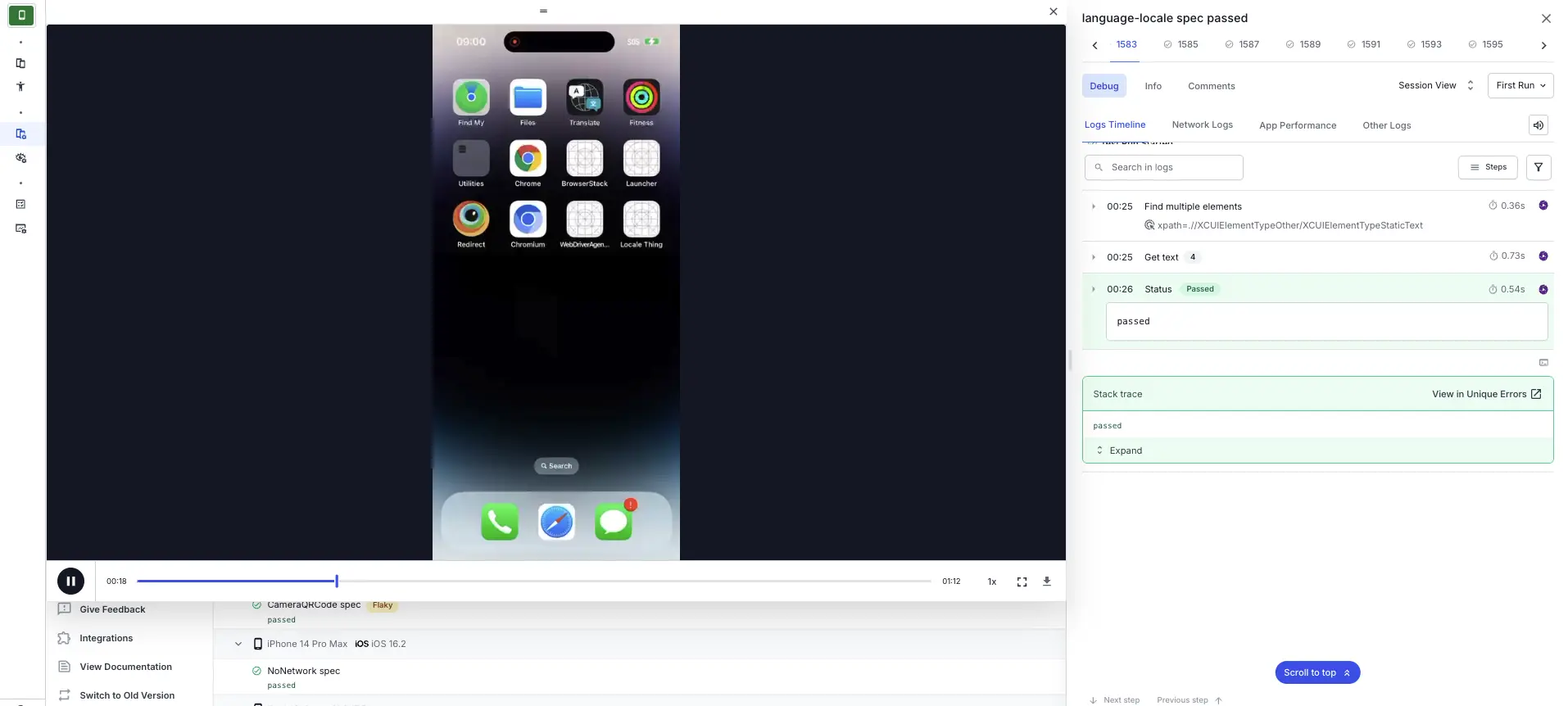
Retrieve video recording URL
You can retrieve video recording URL for any test session using our REST API :
curl -u "YOUR_USERNAME:YOUR_ACCESS_KEY" \
-X GET "https://api-cloud.browserstack.com/app-automate/sessions/<session-id>.json"
Audio recording
Audio recording captures the audio played during your test session. By default, BrowserStack records video without audio. To capture audio, enable the audio capability. This requires video recording, because the audio track is embedded in the recorded video.
Audio recording depends on video recording. If you set audio to true with video recording disabled, the request is rejected. BrowserStack doesn’t support standalone MP3 audio files. The audio is embedded in the recorded video.
To enable audio recording, add the following capability to your browserstack.yml file:
audio: true
The audio recording is disabled by default.
Audio recording is available for Appium tests on the following platforms:
| Platform | Supported version |
|---|---|
| Android | Android 11 and above |
| iOS | iOS 15 and above |
When audio recording is enabled, the downloaded video file includes the audio track. When disabled, the downloaded file contains video only. This applies to downloads from both the App Automate dashboard and the REST API.
We're sorry to hear that. Please share your feedback so we can do better
Contact our Support team for immediate help while we work on improving our docs.
We're continuously improving our docs. We'd love to know what you liked
We're sorry to hear that. Please share your feedback so we can do better
Contact our Support team for immediate help while we work on improving our docs.
We're continuously improving our docs. We'd love to know what you liked
Thank you for your valuable feedback!