
 Join our Discord
Access instrumentation logs for Espresso tests
Access instrumentation logs for your Espresso test executions on BrowserStack App Automate. Test your apps on a real device cloud.
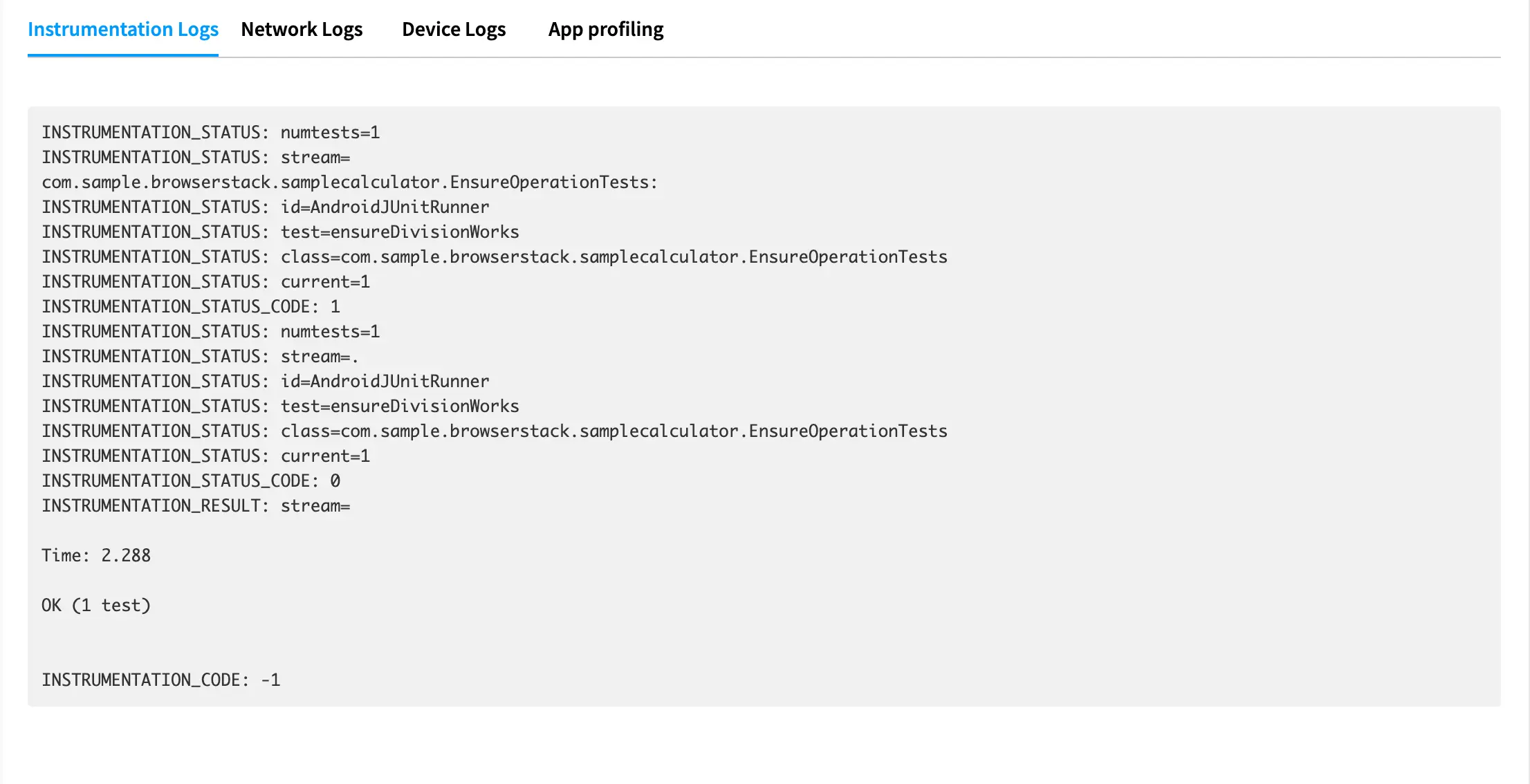
Instrumentation logs are a comprehensive record of your Espresso test executions. They are used to identify all the steps executed in the test and troubleshoot errors for any failed steps. This is the output generated by the Espresso test runner (typically AndroidJUnitRunner). Instrumentation logs are accessible both from the App Automate dashboard, as well as using our REST API.
Instrumentation logs are available on the BrowserStack dashboard for 30 days. These logs are deleted after 30 days from the day they are generated.
Instrumentation logs are enabled by default, and cannot be disabled.
View instrumentation logs on the dashboard
On the test details page of App Automate dashboard, you can view instrumentation logs for each executed test case:
We're sorry to hear that. Please share your feedback so we can do better
Contact our Support team for immediate help while we work on improving our docs.
We're continuously improving our docs. We'd love to know what you liked
We're sorry to hear that. Please share your feedback so we can do better
Contact our Support team for immediate help while we work on improving our docs.
We're continuously improving our docs. We'd love to know what you liked
Thank you for your valuable feedback!