
 Join our Discord
iOS app groups entitlement
Preserve the iOS app groups entitlement in App Low Code Automation so apps signed with a developer certificate share resources during testing.
When you run an iOS app in App Low Code Automation, you can preserve the iOS app groups entitlement the app was signed with. This keeps capability-gated flows working at session launch. Without it, an app signed with a developer certificate loses its iOS app groups entitlement in the session. Apps that rely on shared storage or inter-app communication then run against a degraded version.
Configure this in the App Configurations section of the iOS app’s settings.
The iOS app groups entitlement lets multiple apps from the same developer share resources, such as storage, UserDefaults, keychain items, and inter-process communication. When you turn on iOS app groups entitlement, App Low Code Automation maintains this entitlement at session launch for apps signed with a developer certificate, so apps in the same group can keep sharing resources and communicating during testing.
iOS app groups entitlement is available only for apps signed with a developer certificate. If App Low Code Automation can’t detect a supported signing identity for your app, this configuration isn’t available. Re-sign your app with a supported provisioning profile, then upload it again.
Configure an app during upload
To set the configuration when you upload an app:
On the App Low Code Automation dashboard, select your device model, then click Start test to launch a real device.
In Uploaded Apps, click Upload to select your .ipa file, or click URL to paste a public app URL.
Click the Settings icon next to it.
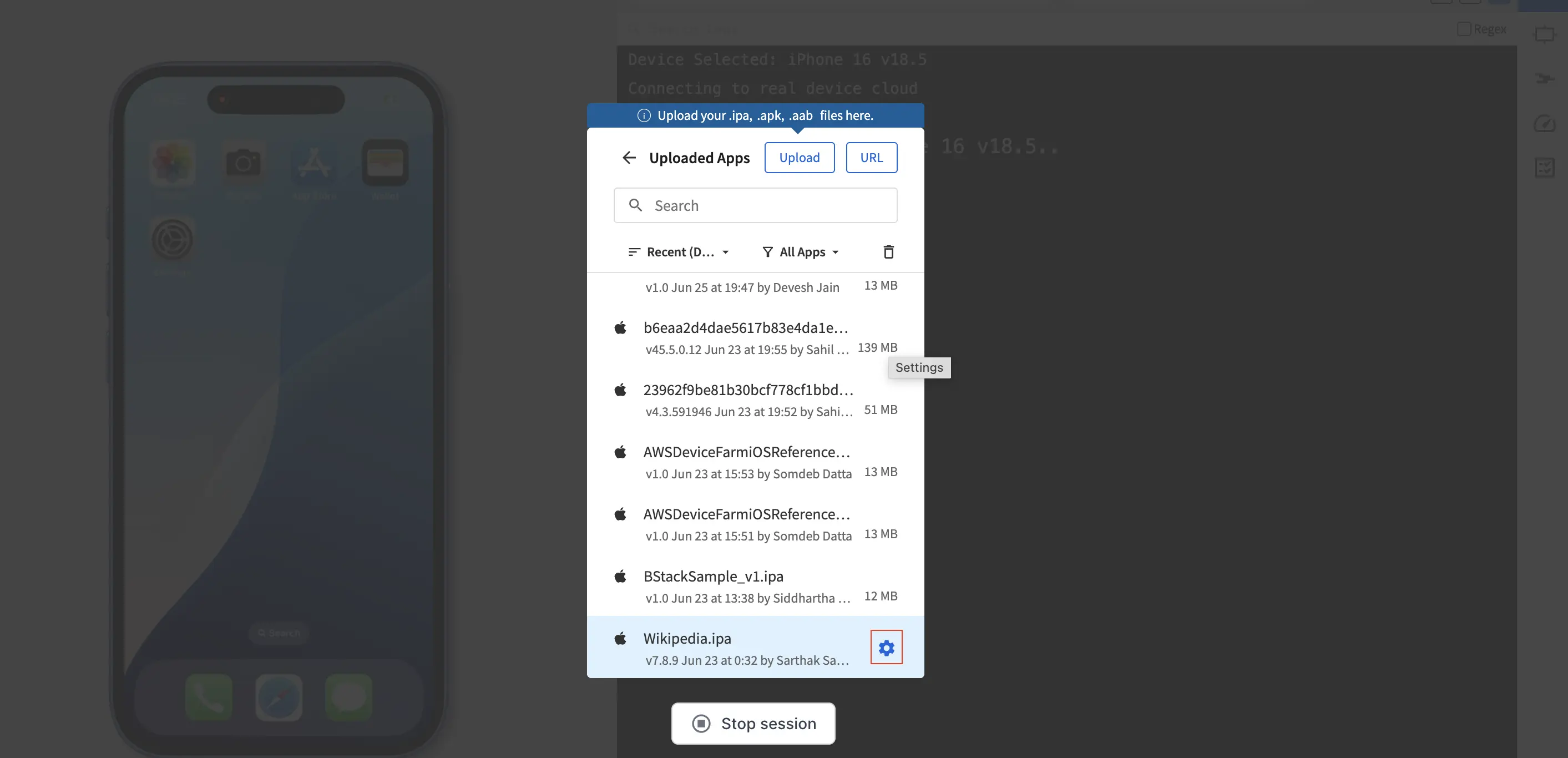
Turn iOS app groups entitlement on to maintain the entitlement at session launch.
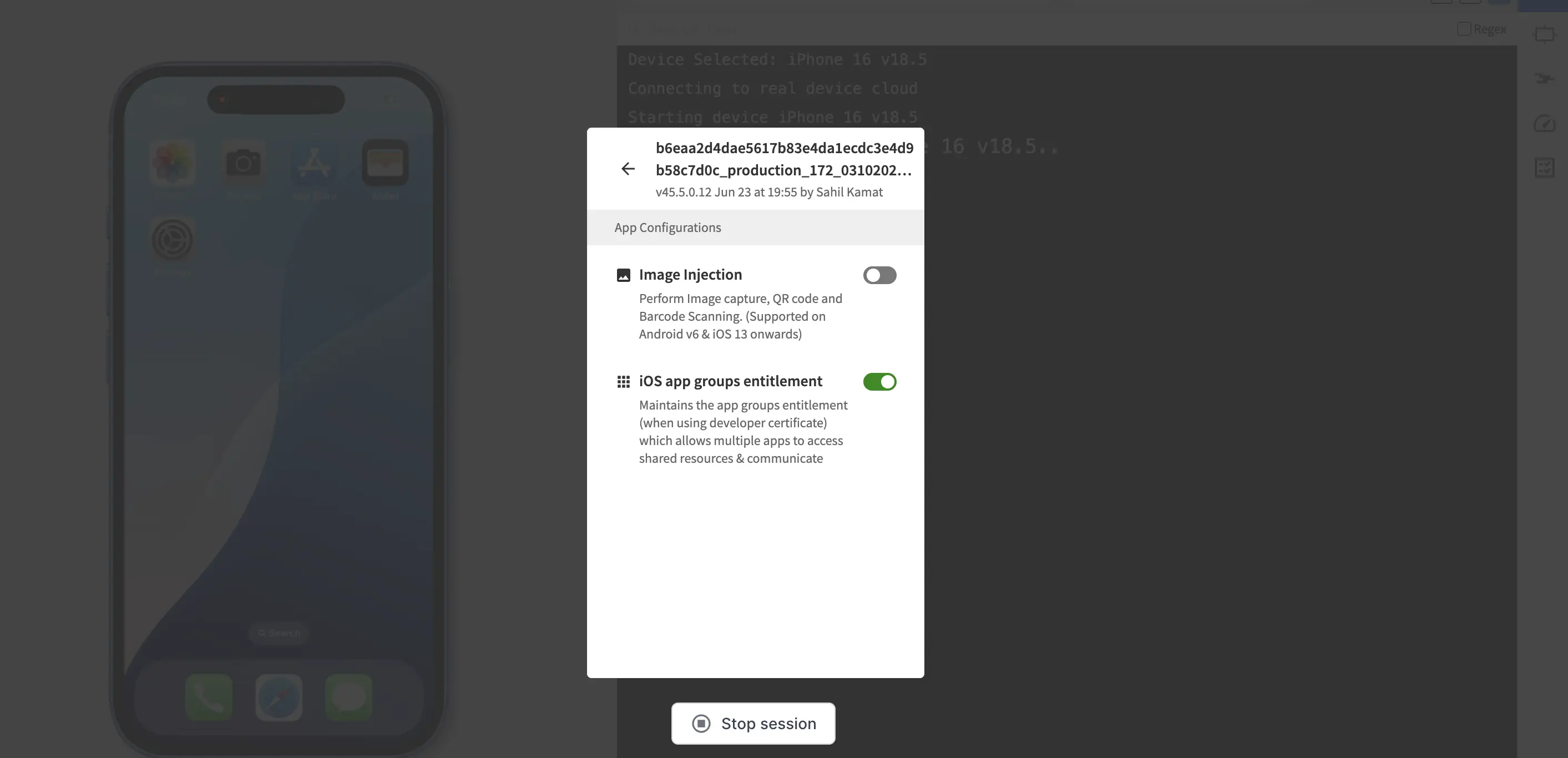
Continue to launch the app. App Low Code Automation applies the selected configuration to the sessions the app runs in.
iOS app groups entitlement is off by default. When you re-upload an app, App Low Code Automation doesn’t carry the previous build’s configuration forward, so set the configuration again for the new build.
You can change the configuration of an app you already uploaded without uploading it again.
We're sorry to hear that. Please share your feedback so we can do better
Contact our Support team for immediate help while we work on improving our docs.
We're continuously improving our docs. We'd love to know what you liked
We're sorry to hear that. Please share your feedback so we can do better
Contact our Support team for immediate help while we work on improving our docs.
We're continuously improving our docs. We'd love to know what you liked
Thank you for your valuable feedback!