
 Join our Discord
Throughput
Set a target request rate and let BrowserStack hold it by scaling virtual users automatically.
Use the Throughput load profile to test against a target request rate instead of a fixed number of virtual users (VUs). You specify the requests per second (RPS) you want to sustain, and BrowserStack scales VUs up to a ceiling you set to hold that rate, even as your system under test slows down.
This profile suits capacity validation and service-level objective (SLO) conformance, where targets are defined in RPS, such as “the checkout API must hold 5,000 RPS at p99 under 800 ms.” With VU-based profiles you set the number of users, and the resulting RPS varies with response time. With Throughput you set the rate directly, and the VU count varies as the engine works to hold it.
The Throughput load profile is available only for API load tests that use the JMeter or Gatling engine.
Depending on your preferred method, select any one of the following to set a target throughput:
Configure the Throughput load profile
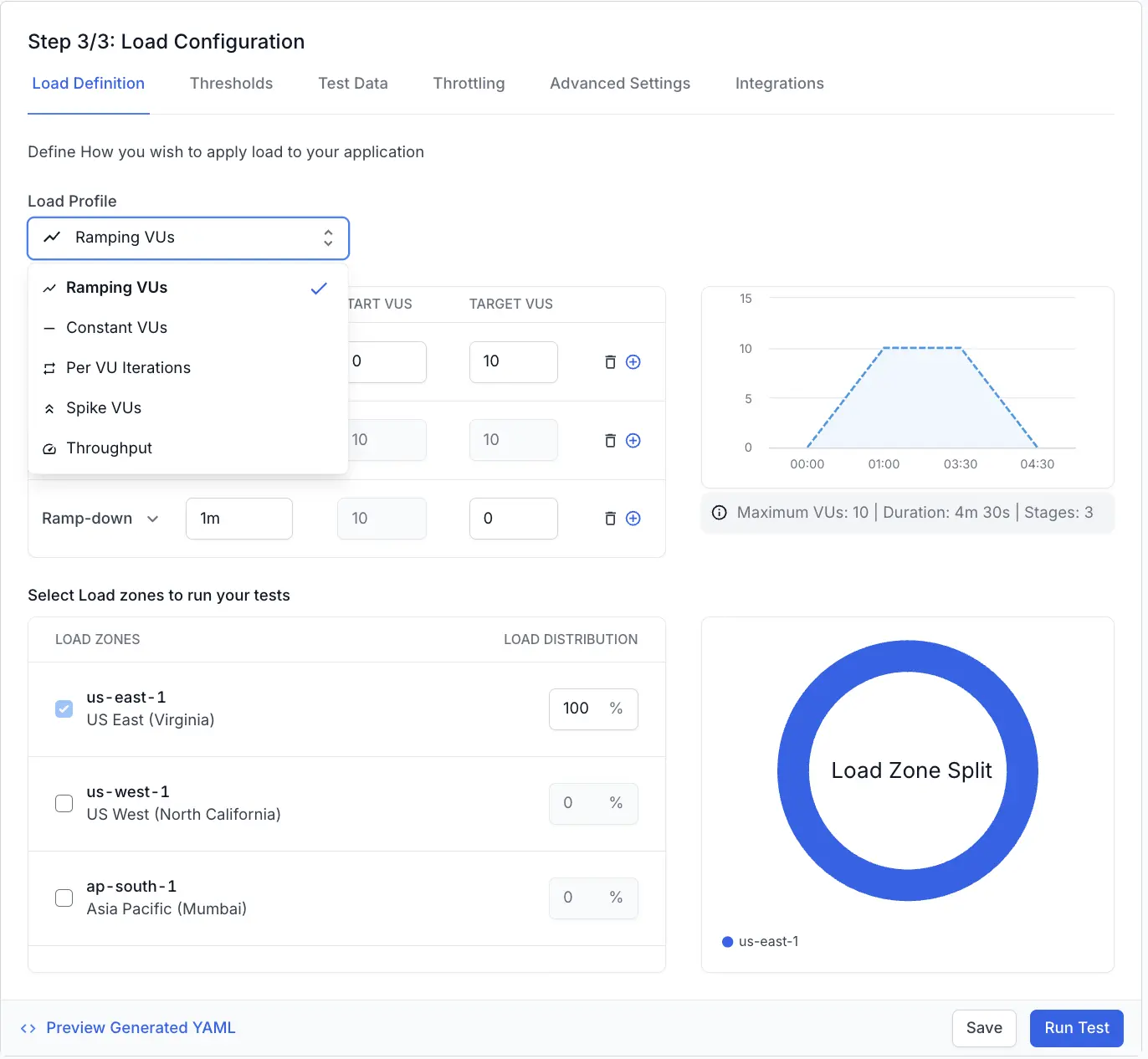
Select Throughput from the dropdown menu, then set the target request rate, the virtual user (VU) ceiling, and the duration.
- Target RPS: Enter the requests per second you want to sustain during the test.
- Max VUs: Set the maximum number of VUs the engine can allocate to maintain the target rate. Select Suggest to fill in a recommended value, which you can edit.
- Total Duration: Specify how long to hold the target rate (in minutes, seconds, or a combination of both).
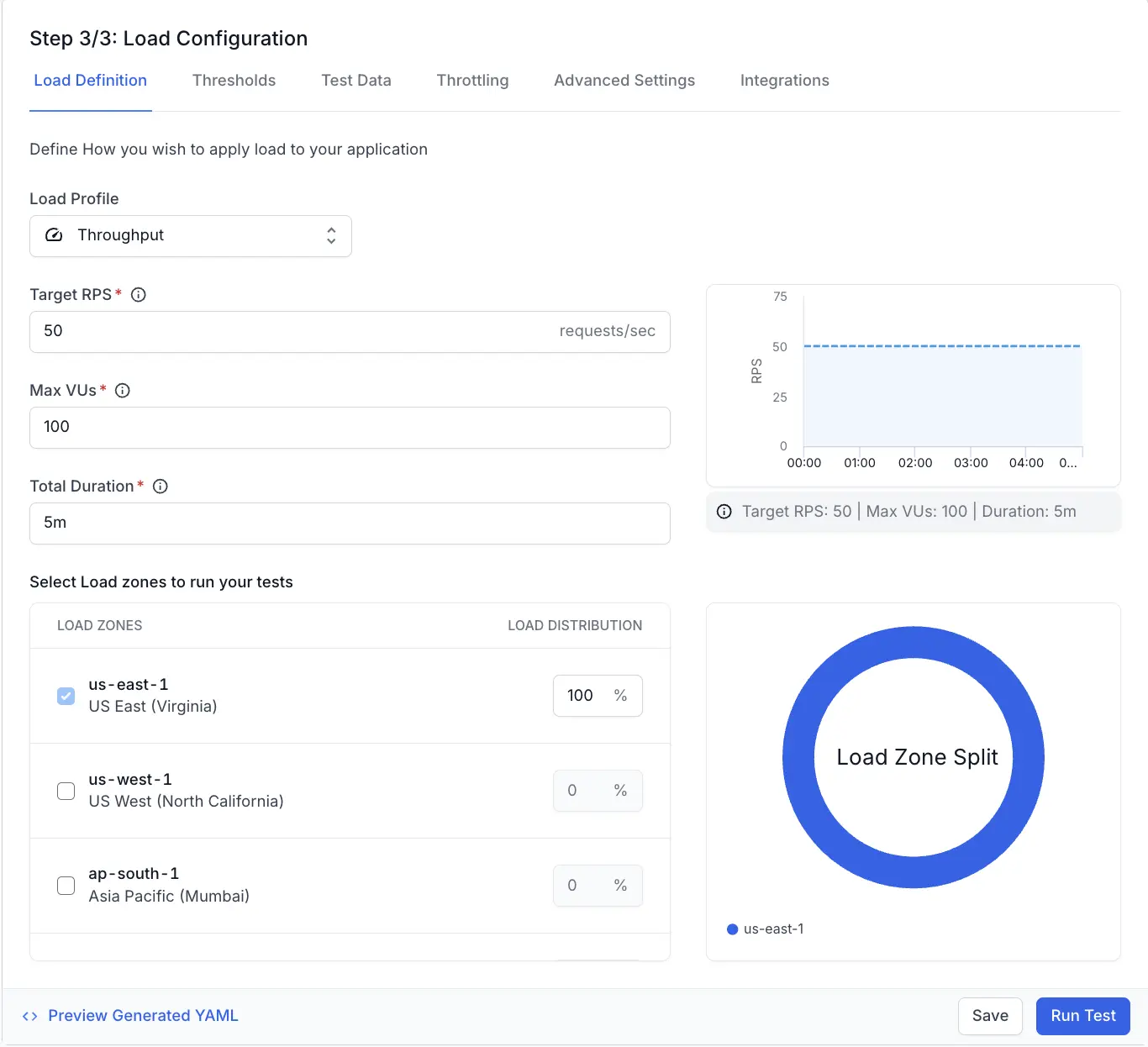
BrowserStack scales VUs up to this ceiling to hold the target rate. If your system under test slows down and the engine reaches the ceiling, the achieved RPS can fall below the target.
We're sorry to hear that. Please share your feedback so we can do better
Contact our Support team for immediate help while we work on improving our docs.
We're continuously improving our docs. We'd love to know what you liked
We're sorry to hear that. Please share your feedback so we can do better
Contact our Support team for immediate help while we work on improving our docs.
We're continuously improving our docs. We'd love to know what you liked
Thank you for your valuable feedback!