
 Join our Discord
Run BrowserStack Local in a container
Build your own Docker image that verifies the BrowserStack Local binary during the build, then run it in Docker or Kubernetes.
BrowserStack doesn’t publish a Docker image or a Helm chart for Local. To run Local in Docker or Kubernetes, build your own image from a Dockerfile that runs the same checks during the build.
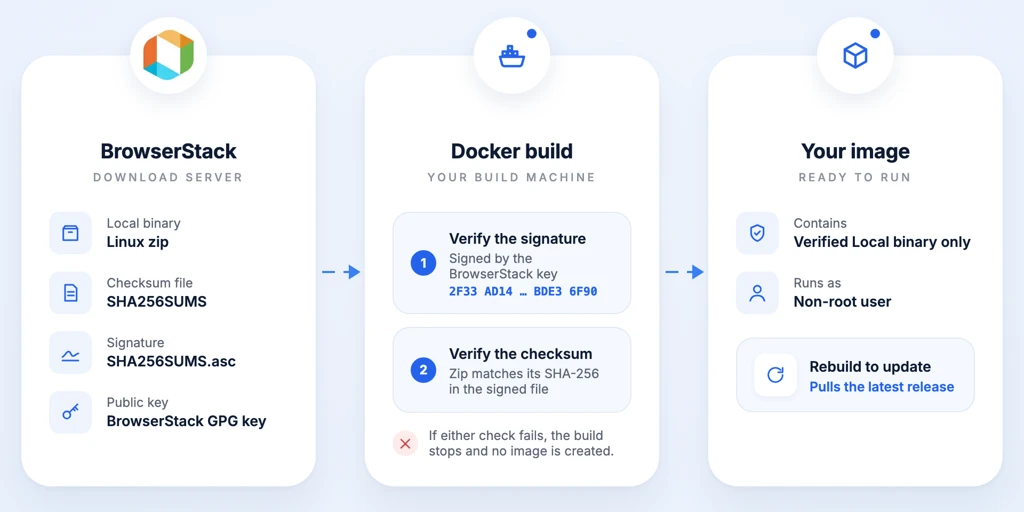
To build and run the image, follow these steps:
Create the Dockerfile
Create a new folder for the build, and save the following content in that folder as a file named Dockerfile. This Dockerfile works on both x64 and Arm64 build machines.
Build the image
From the folder where you saved the Dockerfile, run the following command to build the image:
The build stops if the signature check or the checksum check fails. The first build downloads the latest Local release. Docker caches this download, so to update Local, rebuild with docker build --no-cache.
Run the container
Run the container with your access key:
You can add other Local flags after the image name.
Live and App Live detect Local only when it runs on the computer you test from, so they don’t detect Local running in a container. To use it with Live and App Live, contact BrowserStack Support to enable Centralized Local Testing. Automate and App Automate need no change.
Network and security requirements
The following diagram shows how Local running in a container connects your network to BrowserStack:
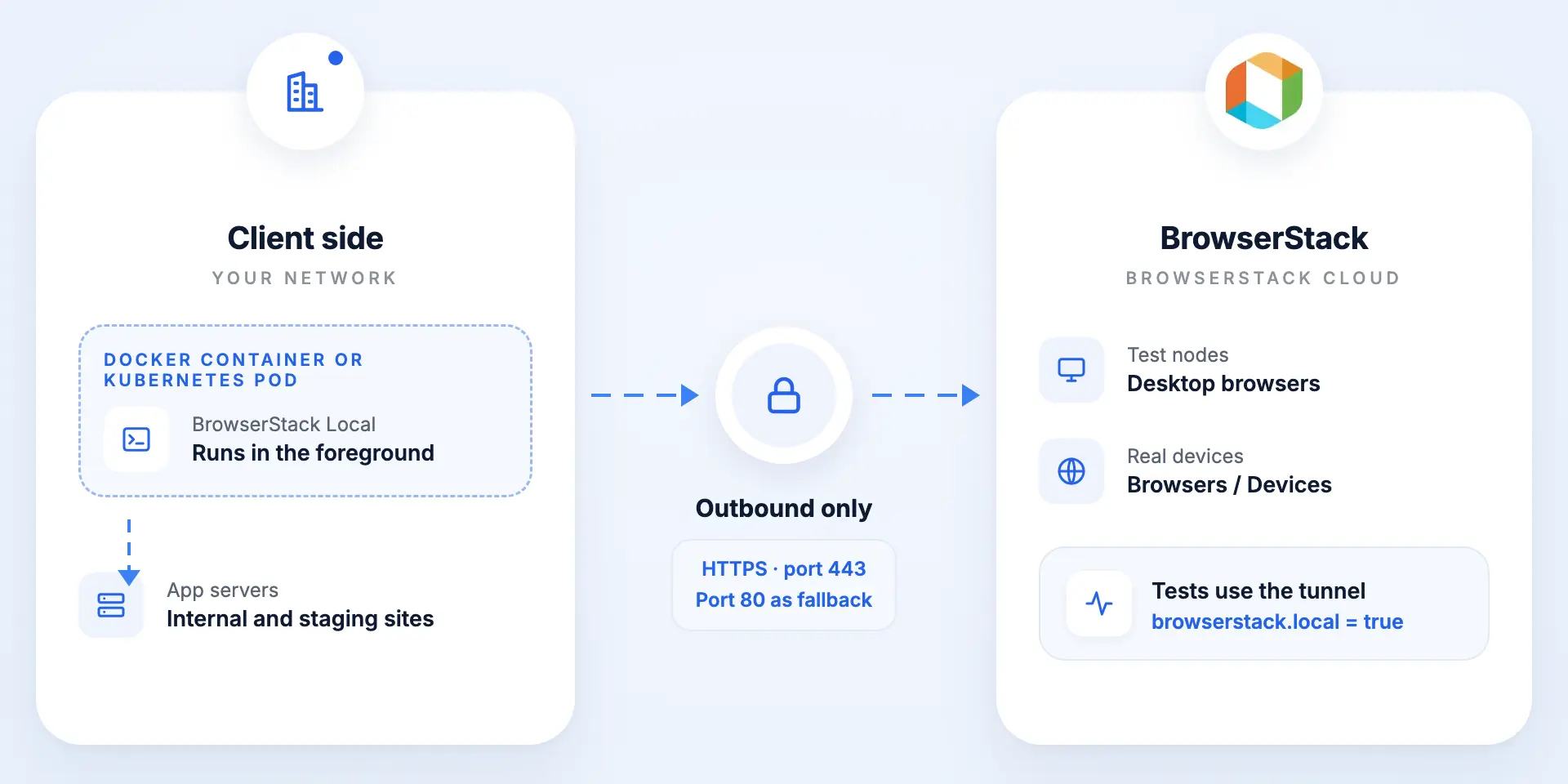
A container built from this Dockerfile meets the following network and security requirements:
- Local makes only outbound connections to
*.browserstack.comon port 443, with port 80 as a fallback. The container needs no host network, host paths, or published ports. - The container runs as a non-root user with no extra Linux capabilities. It works with a read-only root filesystem and under the Kubernetes
restrictedPod Security Standard. - In Kubernetes, pass the access key from a Secret. If you use
--log-file, write the log to a writable volume.
We're sorry to hear that. Please share your feedback so we can do better
Contact our Support team for immediate help while we work on improving our docs.
We're continuously improving our docs. We'd love to know what you liked
We're sorry to hear that. Please share your feedback so we can do better
Contact our Support team for immediate help while we work on improving our docs.
We're continuously improving our docs. We'd love to know what you liked
Thank you for your valuable feedback!