
 Join our Discord
Sync snapshots from default baseline
Sync a feature branch’s stale baselines from the default base branch directly in the Percy build review UI.
Syncing baselines updates a feature branch with the approved snapshots from your default base branch, typically master. This keeps the branch up to date with the latest approved visuals, so reviewers compare against the right baseline. Percy surfaces a one-click sync prompt inside the build review UI. To run the same sync programmatically, use the Sync from Master API instead.
The prompt appears automatically when a branch has baselines to sync. You can also configure branches to sync automatically before every build.
Baseline sync is available only on Visual Git projects.
Quick start
- Open any build on a feature branch in a Visual Git project.
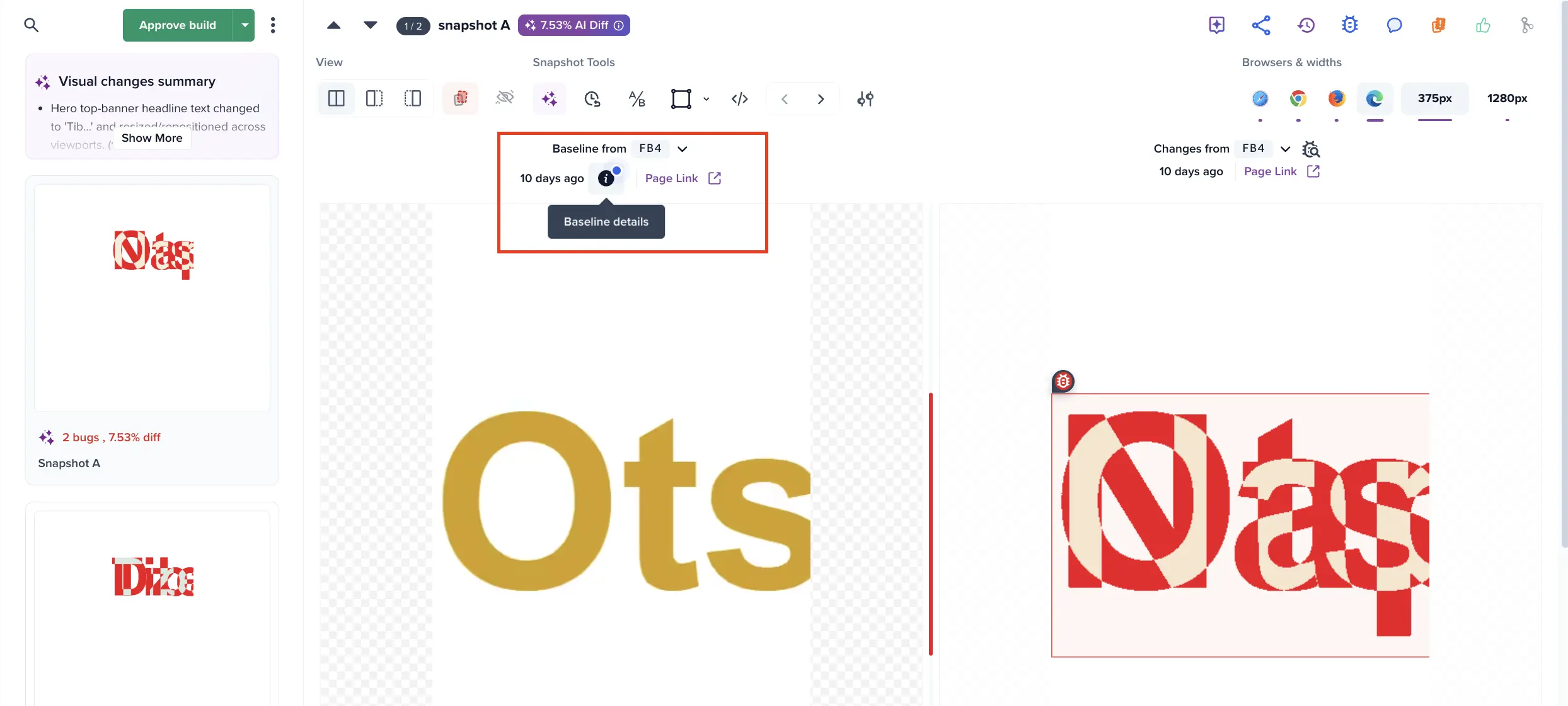
- If a snapshot’s baseline is stale, a blue dot appears on its info icon.
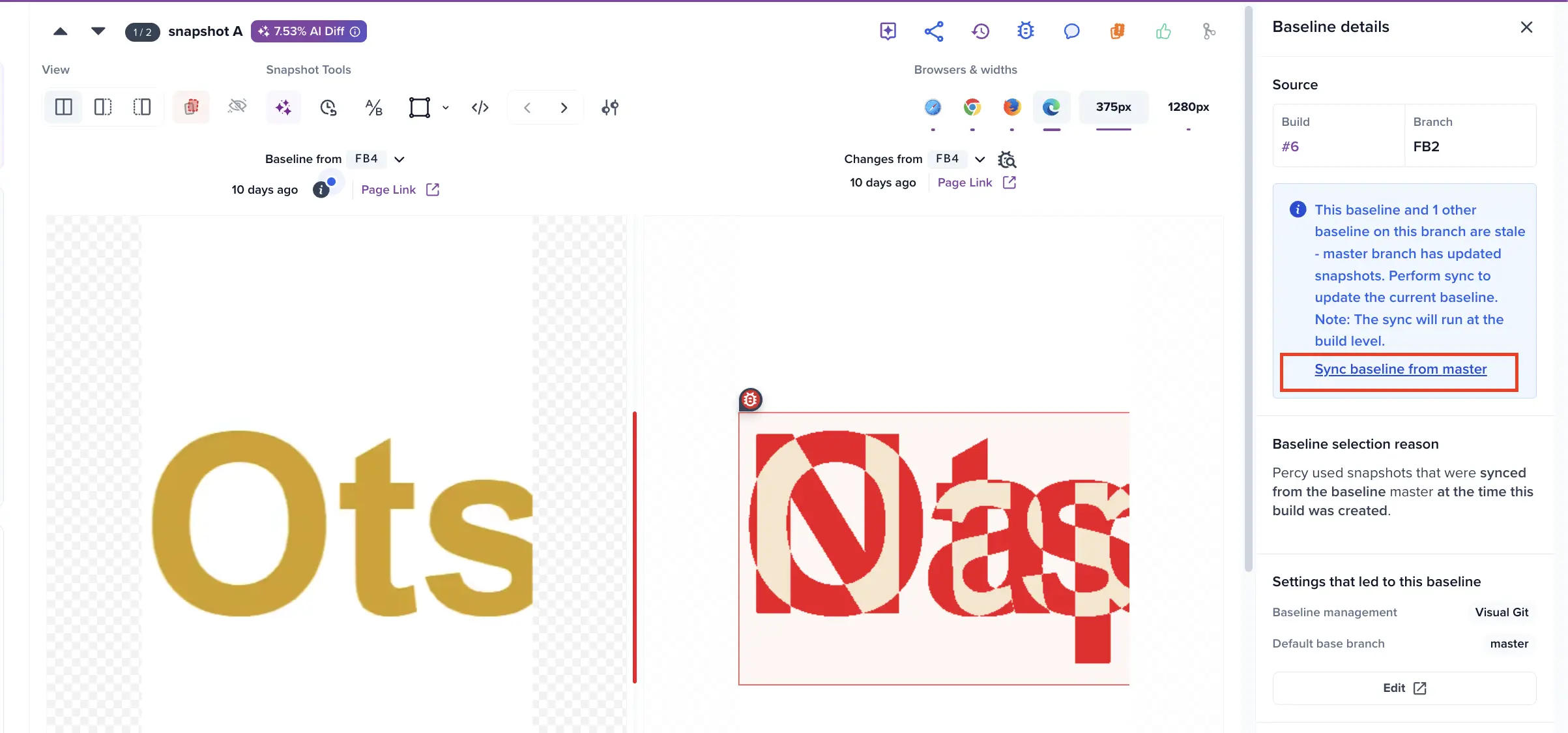
- Click the info icon, then click Sync baseline from master in the panel that opens.
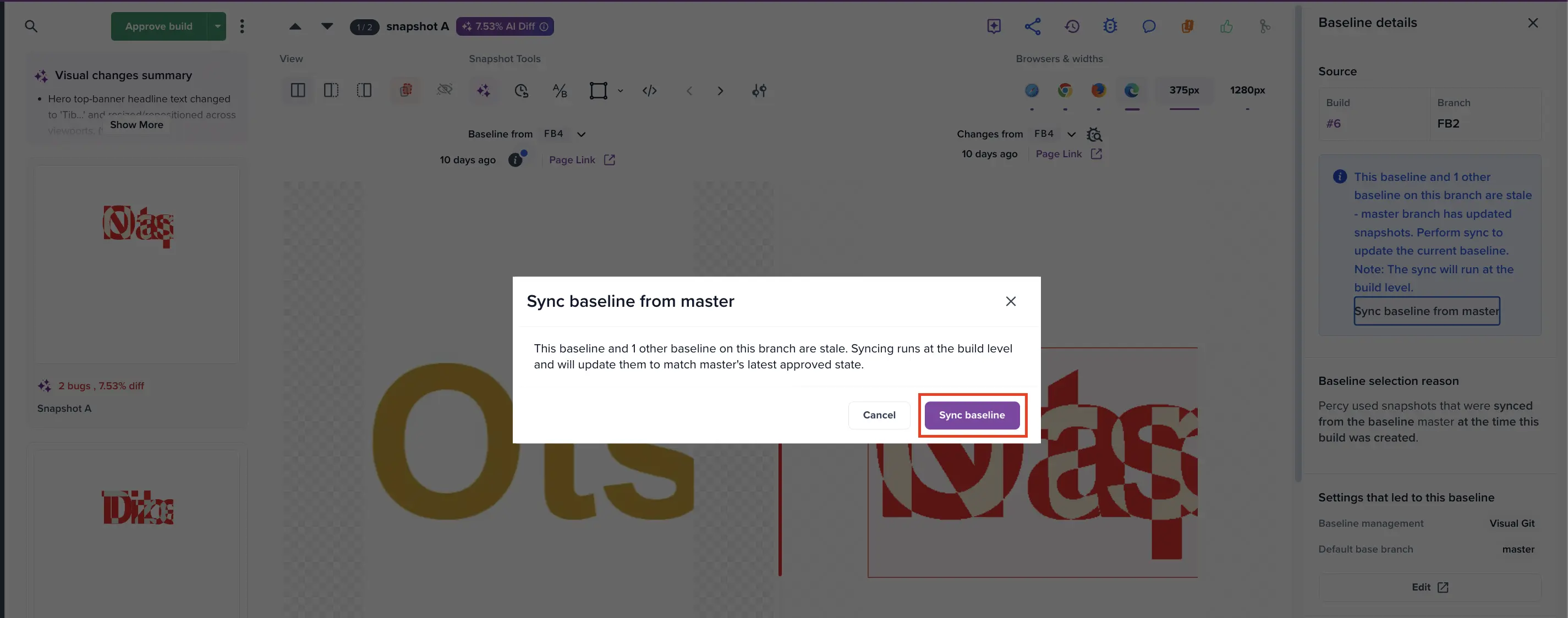
- Confirm in the dialog. The next build on this branch uses the updated baseline.
Sync surfaces
The sync prompt appears on three surfaces in the build review UI, so you can start a sync from wherever you are working. All three surfaces open the same confirmation dialog and run the same sync action.
A blue dot appears on the snapshot’s info icon:
The Baseline details panel shows a Sync baseline from master link in the Source section:
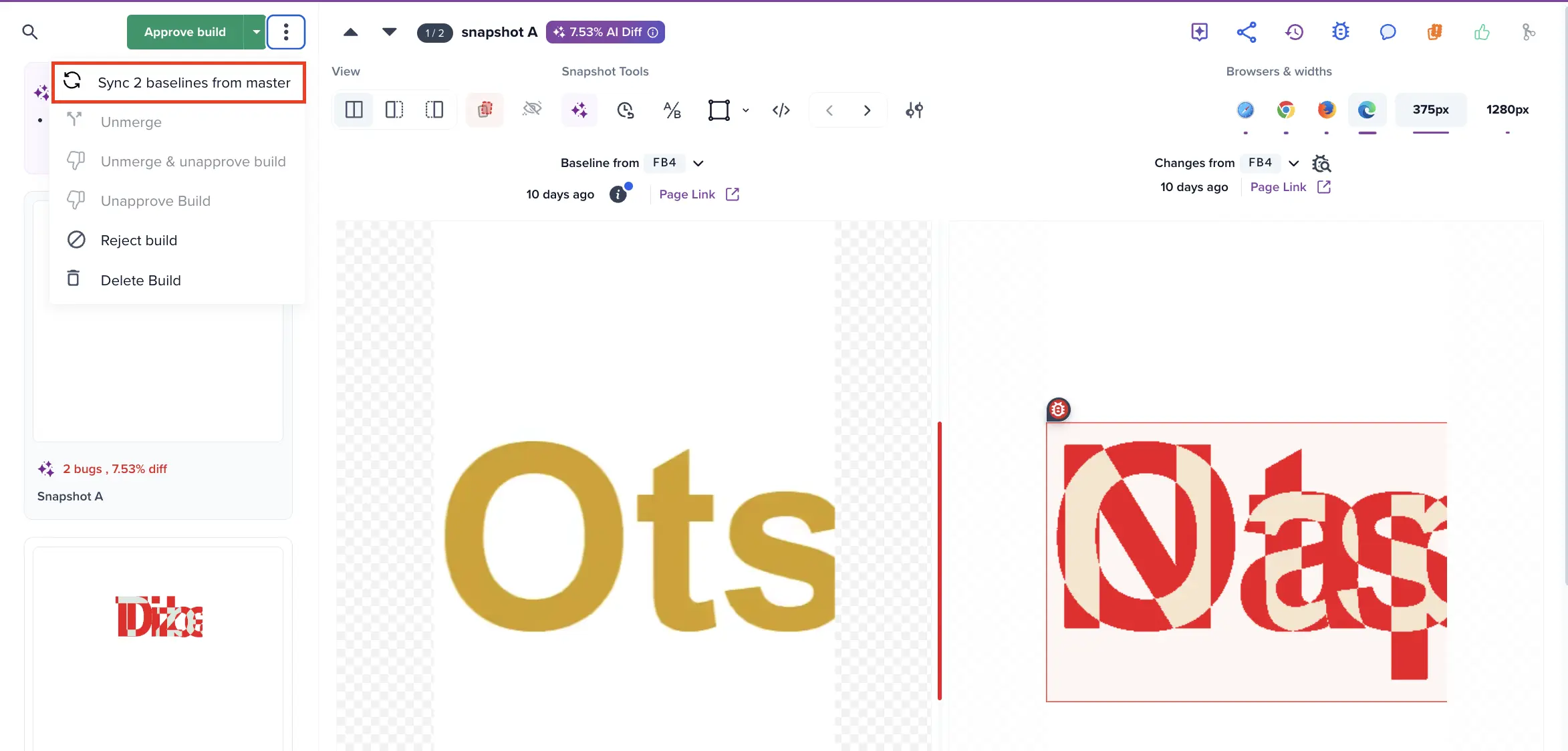
The 3-dot snapshot menu shows a Sync N baselines from master entry, where N is the number of out-of-sync snapshots in the build:
Sync behavior
When you trigger a sync from any surface, Percy opens the same confirmation dialog. Click Sync baseline to move your branch’s baseline pointers forward to the default base branch’s latest approved snapshots.
A sync behaves as follows:
- All stale snapshots on this branch get a new baseline.
- The new baseline applies to the next build on this branch only. The current build’s diff is not recomputed, so the comparison you are viewing stays the same.
- To re-diff the current build against the new baseline, re-run your test command after the sync.
- Sync is branch-scoped. It updates baselines only for the branch the build is on, and does not affect builds on other branches.
- Sync moves baseline pointers. It neither approves nor rejects snapshots, so your existing approval workflow continues to apply.
A sync can’t be undone from the UI. The previous baseline still exists in your project history, so contact BrowserStack Support if you need to roll back.
Auto-sync branches
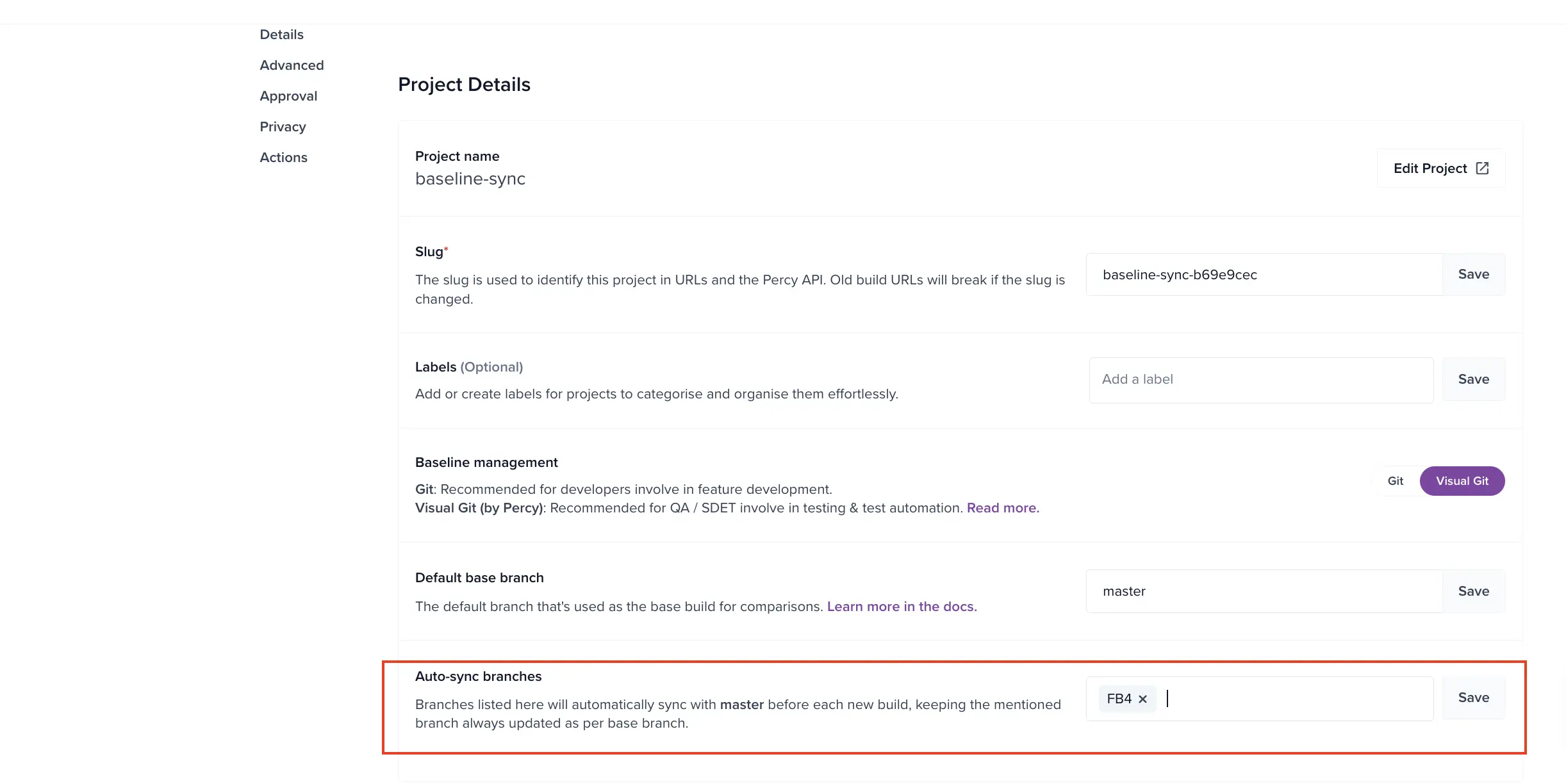
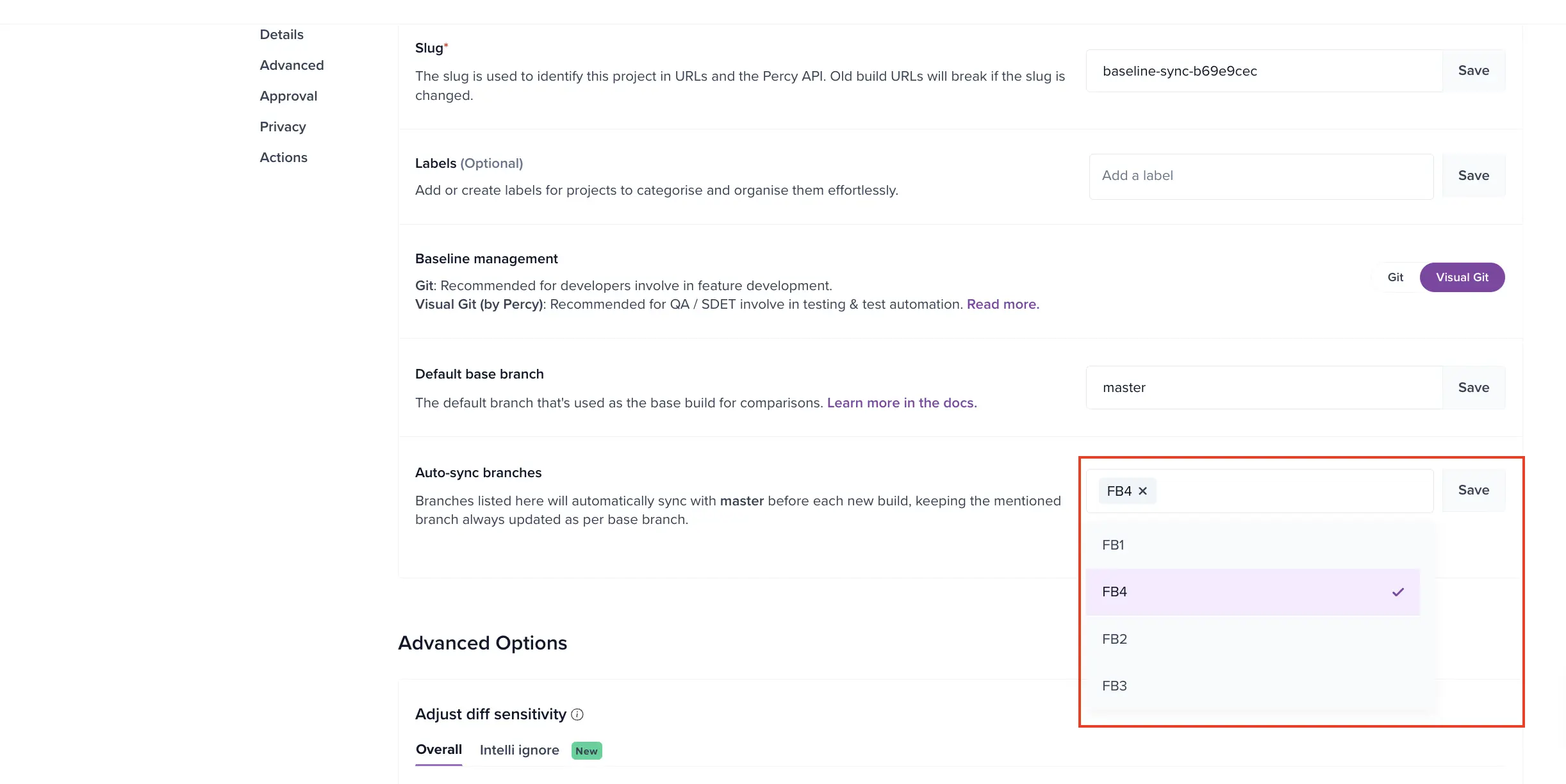
To skip the manual click on specific branches, list them under Auto-sync branches. Percy syncs those branches from the default base branch before each new build, so reviewers only see diffs that are genuinely new.
To configure the auto-sync feature, follow these steps:
-
Go to Project settings > Auto-sync branches.
-
Select branches from the dropdown. You can select more than one.
-
Click Save.
The Auto-sync branches section appears only on Visual Git projects.
| Setting | Description | Default |
|---|---|---|
| Auto-sync branches | Branches that auto-sync from the default base branch before each new build | Manual sync only |
| Default base branch | The branch that syncs pull from. See Default base branch | master |
Limitations
The sync prompt doesn’t appear when:
- The build is on the default base branch itself, so there’s nothing to sync from.
- The default base branch has no approved baseline yet.
- The build is already merged.
- The build isn’t the latest on its branch. Sync affects only the next build, so older builds wouldn’t show a meaningful change.
Related topics
We're sorry to hear that. Please share your feedback so we can do better
Contact our Support team for immediate help while we work on improving our docs.
We're continuously improving our docs. We'd love to know what you liked
We're sorry to hear that. Please share your feedback so we can do better
Contact our Support team for immediate help while we work on improving our docs.
We're continuously improving our docs. We'd love to know what you liked
Thank you for your valuable feedback!