
 Join our Discord
Integrate Bitbucket Pipelines with Quality Engineering Insights
Integrate your Bitbucket Pipelines CI setup with BrowserStack Quality Engineering Insights and view insights on different pipelines and jobs configured in Bitbucket Pipelines.
Connect to Bitbucket Pipelines using Workspace Access Token
You can configure the integration using a Bitbucket Workspace Access Token.
Create a Bitbucket Workspace Access Token
-
Follow this Bitbucket guide to create a workspace access token within your Bitbucket workspace.
-
Grant the following permissions to the token so that BrowserStack Quality Engineering Insights can collect data to generate insights:
- Repositories: Read
- Pipelines: Read & Write
- Projects: Read
- Workspace membership: Read
- Account: Read
- Set an expiration date far in the future, or ideally, no expiration date at all. If a Bitbucket token expires, there may be data inconsistencies during the period between the token’s expiration and the issuance of a new one.
Connect to Bitbucket Pipelines
- Step 1: Click the Connect button on the Bitbucket Pipelines tile on the Integrations page.
- Step 2: When prompted, enter the Workspace Access Token that you created in the previous section, and then click the Continue button to connect Bitbucket Pipelines to Quality Engineering Insights.
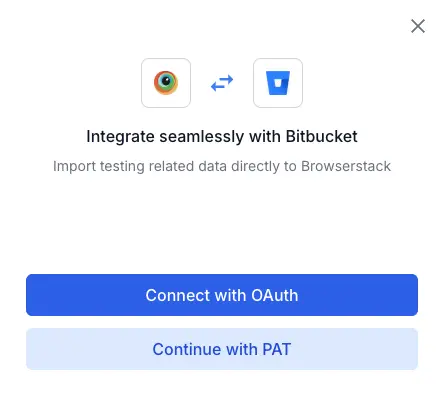
- Step 3: Select the Bitbucket workspace and repositories to import to BrowserStack Quality Engineering Insights. All of the pipelines of the selected repositories are imported on Quality Engineering Insights.
- Step 4: Click the View Insights button to start viewing rich insights from your Bitbucket Pipelines setup on Quality Engineering Insights.
Set up automation metrics
BrowserStack Quality Engineering Insights provides insights into various CI/CD automation metrics such as job frequency, stability, build flakiness and many more.
Configure job type for different jobs
From the Automation tab on the Settings page, you can configure the job type for all the jobs (i.e. pipelines) fetched from your Bitbucket Pipelines setup.
You can tag your jobs according to testing type, such as Regression, Functional, Deployments, Sanity etc. All jobs labeled with job types other than ‘Deployments’ are considered Testing jobs and are used to populate Testing-related insights. Jobs labeled ‘Deployments’ are considered Deployment jobs and are used to populate Deployment-related insights.
The following metrics start getting computed upon the configuration of job types:
- Job Stability
- Total Jobs Configured
- Job Frequency
- Build Duration
Store test output as build artifacts
BrowserStack Quality Engineering Insights cannot track tests related metrics such as Build Stability, Total Automated Tests, Build Flakiness unless you publish the test output artifacts on Bitbucket. Bitbucket Pipelines provides the artifacts section to publish build artifacts. The following script demonstrates the use of this section to publish artifacts:
pipelines:
  default:
    - step:
        name: Build and Test
        script:
          - mvn clean test -Dsurefire.suiteXmlFiles=config/passtest.xml
        artifacts:
          - target/surefire-reports/junitreports/**
- Make sure to add these steps in all pipelines that you want to track on Quality Engineering Insights to ensure you are getting complete insights on the metrics mentioned under this section.
Troubleshooting
Need help? Reach out to us here.
We're sorry to hear that. Please share your feedback so we can do better
Contact our Support team for immediate help while we work on improving our docs.
We're continuously improving our docs. We'd love to know what you liked
We're sorry to hear that. Please share your feedback so we can do better
Contact our Support team for immediate help while we work on improving our docs.
We're continuously improving our docs. We'd love to know what you liked
Thank you for your valuable feedback!