
 Ask the Community
Configure Alerts
Alerts notify you via email when a specific quality metric crosses a threshold you define. This allows you to proactively monitor changes in metrics like Defect Leakage, Cycle Time, or Automation Coverage.
Create an Alert
Follow these steps to create an alert from the Settings menu.
- Navigate to Settings in the left-hand sidebar.
-
Select the Alert tab.
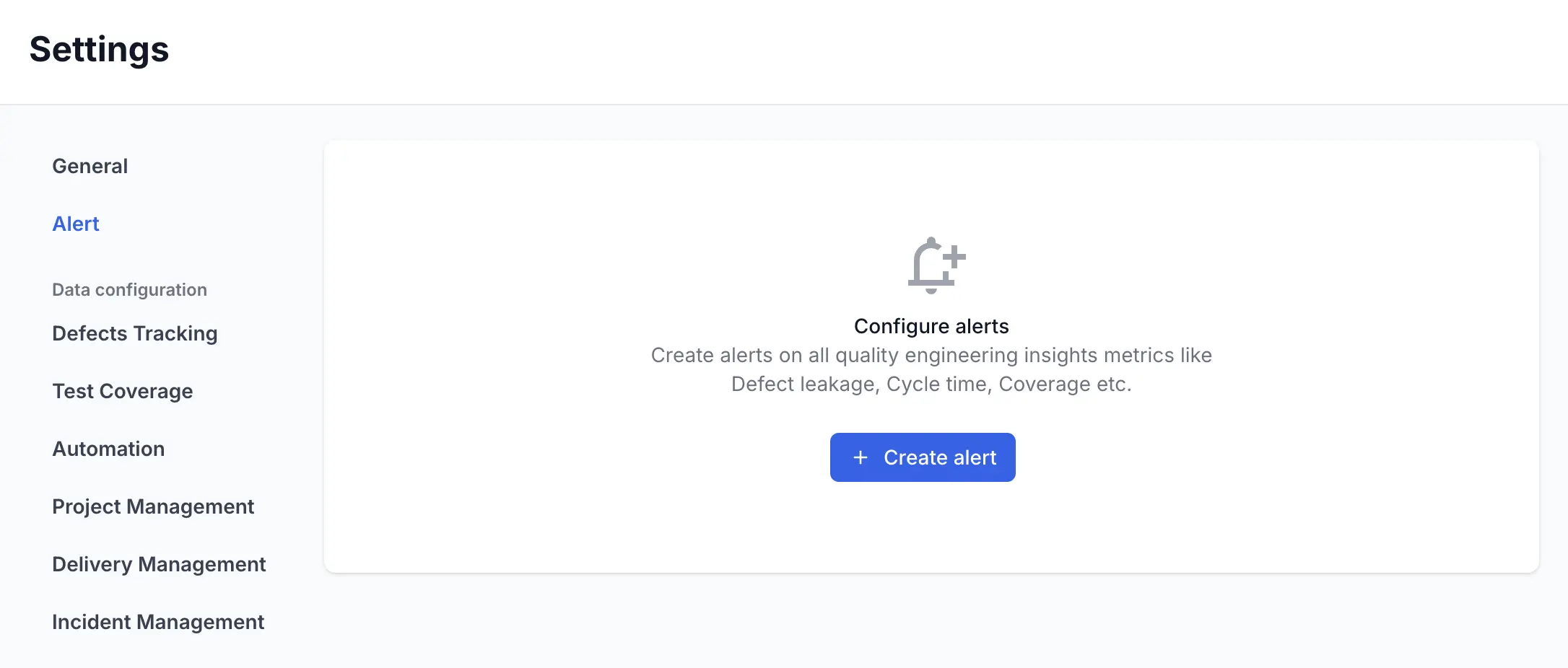
- Click Create alert.
-
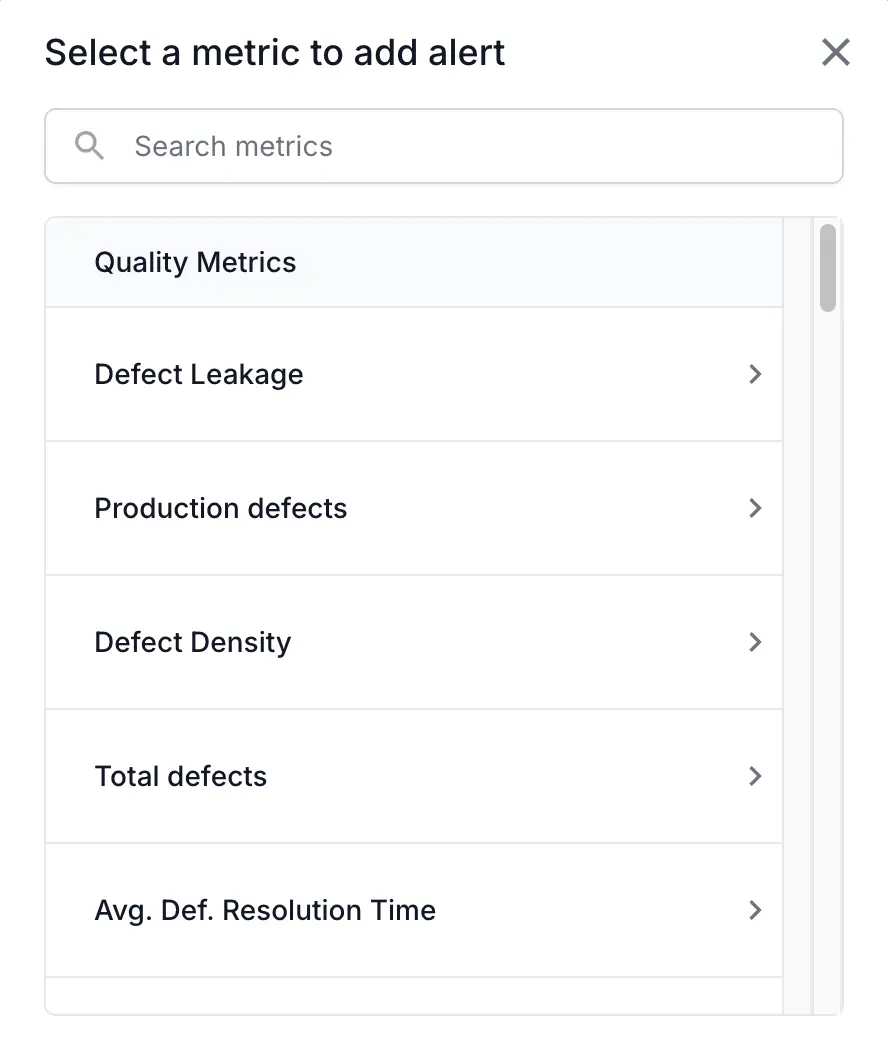
In the Select a metric to add alert dialog, choose the metric you want to monitor.
- Configure the alert settings in the Set up alert for Defect Leakage dialog:
- Alert name: Enter a descriptive name.
- Applicable to: Choose All teams or Selected teams.
- Alert condition: Define the trigger. For example: When Defect Leakage in a month is More than 10 %.
- Send email to: Select the users or enter the email addresses to notify.
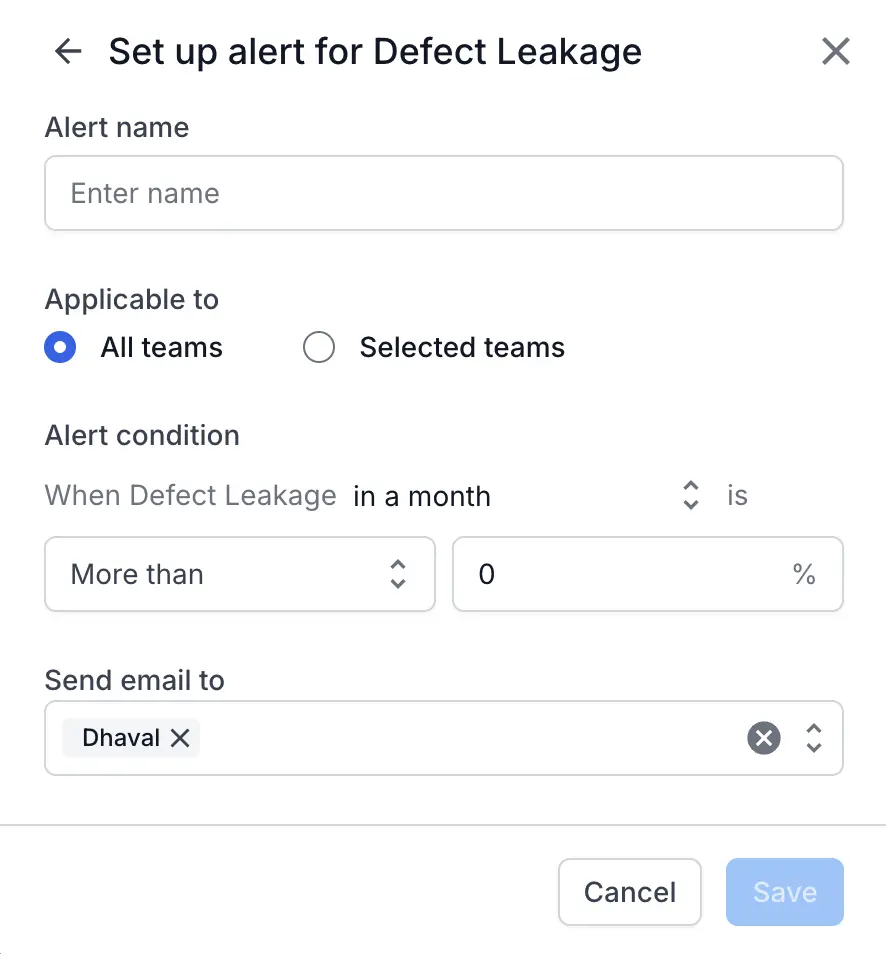
- Click Save.
The alert is now active and will send an email to the specified recipients when the condition is met.
Manage existing Alerts
You can edit or delete any alert you have created from the Alerts tab in Settings.
- Navigate to Settings in the left-hand sidebar.
-
Select the Alert tab.
- Find the alert you wish to manage in the list.
-
Click the ellipsis menu ︙ on the right side of the alert’s row.
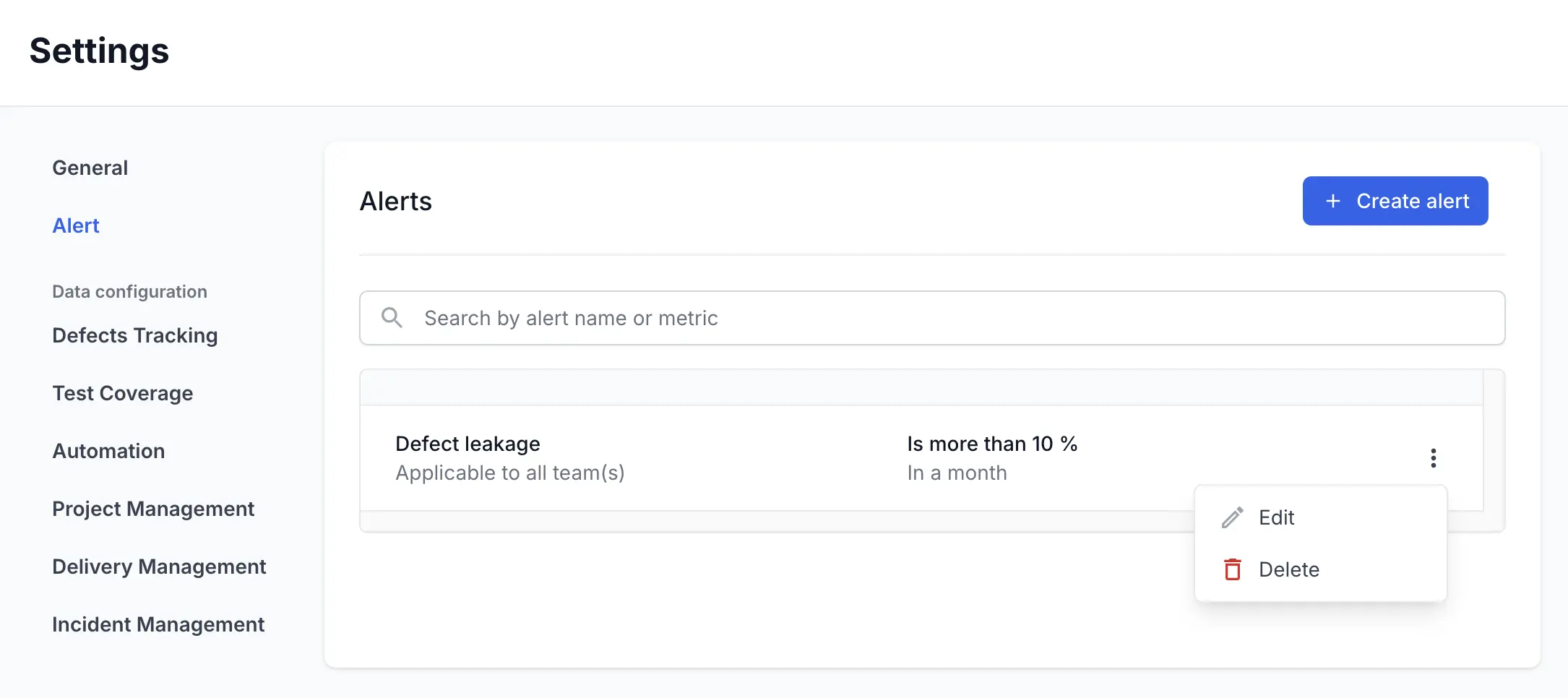
- Select Edit to modify the alert’s name, conditions, or recipients.
- Select Delete to permanently remove the alert and stop all future notifications.
Alert emails are sent to all users listed in the Send email to field. To stop receiving an alert email, an administrator must Edit the alert and remove your email from the recipient list, or Delete the alert entirely.
We're sorry to hear that. Please share your feedback so we can do better
Contact our Support team for immediate help while we work on improving our docs.
We're continuously improving our docs. We'd love to know what you liked
We're sorry to hear that. Please share your feedback so we can do better
Contact our Support team for immediate help while we work on improving our docs.
We're continuously improving our docs. We'd love to know what you liked
Thank you for your valuable feedback!