
Get your setup working faster. Join our Discord for optimisation tips from elite testers.
 Join our Discord
Join our Discord
Link Test Results to Azure work items
Learn how to integrate Azure DevOps with Test Management to streamline testing workflows, better tracking, and enhance management.
To link the Azure work items with test results:
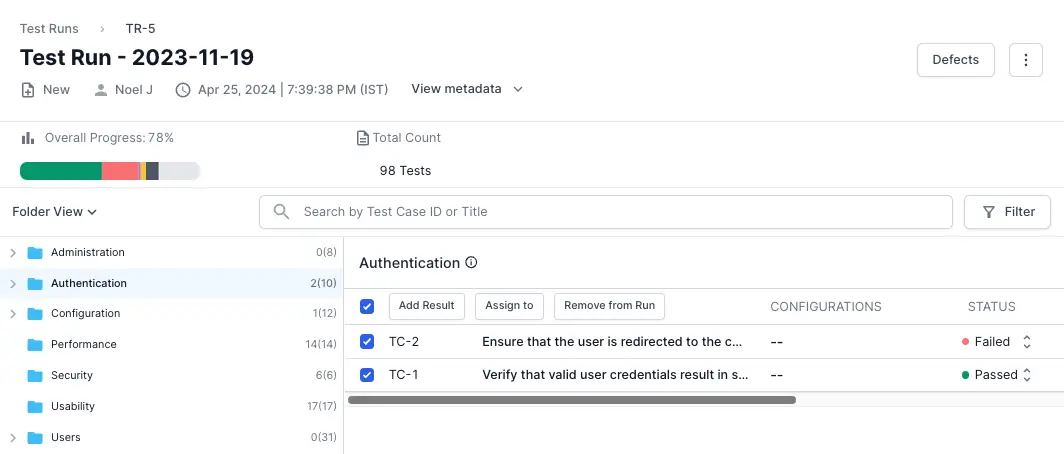
- Navigate to the desired test run with test cases.
- Select the check boxes adjacent to the test cases to which you want to add results.
-
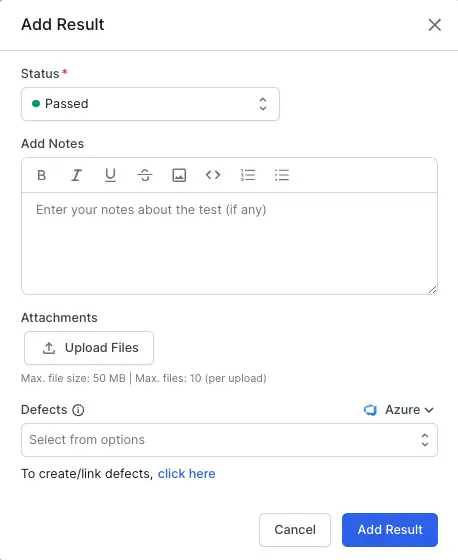
Click Add Result.
-
Click click here below the Defects field.
-
Enter your Azure DevOps organization name and project name.

- Choose one of the tabs:
- Create issue to generate a new Azure DevOps work item.
- Update existing issue to link an existing Azure DevOps work item.
-
Enter all the relevant details.
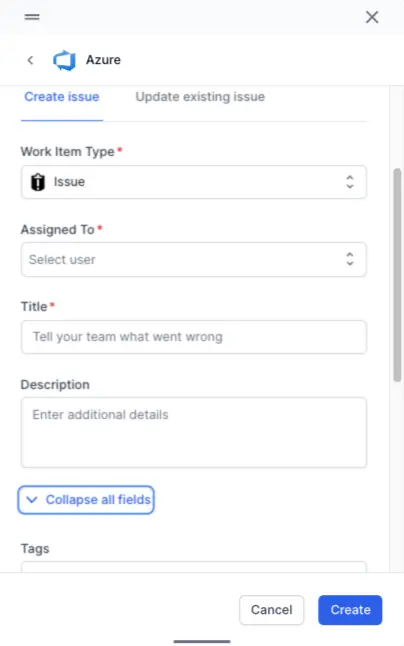
- Click Create/Update.
-
Click Add Result.
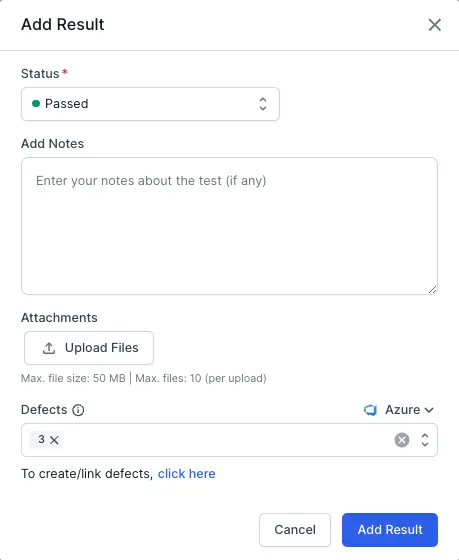
BrowserStack’s Test Management has linked new or updated work items to the corresponding test result.
We're sorry to hear that. Please share your feedback so we can do better
Contact our Support team for immediate help while we work on improving our docs.
We're continuously improving our docs. We'd love to know what you liked
We're sorry to hear that. Please share your feedback so we can do better
Contact our Support team for immediate help while we work on improving our docs.
We're continuously improving our docs. We'd love to know what you liked
Thank you for your valuable feedback!