
 Join our Discord
Link DevRev issues to test runs
Integrate DevRev with Test Management to link issues directly from your test runs. This lets you create or associate DevRev Issues with failed tests, streamlining bug reporting and tracking within your workflow.
After integrating DevRev, you can link issues directly from a test run. This is ideal for reporting bugs found during execution or for linking a test run to an existing feature or sprint tracked in DevRev.
Prerequisites
- You must first Integrate with DevRev.
Link a DevRev issue to a test run
When a test fails, you can create a new bug in DevRev without leaving Test Management.
- Navigate to test runs and open the specific test run you are working on.
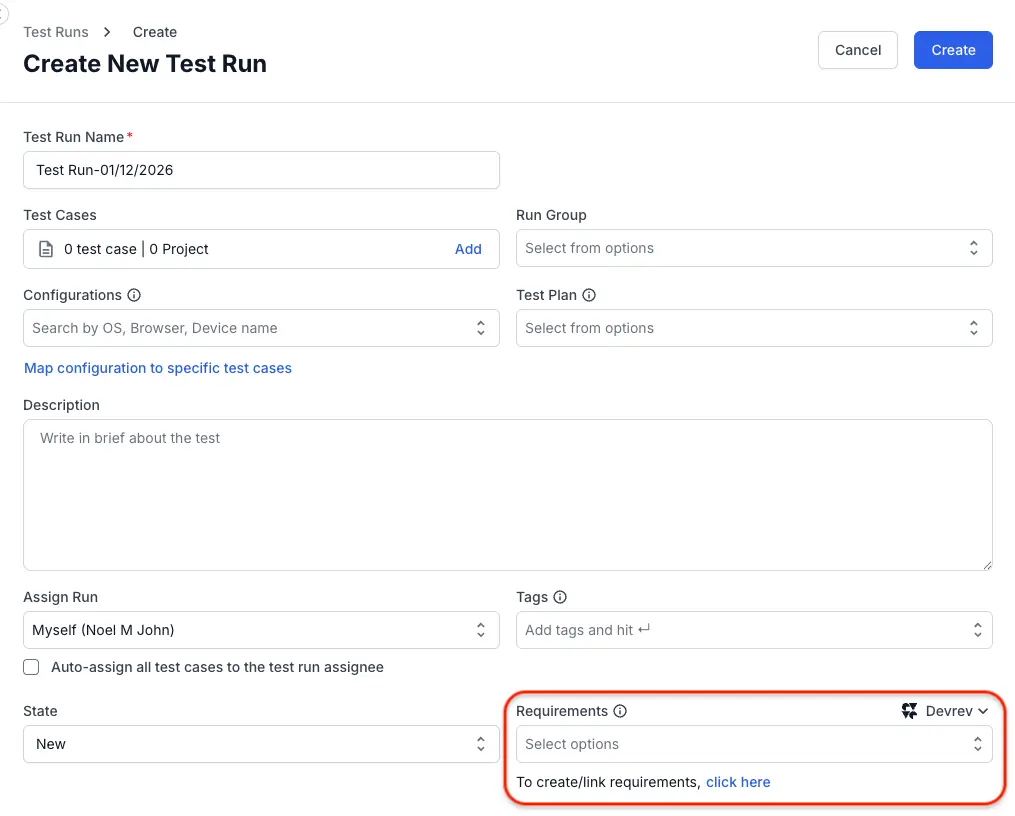
- On the Edit Test Run page, locate the Requirements section.
- In the Requirements field:
- If you have integrated DevRev, select DevRev from the dropdown.
- Click DevRev button to integrate and link the issue.
- In the DevRev dialog, enter the following details:
- Organisation and Part name.
- Choose one of the tabs:
- Create issue to generate a new DevRev issue.
- Update existing issue to link an existing DevRev issue.
- Enter all the relevant details.
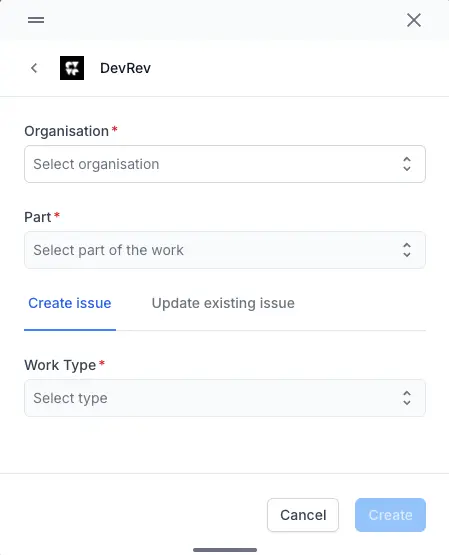
- Click Create/Update.
The issue is instantly created/updated in your selected DevRev repository. The Requirements section of your test run will update to show the newly linked DevRev issue.
We're sorry to hear that. Please share your feedback so we can do better
Contact our Support team for immediate help while we work on improving our docs.
We're continuously improving our docs. We'd love to know what you liked
We're sorry to hear that. Please share your feedback so we can do better
Contact our Support team for immediate help while we work on improving our docs.
We're continuously improving our docs. We'd love to know what you liked
Thank you for your valuable feedback!