
 Join our Discord
Prefix custom test case ID
Set a project-wide prefix for test case IDs in Test Management, so every new test case follows your team’s naming convention.
Every test case in a project carries a unique ID. By default, Test Management builds that ID from the prefix TC and a number that climbs in sequence. So, your cases read TC-1, TC-2, TC-3, and so on. The pattern is fixed until you change it. The Test Case ID Format setting replaces TC with a prefix you choose, such as LOGIN or CHECKOUT. You set the prefix once per project. After you save it, every new test case adopts it.
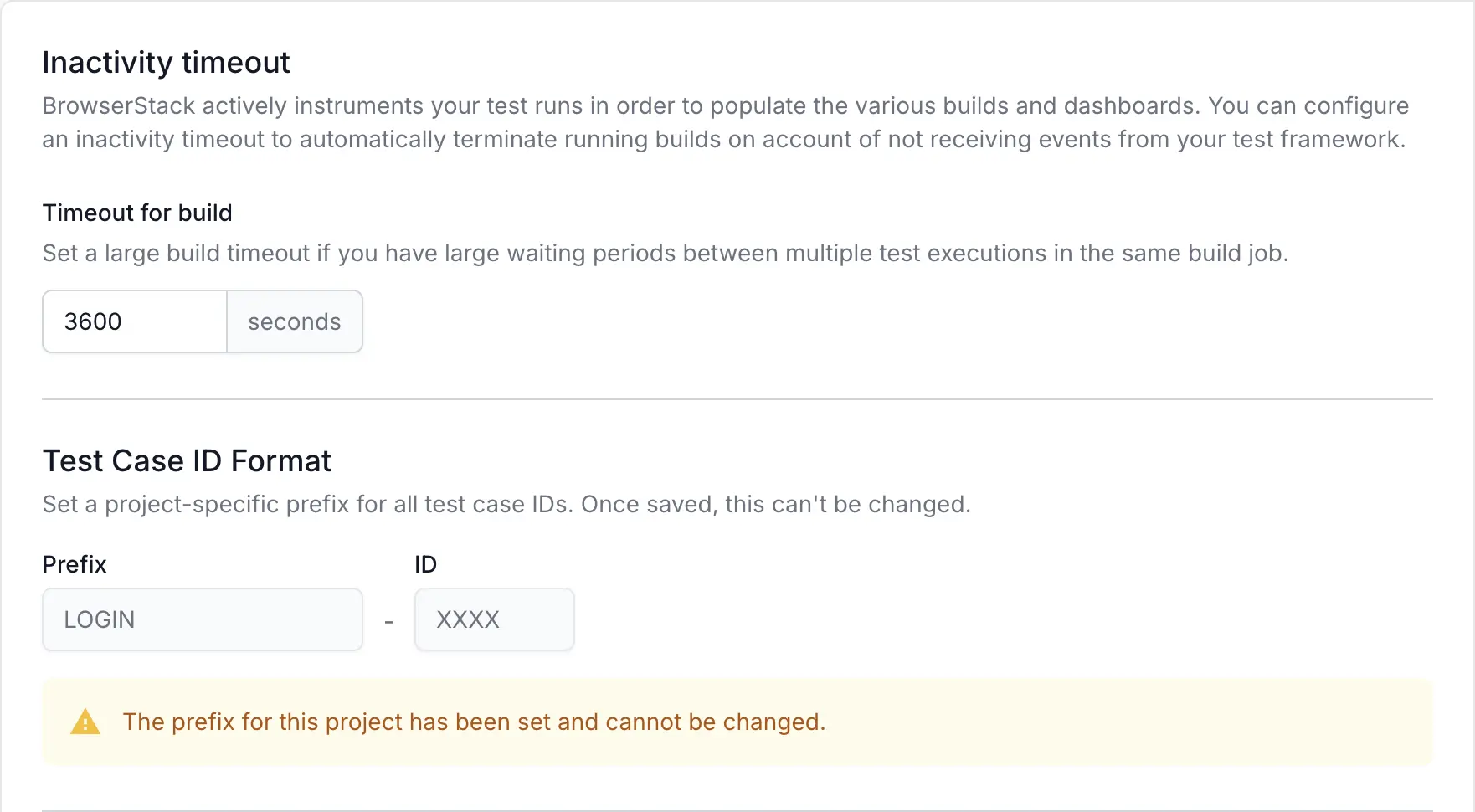
- A test case ID prefix is permanent. After you save it, you cannot edit or remove it for the lifetime of the project.
- Use uppercase letters only (
A–Z).
How test case ID prefixes work
A test case ID has two parts:
- A prefix
- A number
The prefix is a short label such as TC or LOGIN. As you add test cases, Test Management assigns the next number in sequence so that every ID stays unique within the project. You set only the prefix.
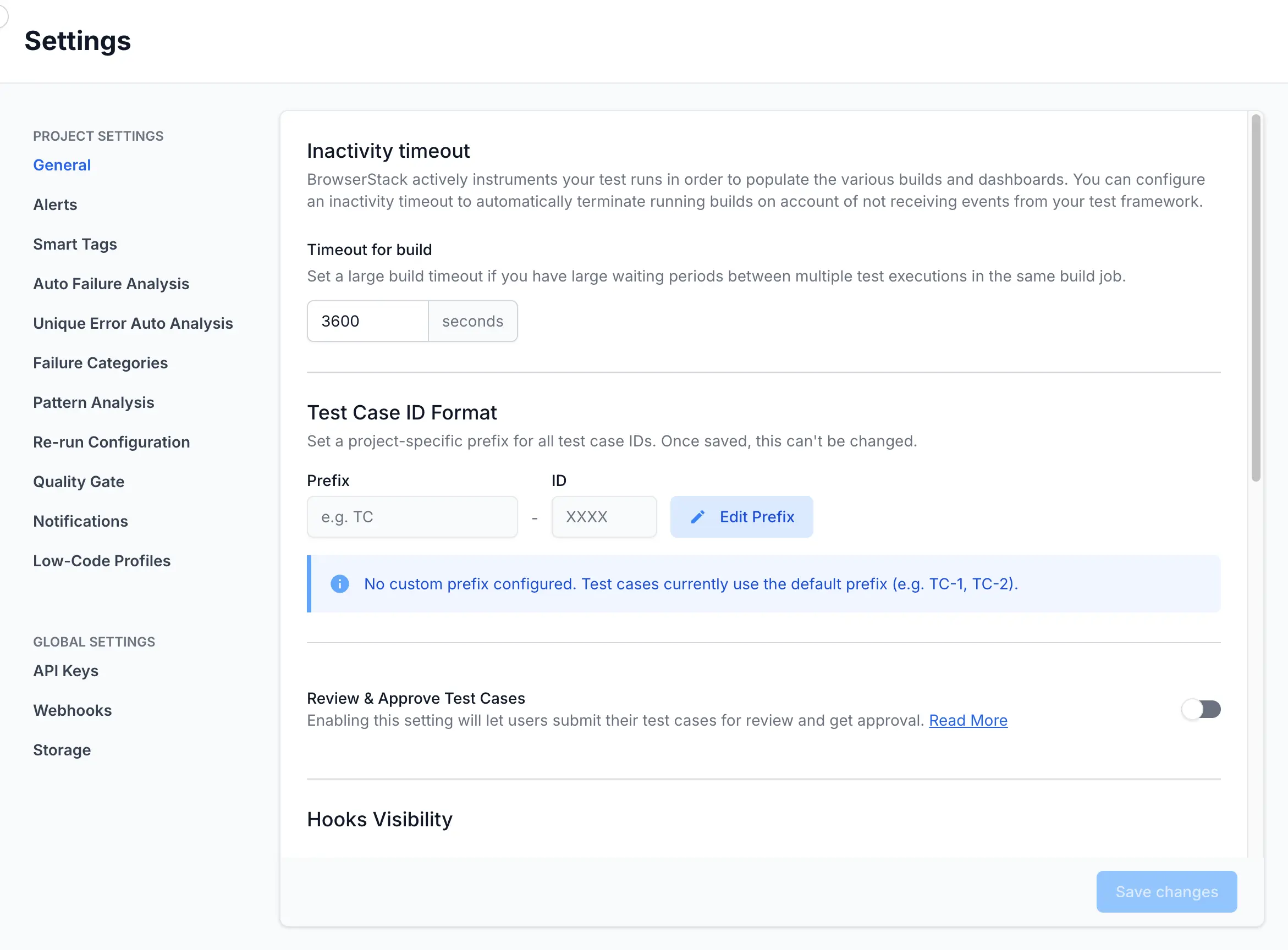
On the settings screen, you type your label in the Prefix field. The ID field shows the number format as XXXX. You cannot edit the ID field, because the counter sets the number.
Who can set the prefix
Setting a prefix changes the ID format for every member of the project. For that reason, only three roles can edit it:
- IAM Admins
- Owners
- Product Admins
If your role does not include this permission, you cannot change the setting. Ask an IAM Admin, Owner, or Product Admin to set the prefix for you. For the full role breakdown, see Role-Based Access Control.
Prefix rules
Test Management validates the prefix before saving it. A prefix must follow these rules:
- Use 2 to 10 characters.
- Use uppercase letters from A to Z.
- Do not use
TC,TR, orTP, because Test Management reserves them.TCis the default prefix. - Choose a prefix that no other project in your group uses.
Set the test case ID prefix
Follow these steps to set the prefix for your project:
- Go to Settings and then click the General tab.
-
Under Test Case ID Format, click Edit Prefix.
- In the Prefix field, enter a prefix using uppercase letters from A to Z.
- Click Save changes.
Test Management applies the prefix as soon as you confirm. Every test case you create from this point uses it.
What happens to existing and new test cases
Setting a prefix does not rewrite your current test case IDs. Existing test cases keep the IDs they already have. Only the test cases you create after you save the prefix use the new format.
The numbering continues from your project’s current sequence. It does not restart at 1.
Say your project already has TC-1 and TC-2. When you set the prefix LOGIN and save it, the next test case you create becomes LOGIN-3 rather than LOGIN-1. Your original TC-1 and TC-2 stay unchanged.
Test case ID prefix vs. custom test case ID
Test Management gives you two separate ways to control test case IDs. They work independently. Choose the one that matches how much control you want over each ID.
| Aspect | Test case ID prefix | Custom test case ID |
|---|---|---|
| What you set | One prefix for the whole project | A full ID for each individual test case |
| Where you set it | Settings > General | The test case create or edit screen, the API, or during import |
| How it is turned on | An admin configures it in project settings | BrowserStack Support enables it for your account |
| Account requirement | Works on an existing project with data | Available only for new accounts with no existing data |
| Numbering | Test Management numbers cases in sequence | You assign each ID, with no automatic counter |
For per-case control over every identifier, see Custom test case ID.
Next steps
We're sorry to hear that. Please share your feedback so we can do better
Contact our Support team for immediate help while we work on improving our docs.
We're continuously improving our docs. We'd love to know what you liked
We're sorry to hear that. Please share your feedback so we can do better
Contact our Support team for immediate help while we work on improving our docs.
We're continuously improving our docs. We'd love to know what you liked
Thank you for your valuable feedback!