
 Join our Discord
View test cases in a test run detail page
Learn how to view test cases in a test run detail page.
You can view test cases in a test run in two formats:
- Folder view +
- Consolidated view
Folder view
The folder view is the default view and has a nested hierarchy of the main folder and sub-folders. To view the test cases linked to the test run, navigate to the individual parent folder and sub-folders. If you apply the filter, the display is refined to show only those folders containing test cases that meet the specified filter criteria.
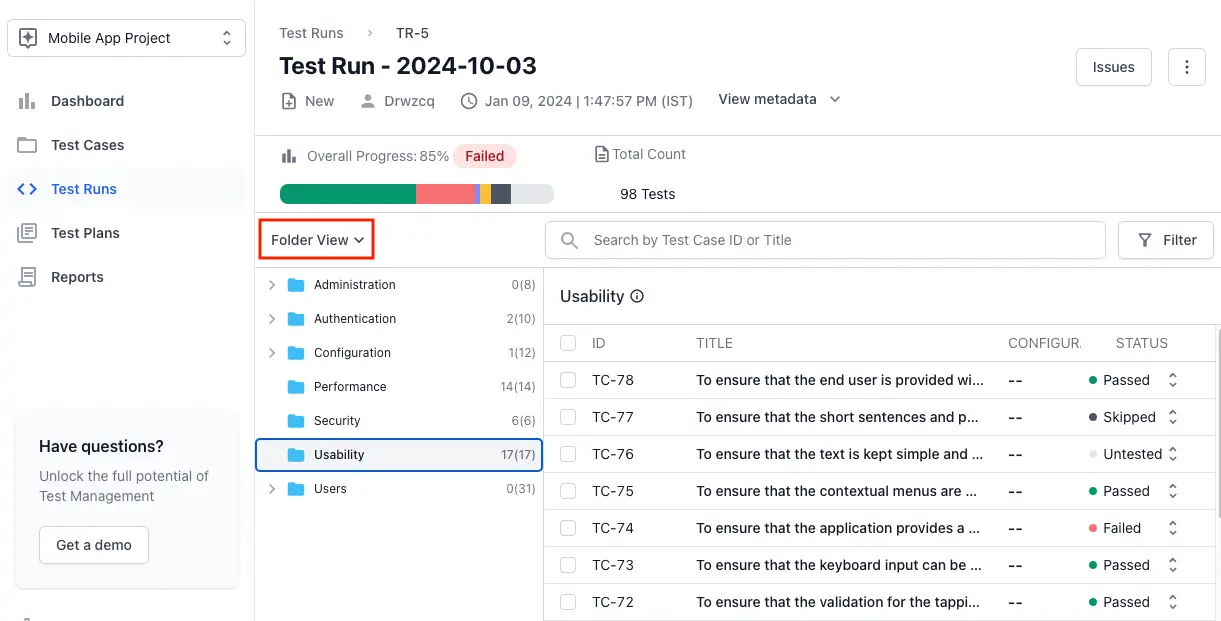
When you search for Test Cases in a Test Run, the folder view automatically converts to a consolidated view and displays the results.
Consolidated view
The consolidated view offers a comprehensive list of all test cases from across all the folders linked to the test run.
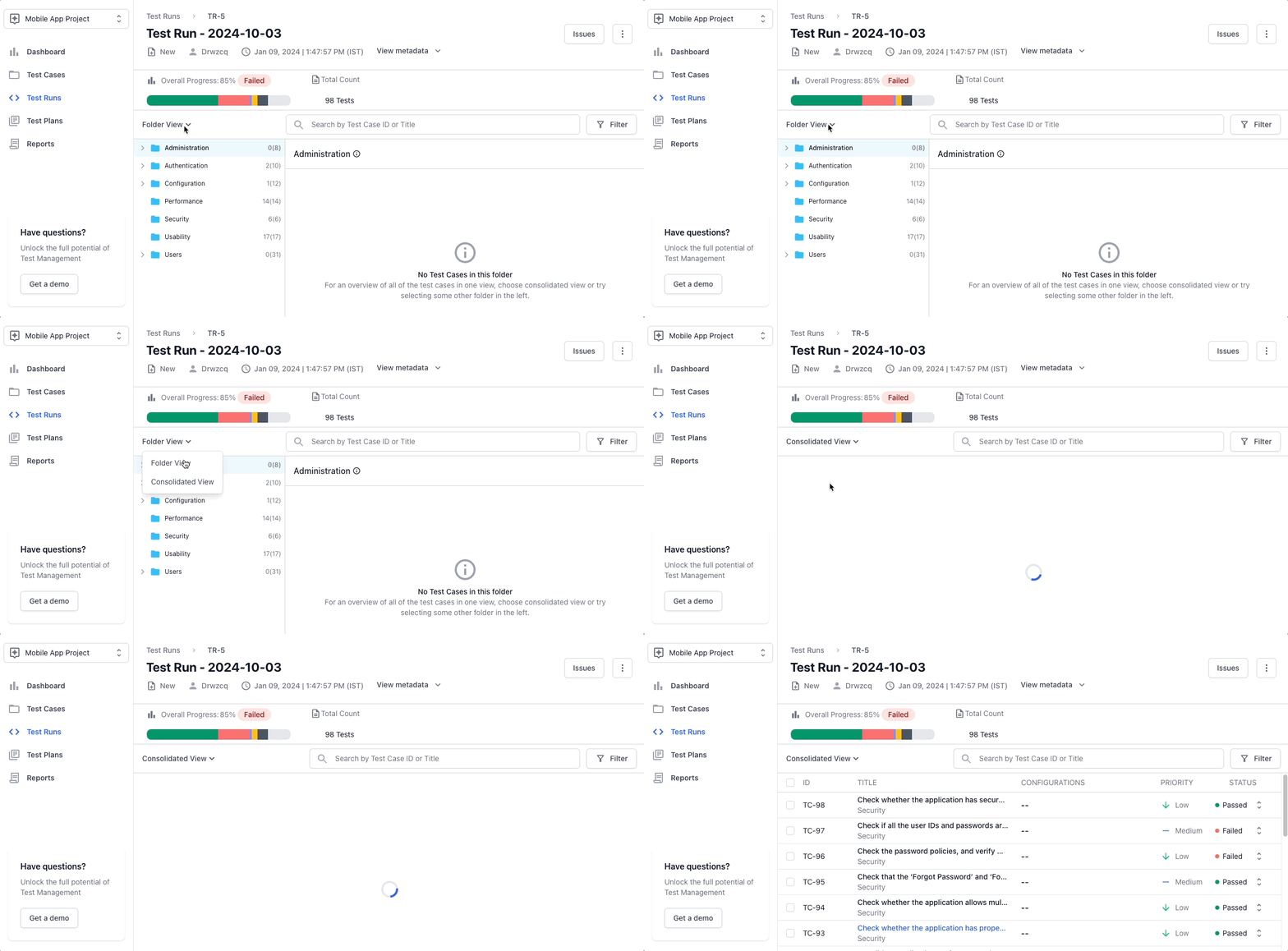
Show or hide columns
In the consolidated view, you can choose which columns the test case table shows. Your column choices apply to the current view.
To show or hide columns:
- Click the column settings icon at the right end of the table header. The Toggle columns in the current view panel opens.
- Click the eye icon beside a column to show or hide it. To find a column quickly, type its name in the search box.
- Click Confirm to apply your choices. To bring back the default columns, click Reset Defaults.

Two execution columns show who ran each test case and when:
- Last Executed At: The date the result of the test case was last added. This column is shown by default.
- Last Executed By: The user who last added a result to the test case. This column is hidden by default.
We're sorry to hear that. Please share your feedback so we can do better
Contact our Support team for immediate help while we work on improving our docs.
We're continuously improving our docs. We'd love to know what you liked
We're sorry to hear that. Please share your feedback so we can do better
Contact our Support team for immediate help while we work on improving our docs.
We're continuously improving our docs. We'd love to know what you liked
Thank you for your valuable feedback!