
 Join our Discord
Broken Link scan settings
Configure the settings for the Broken Link Scan to identify and manage broken links on your website.
Broken Link Scan crawls your pages and flags links that return errors or time out. Configure its settings from the Broken Link Scan tab in Advanced scan settings.
Enable issue screenshots
-
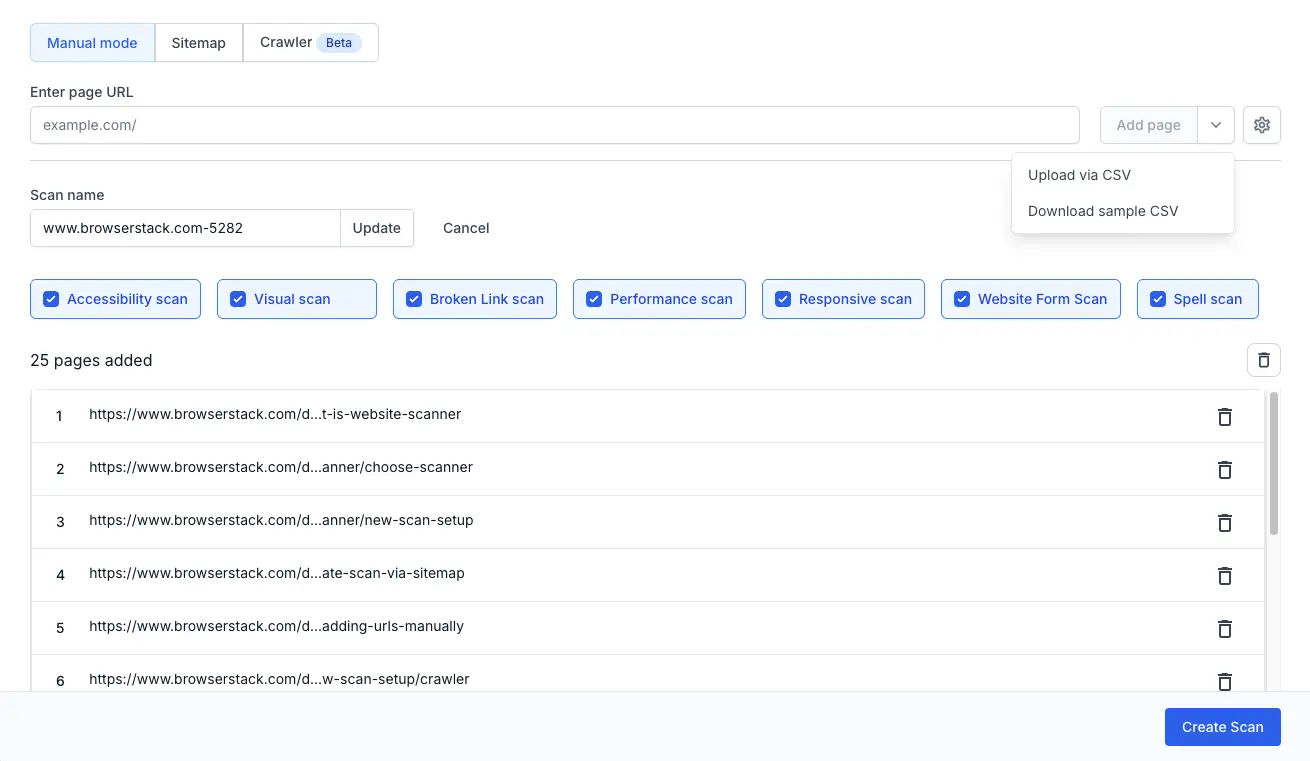
Click the Settings (gear icon) to open Advanced scan settings.
-
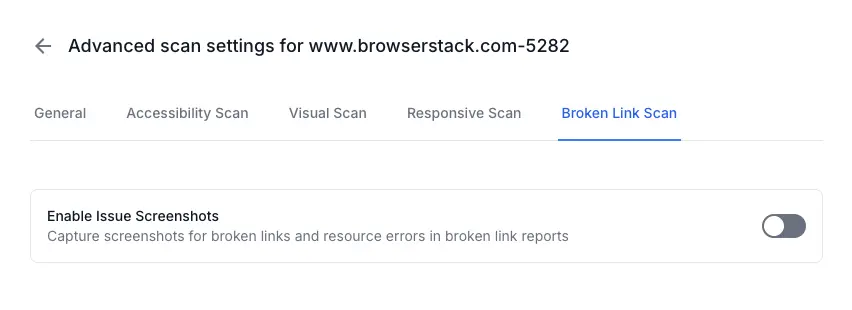
Switch to the Broken Link Scan tab in Advanced scan settings.
-
Toggle Enable Issue Screenshots on to capture a screenshot for every broken link and resource error the scanner finds.
These screenshots appear in your broken-link report. You can see where the broken link sits on the page without reproducing the error manually.
Keep this toggle off if you want faster scan times and smaller reports.
We're sorry to hear that. Please share your feedback so we can do better
Contact our Support team for immediate help while we work on improving our docs.
We're continuously improving our docs. We'd love to know what you liked
We're sorry to hear that. Please share your feedback so we can do better
Contact our Support team for immediate help while we work on improving our docs.
We're continuously improving our docs. We'd love to know what you liked
Thank you for your valuable feedback!