
 Join our Discord
Keyboard focus for interactive elements
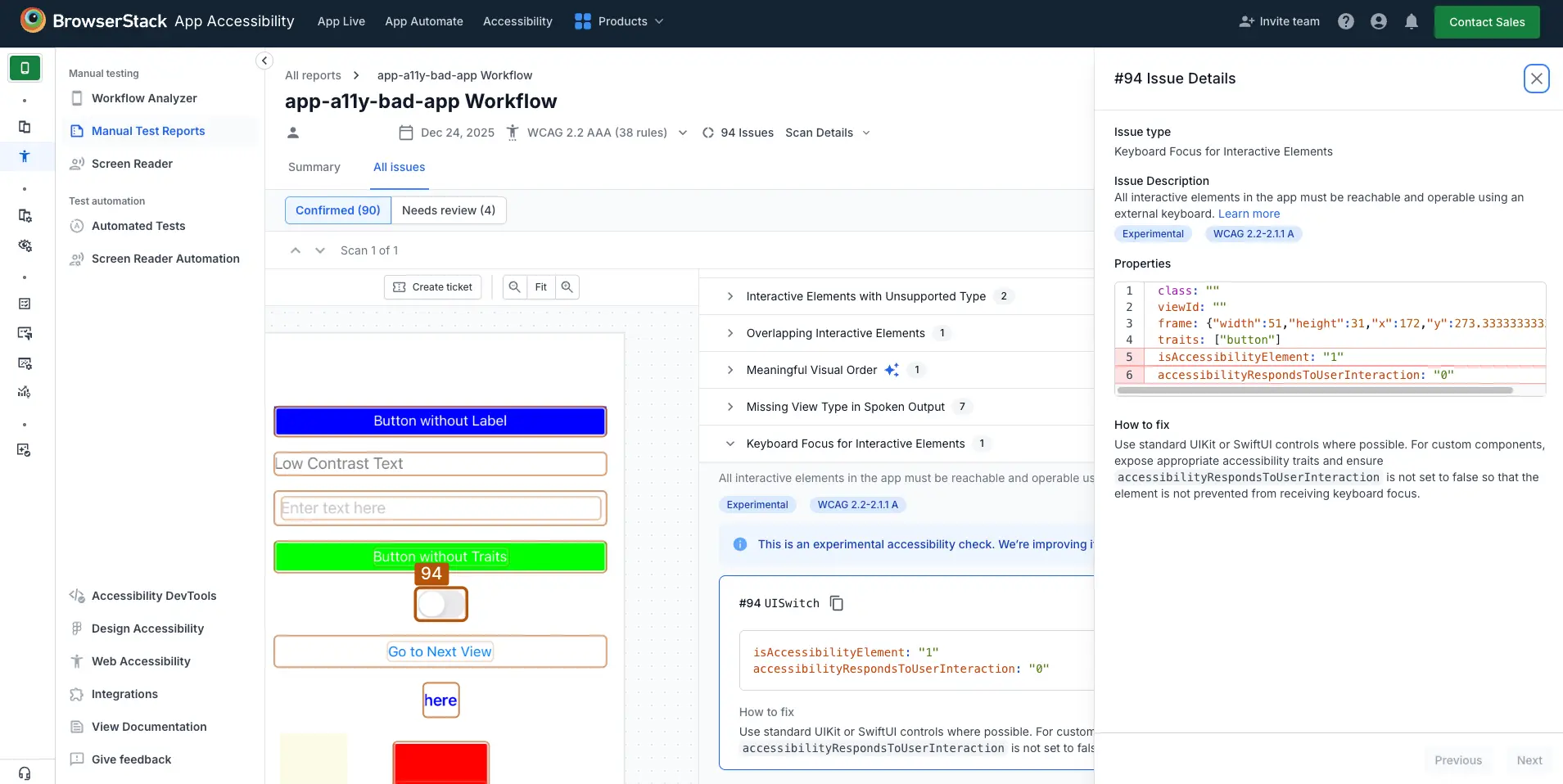
The keyboard focus for interactive elements rule ensures all interactive elements in your app are reachable and operable using an external keyboard. This ensures that users who rely on a keyboard for navigation can access every feature without needing to use touch or mouse input.
- Rule Category:
Focus and Navigation - WCAG 2.1 & 2.2 SC:
2.1.1 (A),2.1.3 (AAA) - RAAM 1.1 :
5.2 - Rule Severity:
Critical - Supported Platforms and Frameworks:
Android,iOS,React Native,Flutter
Success criteria
The specific criterion for success is:
- Every interactive element is reachable and operable using an external keyboard.
How to fix
To ensure keyboard operability for assistive technology users, follow these steps:
- Use native controls, such as
Button,EditText,CheckBox,Switch, etc. These controls are focusable by default. - For custom controls, set the following attributes to manually define focus behavior:
android:focusable="true"android:focusableInTouchMode="true"android:importantForAccessibility="yes"
- Ensure focus can move logically between elements and is not blocked or trapped.
Example
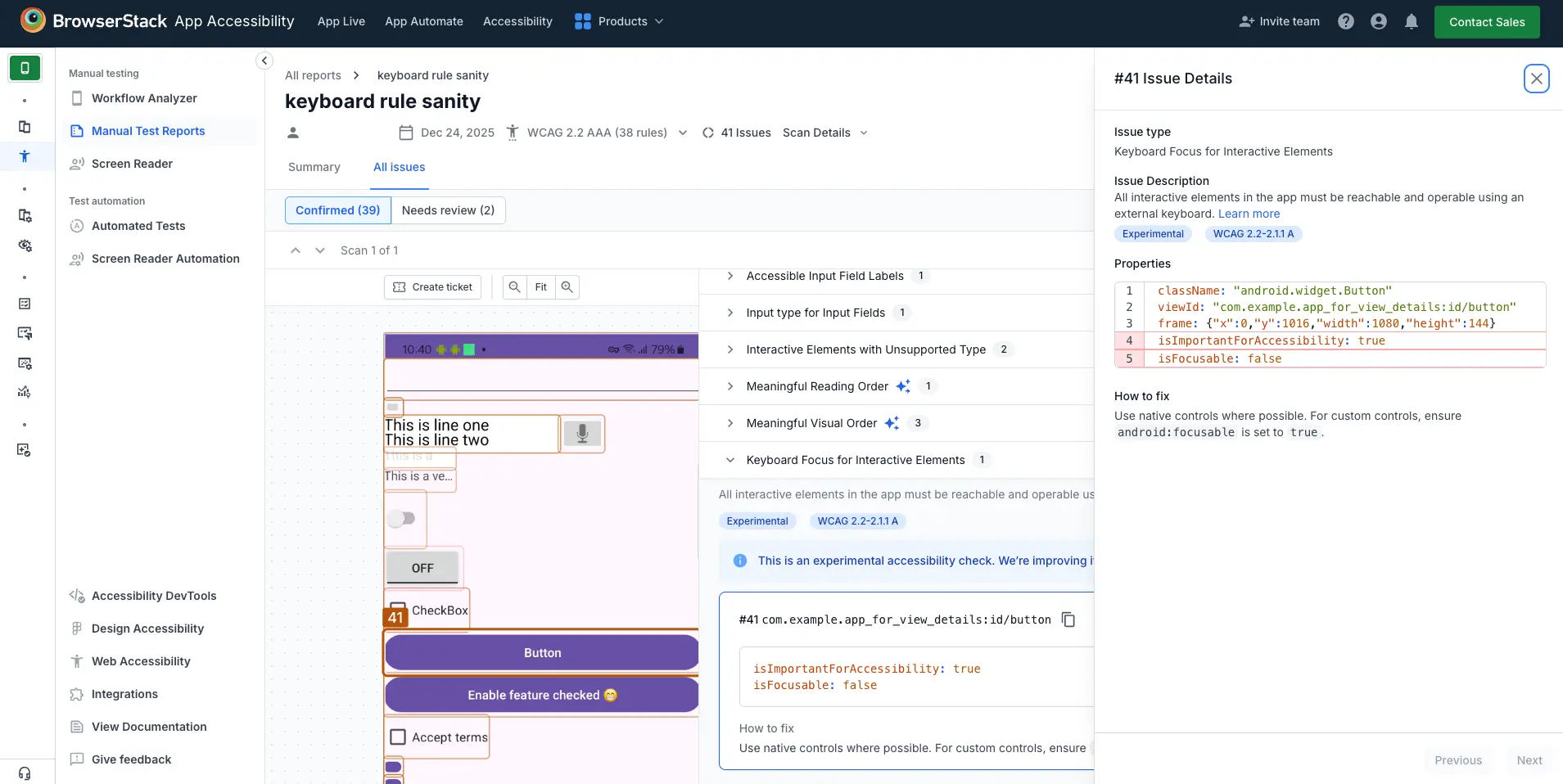
The following Android example scan report highlights a keyboard focus for interactive elements violation for a button that is marked as important for accessibility but is not focusable.
Error
- The button has the
android:importantForAccessibilityattribute set toyes, but theandroid:focusableattribute is set tofalse. As a result, the button is not reachable via keyboard navigation.
Fix
To fix this violation:
- Set the
android:focusableattribute totruefor the button in your layout XML file to make it focusable via keyboard navigation.
References
WCAG
- 2.1.1 Keyboard (Level A): WCAG 2.1 · WCAG 2.2
- 2.1.3 Keyboard (No Exception) (Level AAA): WCAG 2.1 · WCAG 2.2
RAAM 1.1
- 5.2: RAAM 1.1
We're sorry to hear that. Please share your feedback so we can do better
Contact our Support team for immediate help while we work on improving our docs.
We're continuously improving our docs. We'd love to know what you liked
We're sorry to hear that. Please share your feedback so we can do better
Contact our Support team for immediate help while we work on improving our docs.
We're continuously improving our docs. We'd love to know what you liked
Thank you for your valuable feedback!