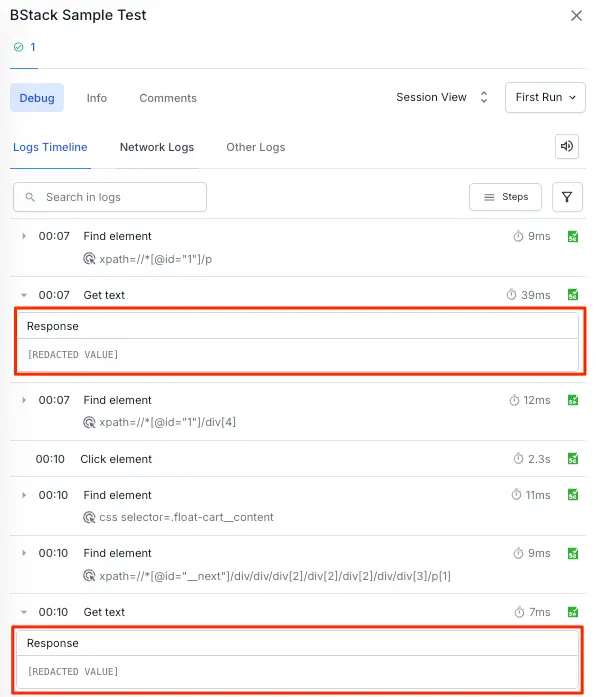
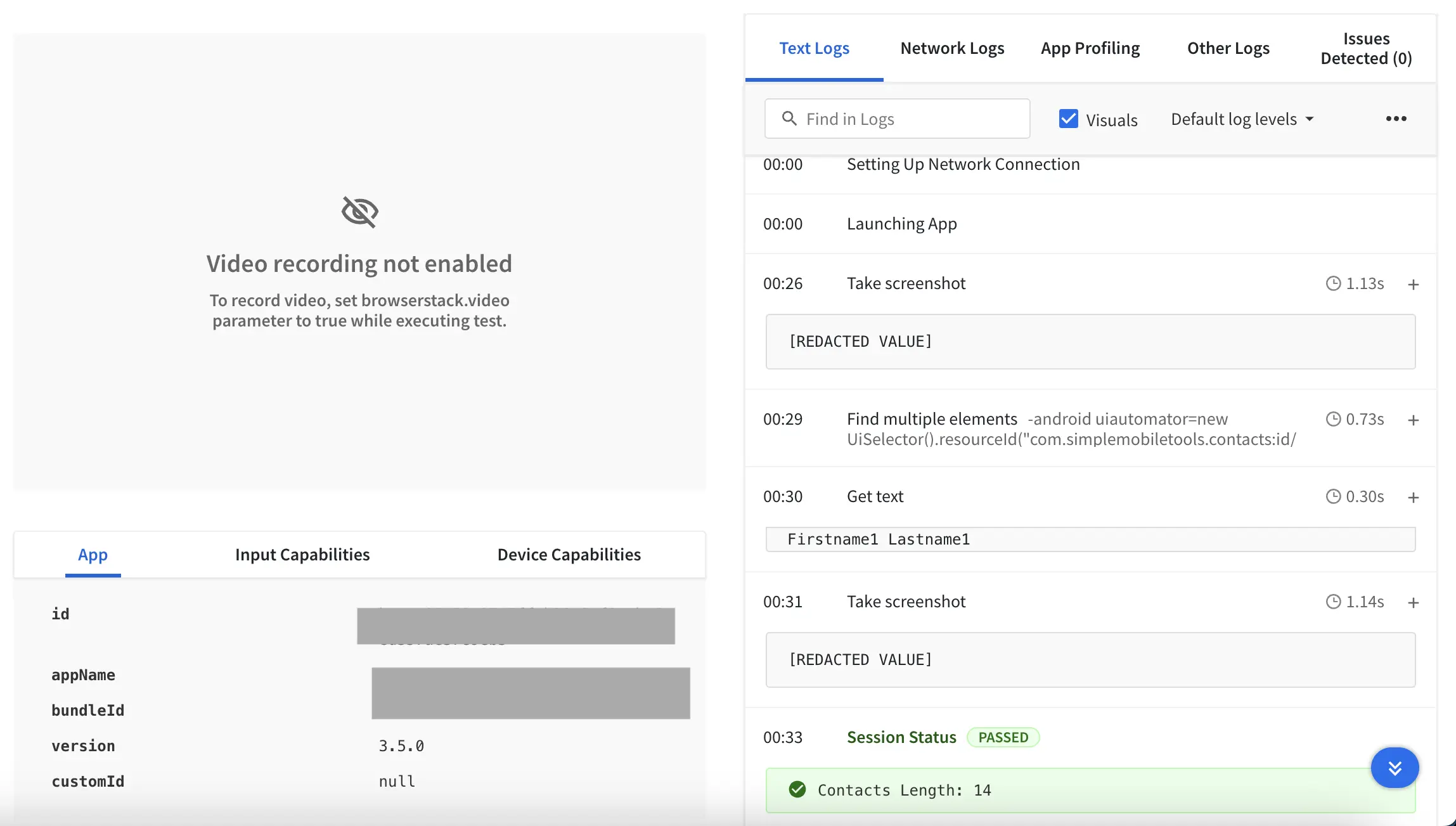
To execute some test scenarios, you use commands that send or retrieve data like email ID, cookies, credentials, etc. to or from remote devices. In App Automate, this data may appear in session logs, text, video, screenshots, and Appium logs.
This guide shows you how to prevent this data from appearing in the session logs by:
If you are using BrowserStack SDK, you can set the following capabilities in the browserstack.yml file:
Capability
Value
browserstack.maskCommands Use this capability to mask the data sent or retrieved by certain commands. You can specify commands for full masking or use a regex for partial, granular masking.
Note: You can pass multiple commands in a single array, separated by commas.
Default: Empty array
screenshot Masks the output of the screenshot command.
setValues All the text sent via sendKeys command will be redacted.
getValues All the text retrieved via get command will be redacted.
setCookies All the cookies which are set by the addCookie command will be redacted.
getCookies All the cookie values obtained using the getCookies and getCookieNamed command will be redacted.
Example
The following sample shows how to configure your Appium tests using maskCommands capability:
This will replace all keystrokes and other values with REDACTED in your App Automate session logs (text and raw).
Using BrowserStack’s maskCommands capability, you can also mask the output of the screenshot command instead of uploading the image. Here is an example to do this:
The enhanced browserstack.maskCommands capability allows you to mask only specific portions of sensitive data by defining regular expressions (regex). This is ideal when you need to hide credentials without redacting all information passed via commands like sendKeys.
This feature supports setValues, getValues, setCookies, and getCookies commands. Masking applies to Appium logs and Text logs.
Capability format (array of JSON objects)
To enable granular masking, pass an array of JSON objects to the capability. If you omit the regex value, the platform applies full masking for that command.
Key
Description
cmd
The Appium command to target: setValues, getValues, setCookies, or getCookies.
regex
(Optional) A regular expression used to match the text to redact. If the regex is omitted, all all data for that command is masked.
The platform attempts to match the provided regex pattern against the value passed to the command. Define patterns that capture the sensitive string or substring within the data. For example, user.* will match any value containing the string “user” followed by any characters.
BrowserStack provides a visual log for App Automate sessions. These are screenshots generated at different steps in your test script.
To prevent sensitive information from getting captured in these screenshots, make sure that visual logs are disabled. If not, set the debug capability to false.
Capability
Value
debug Use this capability to enable or disable visual log in your App Automate session.
true, false Default:false
The sample below shows how to use debug capability to disable visual log in your test:
You can now use the maskCommands capability for an added layer of security, providing more robust masking directly within the appiumLogs
Appium versions 2.15.0 and 2.18.0 automatically enable this enhanced protection for both iOS and Android. Set the Appium version in your capabilities to activate it.
Example
This masks the element/send_keys command data in text logs, videos, and screenshots.
{'browserstack.maskCommands'=>'setValues'}
Disabling the Appium logs
For every App Automate session, you get Appium logs by default.
You can disable Appium logs by using the following capabilities:
Capability
Value
appiumLogs Use this capability to disable appium logs for your tests.
true, false Default:true
The sample below shows how to disable appiumLogs and capabilities for your test:
BrowserStack SDK is a plug-n-play solution that takes care of all the integration steps for you. Using the BrowserStack SDK is the recommended integration method for your project. To know more, visit the SDK core concepts page .
BrowserStack’s maskCommands capability hides data that you send to or retrieve from the remote browsers through the following commands:
Capability
Value
browserstack.maskCommands Use this capability to mask the data sent or retrieved by certain commands. You can specify commands for full masking or use a regex for partial, granular masking.
Note: You can pass multiple commands in a single array, separated by commas.
Default: Empty array
screenshot Masks the output of the screenshot command.
setValues All the text sent via sendKeys command will be redacted.
getValues All the text retrieved via get command will be redacted.
setCookies All the cookies which are set by the addCookie command will be redacted.
getCookies All the cookie values obtained using the getCookies and getCookieNamed command will be redacted.
Example
The following sample shows how to configure your Appium tests using maskCommands capability:
This will replace all keystrokes and other values with REDACTED in your App Automate session logs (text and raw).
Using BrowserStack’s maskCommands capability, you can also mask the output of the screenshot command instead of uploading the image. Here is an example to do this:
It is recommended that you disable the Appium logs since the maskCommands capability masks only the sensitive data from Text & Raw Logs. The sensitive information from Appium Logs remains unmasked.
BrowserStack’s maskCommands capability hides data that you send to or retrieve from the remote browsers through the following commands:
Capability
Value
browserstack.maskCommands Use this capability to mask the data sent or retrieved by certain commands. You can specify commands for full masking or use a regex for partial, granular masking.
Note: You can pass multiple commands in a single array, separated by commas.
Default: Empty array
screenshot Masks the output of the screenshot command.
setValues All the text sent via sendKeys command will be redacted.
getValues All the text retrieved via get command will be redacted.
setCookies All the cookies which are set by the addCookie command will be redacted.
getCookies All the cookie values obtained using the getCookies and getCookieNamed command will be redacted.
Example
The following sample shows how to configure your Appium tests using browserstack.maskCommands capability:
This will replace all keystrokes and other values with REDACTED in your App Automate session logs (text and raw).
Using BrowserStack’s maskCommands capability, you can also mask the output of the screenshot command instead of uploading the image. Here is an example to do this:
It is recommended that you disable the Appium logs since the browserstack.maskCommands capability masks only the sensitive data from Text & Raw Logs. The sensitive information from Appium Logs remains unmasked.
Disable specific logs
Apart from text and raw session logs, BrowserStack App Automate also has videos, visuals, and the standard Appium logs. These logs can not be masked.
To prevent sensitive information from appearing in these logs, you’ll need to disable them individually.
BrowserStack provides a visual log for App Automate sessions. These are screenshots generated at different steps in your test script.
To prevent sensitive information from getting captured in these screenshots, make sure that visual logs are disabled. If not, set the debug capability to false.
Capability
Value
debug Use this capability to enable or disable visual log in your App Automate session.
true, false Default:false
The sample below shows how to use debug capability to disable visual log in your test:
BrowserStack provides a visual log for App Automate sessions. These are screenshots generated at different steps in your test script.
To prevent sensitive information from getting captured in these screenshots, make sure that visual logs are disabled. If not, set the browserstack.debug capability to false.
Capability
Value
browserstack.debug Use this capability to enable or disable visual log in your App Automate session.
true, false Default:false
The sample below shows how to use browserstack.debug capability to disable visual log in your test:
For every App Automate session, you get Appium logs by default. However, these logs can not be masked.
You can disable Appium logs by using the following capabilities:
Capability
Value
browserstack.appiumLogs Use this capability to disable appium logs for your tests.
true, false Default:true
The sample below shows how to disable browserstack.appiumLogs capabilities for your test:

 Join our Discord