
 Join our Discord
Service accounts
Learn how to use service accounts to avoid sharing personal authentication keys when you run builds in private environments.
The service account feature in App Low Code Automation lets your organization authenticate test runs without relying on individual user credentials. This is useful for teams running builds in private environments, as it removes the need to share the Group Owner’s access key for running the Local binary.
- This feature is only available for Enterprise customers.
- Only Owners and Group Admins can create and modify a service account.
- Only organization-level service accounts can be used in App Low Code Automation.
For more information about service accounts, see the Create and manage service accounts page.
Use a service account
- In App Low Code Automation, go to your Project, then click Settings.
- Click Service account, then turn on the toggle at the top-right corner to activate it.
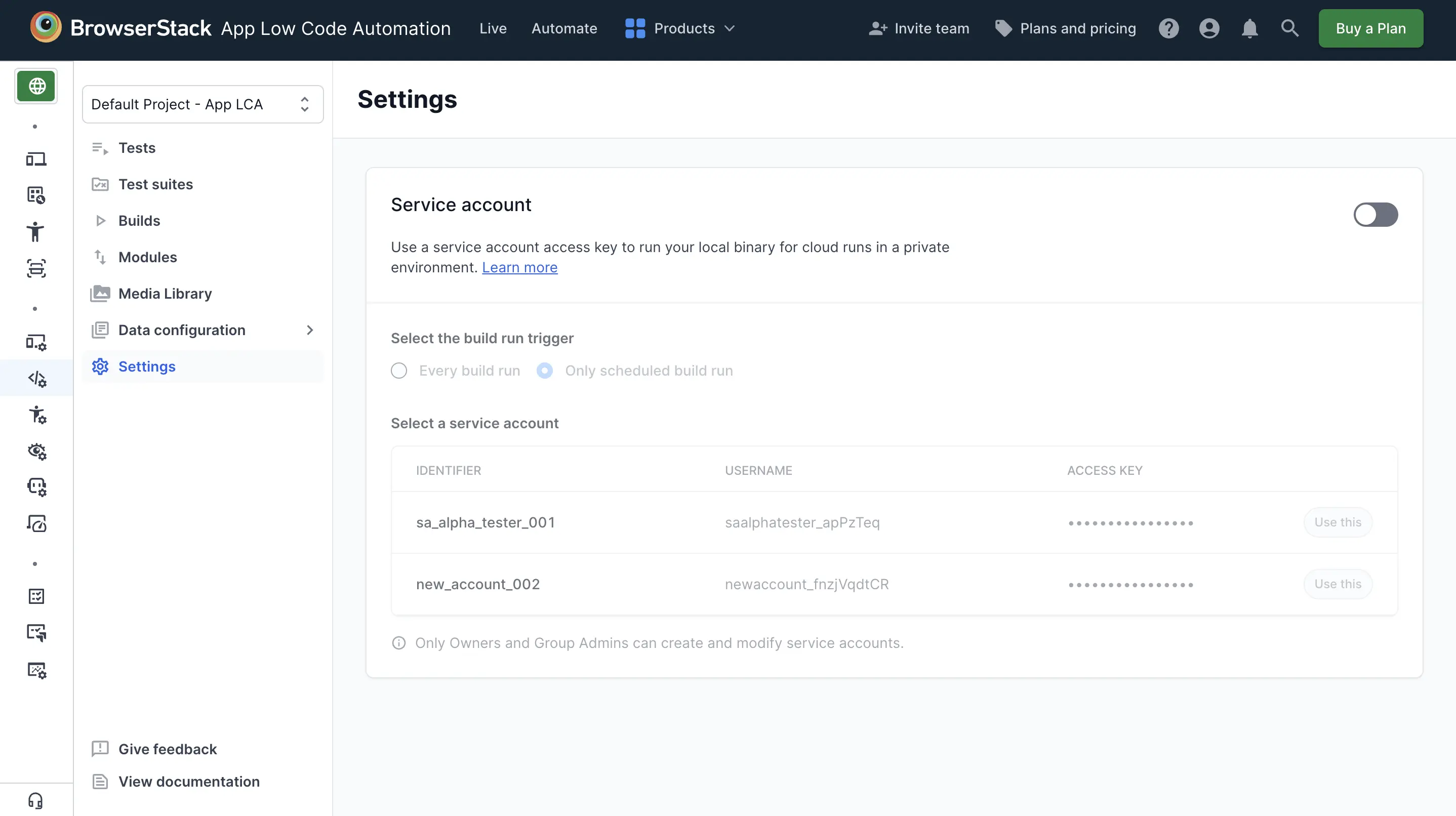
- Under Select the build run trigger, select when to use the service account for running the Local binary:
- Every build run: All test suites with Local Testing enabled in the project.
- Only scheduled build run: Only scheduled test suites with Local Testing enabled in the project.
- Click Use this to select a service account from the list. You can select only one service account per project.
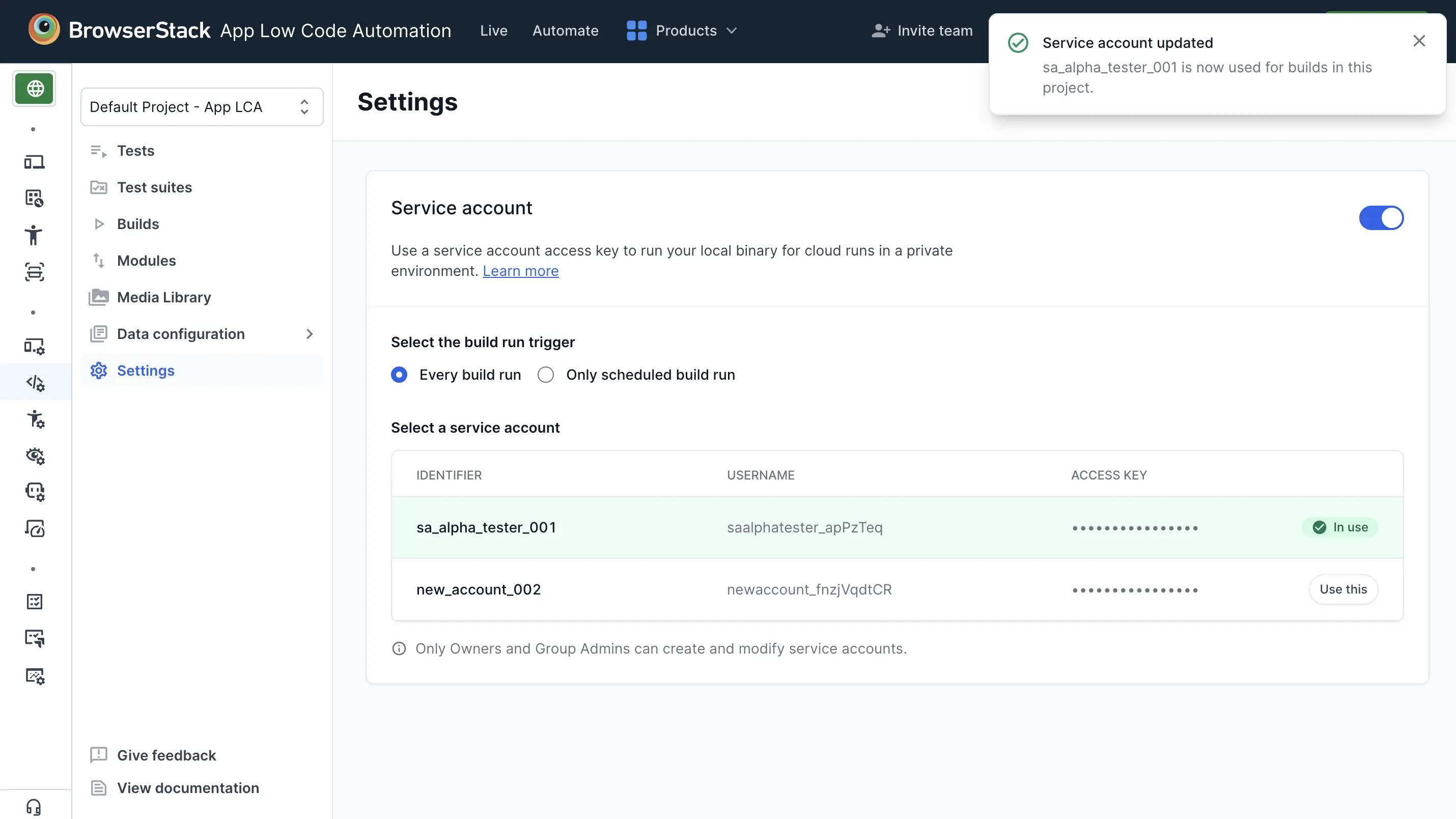
The service account is now configured for your project. As a next step, run the Local binary with the service account in use as per the configuration you selected.
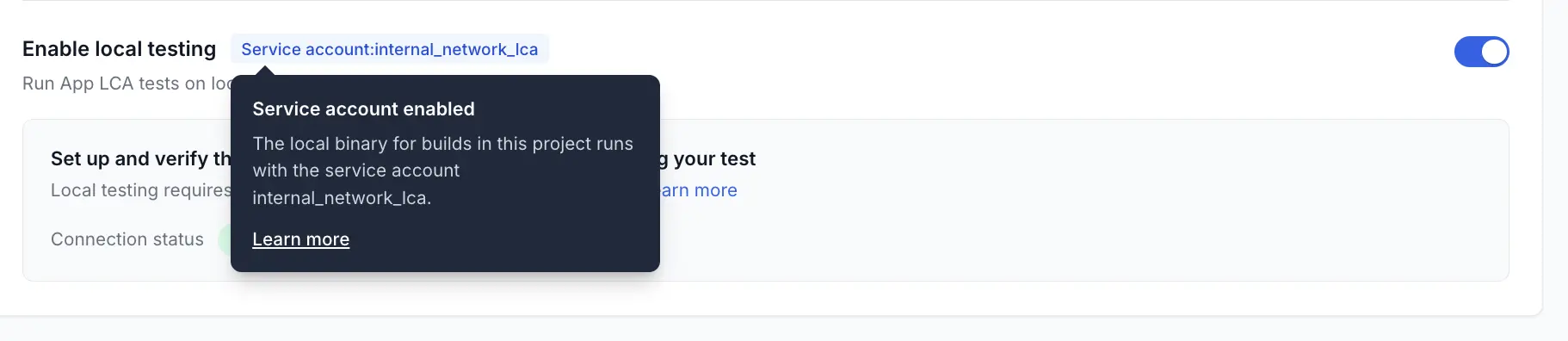
On the test suite screen, a Service account tag appears next to Enable local testing. Hover over the tag to see which account the Local binary runs with.
We're sorry to hear that. Please share your feedback so we can do better
Contact our Support team for immediate help while we work on improving our docs.
We're continuously improving our docs. We'd love to know what you liked
We're sorry to hear that. Please share your feedback so we can do better
Contact our Support team for immediate help while we work on improving our docs.
We're continuously improving our docs. We'd love to know what you liked
Thank you for your valuable feedback!