
 Join our Discord
Enlarge text on BrowserStack real iOS devices
Enable Display Zoom on real iOS devices in BrowserStack App Live to enlarge your app’s text, icons, and layout.
This feature is available only under Team Pro and Enterprise Pro plans. For more details, see the pricing page.
In a BrowserStack App Live test session, you can enlarge the text size on real iOS devices to see how your app’s text, icons, and controls adapt when end users choose a larger display size. This also allows you to check how your app content is laid out and how much of it is visible at once. For more information about the iOS Larger Text feature, see the official Apple documentation.
Supported devices
App Live supports Display Zoom on iPhone devices running iOS 26. iPads are not supported.
Enlarge text on BrowserStack App Live iOS devices
Changing Display Zoom restarts the iOS device. Once the device reboots, your App Live session automatically reconnects and resumes.
To enlarge text on BrowserStack real iOS devices:
- Log in to the BrowserStack App Live dashboard.
- Upload or install your app, and select the iOS device from the device listing to launch your test session.
- On the App Live vertical toolbar, click iOS Settings.
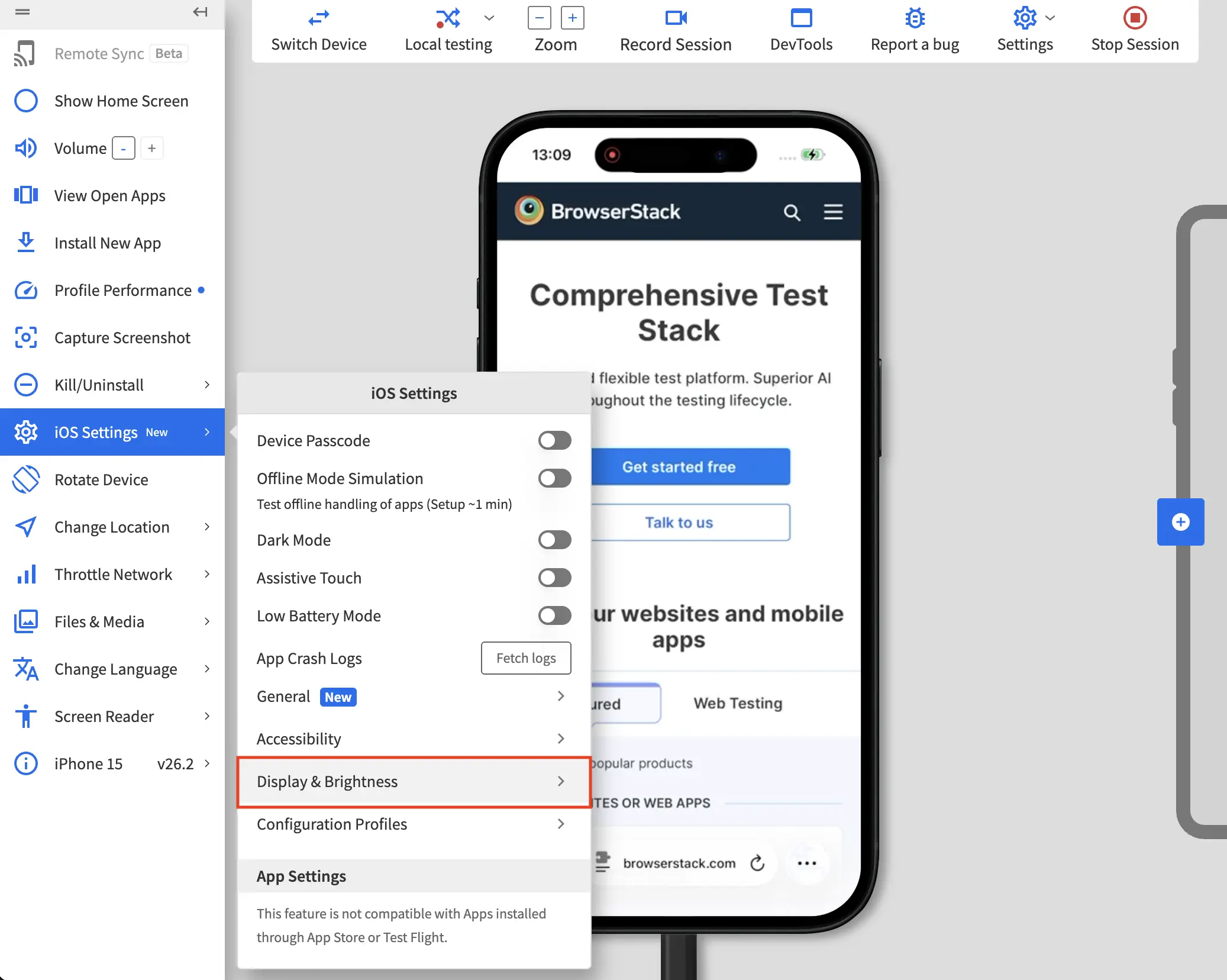
- In the iOS Settings panel, go to Display & Brightness.
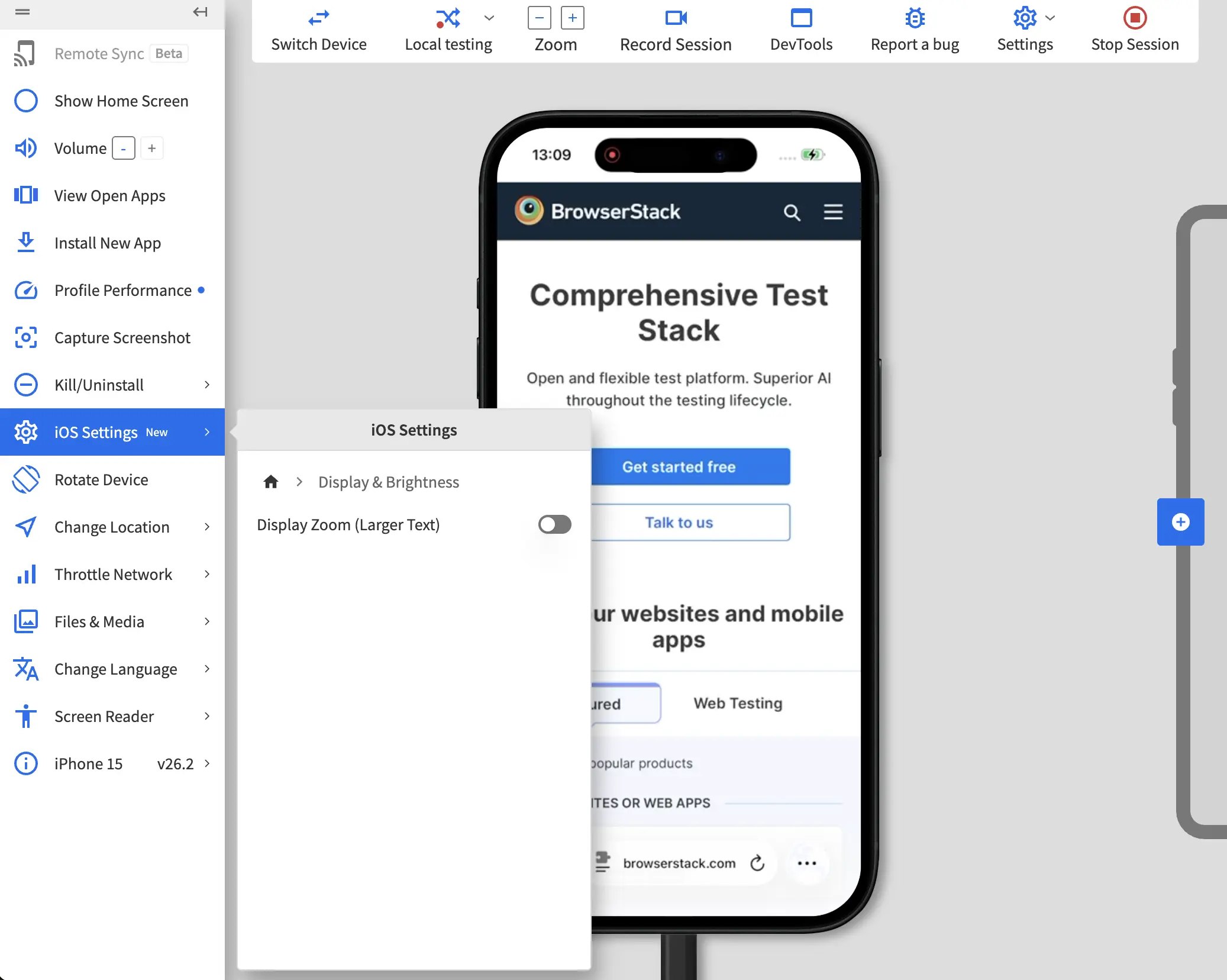
- In the Display & Brightness panel, switch on the Display Zoom (Larger Text) toggle to enlarge the text. The device restarts to apply the setting and a banner indicates that the feature is active.
We're sorry to hear that. Please share your feedback so we can do better
Contact our Support team for immediate help while we work on improving our docs.
We're continuously improving our docs. We'd love to know what you liked
We're sorry to hear that. Please share your feedback so we can do better
Contact our Support team for immediate help while we work on improving our docs.
We're continuously improving our docs. We'd love to know what you liked
Thank you for your valuable feedback!