
 Join our Discord
Integrate your test suite with BrowserStack
BrowserStack’s JUnit SDK supports a plug-and-play integration. Run your entire test suite in parallel with a few steps!
Prerequisites
- An existing automated test suite.
- Junit, Java v8+ is installed on your machine.
-
Maven is installed on your machine, Maven environment variables are set, and Maven bin is added to the system path,
$PATH.
Integration steps
Based on the method you use to build your project, complete the steps in the following tabs to integrate with BrowserStack.
Update your BrowserStack config file
When you install the SDK, a browserstack.yml configuration file is created at the root level of your project. This file holds all the required capabilities to run tests on BrowserStack.
Specify platforms to test on
Set the browsers/OS you want to test under the platforms object. Select over 100+ browsers-OS combinations from the list of supported browsers and OS
Enable BrowserStack Local
Test localhost/internal servers in your network
BrowserStack’s Local Testing feature connects with test suites pointing to your localhost URL
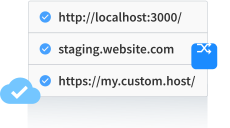

BrowserStack Local supports all advanced use cases and restricted networks. Contact our support team for assistance in configuring BrowserStack Local for your enterprise.
BrowserStack Reporting
You can leverage BrowserStack’s extensive reporting features using the following capabilities:
Set a name to your build (usually the same as the build ID that’s on your CI/CD platform). Accepted characters: A-Z, a-z, 0-9, ., :, -, [], /, @, &, ‘, _. All other characters are ignored.
Character limit: 255


| buildIdentifier | Description | Generated build name on dashboard |
|---|---|---|
| ${BUILD_NUMBER} (Default) | If the build is triggered locally, an incremental counter is appended. If build is triggered with CI tools, CI-generated build number is appended. |
bstack-demo 1 bstack-demo CI 1395 |
| ${DATE_TIME} | The timestamp of run time is appended to the build. | bstack-demo 29-Nov-20:44 |
Advanced use cases for build names
Custom formatting of build name
Prefix buildIdentifier with desired characters, for example, # or :
buildName: bstack-demo
buildIdentifier: '#${BUILD_NUMBER}'
Re-run tests in a build
You can re-run selected tests from a build using any of the following options:
Option 1: Set the existing build name in the BROWSERSTACK_BUILD_NAME variable and prepend it to your test run command to re-run tests in the same build:
BROWSERSTACK_BUILD_NAME=bstack-demo 1234 mvn test -P sample-test
Option 2: Set the build name as a combination of buildName and buildIdentifier, as seen on the dashboard, and set buildIdenitifier as null:
buildName: bstack-demo 123
buildIdentifier: null
Option 3: Set the buildIdentifier as the build number or time of the required build as seen on the dashboard:
buildName: bstack-demo
buildIdentifier: 123
Set a project name for your project.
sessionName is the name of your test sessions and is automatically picked from your test class/spec name. It doesn’t need to be set manually when using the BrowserStack SDK.
Use additional debugging features
By default, BrowserStack provides prettified session logs, video recording on every failed command, and a video of the entire test. Additionally, you can enable the following features:
Use Automate Turboscale
Set grid name as the name of the Turboscale grid. Accepted characters: A-Z, a-z, 0-9, ., :, -, [], /, @, &, ‘, _. All other characters are ignored.
Character limit: 255
Update browserstack.yml file with selected capabilities
Copy the following code snippet and replace contents of browserstack.yml file in the root folder of your test suite.
Run your test suite
Run the following command from your root directory to run your test suite with BrowserStack.
We're sorry to hear that. Please share your feedback so we can do better
Contact our Support team for immediate help while we work on improving our docs.
We're continuously improving our docs. We'd love to know what you liked
We're sorry to hear that. Please share your feedback so we can do better
Contact our Support team for immediate help while we work on improving our docs.
We're continuously improving our docs. We'd love to know what you liked
Thank you for your valuable feedback!