
 Join our Discord
Test your website in Low Battery Mode on BrowserStack real iOS devices
Test your website or web app with Low Battery Mode enabled on BrowserStack real iOS devices using Live.
Low Battery Mode on an iOS device reduces power usage to extend battery life, allowing the device to run longer between charges. When you enable Low Battery Mode, iOS limits some background activity and visual effects, which might affect the functionality of some features. For more information, see the Apple documentation.
BrowserStack Live lets you test your website, web app, or progressive web app (PWA) with Low Battery Mode enabled on real iOS devices, so you can validate how your site behaves under the same conditions your end users experience.
Enable Low Battery Mode
When you enable Low Battery Mode on a BrowserStack real iOS device, the idle timeout of your Live session is automatically changed to 30 seconds. If your session remains inactive for more than 30 seconds, you are logged out of the session.
- Log in to the Live dashboard.
- On the dashboard, select the iOS device-browser combination to start your test session.
- On the Live vertical toolbar, click Settings.
-
On the Settings prompt, enable Low Battery Mode.
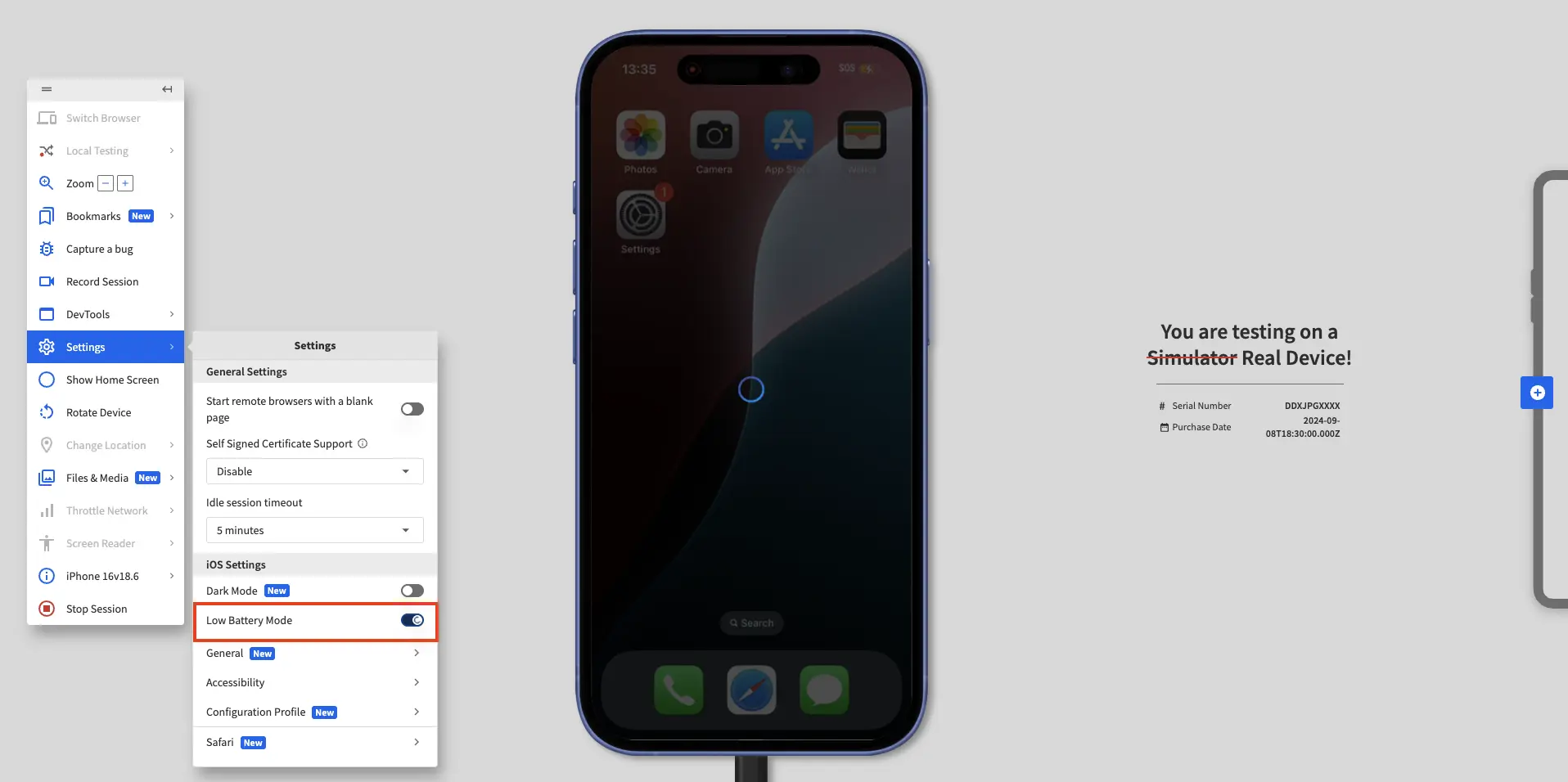
The dashboard displays a message confirming that Low Battery Mode is enabled and that the idle session timeout is changed to 30 seconds.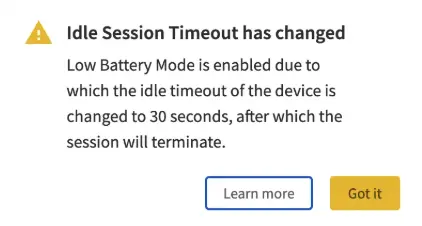
We're sorry to hear that. Please share your feedback so we can do better
Contact our Support team for immediate help while we work on improving our docs.
We're continuously improving our docs. We'd love to know what you liked
We're sorry to hear that. Please share your feedback so we can do better
Contact our Support team for immediate help while we work on improving our docs.
We're continuously improving our docs. We'd love to know what you liked
Thank you for your valuable feedback!