Get your setup working faster. Join our Discord for optimisation tips from elite testers.Join our Discord
Audio streaming on BrowserStack real desktop and mobile devices using Live
Stream audio from real desktop and mobile devices to your local system’s speakers in BrowserStack Live.
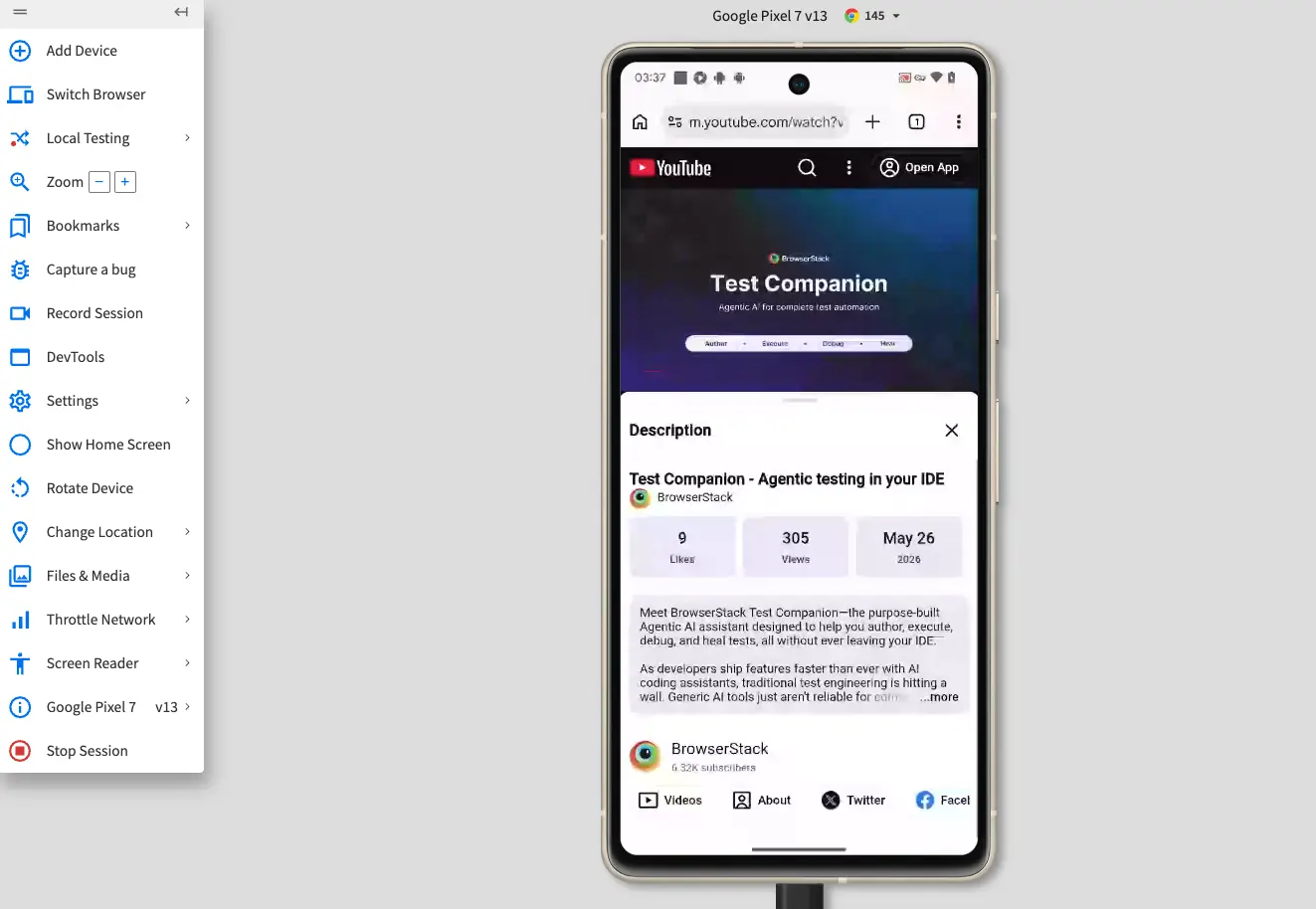
On BrowserStack Live, you can stream the audio from your test session to your local system’s speakers. When you open a website that plays audio, you can verify audio playback, media, and sound-based interactions in real time.
Supported devices and browsers
Audio streaming works on all browsers on the following desktop platforms and mobile devices:
Google Pixel 9 Google Pixel 9 Pro Google Pixel 10 Google Pixel 10 Pro Google Pixel 10 Pro XL Samsung Galaxy S22 Samsung Galaxy S23 Samsung Galaxy S23 Ultra Samsung Galaxy S24 Samsung Galaxy S24 Ultra Samsung Galaxy S25 Samsung Galaxy S25 Ultra Samsung Galaxy S26 Samsung Galaxy S26 Plus Samsung Galaxy S26 Ultra Samsung Galaxy Tab S11
Android 15
Google Pixel 6 Pro Google Pixel 8 Pro Google Pixel 9 Google Pixel 9 Pro Google Pixel 9 Pro XL Samsung Galaxy S23 Samsung Galaxy S24 Samsung Galaxy S24 Ultra Samsung Galaxy S25 Samsung Galaxy S25 Ultra Samsung Galaxy Tab S10 Plus
Android 14
Google Pixel 6 Pro Google Pixel 8 Google Pixel 8 Pro Google Pixel 9 Google Pixel 9 Pro XL Samsung Galaxy A35 Samsung Galaxy S22 Samsung Galaxy S24 Samsung Galaxy S24 Ultra Samsung Galaxy Tab A9 Plus Samsung Galaxy Tab S8 Samsung Galaxy Tab S10 Plus
Android 13
Google Pixel 6 Pro Google Pixel 7 Google Pixel 7 Pro Samsung Galaxy S23 Samsung Galaxy S23 Ultra Samsung Galaxy Tab S9
Android 12
Google Pixel 6 Google Pixel 6 Pro Samsung Galaxy S21 Samsung Galaxy S22 Samsung Galaxy S22 Plus Samsung Galaxy S22 Ultra
Audio streaming works on all iPhone and iPad devices running iOS 13.4 and above with Apple’s ReplayKit framework is enabled.
OS version
Supported devices
iOS 27 Beta
iPad 10th iPad Pro 11 2022 iPhone 15 iPhone 15 Pro iPhone 16 Pro Max
iOS 26
iPad Air 5 iPad Air 11 2026 iPad Air 13 2025 iPad Pro 11 2025 iPad Pro 12.9 2021 iPad Pro 13 2025 iPhone 14 iPhone 14 Pro iPhone 15 iPhone 15 Pro Max iPhone 17 iPhone 17 Pro iPhone 17 Pro Max iPhone 17e iPhone Air
iOS 18
iPad Air 13 2025 iPad Pro 11 2021 iPhone 12 Pro iPhone 13 iPhone 13 Pro Max iPhone 14 iPhone 16 iPhone 16 Plus iPhone 16 Pro iPhone 16 Pro Max iPhone 16e
iOS 17
iPad Air 6 iPad Pro 11 2024 iPad Pro 12.9 2021 iPhone 12 iPhone 12 Pro iPhone 13 iPhone 15 iPhone 15 Plus iPhone 15 Pro iPhone 15 Pro Max
iOS 16
iPad 10th iPad Pro 12.9 2022 iPhone 13 iPhone 14 iPhone 14 Plus iPhone 14 Pro iPhone 14 Pro Max
iOS 15
iPad 9th iPad Air 5 iPhone 13 iPhone 13 Pro iPhone SE 2022
iOS 14
iPad Pro 12.9 2020 iPhone 12
Stream audio during a Live session
The device audio streams to your local audio output. Make sure your system has working speakers or another audio output device that is connected and enabled.
To stream audio from your test session, follow these steps:

 Join our Discord