
 Ask the Community
Manage Goal progress notifications
QEI can send email updates on the progress of your organization’s or team’s quality goals. Unlike metric alerts, these notifications are not configured separately. Instead, they are directly tied to the goals you create. Managing the email updates is done by managing the goal itself.
How Goal notifications work
When you create a goal, you are automatically set as the Owner. QEI sends progress updates to the goal’s owner. To stop receiving these emails, you must delete the goal.
Create a Goal
Follow these steps to create a new goal from the Goals page.
-
Navigate to Goals in the left-hand sidebar.
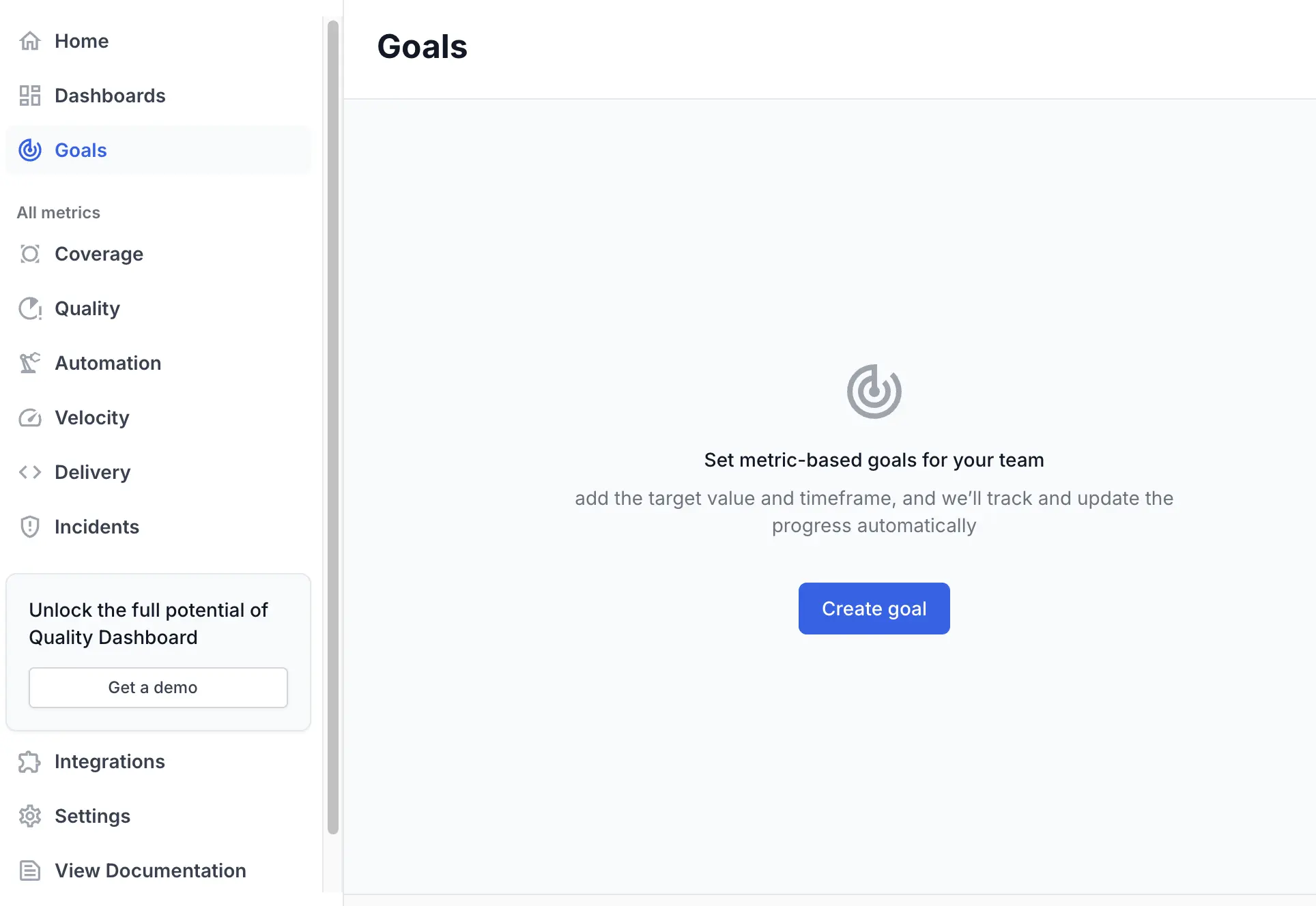
- Click Create goal.
-
In the Select the metric for the goal dialog, choose the metric you want to monitor.
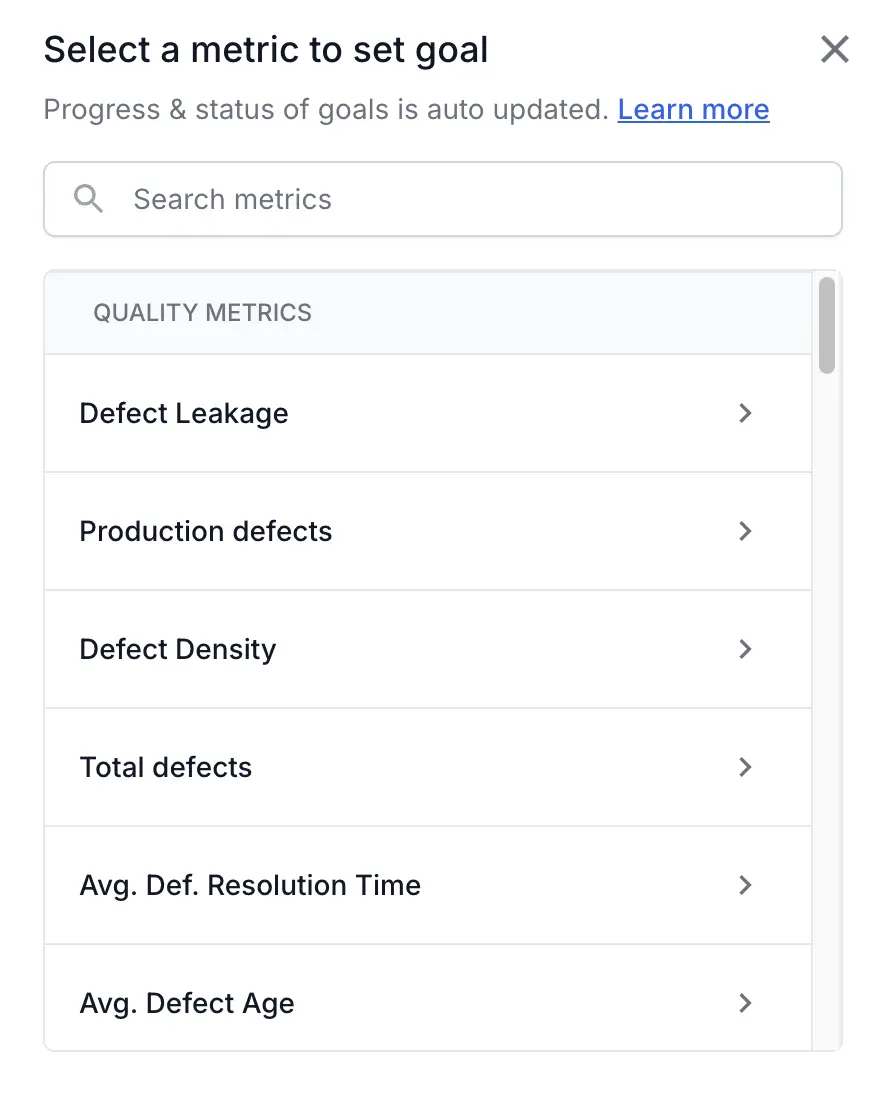
- Define the goal parameters:
- Target time period: (e.g., Quarter Oct - Dec 2025).
- Target value: Define the trigger. (e.g., 20 %).
- Applicable to: Choose All teams or Selected teams.
- Add description: Provide a meaningful description of the goal.
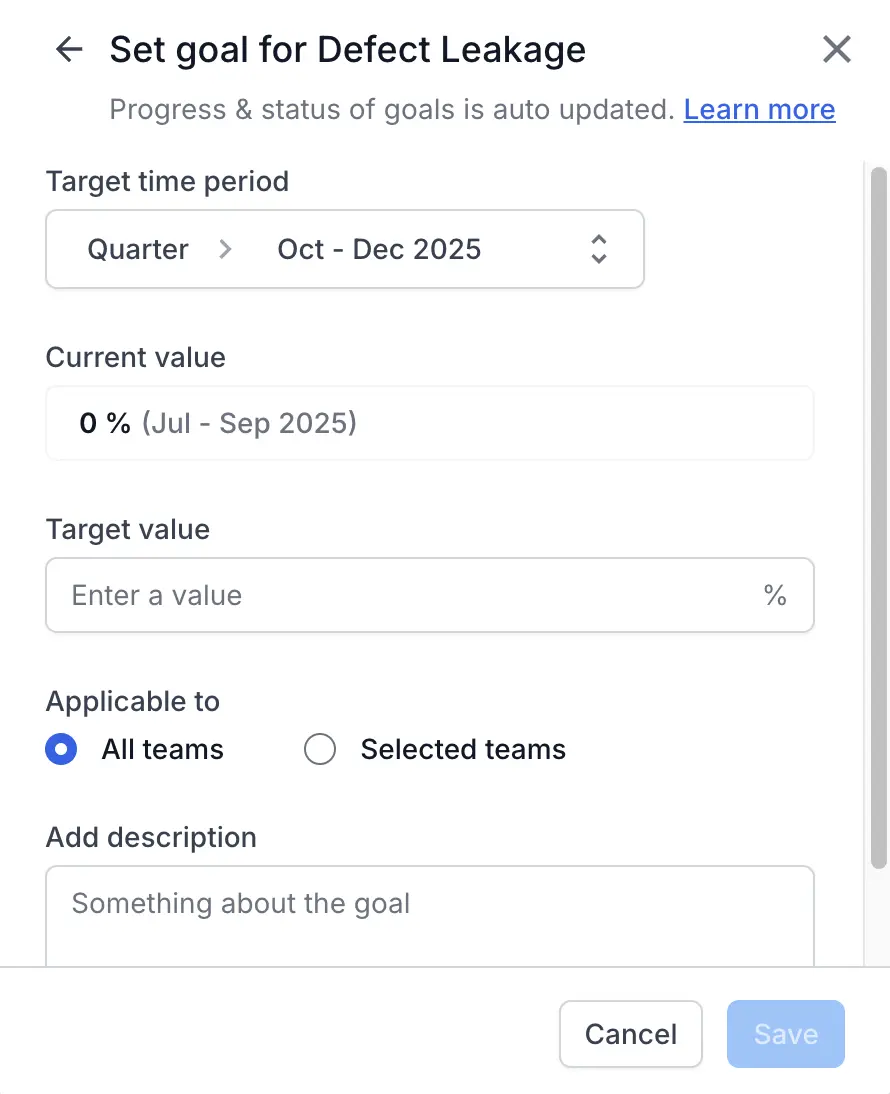
- Click Save.
You are now the owner of this goal and will receive relevant progress emails.
Manage existing Goal
To stop receiving notifications for a specific goal, you must edit or delete it.
-
Navigate to Goals in the left-hand sidebar.
- Select the Goals tab.
- Find the goal you wish to manage in the list.
-
Click the ellipsis menu ︙ on the right side of the goal’s row.
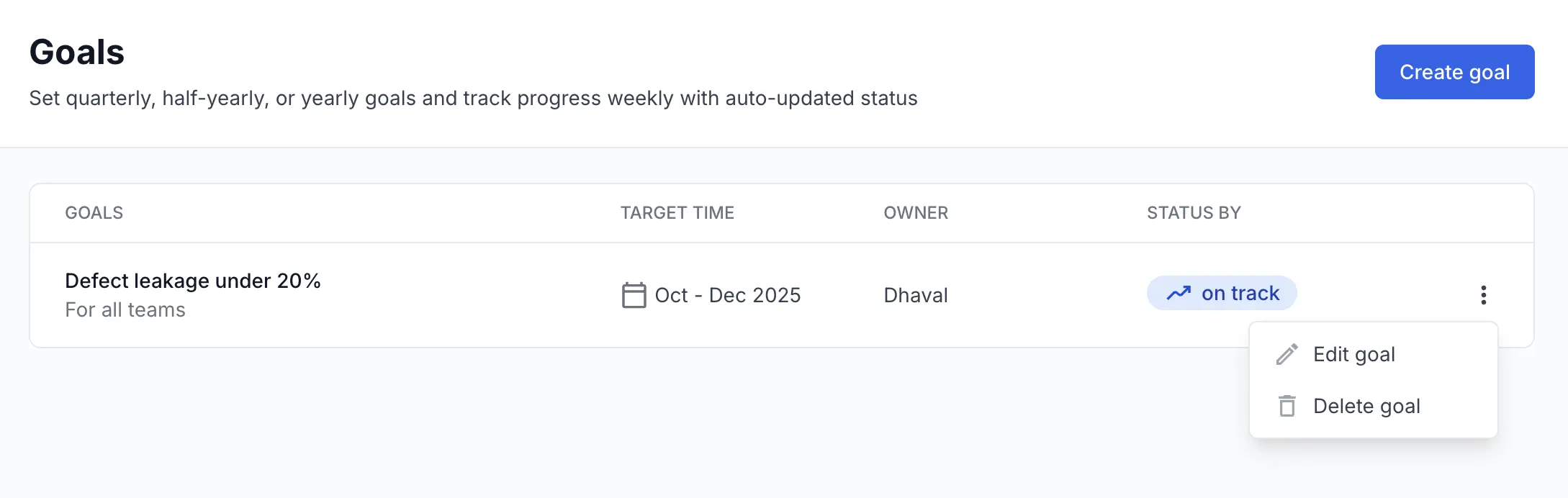
-
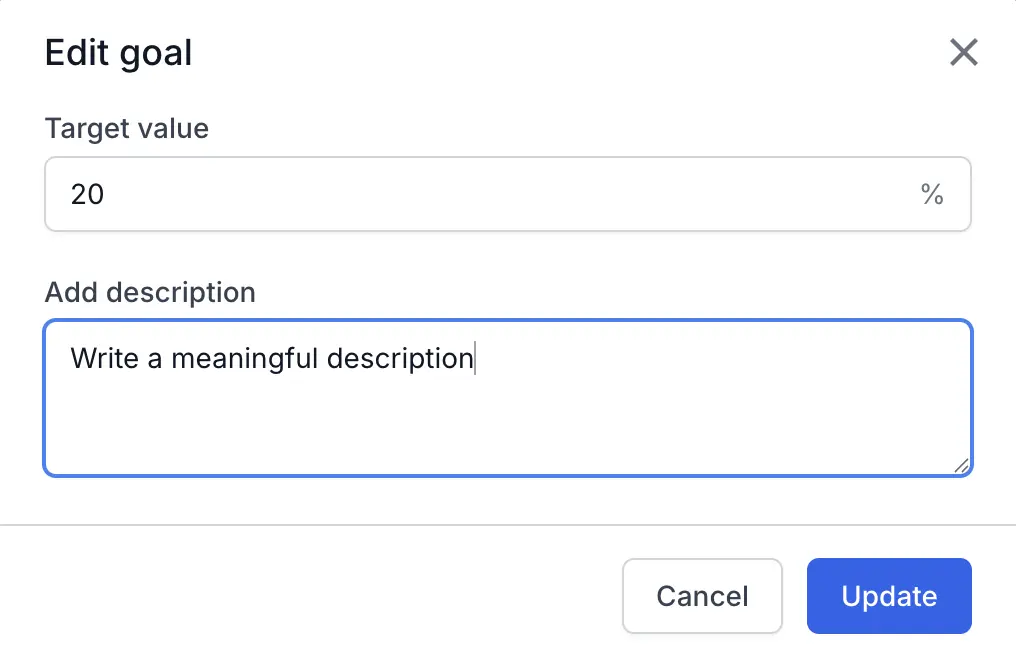
Select Edit goal to modify the Goal’s Target value or Add description.
- Select Delete goal to permanently remove the goal and stop all future notifications.
We're sorry to hear that. Please share your feedback so we can do better
Contact our Support team for immediate help while we work on improving our docs.
We're continuously improving our docs. We'd love to know what you liked
We're sorry to hear that. Please share your feedback so we can do better
Contact our Support team for immediate help while we work on improving our docs.
We're continuously improving our docs. We'd love to know what you liked
Thank you for your valuable feedback!