
 Ask the Community
Set up Dashboard Subscriptions
You can subscribe to any dashboard to receive a regular snapshot via email. This is useful for sharing progress with stakeholders or for getting a high-level summary delivered to your inbox.
Subscribe to a Dashboard
Subscriptions are managed on a per-dashboard basis. Follow these steps to schedule email notifications.
-
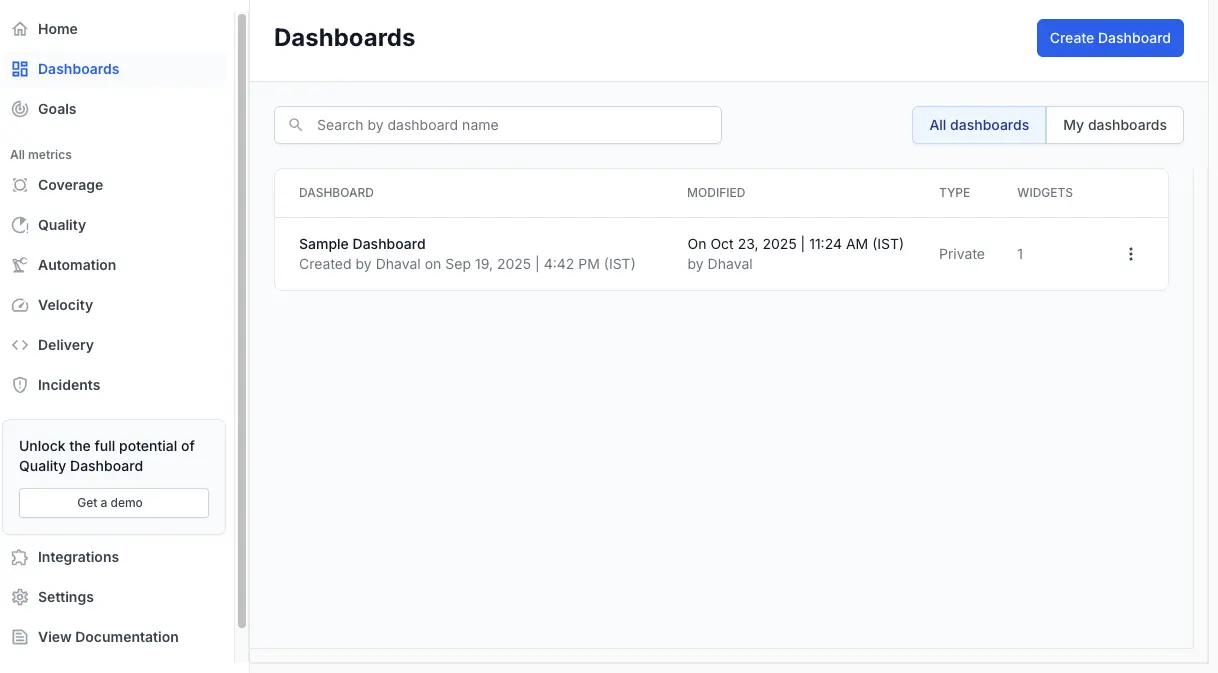
Navigate to Dashboards and open the specific dashboard you want to subscribe to.
-
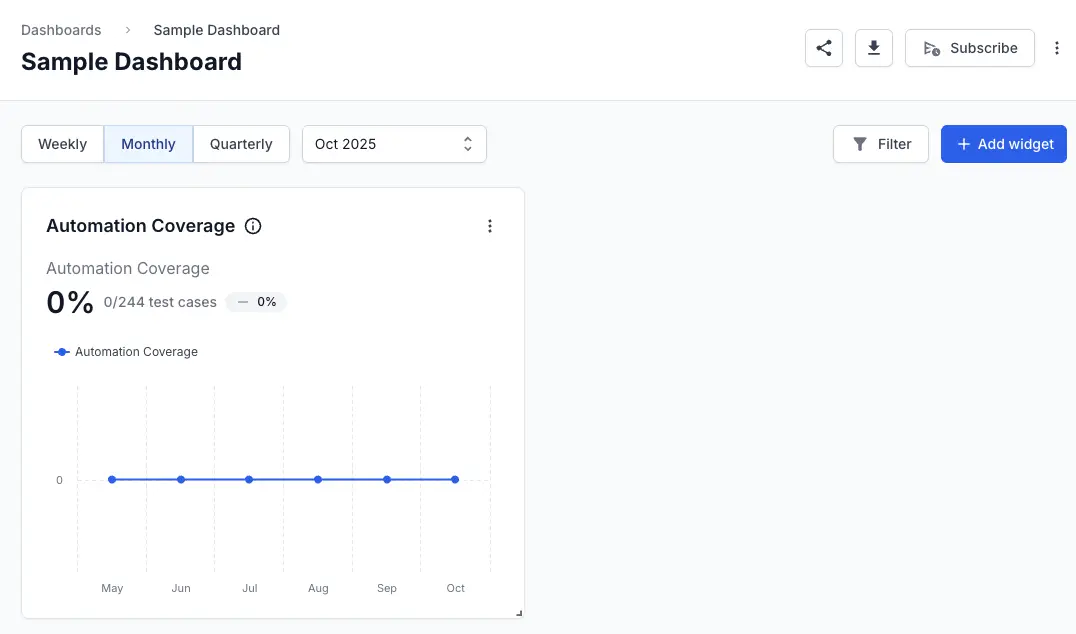
In the top-right corner of the dashboard, click the Subscribe button.
- In the Subscribe to Dashboard dialog:
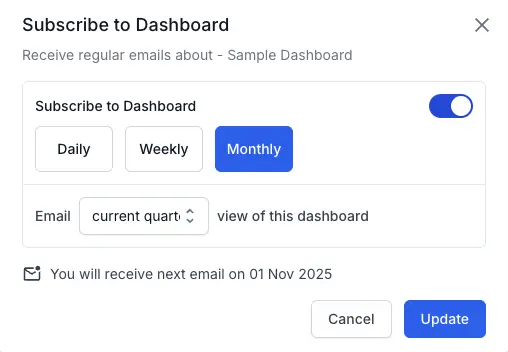
- Configure your subscription: Toggle Subscribe to Dashboard to the on position.
-
Select the Frequency:
Daily,Weekly, orMonthly. - Email: Add the email addresses of all recipients.
- Select the time range: Choose the time range for the dashboard data (e.g., current quarter’s, last month’s).
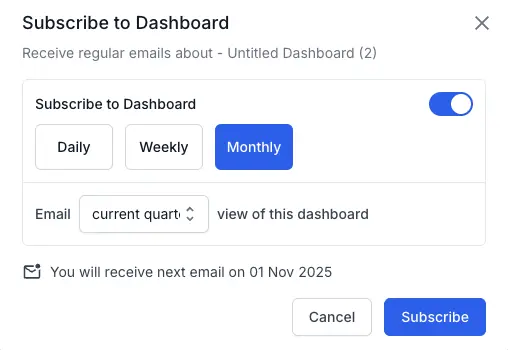
- Click Subscribe.
The subscription is now active. QEI will email a PDF of this dashboard to the specified recipients at the chosen frequency.
Manage or unsubscribe from a Dashboard
You can change the frequency, recipient list, or cancel a subscription at any time. Follow these steps to modify your dashboard subscription.
- Go to the dashboard you are subscribed to.
-
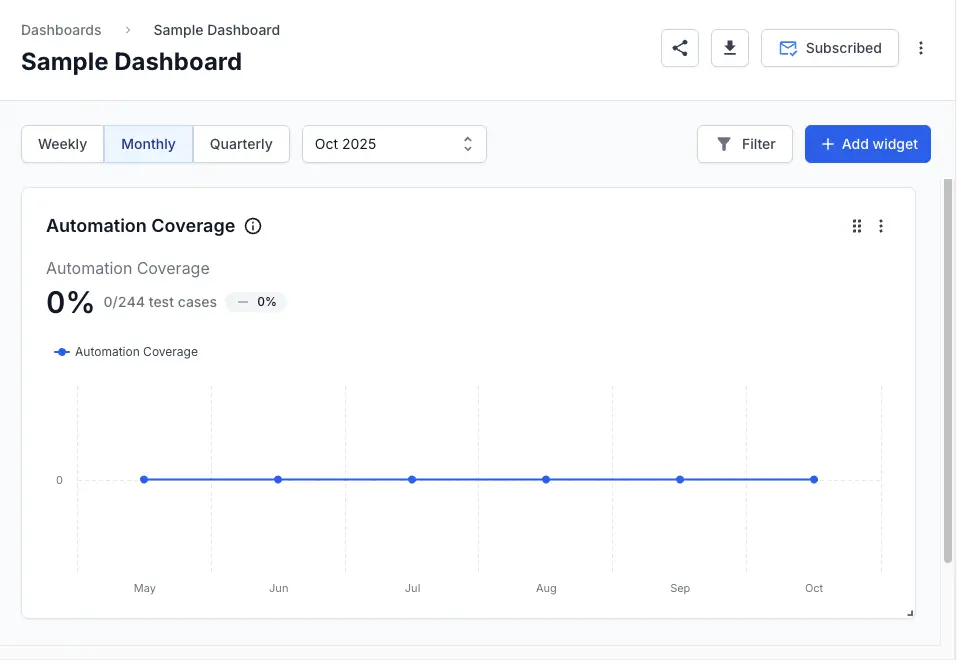
Click the Subscribed button in the top-right corner.
- To edit the subscription:
- Change the
frequency,email list, ordata time range, then click Subscribe to save your changes.
- Change the
- To unsubscribe the dashboard:
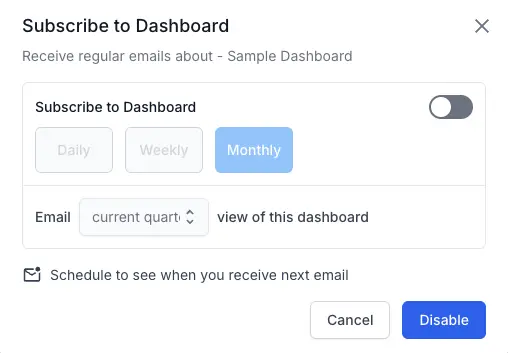
- Toggle Subscribe to Dashboard to the off position. Click Disable. The subscription will be deactivated.
We're sorry to hear that. Please share your feedback so we can do better
Contact our Support team for immediate help while we work on improving our docs.
We're continuously improving our docs. We'd love to know what you liked
We're sorry to hear that. Please share your feedback so we can do better
Contact our Support team for immediate help while we work on improving our docs.
We're continuously improving our docs. We'd love to know what you liked
Thank you for your valuable feedback!