
 Join our Discord
Info and support
Check the Test Companion version, open the documentation, contact support, report a bug, or schedule a demo.
The Info tab sits at the bottom of the Settings sidebar, marked with an information icon, a lowercase i in a circle. It opens the About panel. This tab holds no configurable settings. It points you to your version number, the documentation, and the people who can help when you have a question or hit a problem.
How to open the Info tab
To open the Info tab:
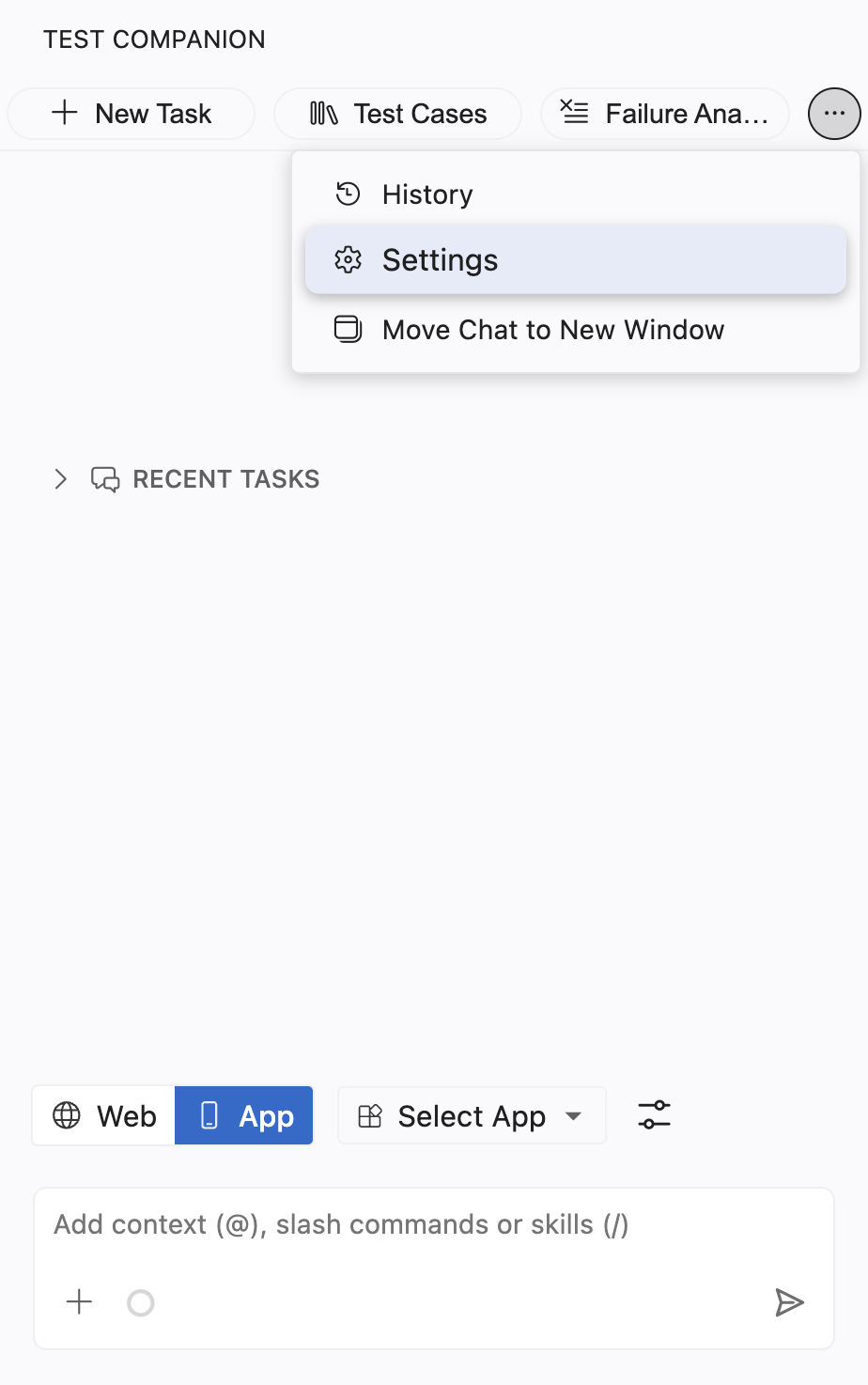
Click the ... (more options) button at the top-right corner of the Test Companion panel, then select Settings.
Select the Info tab at the bottom of the left sidebar. It is marked with an information icon.
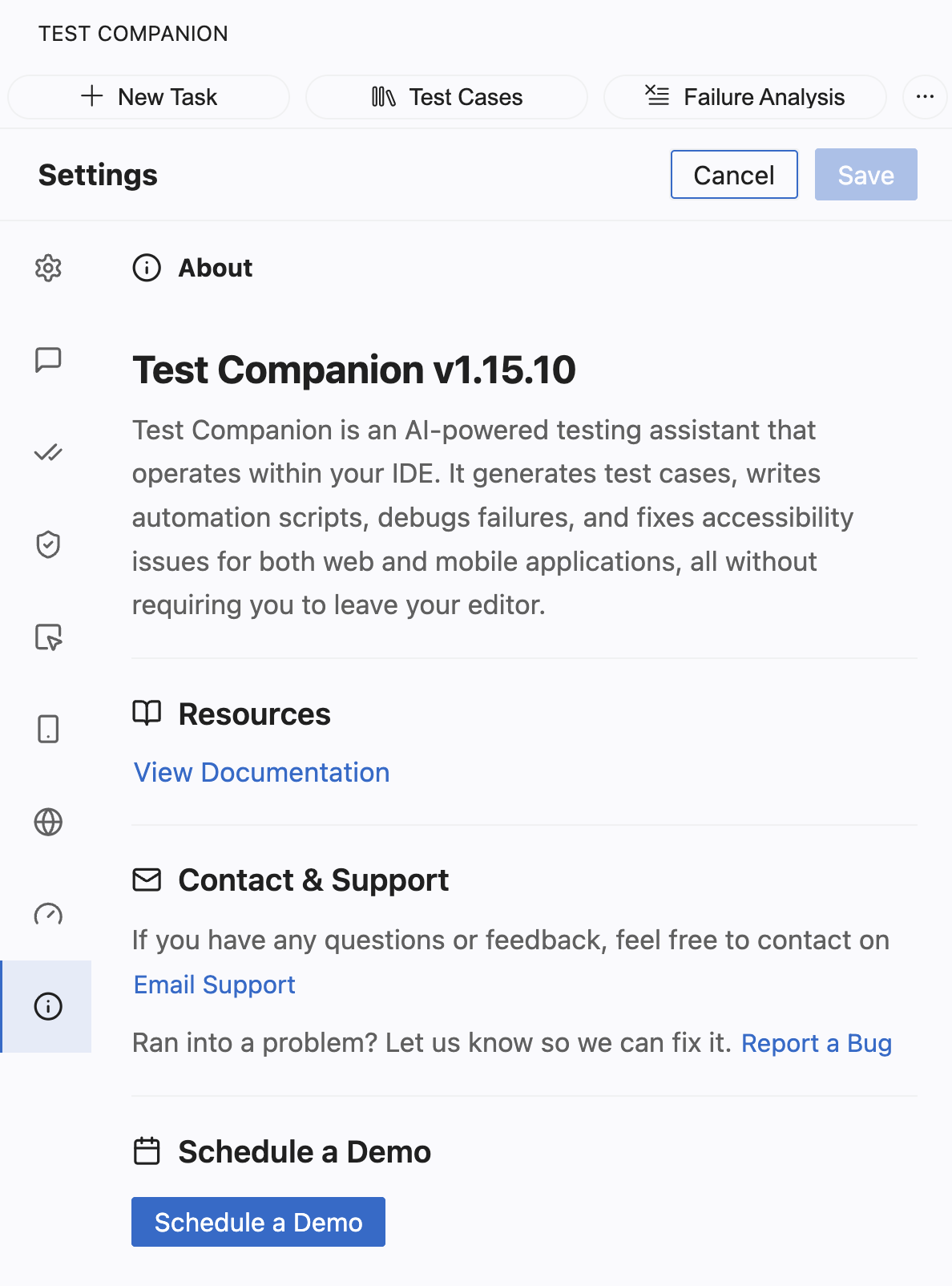
Version
The top of the panel shows the Test Companion version you have installed, for example v1.15.10. Below the version, a short description summarizes what Test Companion does. It generates test cases, writes automation scripts, debugs failures, and fixes accessibility issues for web and mobile apps. It does all of this inside your editor. Note your version here before you report a bug, so you can include it.
Resources
Select View Documentation to open the Test Companion documentation in your browser. This is the same documentation set you are reading now.
Contact and support
Use this section when you have a question or hit a problem:
- Select Email Support to email the Test Companion team with a question or feedback.
- Select Report a Bug to send a problem report, so the team can investigate and fix it.
Schedule a demo
Select Schedule a Demo to book a guided walkthrough with the BrowserStack team. A demo helps when you want to see a workflow end to end, or when you evaluate Test Companion for your team.
Next steps
- Usage: Check your plan and find support and upgrade contacts.
- Configuration and preferences: Return to the full settings overview.
We're sorry to hear that. Please share your feedback so we can do better
Contact our Support team for immediate help while we work on improving our docs.
We're continuously improving our docs. We'd love to know what you liked
We're sorry to hear that. Please share your feedback so we can do better
Contact our Support team for immediate help while we work on improving our docs.
We're continuously improving our docs. We'd love to know what you liked
Thank you for your valuable feedback!