
 Join our Discord
Plan and usage
Check your current Test Companion plan and how much of your allowance you have used. Find where to get help or upgrade.
The Usage tab shows your current plan and how much of your usage allowance you have consumed. Use it to track where you stand before a large batch of tasks, or when you plan an upgrade.
How to open settings
To open the Usage tab:
Click the ... (more options) button at the top-right corner of the Test Companion panel, then select Settings.
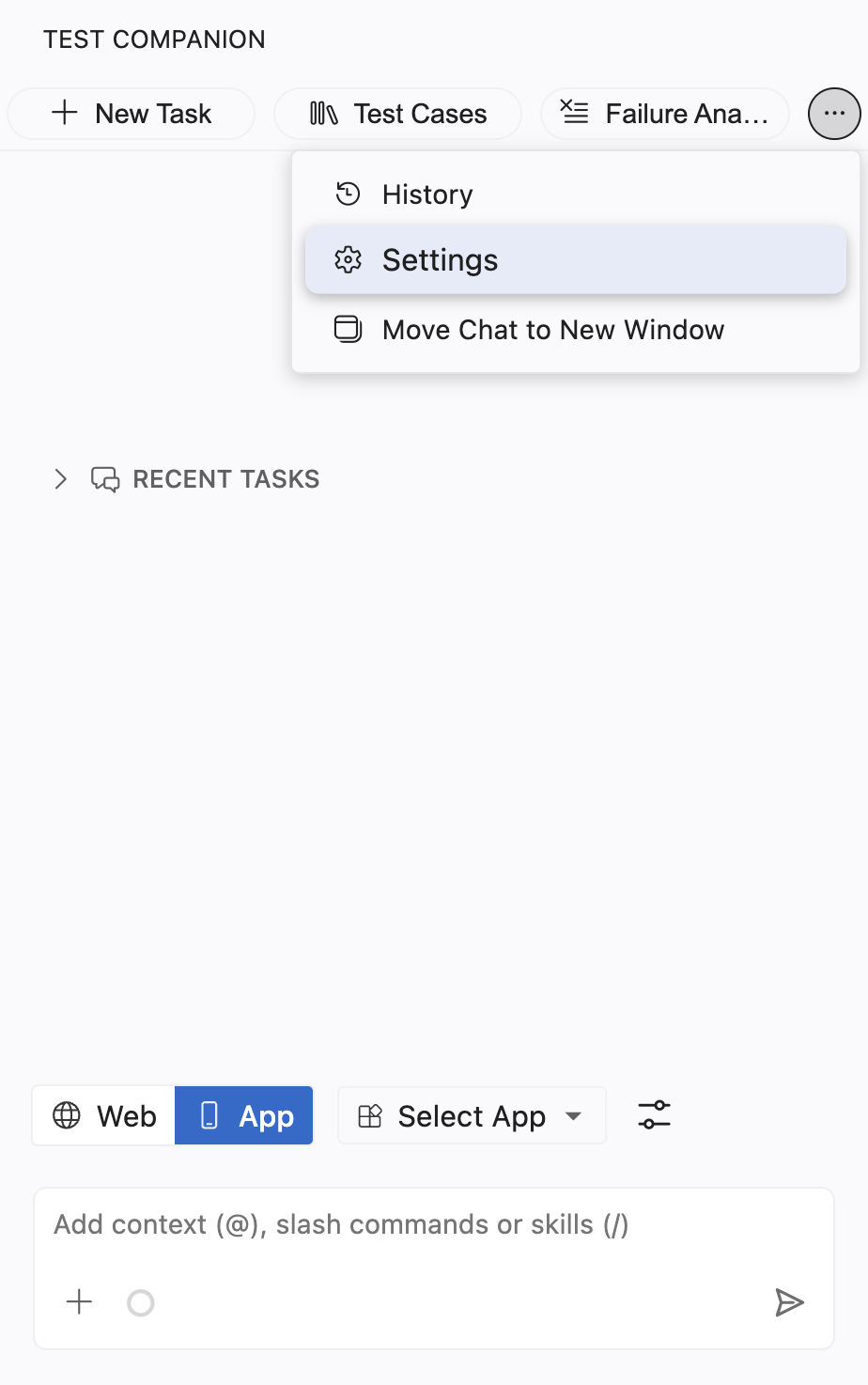
Select the Usage tab.
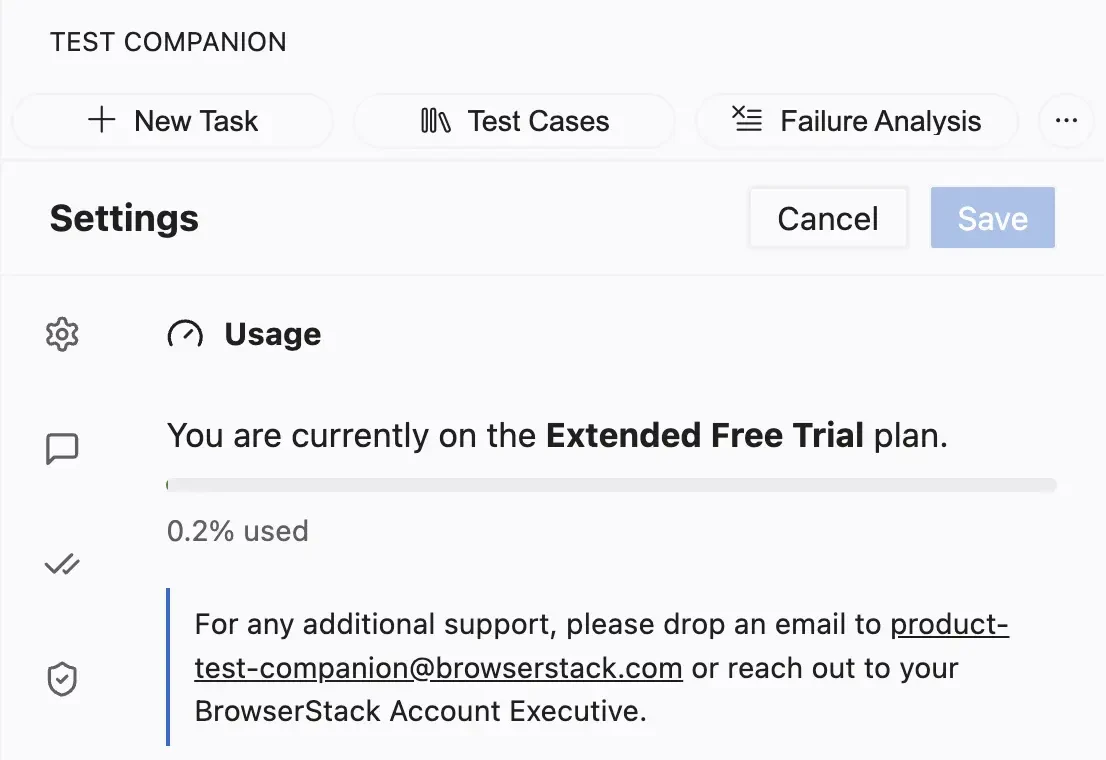
Current plan
The top of the panel names your active plan, for example Extended Free Trial or a paid plan. The plan determines your usage allowance and which Test Companion capabilities you can access.
Your plan reflects the BrowserStack account you are signed in to. To switch accounts, sign out from the General settings tab and sign back in with the other account.
Usage meter
Below the plan name, a progress bar shows how much of your allowance you have used. The exact figure appears beside it, for example 0.2% used. The bar fills as you run tasks. When you approach your limit, the meter helps you decide whether to pace your work or upgrade.
Context usage in long chats
Every message you send in a chat, and every response Test Companion returns, stays in the context of that chat. Test Companion reads the whole context before it answers each new message. A long chat therefore consumes more AI credits per message. It also carries details from earlier requests into later ones, which can lower the accuracy of the response. This buildup is called context pollution. It applies in Web mode, in App mode, and in the CLI.
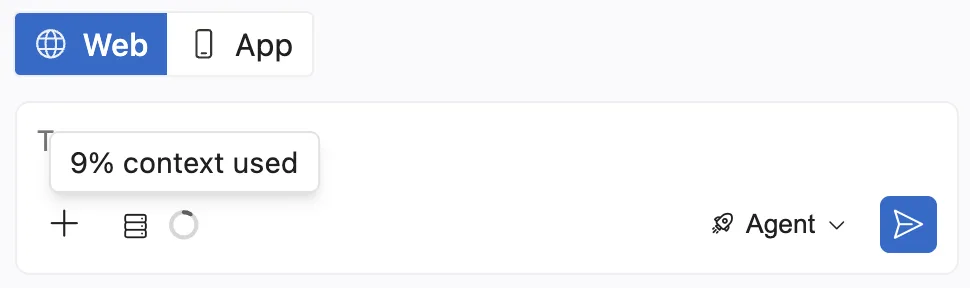
The ring next to the + icon in the chat toolbar shows how much context the chat has used. Hover over the ring to see the exact figure, for example 9% context used. Typing a prompt or attaching context does not change the figure. It updates after Test Companion processes your message.
When the chat passes 70% context usage, the percentage appears beside the ring without a hover. The toolbar also shows the message Start new task to save AI credits and improve accuracy.
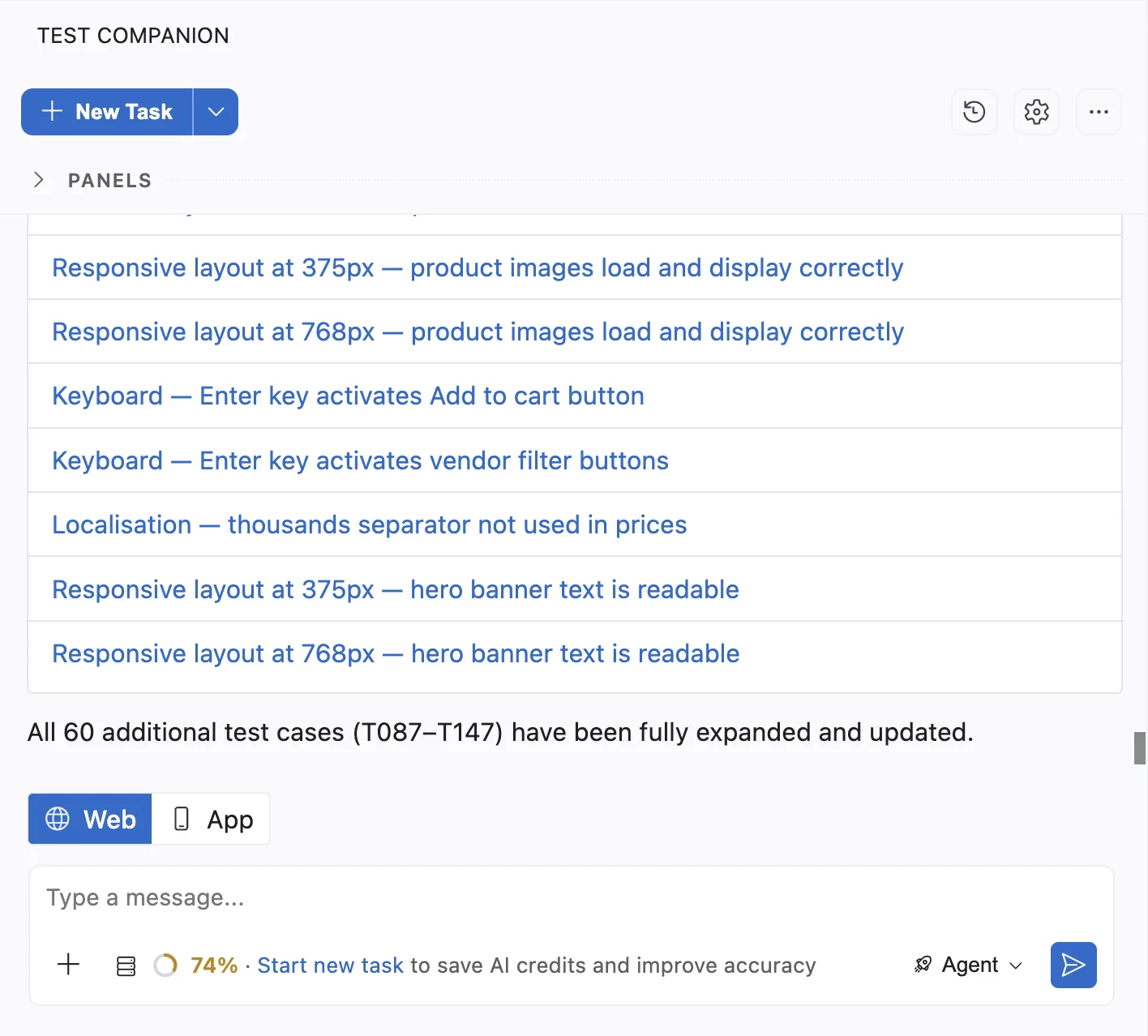
You can continue working in the same chat after the message appears. When context usage reaches 100%, Test Companion summarizes the chat to free up context, then processes your next message. The chat does not stop. But each summary can retain stale or incorrect details from earlier in the chat. Repeated summaries in one chat therefore reduce the accuracy of later responses.
Start a new task when your next request is unrelated to the current chat. To start one, click Start new task in the toolbar message. In the CLI, type /newtask. A new task starts with an empty context, so Test Companion answers based on your new request alone.
Get support or upgrade
For additional support, email product-test-companion@browserstack.com or contact your BrowserStack Account Executive. Reach out to raise your usage limit, move from a trial to a paid plan, or resolve a billing question. They can also confirm what your plan includes.
Next steps
- General settings: Manage authentication and switch BrowserStack accounts.
- Configuration and preferences: Return to the full settings overview.
We're sorry to hear that. Please share your feedback so we can do better
Contact our Support team for immediate help while we work on improving our docs.
We're continuously improving our docs. We'd love to know what you liked
We're sorry to hear that. Please share your feedback so we can do better
Contact our Support team for immediate help while we work on improving our docs.
We're continuously improving our docs. We'd love to know what you liked
Thank you for your valuable feedback!