
 Ask the Community
Export test cases
Test Companion allows you to export test cases to enhance collaboration, external review, and analytical capabilities. Exporting captures comprehensive test details, including test steps, preconditions, expected results, and metadata. You can export test cases as CSV files. You have the flexibility to export specific test cases tailored to your requirements.
Follow these steps to export test cases to CSV:
- Navigate to the test management panel from where you want to export test cases.
-
Select the checkboxes next to the test cases you want to export.
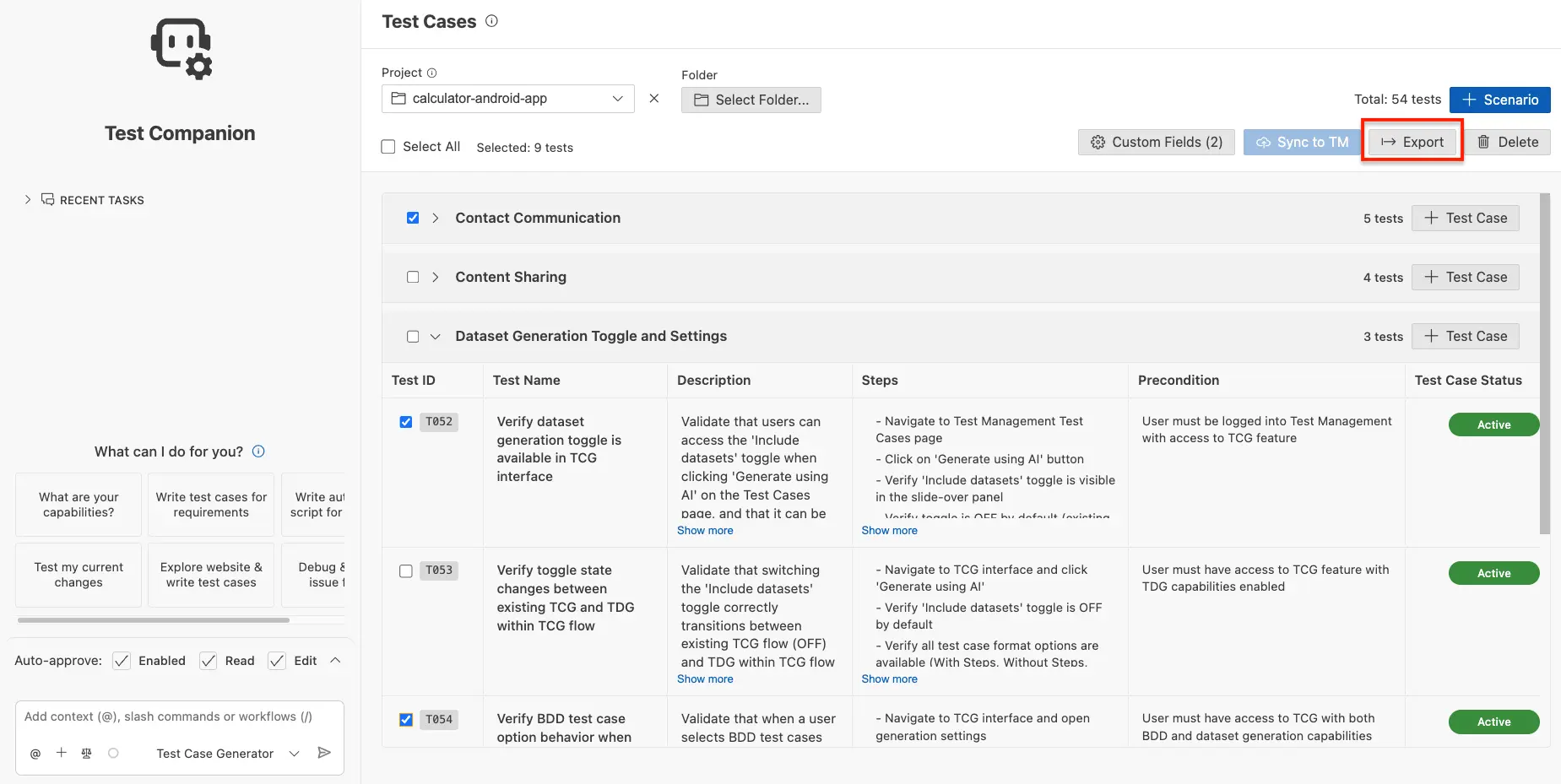
- Click Export.
An Export in progress notification appears. You can find the exported file in the default download folder location.
We're sorry to hear that. Please share your feedback so we can do better
Contact our Support team for immediate help while we work on improving our docs.
We're continuously improving our docs. We'd love to know what you liked
We're sorry to hear that. Please share your feedback so we can do better
Contact our Support team for immediate help while we work on improving our docs.
We're continuously improving our docs. We'd love to know what you liked
Thank you for your valuable feedback!