
 Join our Discord
Link Azure work items to test runs
Azure DevOps integration with Test Management to connect test runs and test results with Azure work items.
Azure DevOps enables robust traceability between work items and test runs. This documentation guides you through creating or adding existing Azure DevOps work items to test runs.
You can add your Azure work items while creating a new test run or editing an existing one. It allows you to directly associate relevant Azure DevOps work items within the test run form.
-
Navigate to the create/edit existing test run window in the desired project.
-
Select Azure from the dropdown menu in the Requirements field.
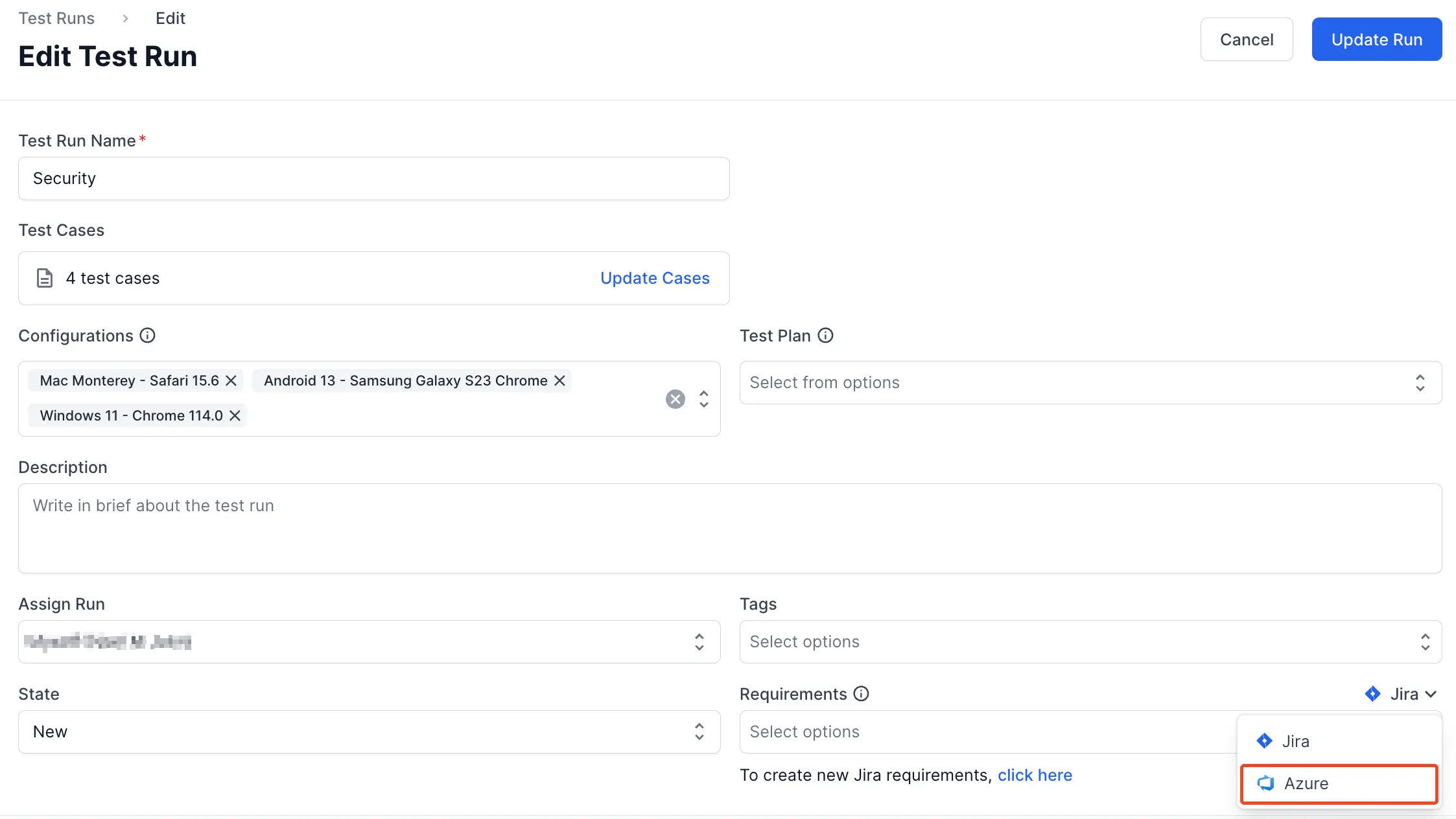
-
Click the click here below the Requirements field.
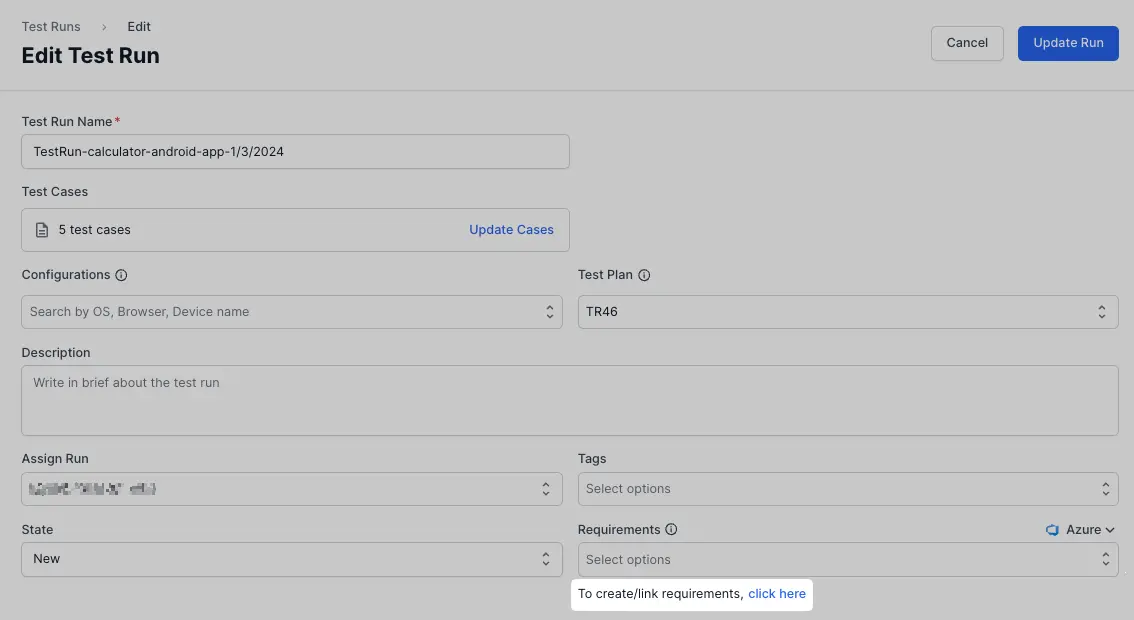
-
Enter your Azure DevOps organization name and project name.

- Choose one of the tabs:
- Create issue to generate a new Azure DevOps work item.
- Update existing issue to link an existing Azure DevOps work item.
-
Enter all the relevant details.
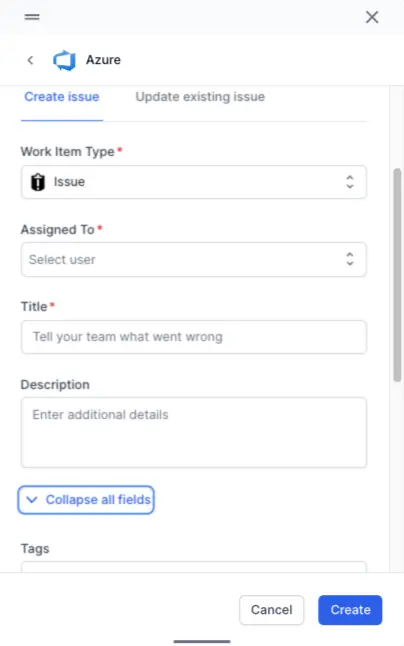
- Click Create/Update.
BrowserStack’s Test Management has linked new or updated work items to the corresponding test run.
We're sorry to hear that. Please share your feedback so we can do better
Contact our Support team for immediate help while we work on improving our docs.
We're continuously improving our docs. We'd love to know what you liked
We're sorry to hear that. Please share your feedback so we can do better
Contact our Support team for immediate help while we work on improving our docs.
We're continuously improving our docs. We'd love to know what you liked
Thank you for your valuable feedback!