
 Join our Discord
Integrate with GitHub
Integrate GitHub with Test Management to link issues and pull requests directly from your test cases and test runs. This integration streamlines bug tracking and improves traceability between your tests and development work.
This document explains how to connect your GitHub account to Test Management. Integrating with GitHub allows you to create and link issues and pull requests directly from test cases and test runs, streamlining your bug tracking and requirement traceability.
Prerequisites
Before you begin, ensure you have:
- Administrator permissions for your GitHub organization.
- Enabled third-party application access via OAuth in your GitHub organization’s settings.
Connect to GitHub
You must first establish the connection between Test Management and your GitHub account.
- From the left navigation menu, select Integrations.
-
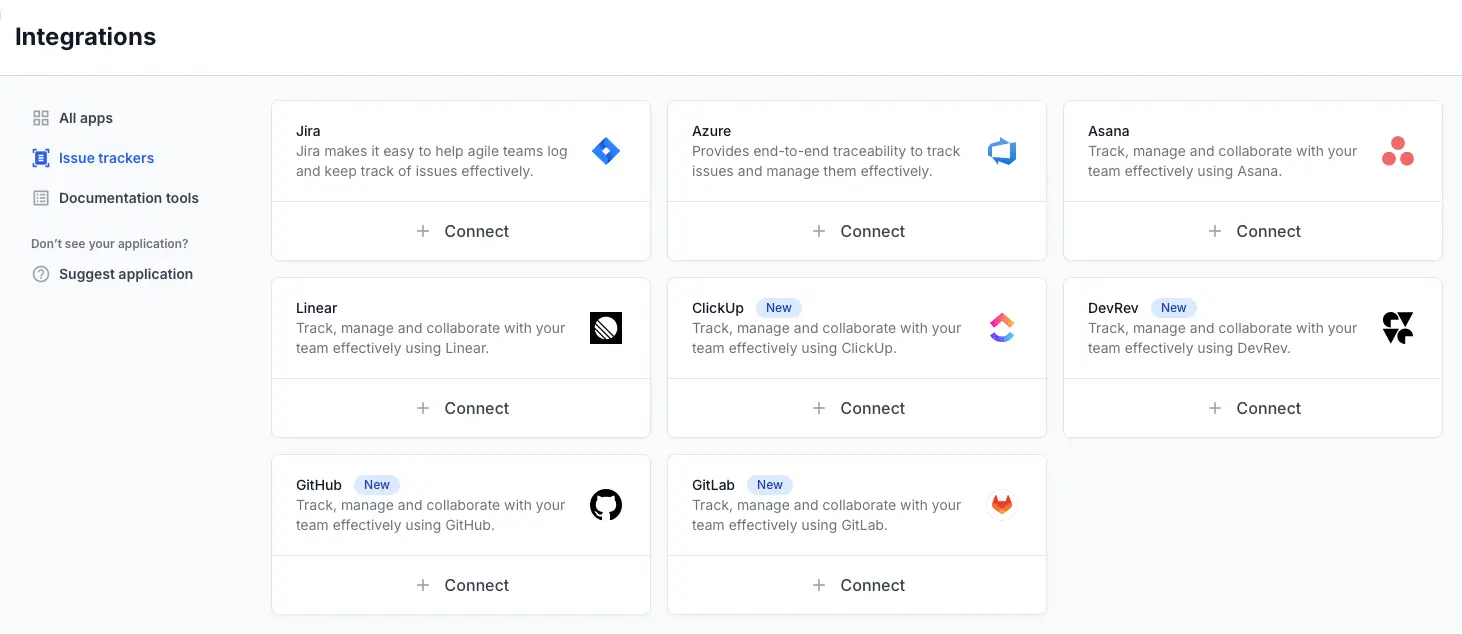
On the All Apps page, locate GitHub and click Connect.
A pop-up dialog Integrate with your GitHub account will appear. -
Click Connect with OAuth.
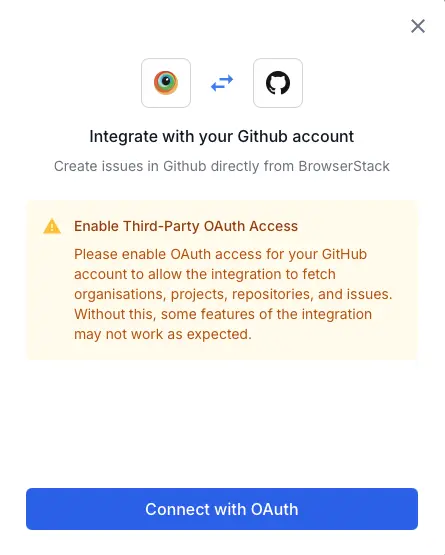
- You will be redirected to GitHub to authorize the connection. If you are not already logged in, GitHub will ask you to sign in.
- GitHub will authenticate and then redirect you back to the Test Management Integrations page.
You have successfully connected your account. The GitHub integration will now show a Connected status, and you can begin linking issues to your tests.
Next steps
We're sorry to hear that. Please share your feedback so we can do better
Contact our Support team for immediate help while we work on improving our docs.
We're continuously improving our docs. We'd love to know what you liked
We're sorry to hear that. Please share your feedback so we can do better
Contact our Support team for immediate help while we work on improving our docs.
We're continuously improving our docs. We'd love to know what you liked
Thank you for your valuable feedback!