
 Join our Discord
Integrate with Zoho BugTracker
Connect Zoho BugTracker with Test Management to create and link issues directly from your test cases and test runs.
This page shows you how to connect your Zoho BugTracker account to Test Management. After you connect, you can create new Zoho issues or link existing ones from any test case or test run. Every defect then traces back to the test that found it.
Prerequisites
Before you begin, ensure you have:
- An active Zoho BugTracker account.
- An active BrowserStack Test Management account.
Connect to Zoho BugTracker
Connect Test Management to your Zoho BugTracker account before you link any issues.
- From the left navigation menu, select Integrations.
-
On the All apps page, find Zoho. Click Connect.
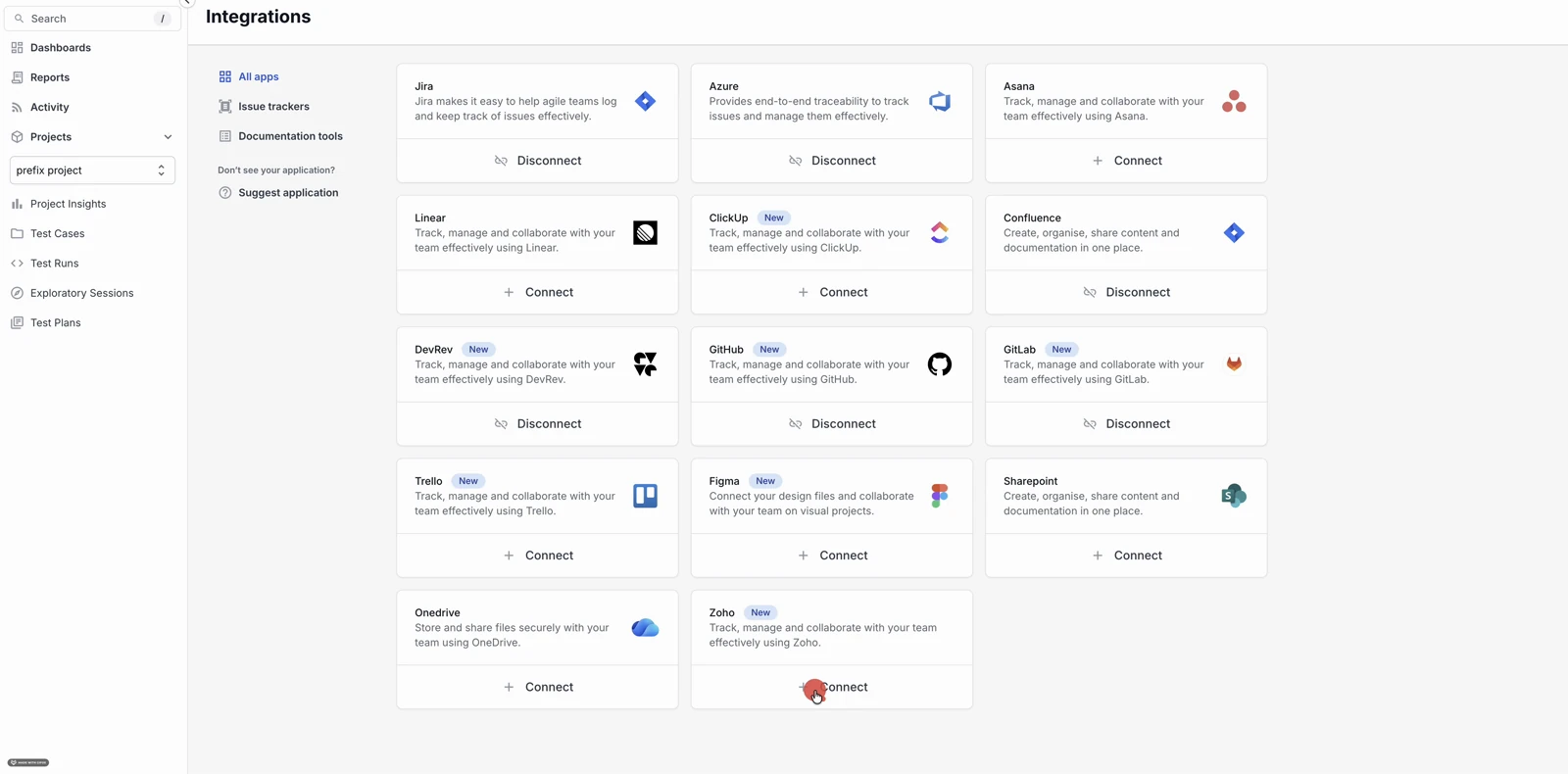
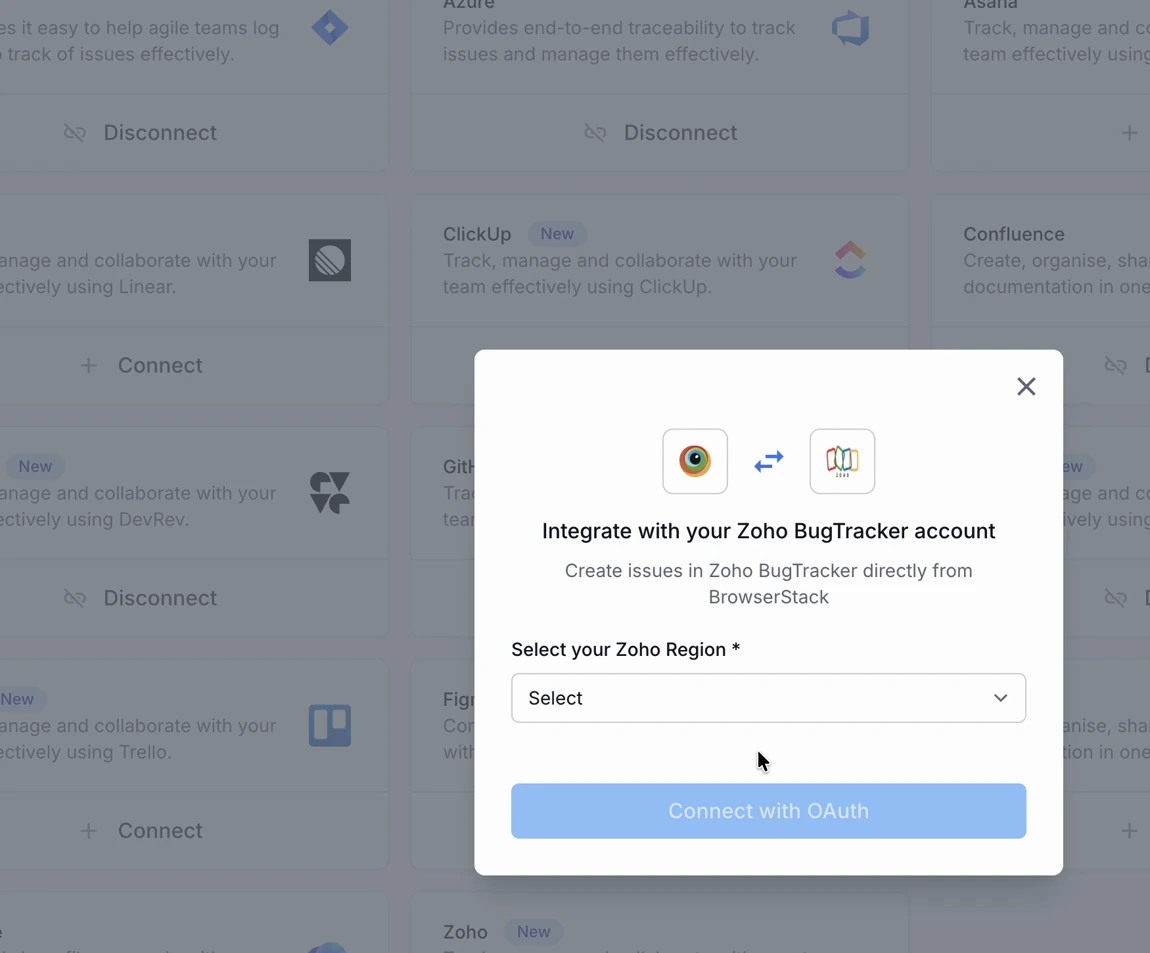
The Integrate with your Zoho BugTracker account dialog opens.
-
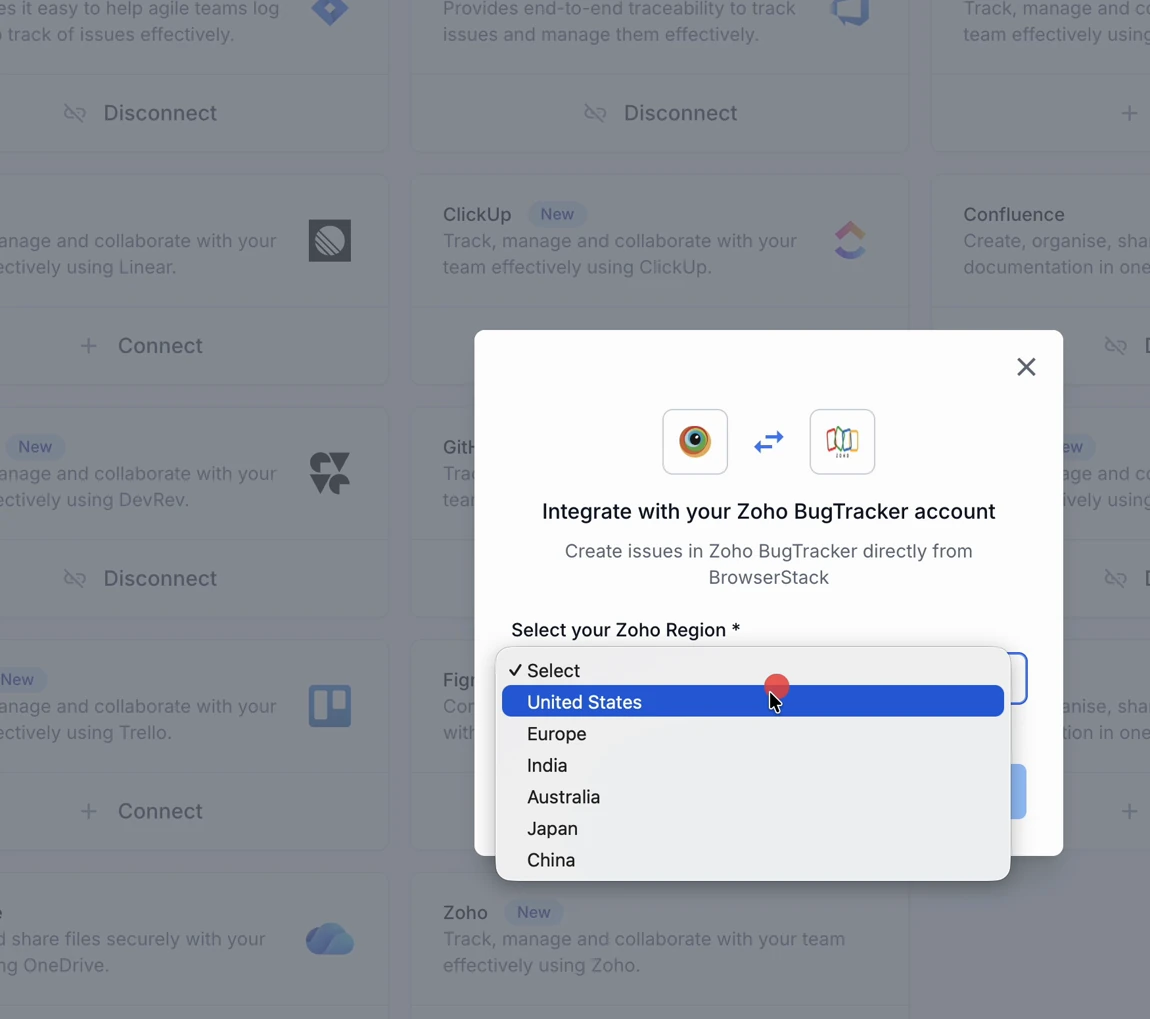
From Select your Zoho Region, choose the region where your Zoho account is hosted.
Zoho keeps each account in one data center region: United States, Europe, India, Australia, Japan, or China. Zoho looks for your account in the region you pick during sign-in. The wrong region stops the connection.
- Click Connect with OAuth.
- Sign in to Zoho when prompted. Then authorize BrowserStack to access your account.
- After you authorize access, Zoho returns you to the Integrations page.
You have connected your Zoho BugTracker account. The Zoho tile now shows a Disconnect option, which confirms the connection. You can now link issues to your test cases and test runs.
You can also start this connection from a test case or test run. In the Requirements field, select Zoho, then click Connect to Zoho.
Next steps
We're sorry to hear that. Please share your feedback so we can do better
Contact our Support team for immediate help while we work on improving our docs.
We're continuously improving our docs. We'd love to know what you liked
We're sorry to hear that. Please share your feedback so we can do better
Contact our Support team for immediate help while we work on improving our docs.
We're continuously improving our docs. We'd love to know what you liked
Thank you for your valuable feedback!