
 Join our Discord
Slack integration
Learn how to connect Website Scanner with Slack to receive scan results and updates directly in your Slack channels.
The Slack integration lets your team stay informed about scan results without leaving Slack. After you connect Slack, you can enable notifications for individual scans and choose which channel receives the updates.
Prerequisites
- A BrowserStack account with access to Website Scanner.
- A Slack workspace where you have permission to install apps.
Connect Slack
- Open any scan in Website Scanner.
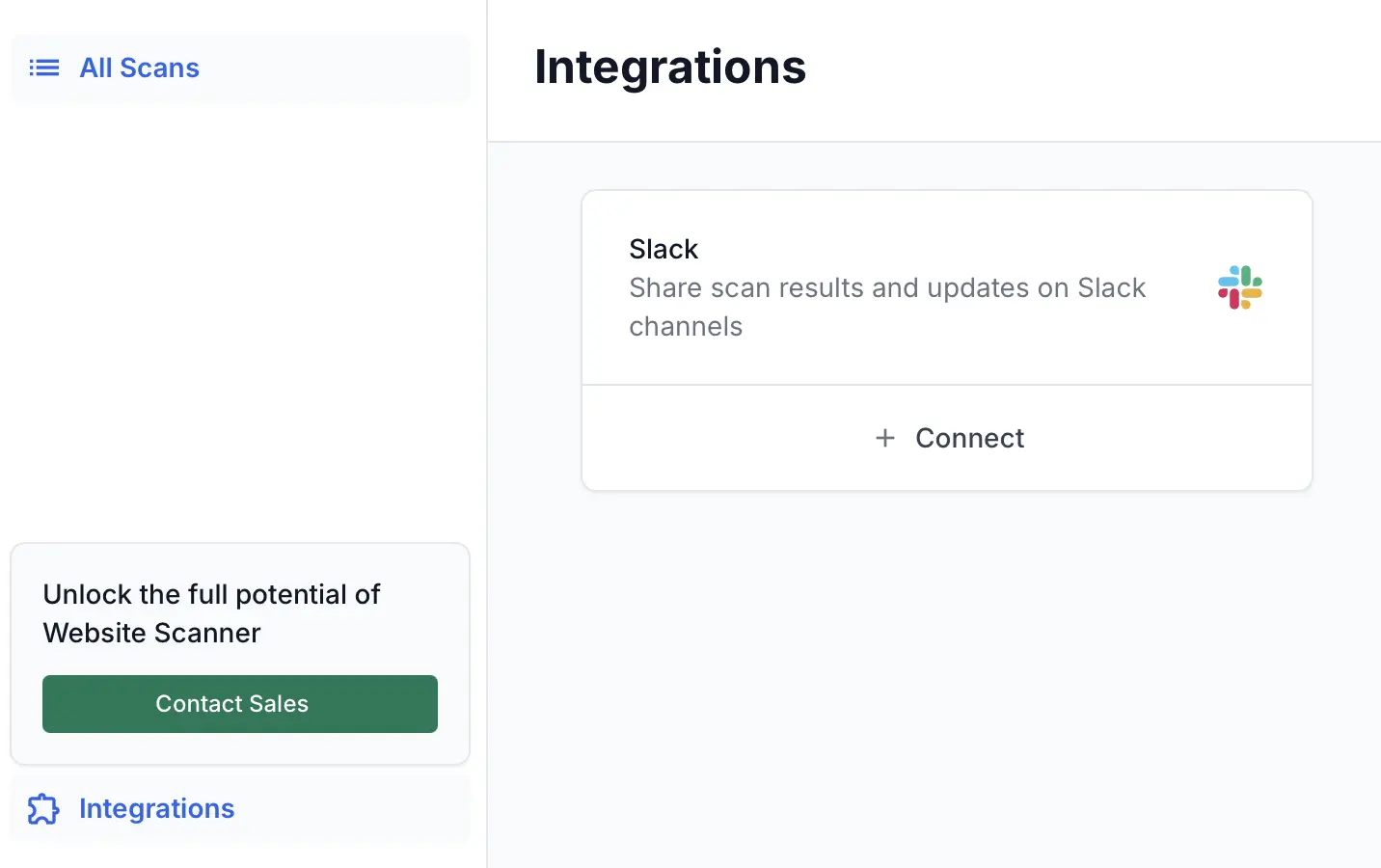
- Click Integrations in the left sidebar.
-
On the Integrations page, click Connect on the Slack card.
-
Click Connect with OAuth to open the Slack authorization window.
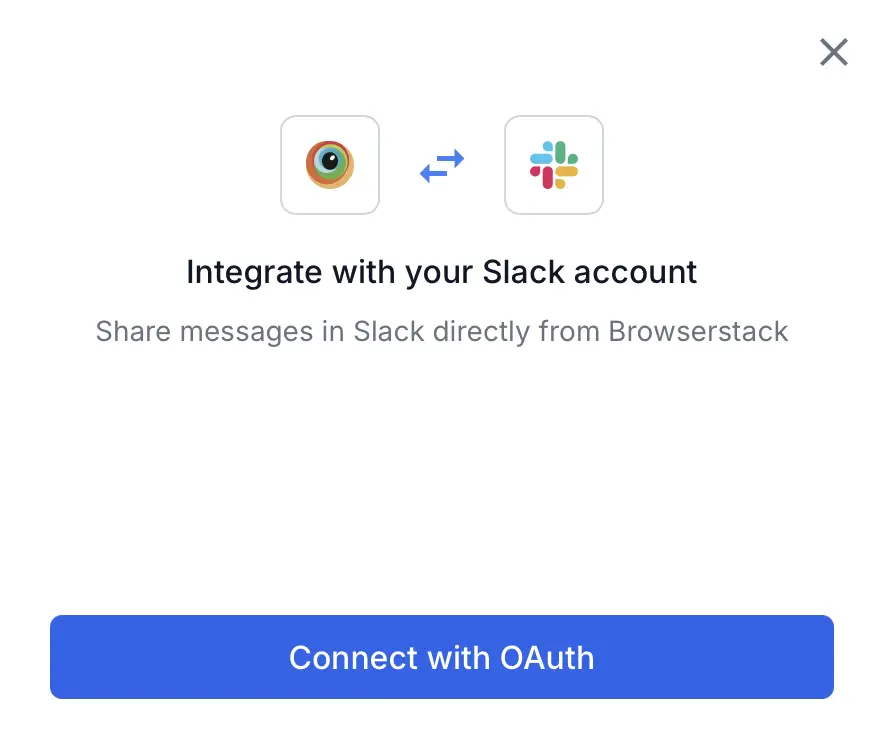
- In the Slack authorization window, select the workspace you want to connect and click Allow.
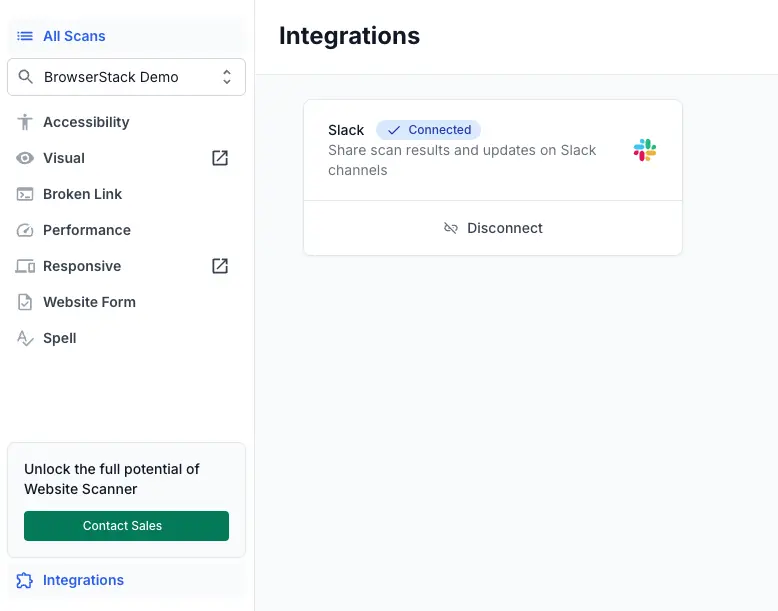
After authorization, the Slack card displays a Connected badge.
Enable notifications for a scan
Connecting Slack does not automatically send notifications. You must enable notifications and select a channel for each scan individually.
- Open the scan you want to configure.
-
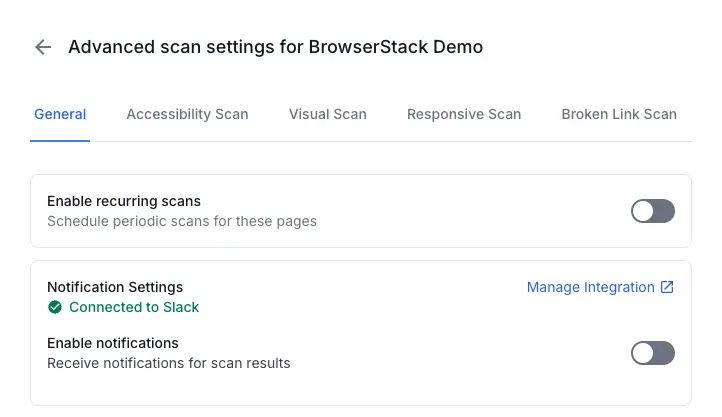
Click the General tab on the Advanced scan settings page.
-
Under Notification Settings, turn on the Enable Notifications toggle.
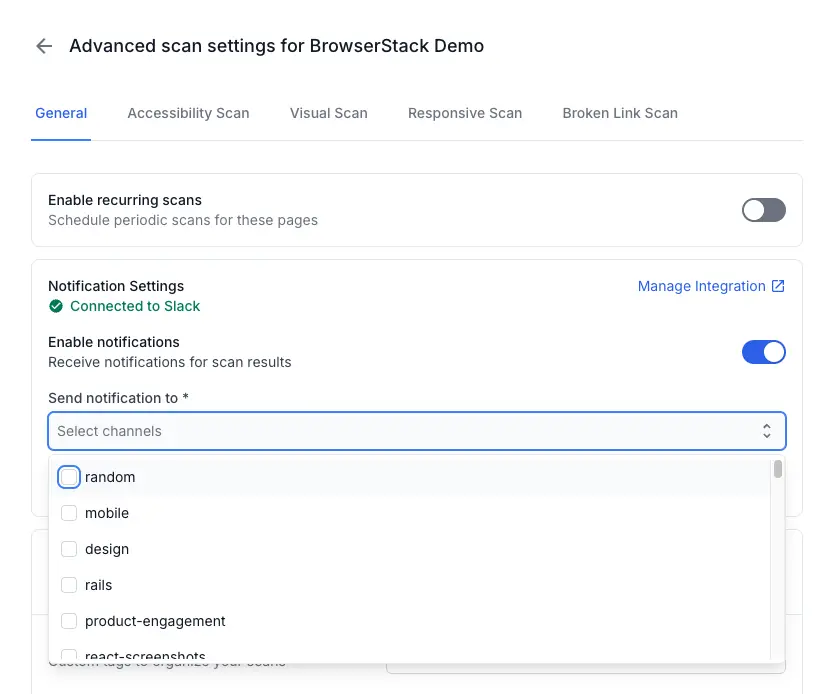
- In the Send Notification to dropdown, select a Slack channel.
-
Click Send test notification to verify the channel receives messages.
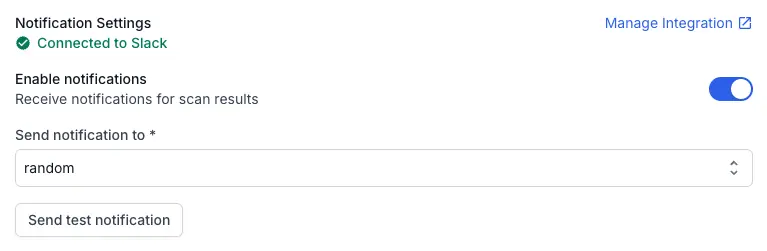
For detailed steps, see Configure notification settings.
Disconnect Slack
Disconnecting Slack removes the integration and deletes all notification settings for every scan in your account. This action cannot be undone.
- Click Integrations in the left sidebar.
-
Click Disconnect on the Slack card.
-
In the confirmation dialog, type
Disconnectin the text field.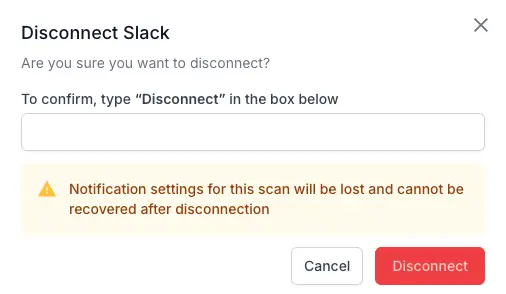
- Click Disconnect to confirm.
Notification settings for all scans are permanently deleted when you disconnect Slack. You must reconfigure notifications for each scan if you reconnect later.
Next steps
We're sorry to hear that. Please share your feedback so we can do better
Contact our Support team for immediate help while we work on improving our docs.
We're continuously improving our docs. We'd love to know what you liked
We're sorry to hear that. Please share your feedback so we can do better
Contact our Support team for immediate help while we work on improving our docs.
We're continuously improving our docs. We'd love to know what you liked
Thank you for your valuable feedback!