
 Join our Discord
Launch a load test from a Requestly collection
Launch a load test directly from a Requestly collection, map it to a project, and find tests by their source collection
Prerequisites
Ensure you have the following:
- A BrowserStack login linked to a Requestly account. If you don’t have one, sign up on the Requestly website. Your account links to your BrowserStack login on first use.
- A Requestly project that contains the collection you want to run.
Benefits
- Skip manual test setup: you don’t create a new test or specify a collection ID yourself.
- The wizard opens with your test name and source collection prefilled, reducing setup errors.
- Find all tests and runs that originated from a Requestly collection using dedicated filters in the Load Testing dashboard.
Launch the test
Follow these steps:
Open your collection in Requestly
Navigate to the Requestly API collection you want to run as a load test. You can search for it by name in Requestly’s collection list, or open it from your project’s collections.
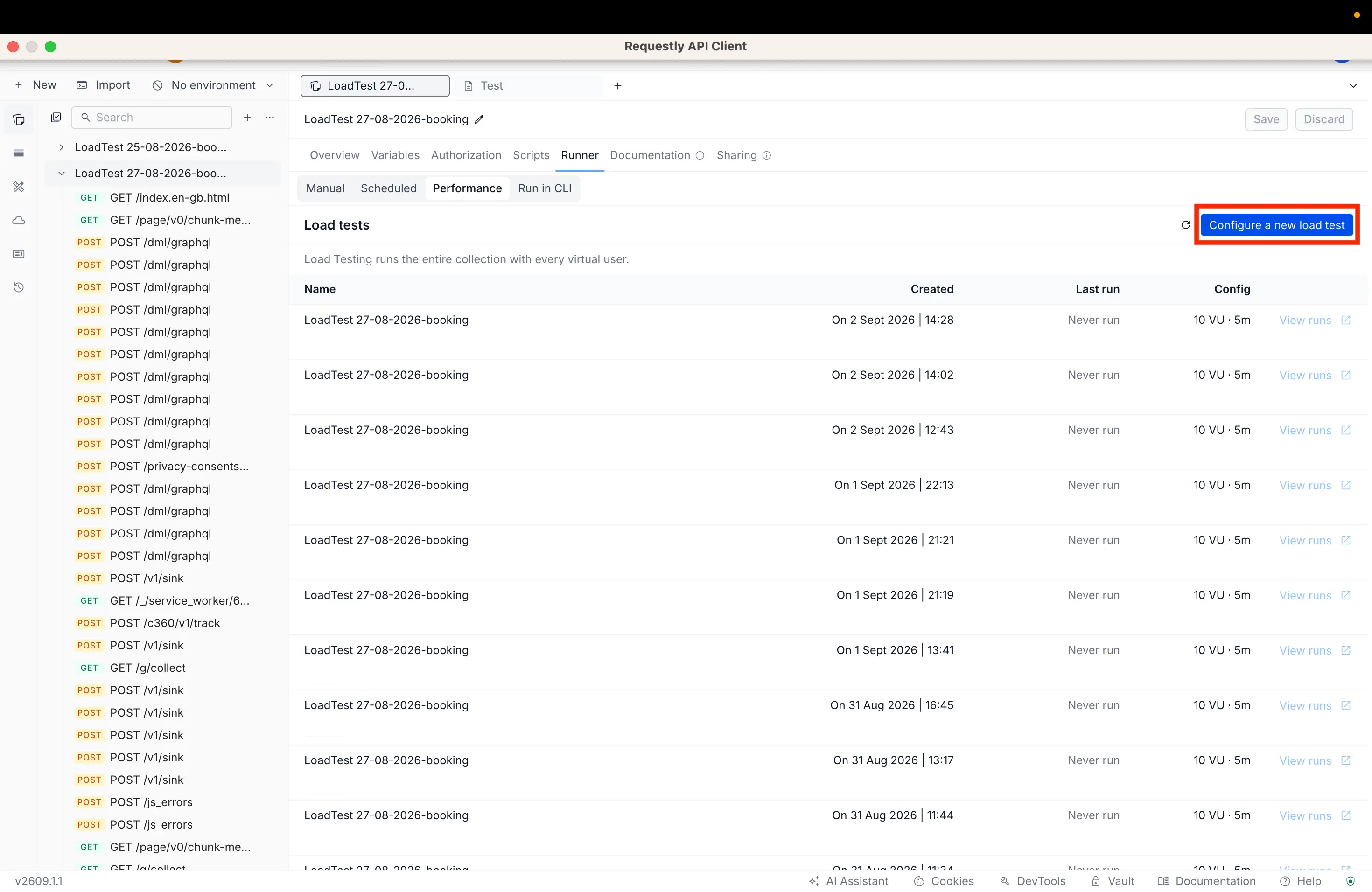
Click Configure a new load test to launch the wizard
In the Requestly collection screen, click the Configure a new load test button. Requestly redirects you to the BrowserStack Load Testing wizard.
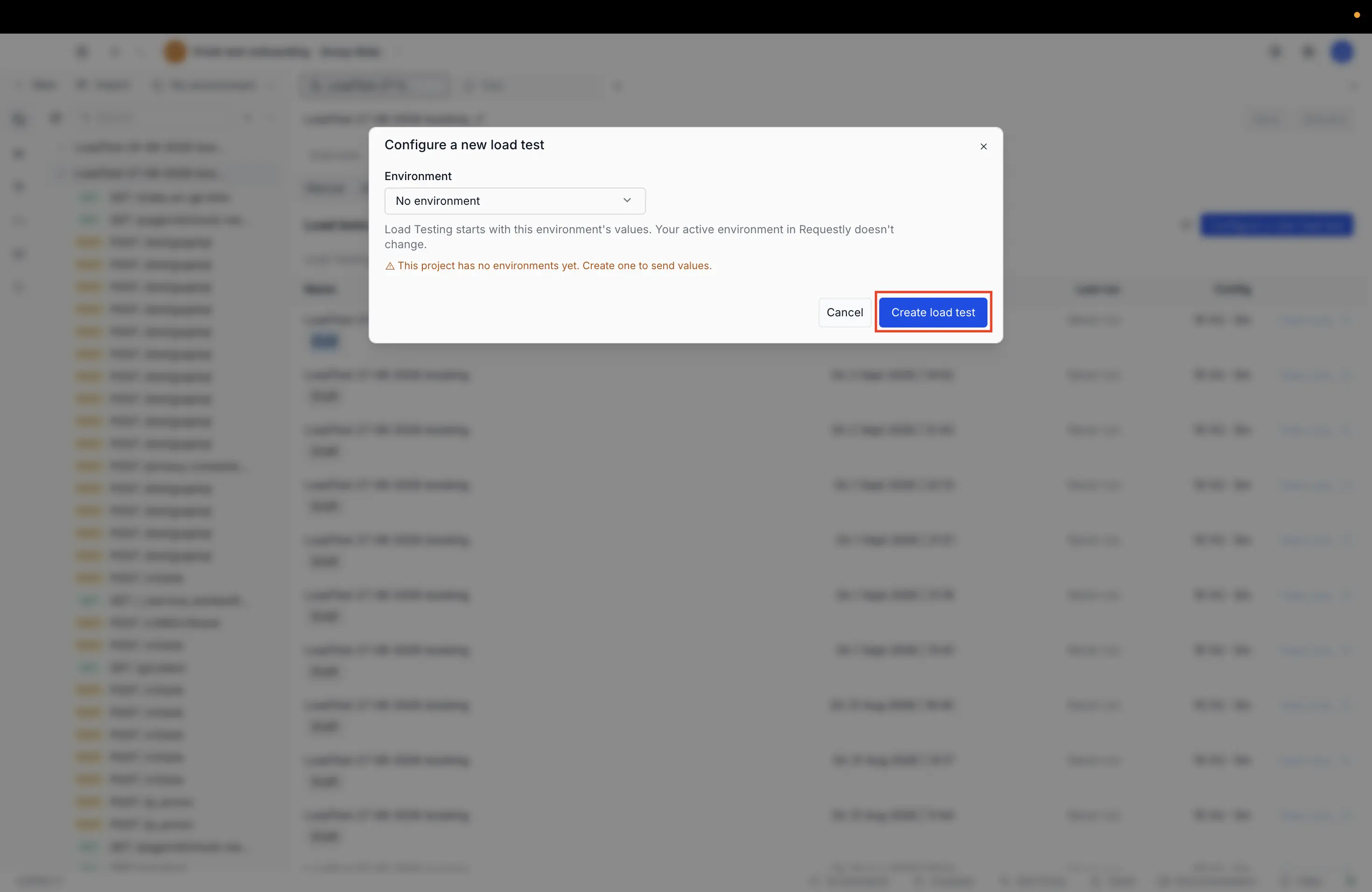
The Configure a new load test dialog appears. Select your environment and click Create load test to proceed to the Load Testing wizard.
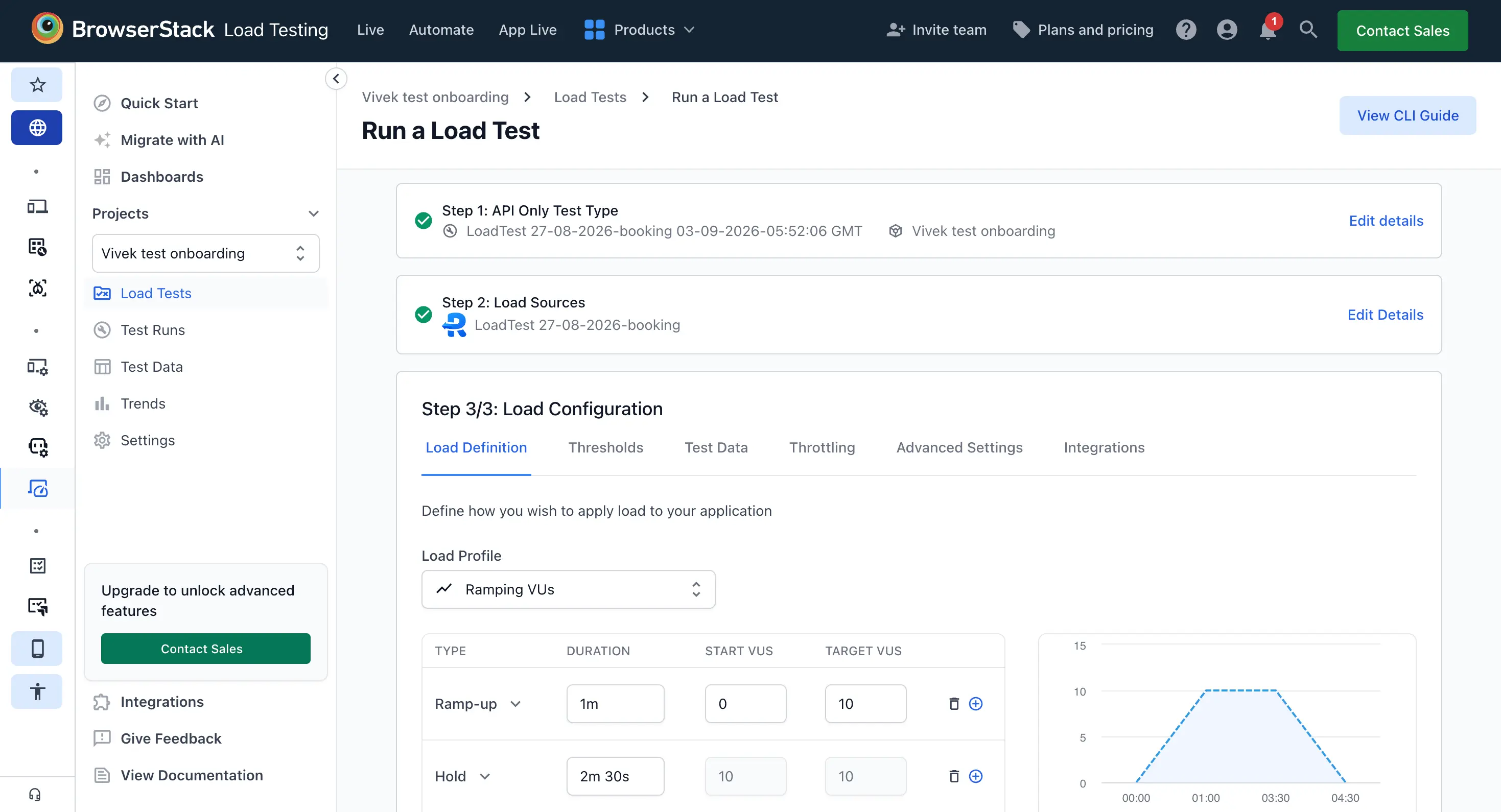
The Load Testing wizard does not autosave. If you leave the wizard before starting the run, you lose any unsaved configuration. To continue later, launch from the Requestly collection again following the steps above.
Confirm the prefilled test details
The Load Testing wizard opens with the test name and source collection prefilled. Review the details, configure load parameters, then start the run.
Project mapping
All unmapped Requestly collections are grouped under a single default Requestly project in Load Testing. This project groups all tests launched from Requestly collections that don’t have an explicit Test Management mapping.
Find tests and runs by collection
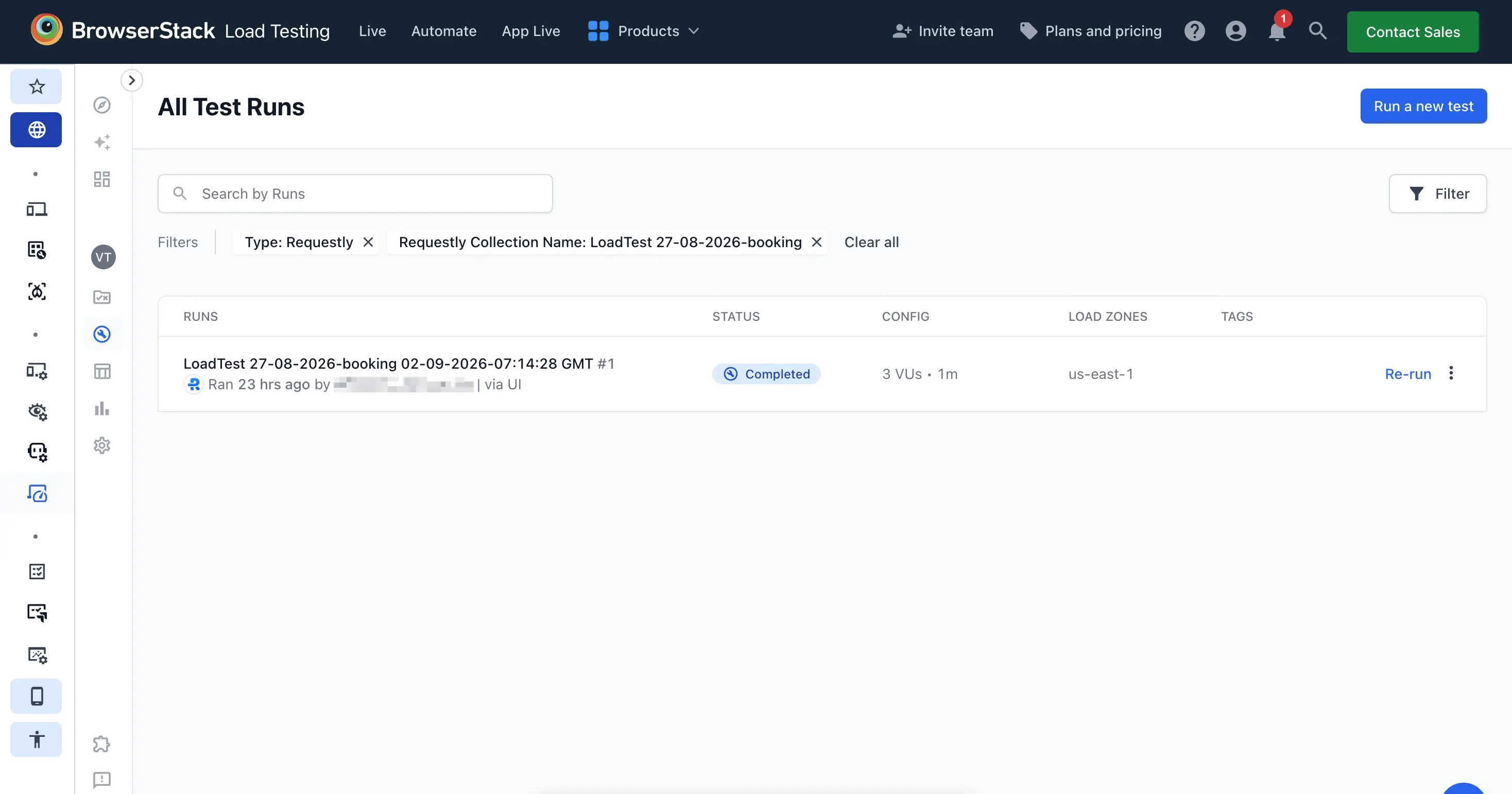
Use the Requestly collection filter in the Load Testing dashboard (Load Tests or Test Runs) to find tests by collection. You can also search by collection name.
| Collection state in Requestly | What you see when finding or filtering by it in Load Testing |
|---|---|
| Active | Test and run results appear in the dedicated Requestly collection filter. |
| Renamed | Tests and runs continue to display with the original collection name (pre-rename) and remain searchable. |
| Deleted | Tests and runs remain in Load Testing with the original collection name, even if the collection was deleted from Requestly. |
Deleted collections don’t affect tests or runs already in Load Testing, they remain accessible by their original collection name and remain filterable.
What’s next
- Run a Requestly collection as a load test from the CLI: Run an existing Requestly collection from the command line instead.
- Capture API calls by recording a journey: Build a Requestly collection by recording instead of importing one.
- Use Requestly environment variables: Parameterize a Requestly collection with environment variables.
- View dashboards: Monitor tests and runs across projects.
We're sorry to hear that. Please share your feedback so we can do better
Contact our Support team for immediate help while we work on improving our docs.
We're continuously improving our docs. We'd love to know what you liked
We're sorry to hear that. Please share your feedback so we can do better
Contact our Support team for immediate help while we work on improving our docs.
We're continuously improving our docs. We'd love to know what you liked
Thank you for your valuable feedback!