
 Join our Discord
Smart debug for Percy builds
Open the debug panel from the Percy build page to inspect a build, see classified failures, and follow a guided resolution path.
Smart debug surfaces Percy’s debugging information directly in the build UI. Instead of digging through raw CI logs, you can open a build, see why it failed, and follow a guided resolution path with links to the right doc.
Access smart debug
You can open the smart debug panel from any Percy build, whether it succeeded or failed.
- From your Percy project, open the Builds tab and select the build you want to inspect.
- Open the smart debug panel using one of these entry points:
- For a failed build: Open the build and click Debug on the red failure classification banner at the top of the build.
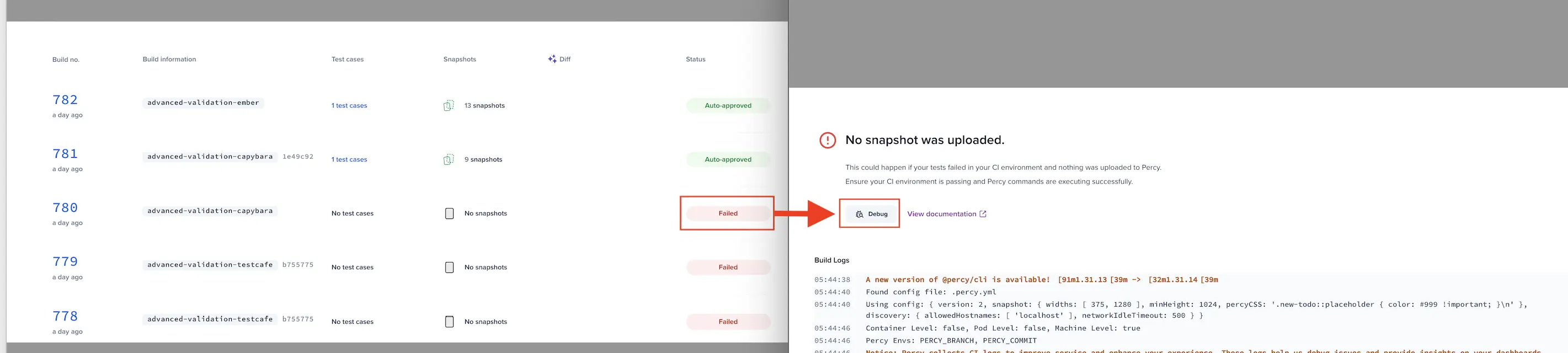
- For a failed snapshot: Click Debug on the snapshot card that shows the failure.
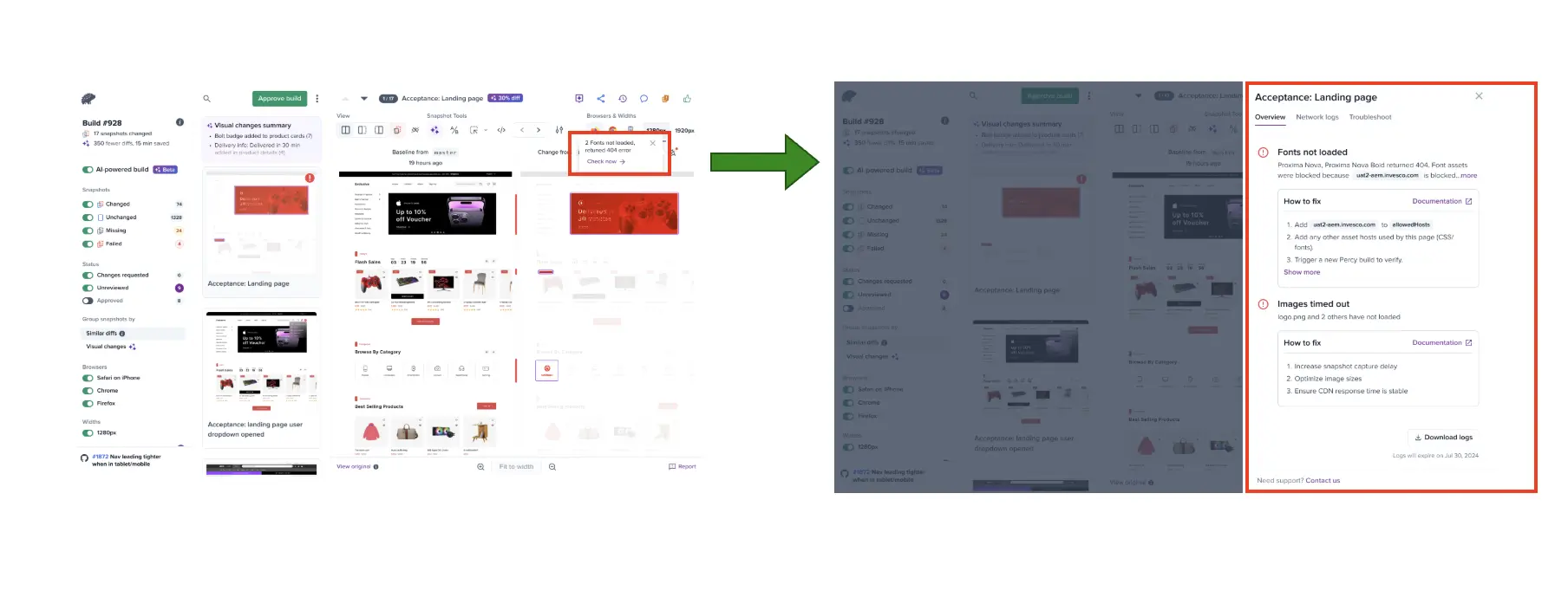
- For any other build: Click the debug icon in the build toolbar.
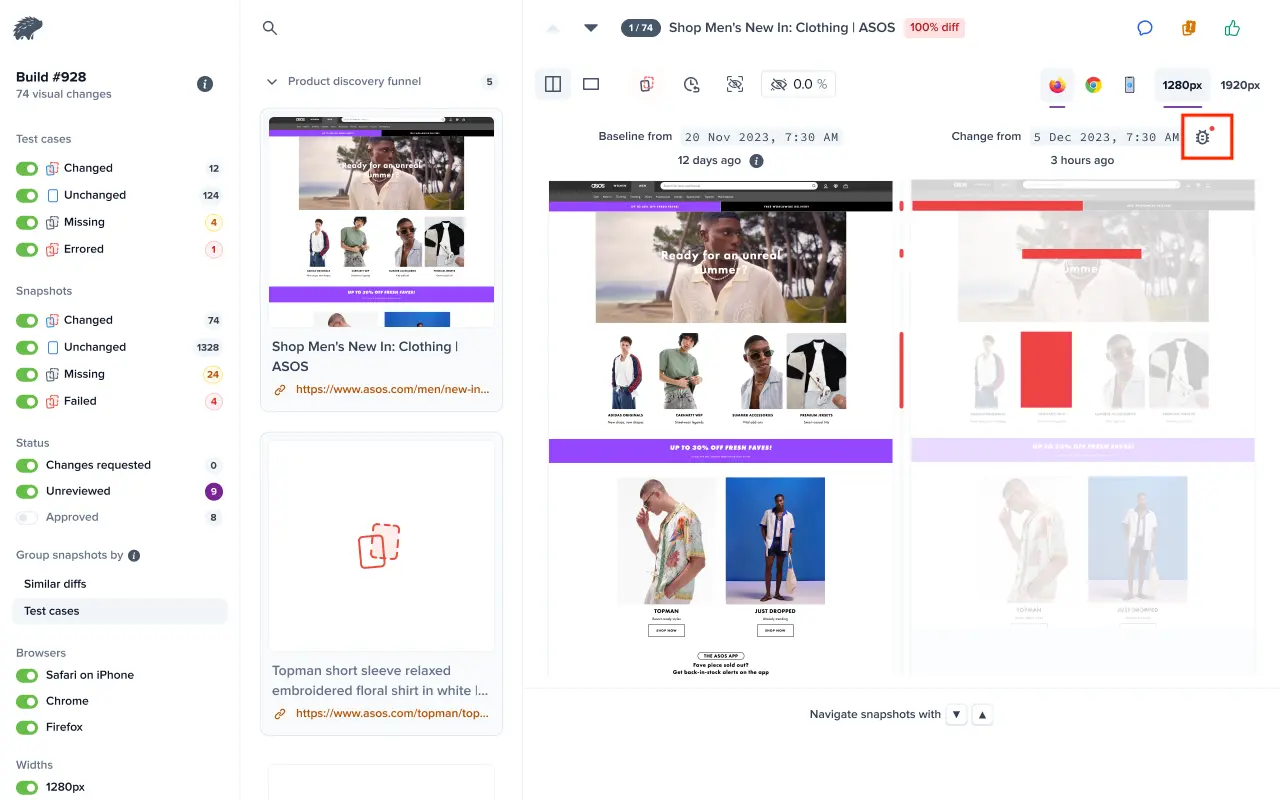
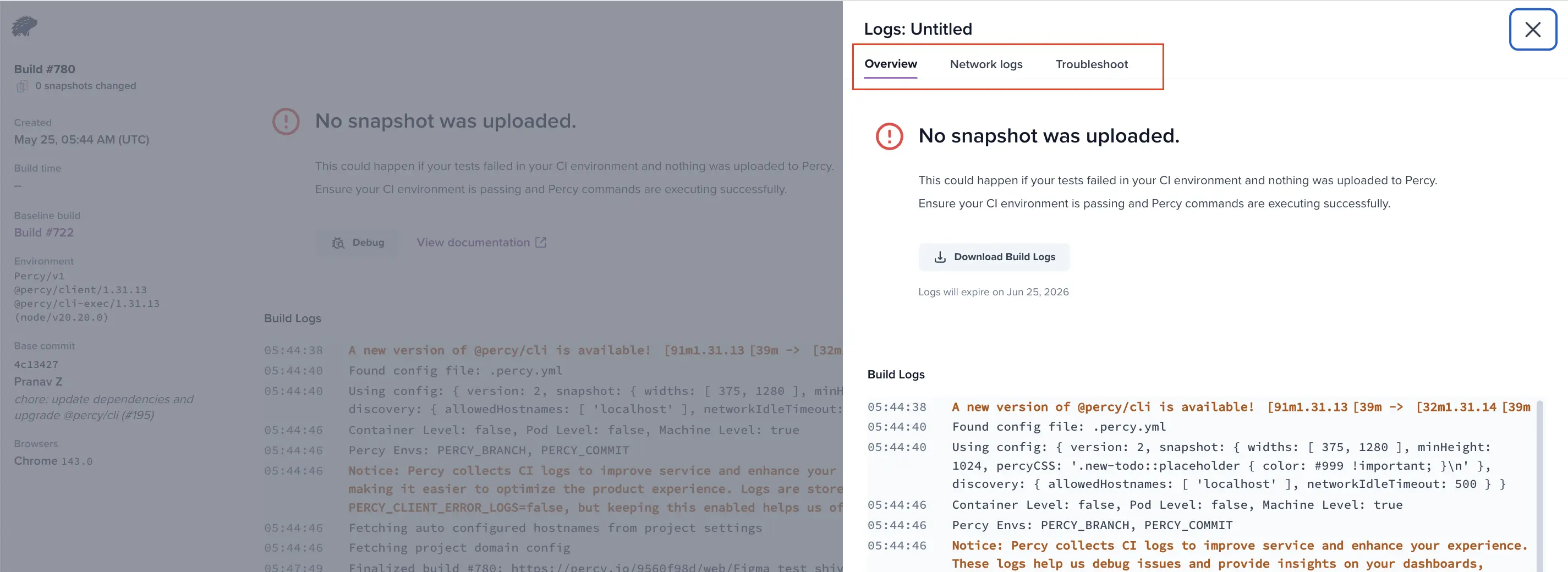
- The panel opens with three tabs, Overview, Network logs, and Troubleshoot. The Overview tab loads by default and summarizes the failure. For a successful build, it confirms that there are no issues.
| Tab | What it shows | When to use it |
|---|---|---|
| Overview | Failure classification, reason, recommended steps, docs link, and the snapshot’s most relevant log line. | Always start here. |
| Network logs | Network requests captured during snapshot rendering (URLs, status codes, timing). | When you suspect missing assets, 5xx errors, or slow third-party resources. |
| Troubleshoot | Guided resolution steps and related documentation for the detected failure. | When you want a step-by-step path to resolve the failure shown in the Overview tab. |
The opened panel looks like this:
Smart log highlighting
CI runs can produce thousands of log lines. The Overview tab gives you two views of the CLI output. Pick by what you are trying to do:
- To see only what failed: Stay on Snippets (default). It shows only ERROR and WARN entries, plus a two-line context window before and after each one, so you can see what led up to a failure without scrolling through irrelevant INFO lines.
- To share the full log with support: Switch to Full Log for the complete CLI output, in case you need everything (or the failure is not on an error line itself, for example, a hang or a timeout).
If the build produced no errors or warnings, the Snippets view says so explicitly. That is a useful signal in itself, since it usually means the failure is not on the CLI side.
Log retention
Logs are retained for one month from the time the build was created. The Overview tab shows the exact expiry date (for example, Logs will expire on Jun 02, 2026). After expiry, the panel shows Logs expired on … and the Download Build Logs button is unavailable. The button also requires a Percy CLI version later than 1.28.3, that is, 1.28.4 or later, so it does not appear for builds run with older CLI versions. If you anticipate needing logs longer-term, download them while they are still available.
Related topics
- Build failure types and resolution guides
- View Network logs
- Percy SDK and screenshot capture workflow
- Percy common issues
- Percy configuration options
- Assets not captured
- Diagnose issues using Percy Doctor
We're sorry to hear that. Please share your feedback so we can do better
Contact our Support team for immediate help while we work on improving our docs.
We're continuously improving our docs. We'd love to know what you liked
We're sorry to hear that. Please share your feedback so we can do better
Contact our Support team for immediate help while we work on improving our docs.
We're continuously improving our docs. We'd love to know what you liked
Thank you for your valuable feedback!