
 Join our Discord
Export test cases
Download your test cases as a CSV file to share with stakeholders who don’t have access to Test Companion or your test management system.
The exported file includes test case names, descriptions, steps, expected results, preconditions, priority, and any custom fields you have configured. You can export all test cases at once or select a specific subset.
Export to CSV
- Navigate to the test management panel containing the test cases you want to export.
-
Select the checkboxes next to the test cases you want to export. Use the scenario-level checkbox to select all tests within a scenario.
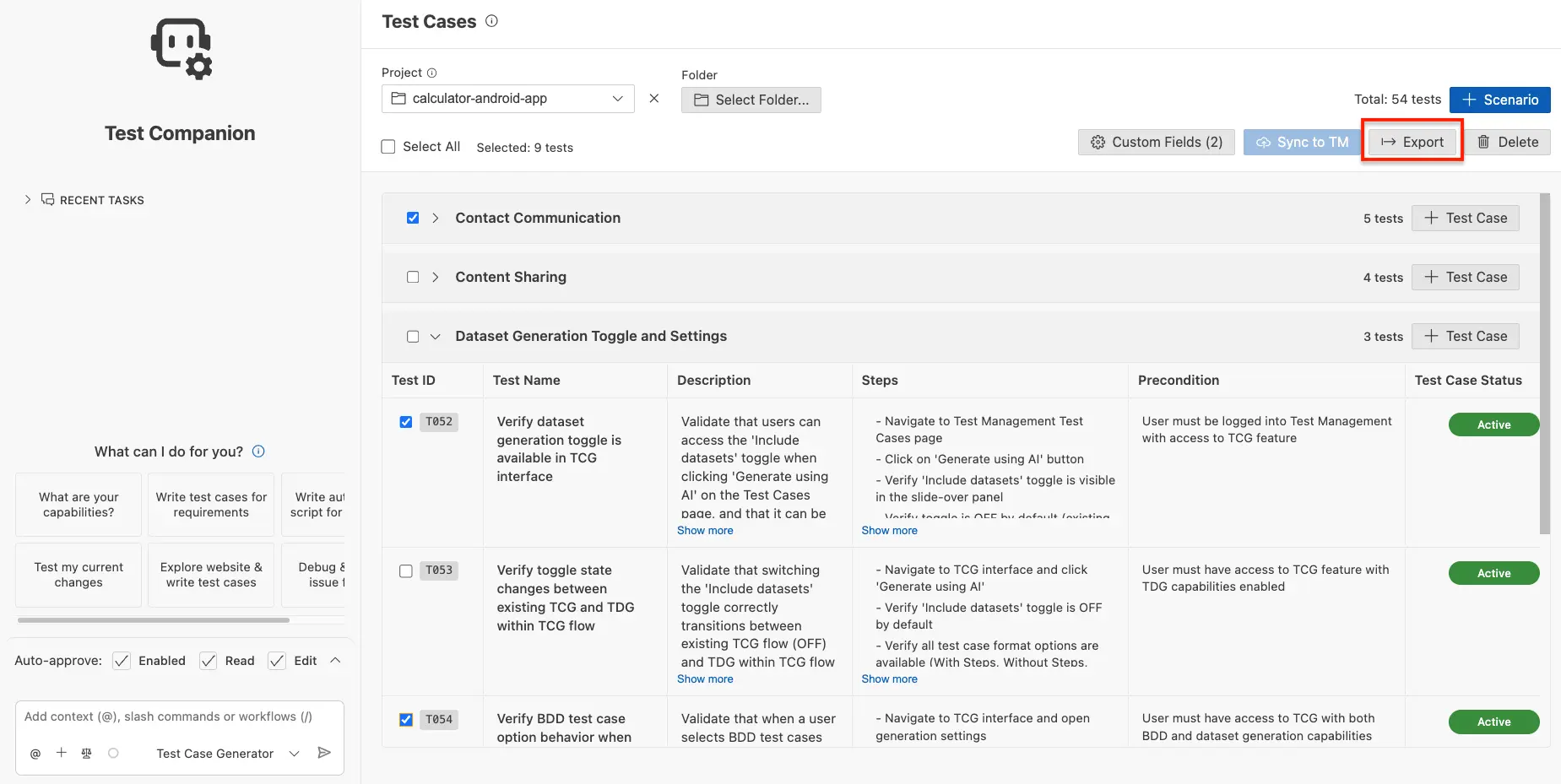
- Click Export.
An Export in progress notification appears. The exported file saves to your default downloads folder.
When to export
- Stakeholder reviews: Share test plans with product managers or business analysts who don’t have access to your test management system.
- Compliance audits: Produce a snapshot of your test coverage at a specific point in time for audit records.
- Cross-team handoffs: Share tests with teams using a different test management tool that isn’t directly integrated.
Next steps
- Custom fields: Add metadata to your test cases before exporting.
- Sync to test management: Push test cases directly to BrowserStack TM, Zephyr Scale, or Xray instead of exporting.
We're sorry to hear that. Please share your feedback so we can do better
Contact our Support team for immediate help while we work on improving our docs.
We're continuously improving our docs. We'd love to know what you liked
We're sorry to hear that. Please share your feedback so we can do better
Contact our Support team for immediate help while we work on improving our docs.
We're continuously improving our docs. We'd love to know what you liked
Thank you for your valuable feedback!