
Get your setup working faster. Join our Discord for optimisation tips from elite testers.
 Join our Discord
Join our Discord
Advanced filters in reports
Use advanced filters to narrow a report to the test cases that match the status, type, priority, or assignee.
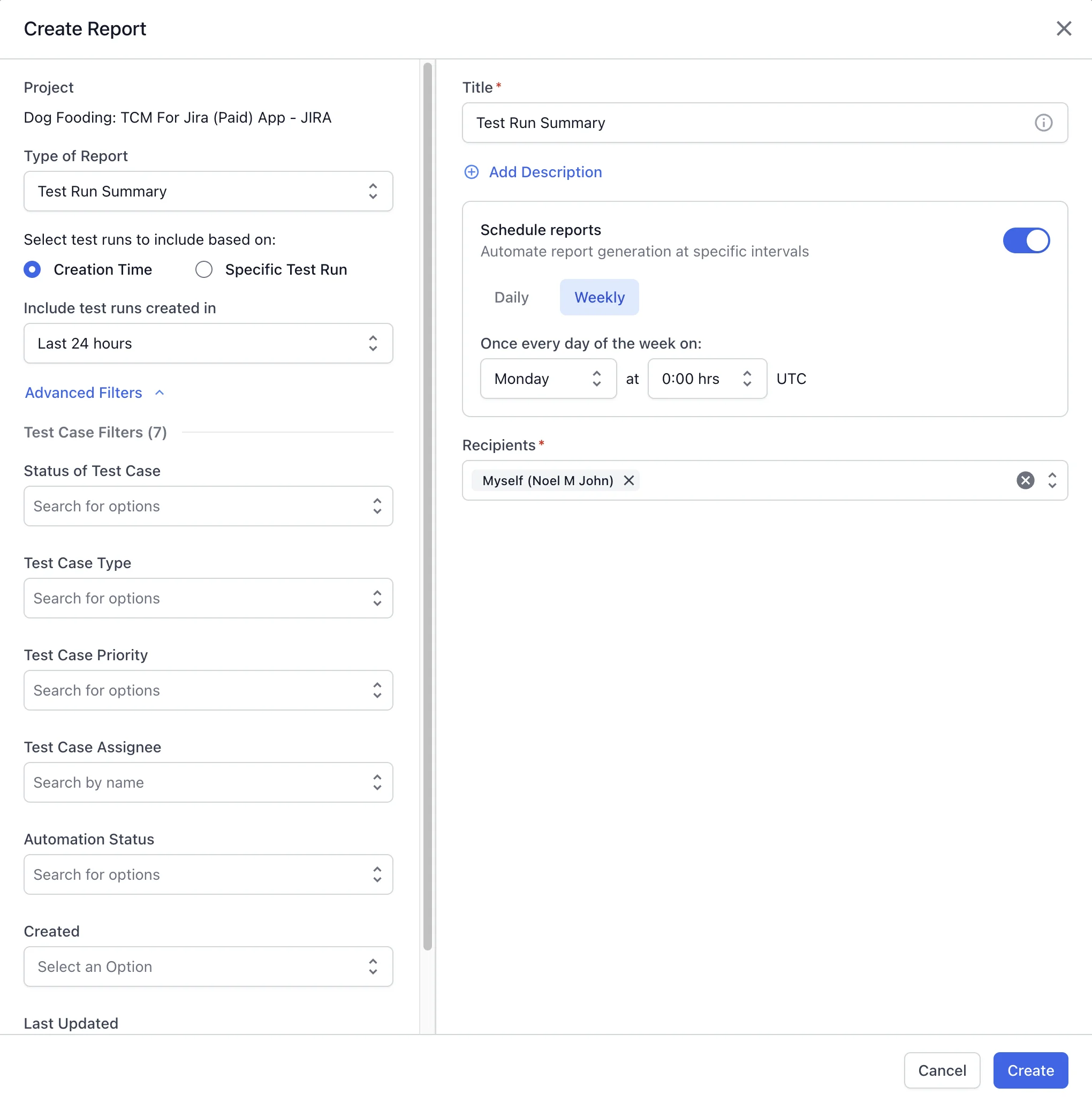
In the Create Report window, expand Advanced Filters, then set the filters you need. Each filter limits the report to the test cases that match the values you select. The filters available depend on the report type.
Filters apply to the report at the time the report is created.
Available filters
Under Test Case Filters, set any of the following filters:
| Filter | Details |
|---|---|
| Status of Test Case | Limits the report to the test cases with the statuses you select, such as passed, failed, or blocked. |
| Test Case Type | Limits the report to the test case types you select, such as functional, regression, or integration. |
| Test Case Priority | Limits the report to the priorities you select: critical, high, medium, or low. |
| Test Case Assignee | Limits the report to the test cases assigned to the people you select. |
| Automation Status | Limits the report to automated or manual test cases. |
| Created | Limits the report to the test cases created in the date range you set. |
| Last Updated | Limits the report to the test cases updated in the date range you set. |
Next steps
- Create a report and apply these filters.
- Share and download reports with your team.
We're sorry to hear that. Please share your feedback so we can do better
Contact our Support team for immediate help while we work on improving our docs.
We're continuously improving our docs. We'd love to know what you liked
We're sorry to hear that. Please share your feedback so we can do better
Contact our Support team for immediate help while we work on improving our docs.
We're continuously improving our docs. We'd love to know what you liked
Thank you for your valuable feedback!