
 Join our Discord
Link custom issues to test cases
Add requirements from your custom issue tracker to test cases in Test Management by entering the issue link and ID.
You link a custom issue to a test case from the Requirements field in the test case form. After an admin configures a custom issue tracker, it appears in the tracker dropdown alongside Jira, Azure DevOps, and Asana.
Prerequisites
Before you begin, ensure you have the following:
- A configured custom issue tracker.
- A project with at least one test case.
Link a custom issue to a test case
You can add a requirement while you create a test case or edit an existing one:
Open the create or edit test case window in your project.
In the test case form, find the Requirements field. From its tracker dropdown, select your custom tracker.
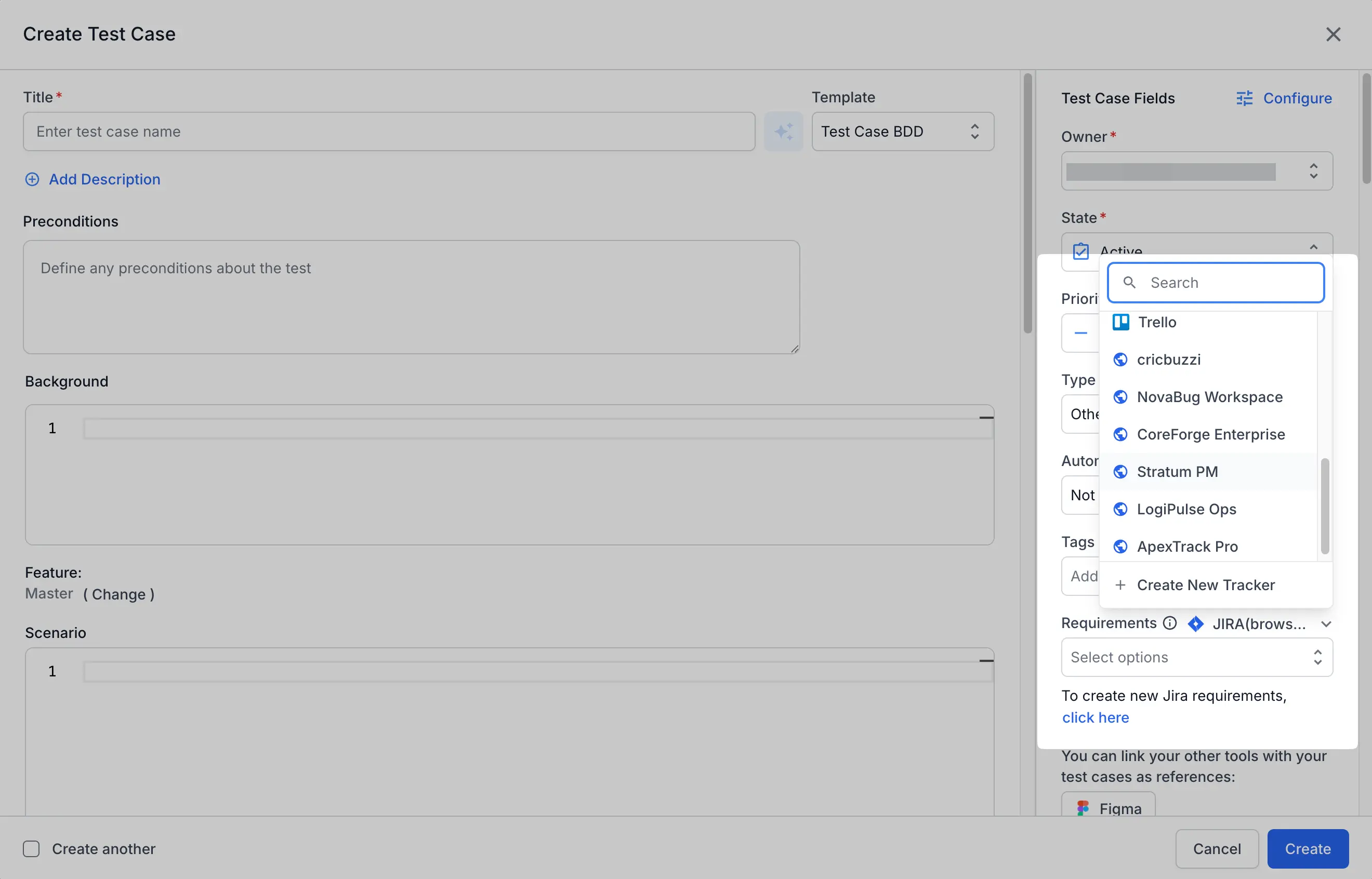
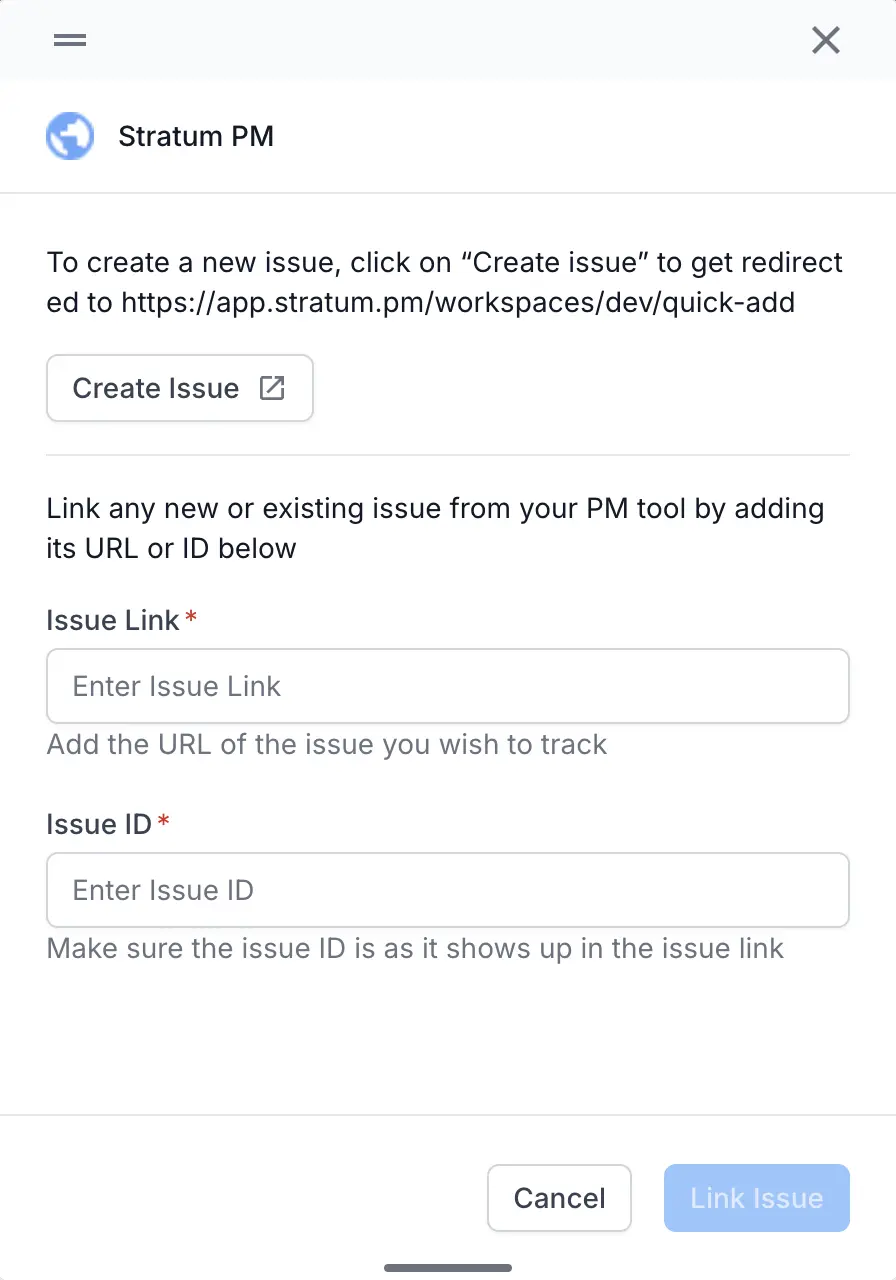
Next to To create/link requirements, click the click here link. The custom tracker widget opens.
In the widget, add the issue in one of two ways:
- Link an existing issue: enter the Issue Link and the Issue ID, then click Link Issue.
- Create a new issue: click Create Issue. Test Management opens your tracker’s new-issue page in a new tab. Create the issue there, then link it using its link and ID.
Save the test case.
The linked issue shows as an ID in the Requirements field. Test Management shows only the ID, because a custom tracker has no API connection. Click the ID to open the issue in your tracker.
Next steps
Continue linking custom issues across your test entities:
-
Link custom issues to test runs and results: add requirements and defects to runs, results, and automation runs.
-
Integrate a custom issue tracker: set up, edit, or delete a tracker, and see where custom issues appear.
If something is not working as expected, contact BrowserStack Support, available at any time. Sharing your project name and the test case ID helps the team resolve your query faster.
We're sorry to hear that. Please share your feedback so we can do better
Contact our Support team for immediate help while we work on improving our docs.
We're continuously improving our docs. We'd love to know what you liked
We're sorry to hear that. Please share your feedback so we can do better
Contact our Support team for immediate help while we work on improving our docs.
We're continuously improving our docs. We'd love to know what you liked
Thank you for your valuable feedback!