
 Join our Discord
Link Trello cards to test cases
Create a Trello card from a test case, or link one that exists, to trace each requirement to the test that covers it.
Link a test case to a Trello card when the card represents a requirement, such as a user story or a feature. The link ties each requirement to its test. You can spot coverage gaps before release.
Prerequisites
You must first integrate with Trello.
Link a Trello card to a test case
You can create a new Trello card or link an existing one from a test case.
- Open the test case you want to link. You can create a test case or edit an existing one.
-
In the test case form, select Trello from the Requirements field dropdown.
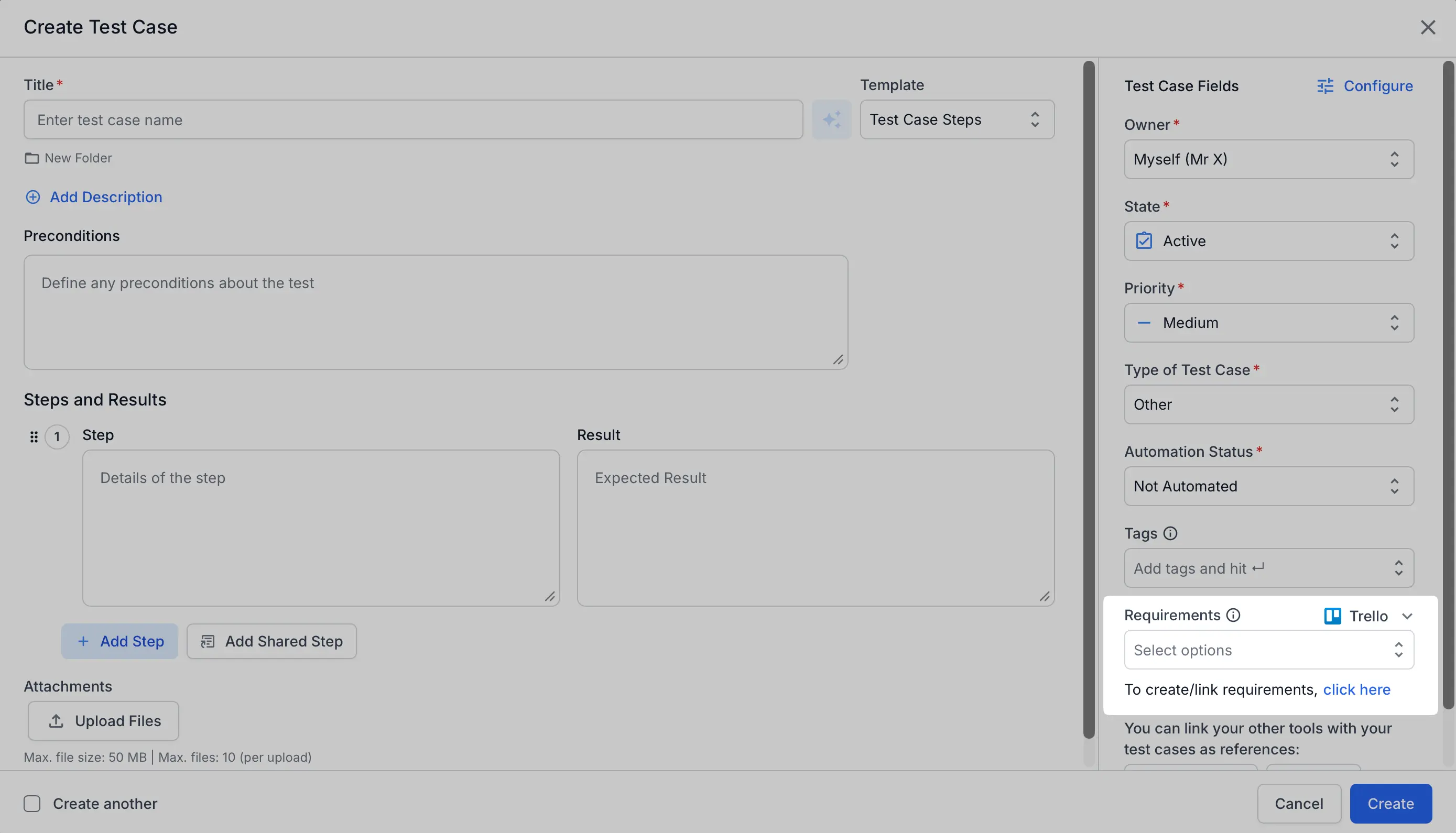
If Trello is not connected yet, selecting it prompts you to connect first. - Under the Requirements field, select the click here link. The Trello dialog opens.
- In the Trello dialog, select your Trello Board, then choose a tab:
- Create issue creates a new card. Enter a Card name. Select a List Type. You can also add Members, a Description, Labels, and a Due date.
- Update existing issue links a card that already exists. Select the Card, then add an optional Comment.
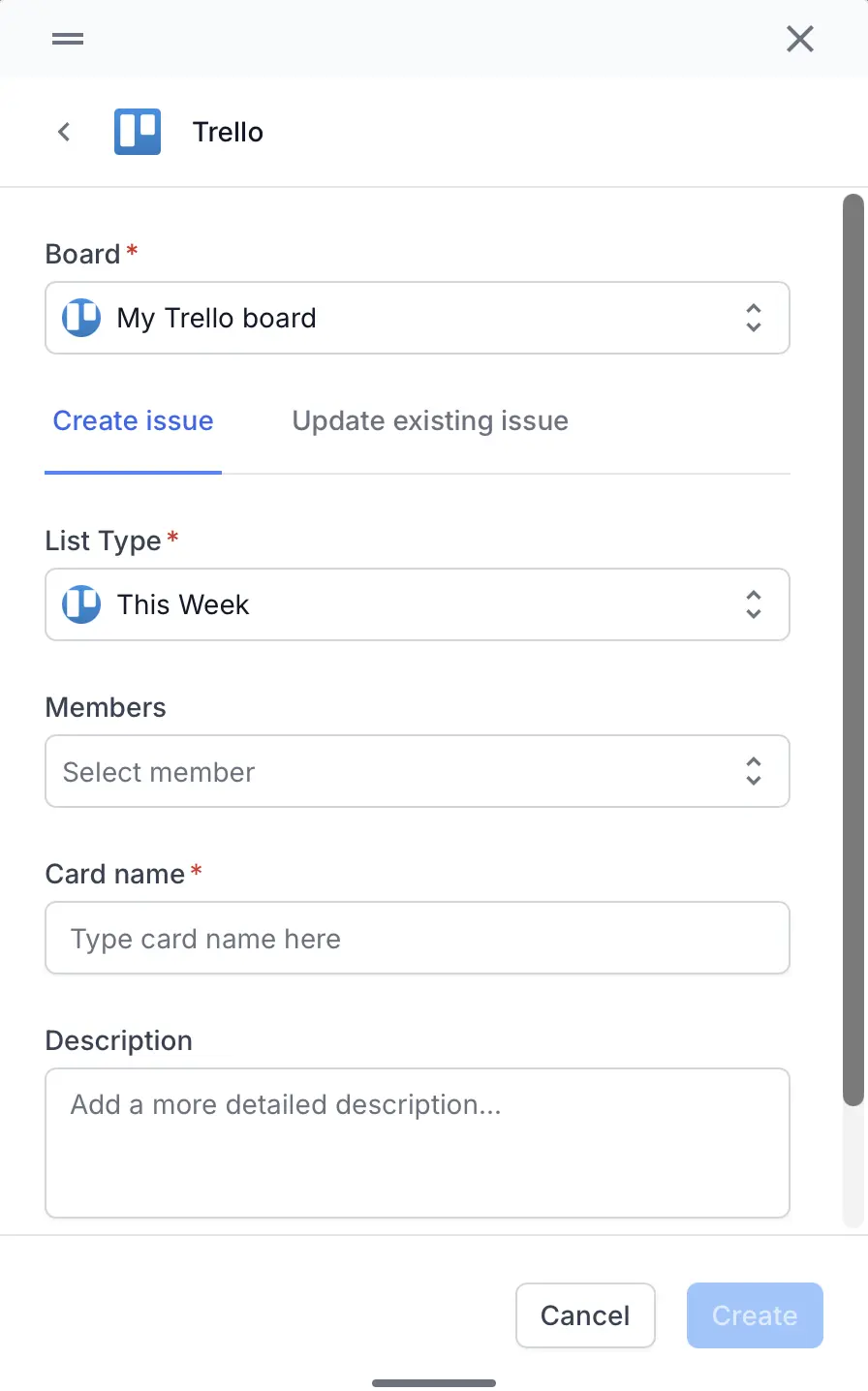
- Click Create or Update.
Test Management saves the card to your Trello board. The card now links to your test case. You can trace the test back to its requirement.
Next steps
We're sorry to hear that. Please share your feedback so we can do better
Contact our Support team for immediate help while we work on improving our docs.
We're continuously improving our docs. We'd love to know what you liked
We're sorry to hear that. Please share your feedback so we can do better
Contact our Support team for immediate help while we work on improving our docs.
We're continuously improving our docs. We'd love to know what you liked
Thank you for your valuable feedback!