
Get your setup working faster. Join our Discord for optimisation tips from elite testers.
 Join our Discord
Join our Discord
Integrations
Learn how to connect Website Scanner with your team’s collaboration tools to share scan results and updates automatically.
Website Scanner integrates with collaboration tools so your team receives scan results where they already work. Connect an integration once at the account level, then enable notifications for individual scans.
Available integrations
Select a tool to get started
How integrations work
Setting up an integration involves two steps:
- Connect the integration: Link your collaboration tool to Website Scanner from the Integrations page. This is a one-time setup per account.
- Enable notifications for each scan: Turn on notifications and select a channel in each scan’s General settings. Each scan can send notifications to a different channel.
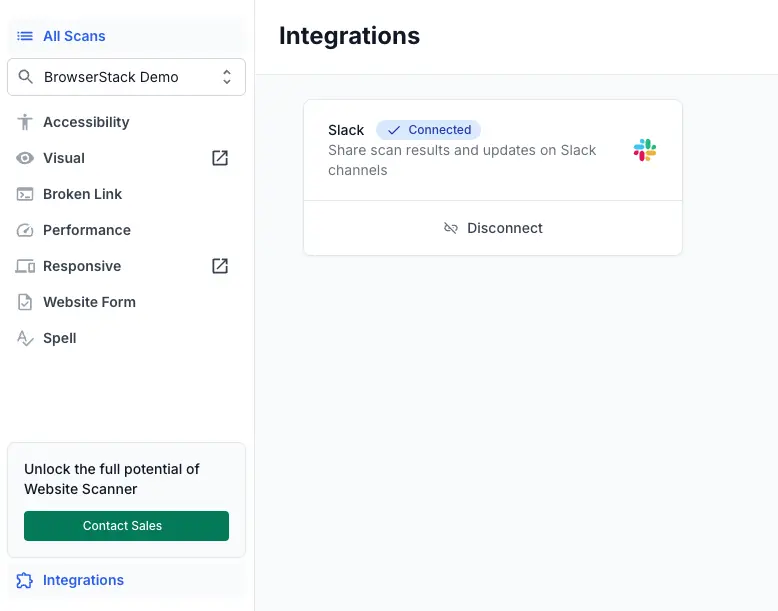
Access the Integrations page
Click Integrations in the left sidebar of any scan to open the Integrations page.
Next steps
We're sorry to hear that. Please share your feedback so we can do better
Contact our Support team for immediate help while we work on improving our docs.
We're continuously improving our docs. We'd love to know what you liked
We're sorry to hear that. Please share your feedback so we can do better
Contact our Support team for immediate help while we work on improving our docs.
We're continuously improving our docs. We'd love to know what you liked
Thank you for your valuable feedback!