
 Join our Discord
Launch a Salesforce org in a test
Learn how to launch a Salesforce org in a test in BrowserStack Low Code Automation for Salesforce Test Automation.
After you connect your Salesforce organization and create a connected app, you can record and run tests against a specific Salesforce organization, persona, and application. You can set this context before you start recording. This helps you validate that your Salesforce flows behave correctly for different users and applications.
Launch a Salesforce org in a test
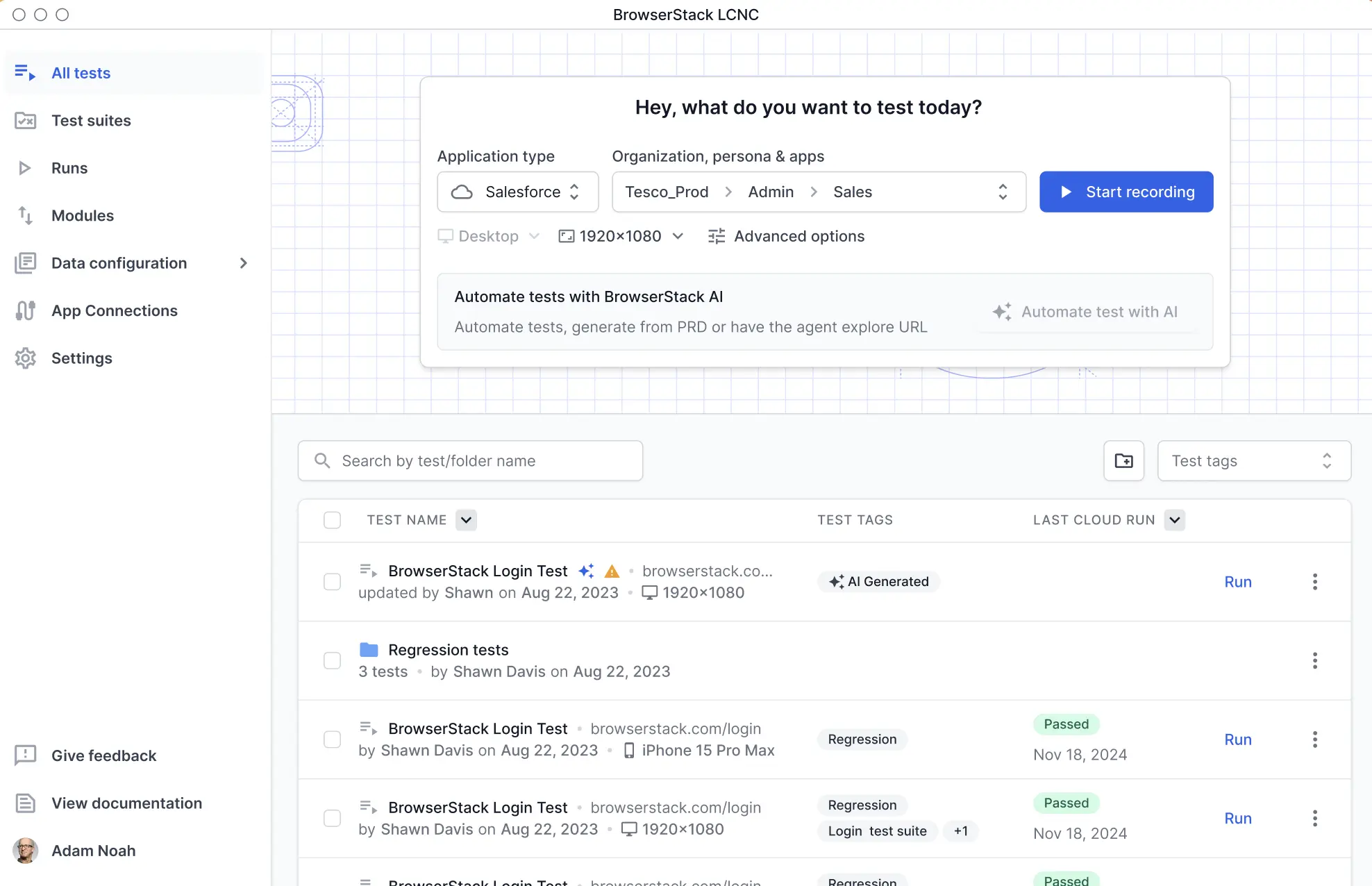
Before recording a test, use the Hey, what do you want to test today? dialog to choose the organization, persona, and application context that your test steps run against.
To configure and launch a Salesforce org for a test:
-
In the Application type drop-down, select Salesforce. The available application types are Web App and Salesforce.
-
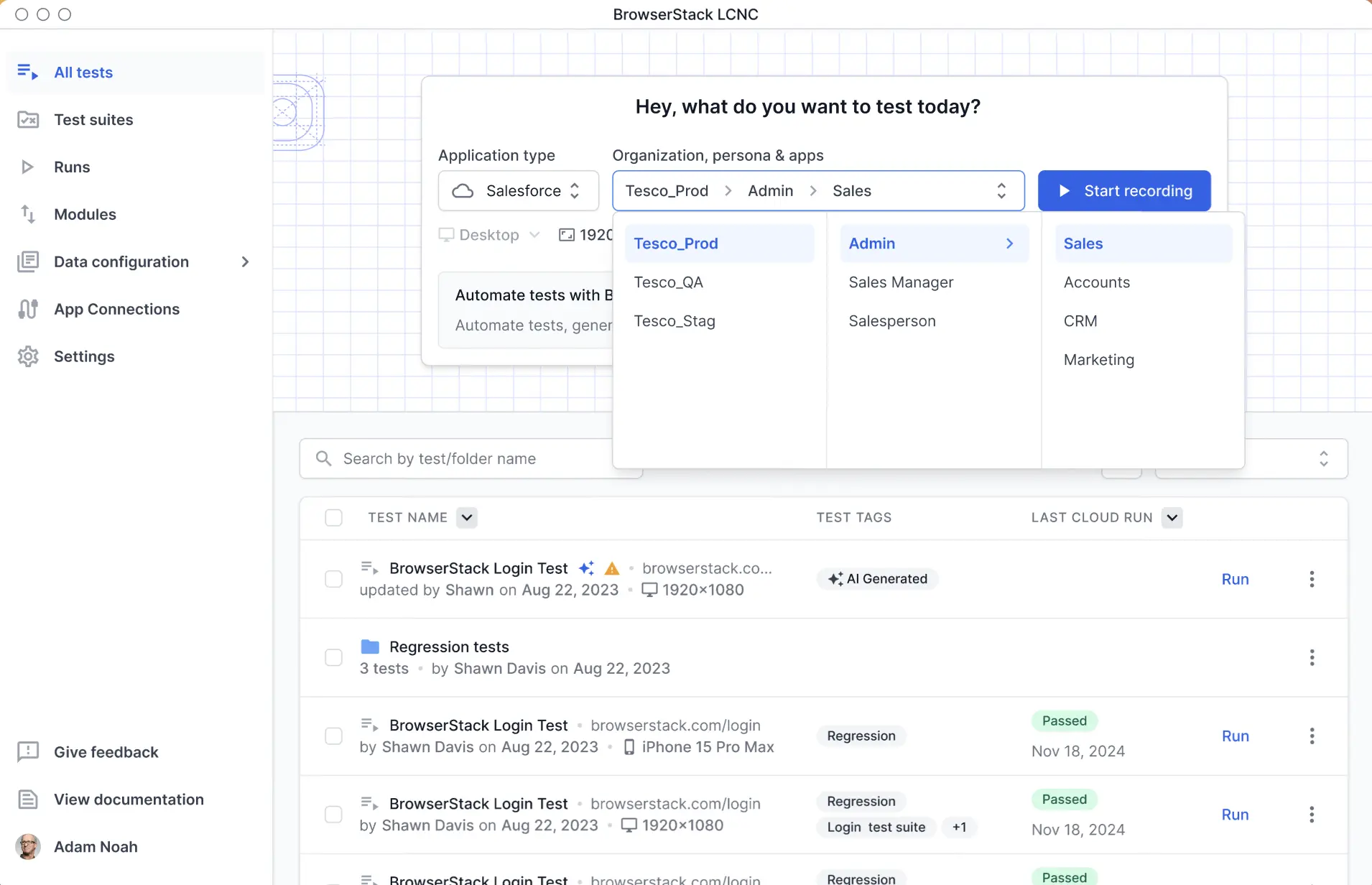
In the Organization, persona & apps drop-down, select the organization, persona, and app.
-
Optionally, set the device type (for example, Desktop), resolution (for example, 1440×900), or Advanced options.
-
Click Start Recording.
The recorder launches in the selected organization, persona, and application context, and you can begin recording your test steps.
Next steps
We're sorry to hear that. Please share your feedback so we can do better
Contact our Support team for immediate help while we work on improving our docs.
We're continuously improving our docs. We'd love to know what you liked
We're sorry to hear that. Please share your feedback so we can do better
Contact our Support team for immediate help while we work on improving our docs.
We're continuously improving our docs. We'd love to know what you liked
Thank you for your valuable feedback!