
 Join our Discord
Test run detailed report
Break each test run down to the individual test case to investigate failures and verify results in Test Management for Jira.
The test run detailed report breaks each run down to the individual test case. Use it to investigate failures, verify results case by case, and sign off on a run.
What the report shows
The report gives an in-depth view of the test runs you include:
- Test run performance: a trend of passed, failed, and other results across the range you select.
- Active tests: how many of the included runs are still active.
- Total test cases: the total cases across the included runs.
- Total linked issues: the number of Jira issues tied to the runs and results.
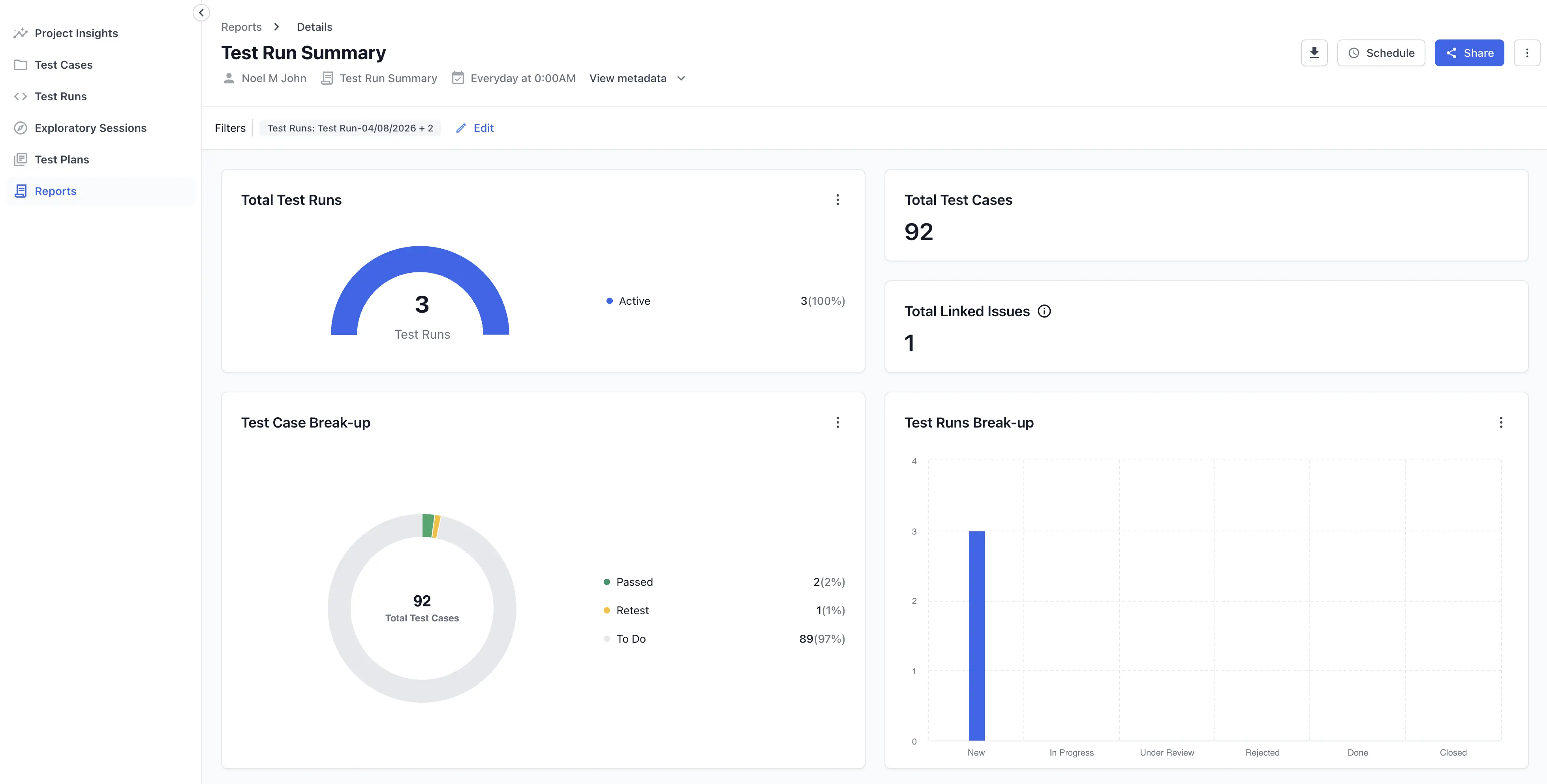
Use the performance trend and linked issues to see where results are slipping.
Create this report
To create this report, follow the Create a report steps. Select Test Run Detailed Report as the Type of Report. Choose the runs to include by Creation Time or Specific Test Run.
Next steps
- Open the test run summary report for a high-level view.
- Use advanced filters to narrow the runs the report covers.
- Share and download reports with your team.
We're sorry to hear that. Please share your feedback so we can do better
Contact our Support team for immediate help while we work on improving our docs.
We're continuously improving our docs. We'd love to know what you liked
We're sorry to hear that. Please share your feedback so we can do better
Contact our Support team for immediate help while we work on improving our docs.
We're continuously improving our docs. We'd love to know what you liked
Thank you for your valuable feedback!