
 Join our Discord
Requirement traceability report
Map Jira requirements to the test cases and runs that verify them to prove coverage and check release readiness in Test Management for Jira.
The requirement traceability report maps your Jira requirements to the test cases and test runs that verify them. Use it to prove test coverage and judge whether a release is ready.
What the report shows
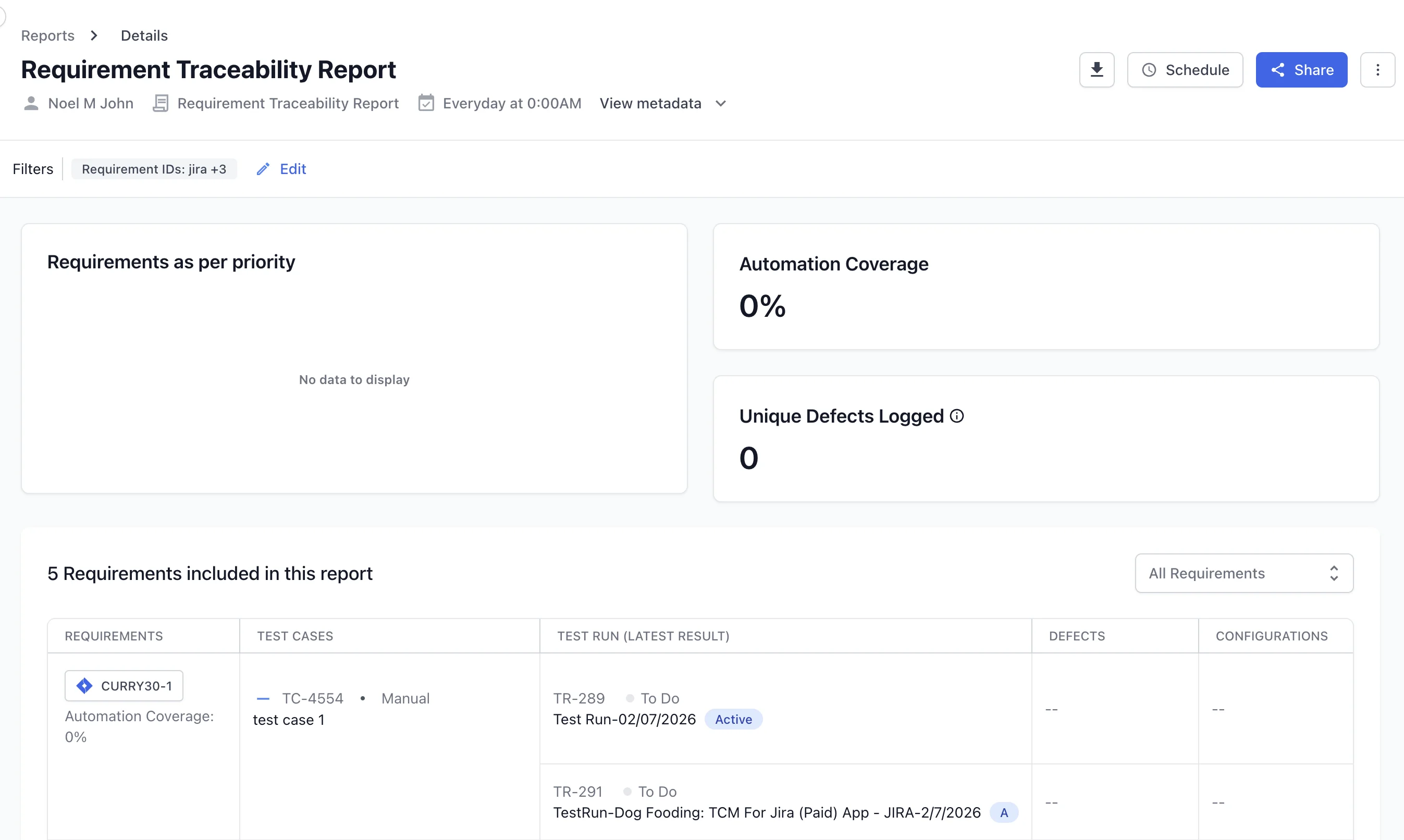
The report links each requirement to its test coverage and results:
- Requirements as per priority: the included requirements grouped by priority.
- Automation coverage: the share of linked test cases that are automated.
- Unique defects logged: the number of distinct defects linked to the requirements.
- Requirements table: each requirement with its linked test cases and the latest test run result. Each row also shows defects, configurations, the test plan, and who ran the test.
Each report includes a maximum of 20,000 rows.
Create this report
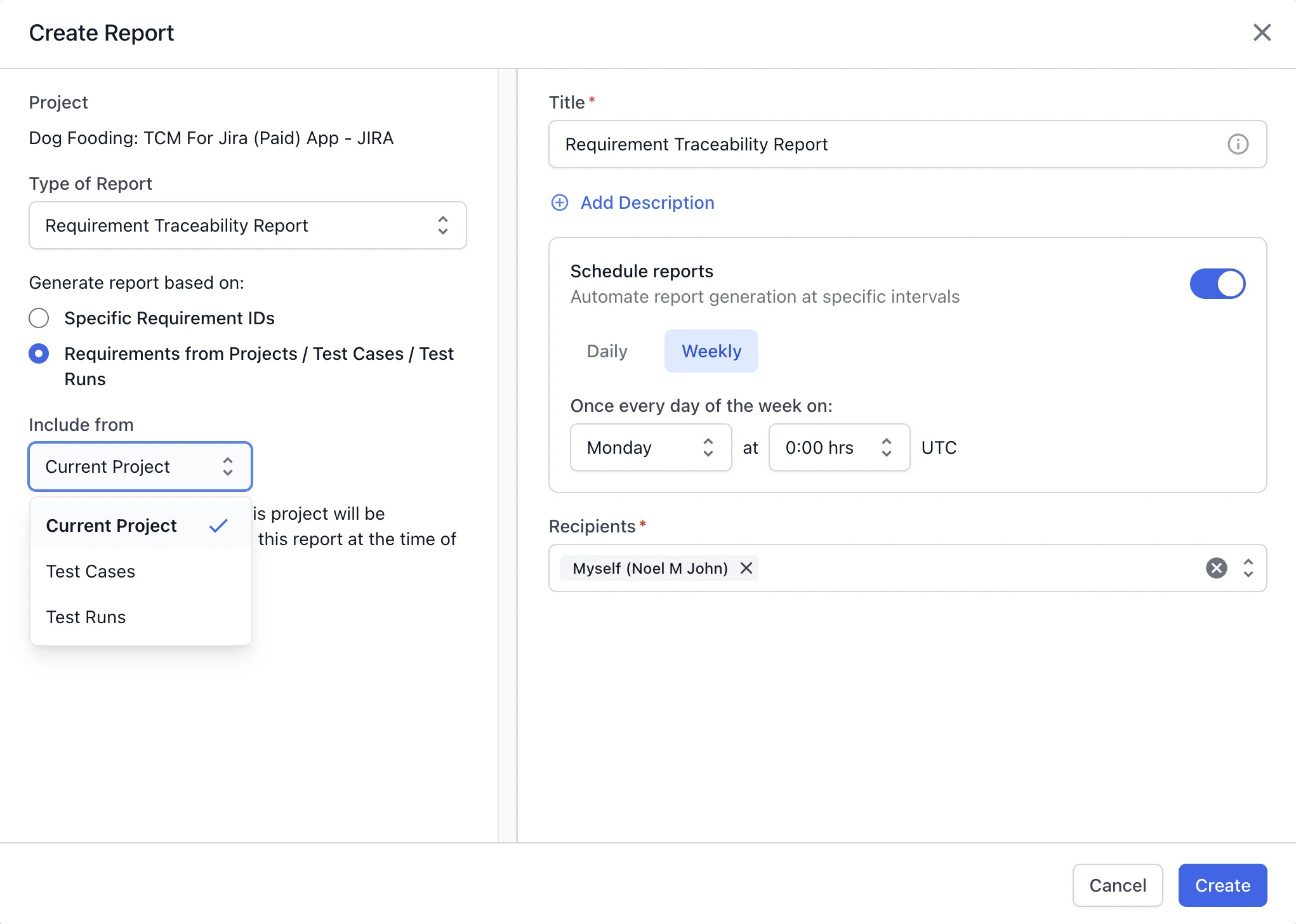
To create this report, follow the Create a report steps. Select Requirement Traceability Report as the Type of Report. Then choose how to gather requirements:
- Specific Requirement IDs: in the Requirements field, choose Jira, Azure, Asana, or Linear, then add the requirement IDs. To pull in related work, expand Advanced Filters. Use Include from epics (if any) to add Linked Stories or Linked Tasks.
- Requirements from Projects / Test Cases / Test Runs: under Include from, choose Current Project, Test Cases, or Test Runs. The report includes the requirements linked to what you select.
You can add up to 200 linked stories and tasks in total across all epics.
Next steps
- Use advanced filters to narrow the requirements the report covers.
- Share and download reports with your team.
- Choose another report for a different view.
We're sorry to hear that. Please share your feedback so we can do better
Contact our Support team for immediate help while we work on improving our docs.
We're continuously improving our docs. We'd love to know what you liked
We're sorry to hear that. Please share your feedback so we can do better
Contact our Support team for immediate help while we work on improving our docs.
We're continuously improving our docs. We'd love to know what you liked
Thank you for your valuable feedback!