
 Join our Discord
Test plan summary report
Track overall progress and completion across your test plans in Test Management for Jira.
The test plan summary report shows overall progress across your test plans. Use it to track how planned testing cycles are progressing and which plans are overdue or close to done.
What the report shows
The report rolls up the test plans you include:
- Overdue Test Plans and Test Plans Near Completion (7 days): at-a-glance counts of the plans that need attention.
- Overall progress across test plans: every test case in the plans, grouped by status such as passed, to do, blocked, and retest.
- Included Test Runs: how many runs across the plans are active versus closed.
- Test Plan Execution Trend: the completion progress of each included plan.
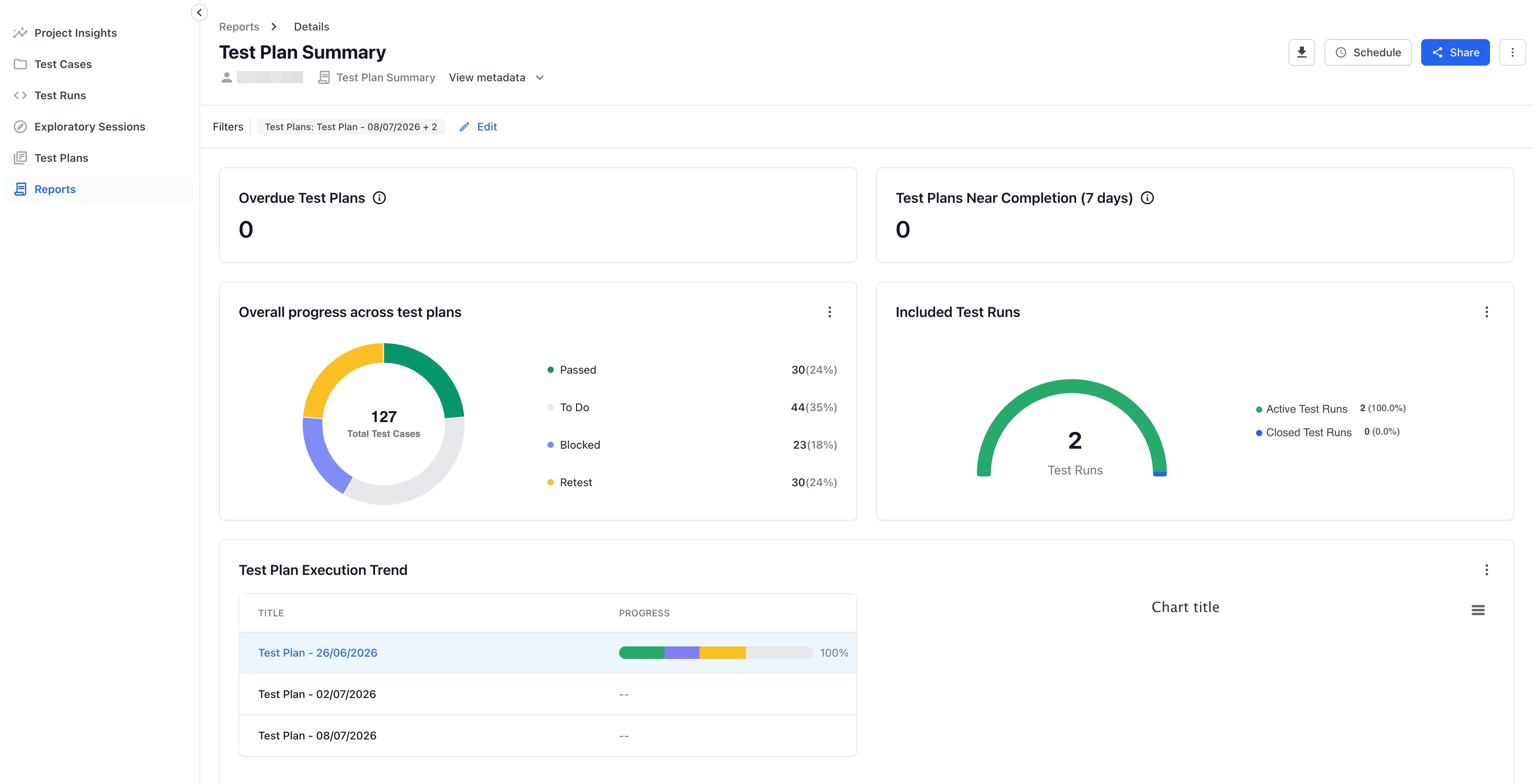
Watch the overdue and near-completion counts to keep your cycles on schedule.
Create this report
To create this report, follow the Create a report steps. Select Test Plan Summary as the Type of Report. Choose the plans to include by Creation Time or Specific Test Plans.
Next steps
- Use advanced filters to narrow the plans the report covers.
- Share and download reports with your team.
- Choose another report for a different view.
We're sorry to hear that. Please share your feedback so we can do better
Contact our Support team for immediate help while we work on improving our docs.
We're continuously improving our docs. We'd love to know what you liked
We're sorry to hear that. Please share your feedback so we can do better
Contact our Support team for immediate help while we work on improving our docs.
We're continuously improving our docs. We'd love to know what you liked
Thank you for your valuable feedback!