If you manage accessibility for a large-scale website, you know the sinking feeling. You run an automated scan across your website, hoping for a clear roadmap to compliance. Instead, the engine spits back a laundry list of over 10,000 reported issues.
Your development team spends days fixing genuine accessibility bugs, yet the overall issue count barely drops.
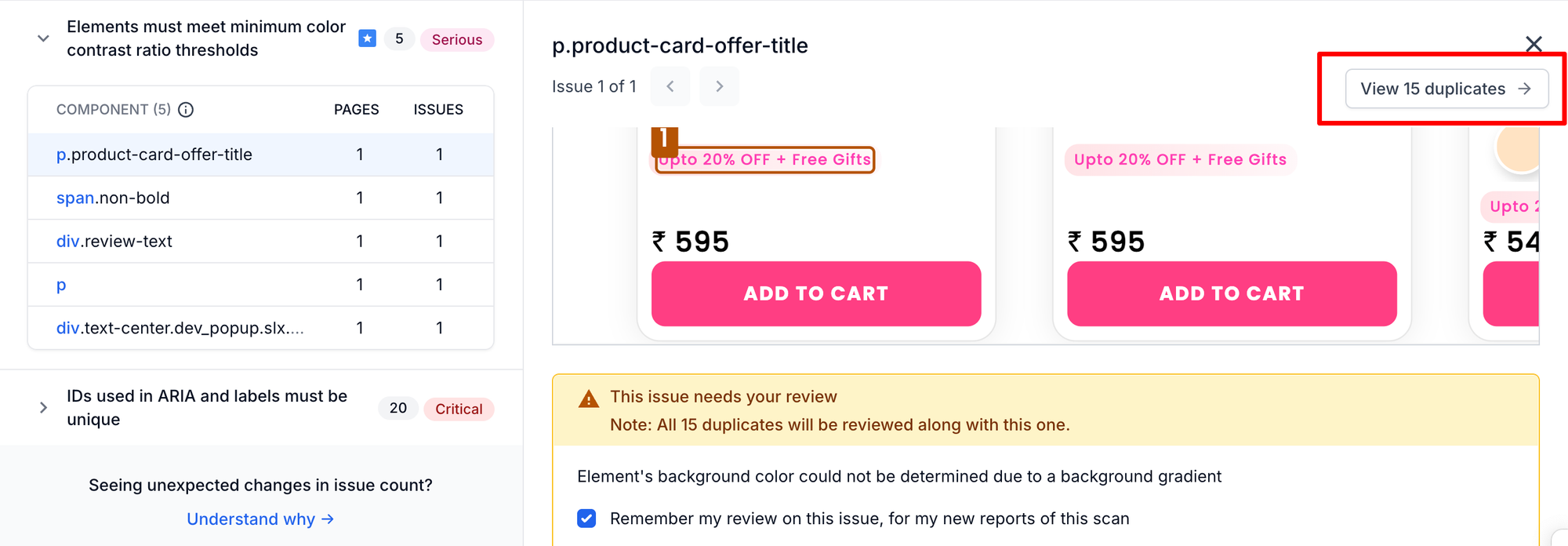
Why? Because traditional accessibility engines report the exact same component error—like a missing aria-label in your global site header—as a unique issue on every single page. One broken header on a 500-page site generates 500 unique alerts.
This creates massive issue bloat. While these violations are technically real, the sheer volume feels like a system error. It creates the perception of false positives, makes reports feel incredibly noisy.
Today, BrowserStack is changing the narrative. We’ve completely overhauled the BrowserStack Accessibility Testing reporting experience to help you filter the noise, verify report reliability, and cut your triage time by up to 60%.
Here is a deep dive into the new workflow.
1. Intelligent issue grouping to eliminate report bloat
Seeing 500 identical issues clutters your backlog, hides your team's actual progress, and makes it impossible to know how many unique problems actually need fixing.
We have built an advanced, intelligent grouping logic into the core of our Spectra Rule engine. BrowserStack now automatically consolidates identical or similar issues, both within a single page and across multiple pages. Your issue count will now reflect the true scope of your accessibility health, eliminating report bloat.
2. Confidence % view and slider to restore trust in reports
Navigating a high volume of accessibility data can make it difficult to distinguish between immediate high-impact fixes and more nuanced potential issues, often slowing down the path to remediation.
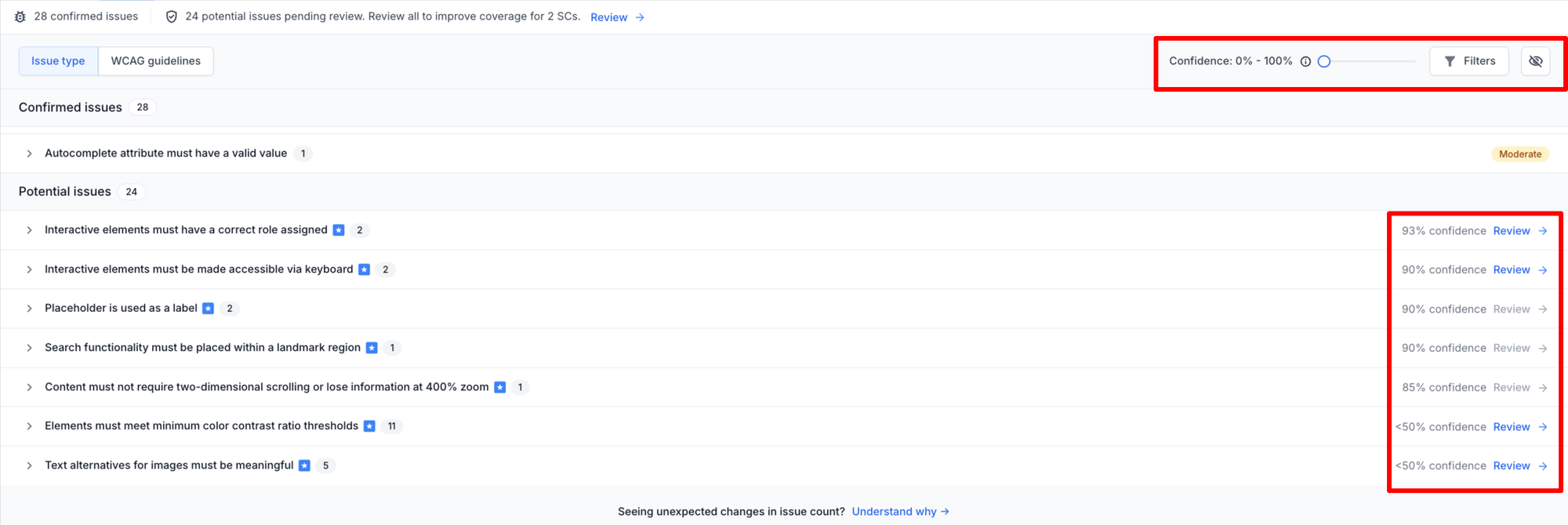
We are giving you complete transparency with a new Confidence % view that shows the exact accuracy of every reported issue.
Using the Confidence Slider, you can instantly filter out low-confidence noise and prioritize high-probability, critical violations first.
3. Guided bulk review to save ~60% in triage time
Manually reviewing and dismissing the exact same component error hundreds of individual times is a tedious, frustrating experience that typically requires deep WCAG expertise.
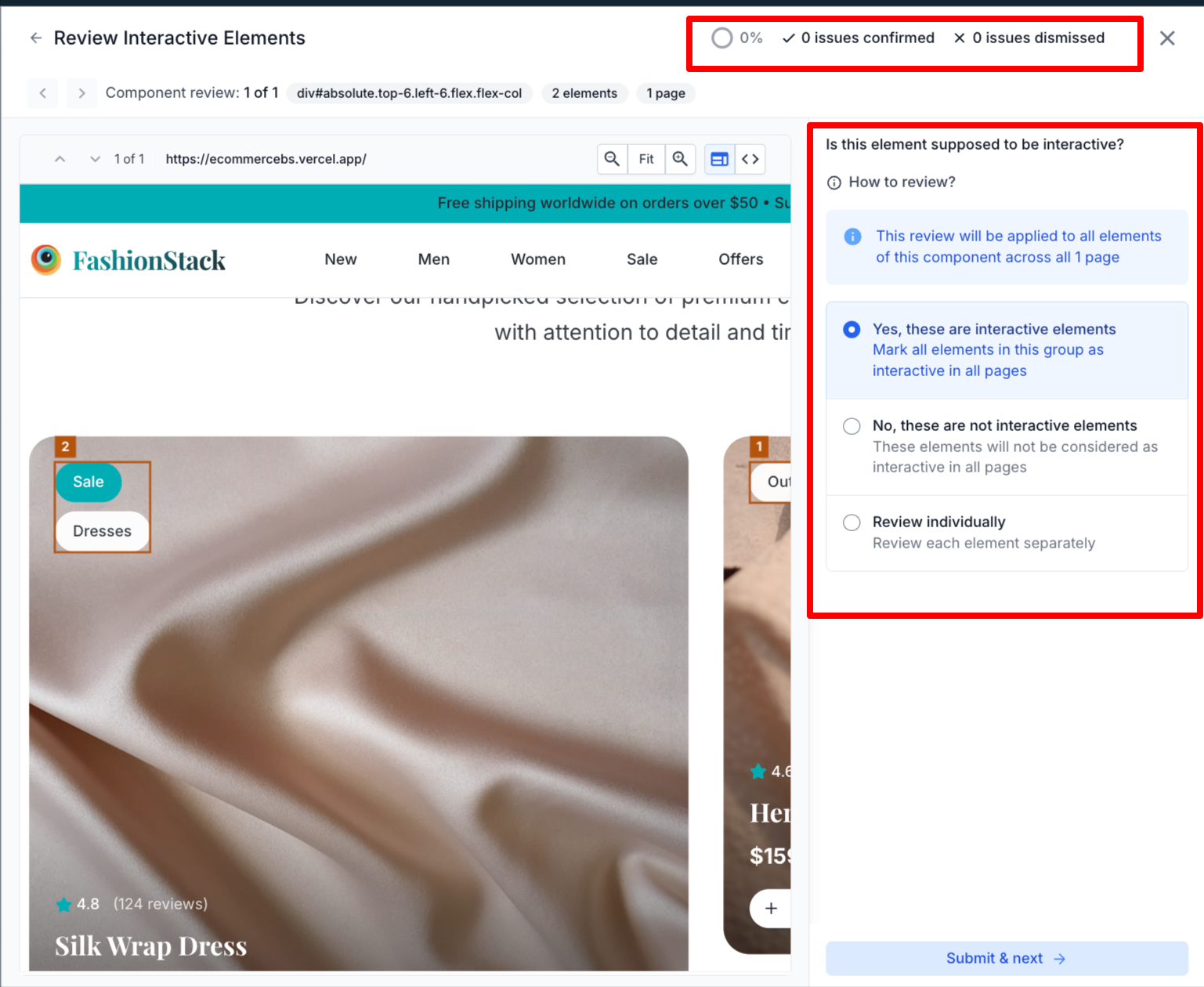
Leveraging our new grouping logic, we’ve built a split-screen Guided Bulk Review workflow that provides full visual DOM context.
Instead of reviewing pages individually, anyone on your team can confirm or dismiss hundreds of grouped issues instantly by answering simple, plain-English questions—no WCAG expertise required.
4. Frictionless triage to track your progress and boost your score
Triage often feels like an endless treadmill where clearing out issues takes so much time that your accessibility score rarely reflects your team's actual effort.
Because you can now filter noise and dismiss non-issues in bulk, you can rapidly clear your backlog with near-zero friction.
This streamlined workflow allows you to efficiently track your review progress and see tangible, dynamic improvements to your overall accessibility score.
Ready to cut through the noise and triage your accessibility issues faster than ever?
Log in to your dashboard to see the new UI, or Start a free trial to experience high-confidence, low-noise accessibility testing today.

