We’ve all been there: You’ve just finished a marathon coding session, your PR is polished, and you're ready to merge. Then comes the "Accessibility Audit". Suddenly, you’re buried under a mountain of tickets for missing alt text, broken labels, and contrast issues that were "discovered" weeks after you wrote the code.
It’s frustrating, it’s slow, and according to IBM, fixing these bugs post-release costs 25 times more than catching them during development.
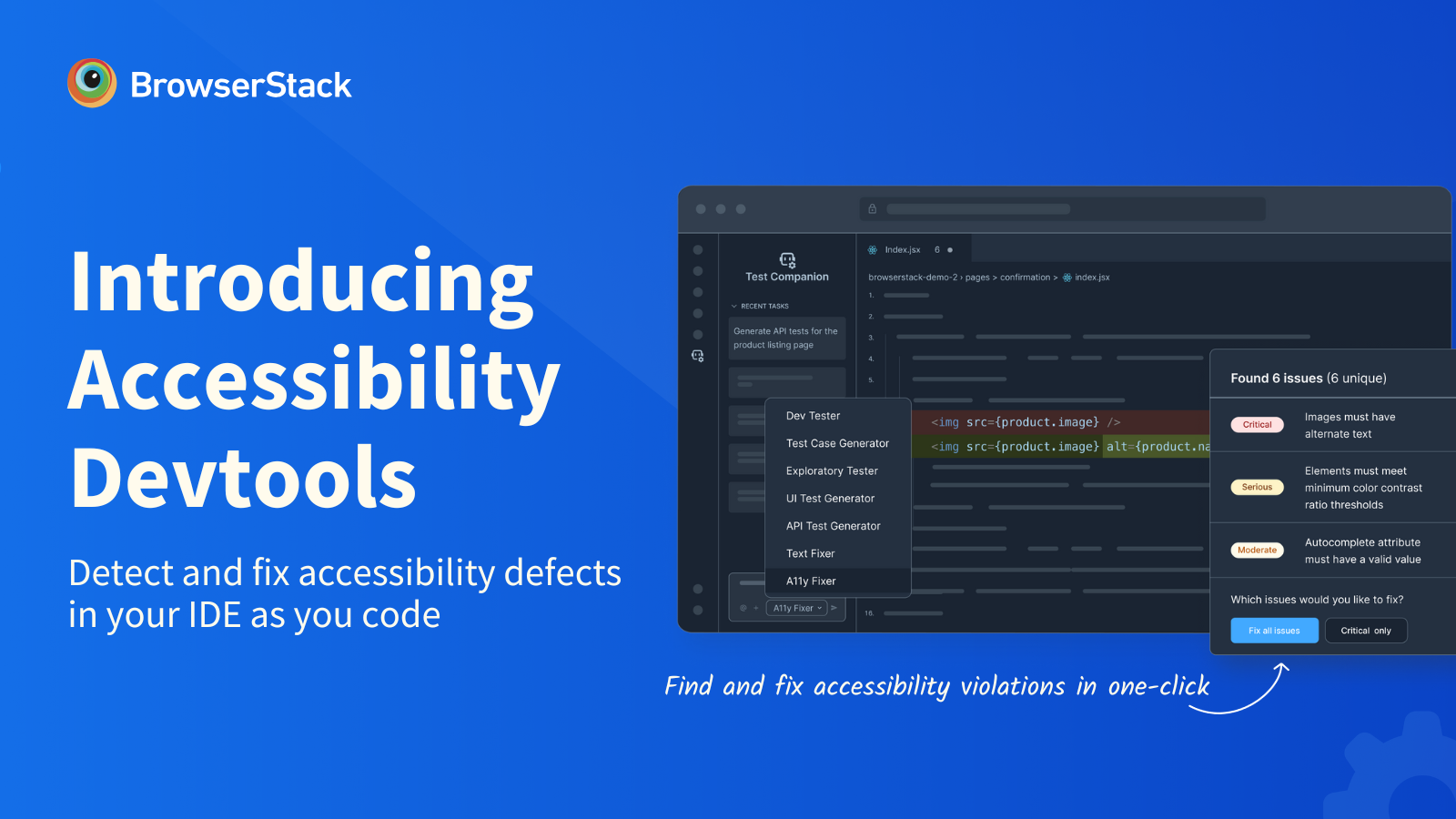
Today, we’re ending that cycle. With BrowserStack Accessibility DevTools, accessibility becomes part of how you build software, right from your IDE.
Bringing Accessibility Into the IDE
Accessibility DevTools is a developer-first tool that brings accessibility testing directly into your development workflow. It scans your code in real-time as you type, flags accessibility violations instantly, and provides AI-powered suggestions to fix them, right in your IDE.
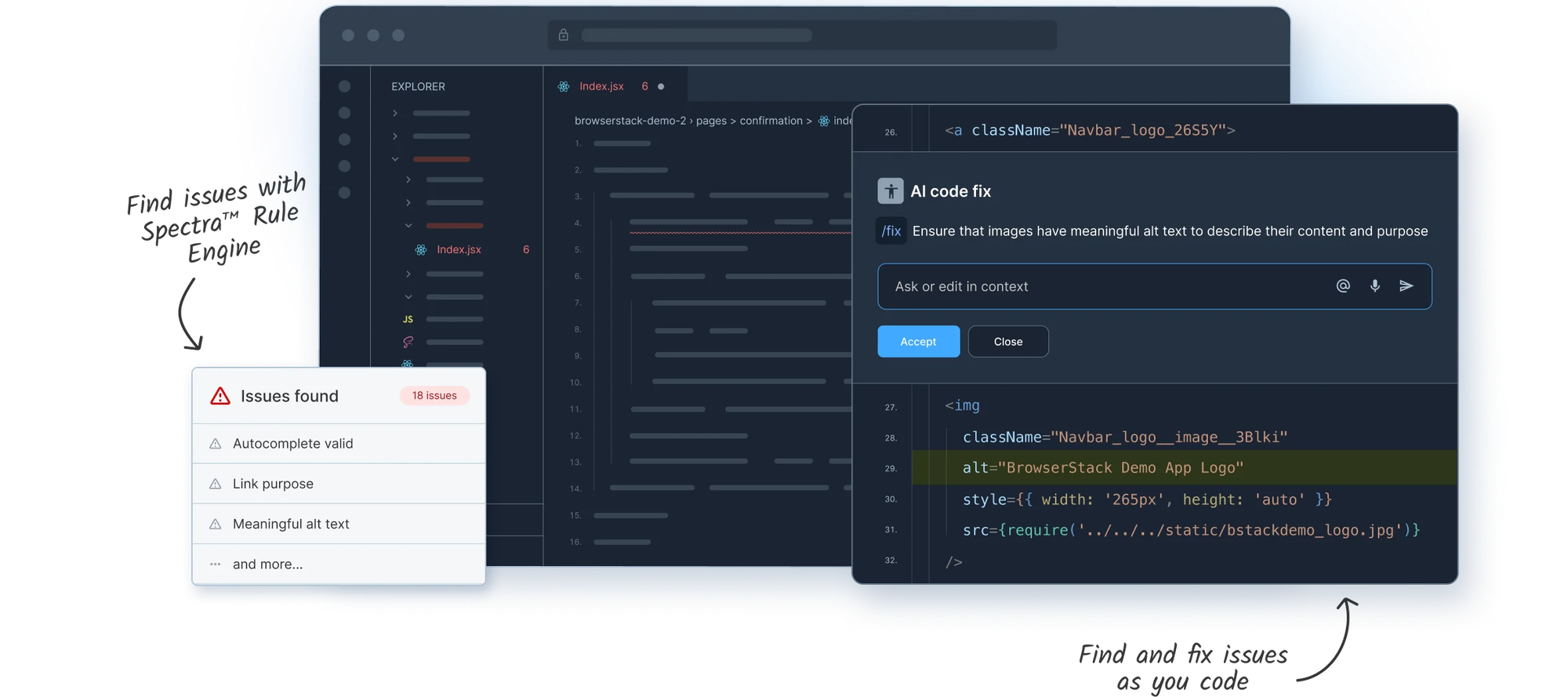
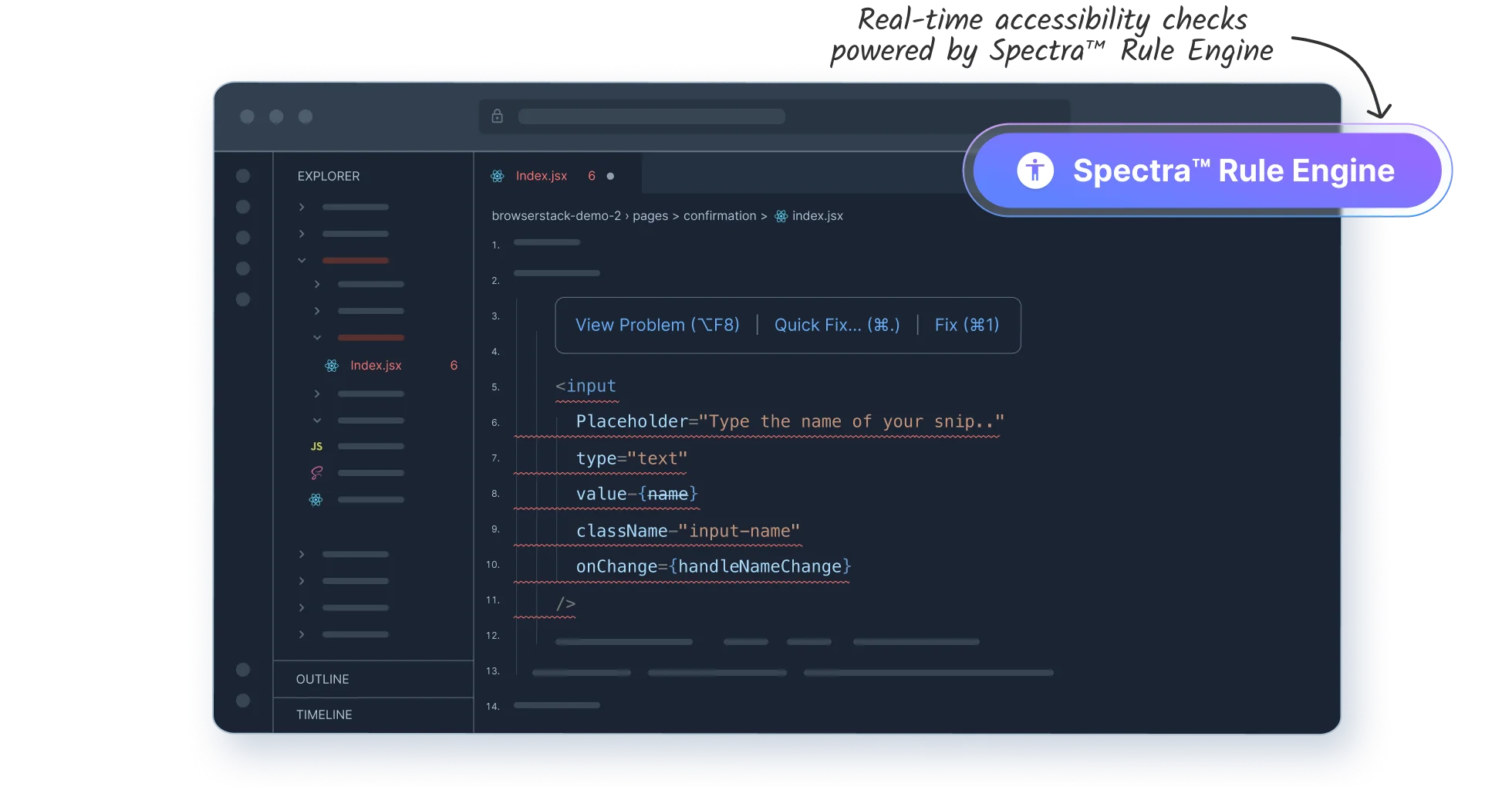
At the core of this experience is the Spectra™ Rule Engine, BrowserStack’s proprietary technology that detects accessibility issues across 15 WCAG 2.2 AA success criteria for web and mobile apps. This helps prevent significant real-world accessibility issues before they reach production.
Accessibility DevTools provides the following capabilities:
- Linter: Real-time detection & remediation of accessibility issues in your web and app source code in 15+ IDEs and across frameworks such as React, React Native, Native iOS and Native Android projects.
- Test Companion AI Agent for your IDEs: Seamlessly integrated into your IDE workflow, this AI agent helps detect and remediate WCAG violations in web projects through a simple conversational interface.
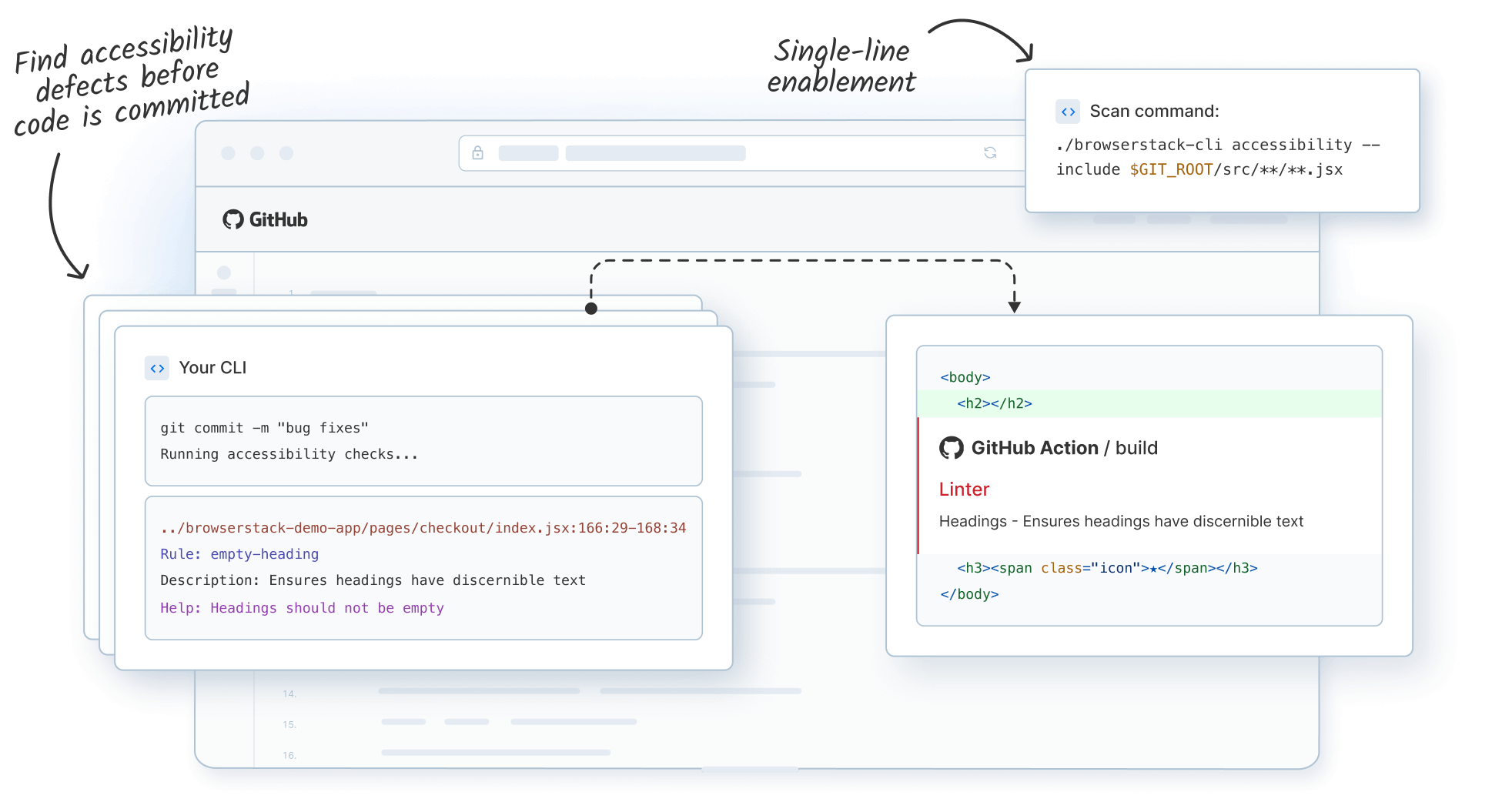
- Command Line Interface: Enforce accessibility checks in your Git pre-commit hooks and CI/CD builds, ensuring accessibility standards are enforced before code reaches production.
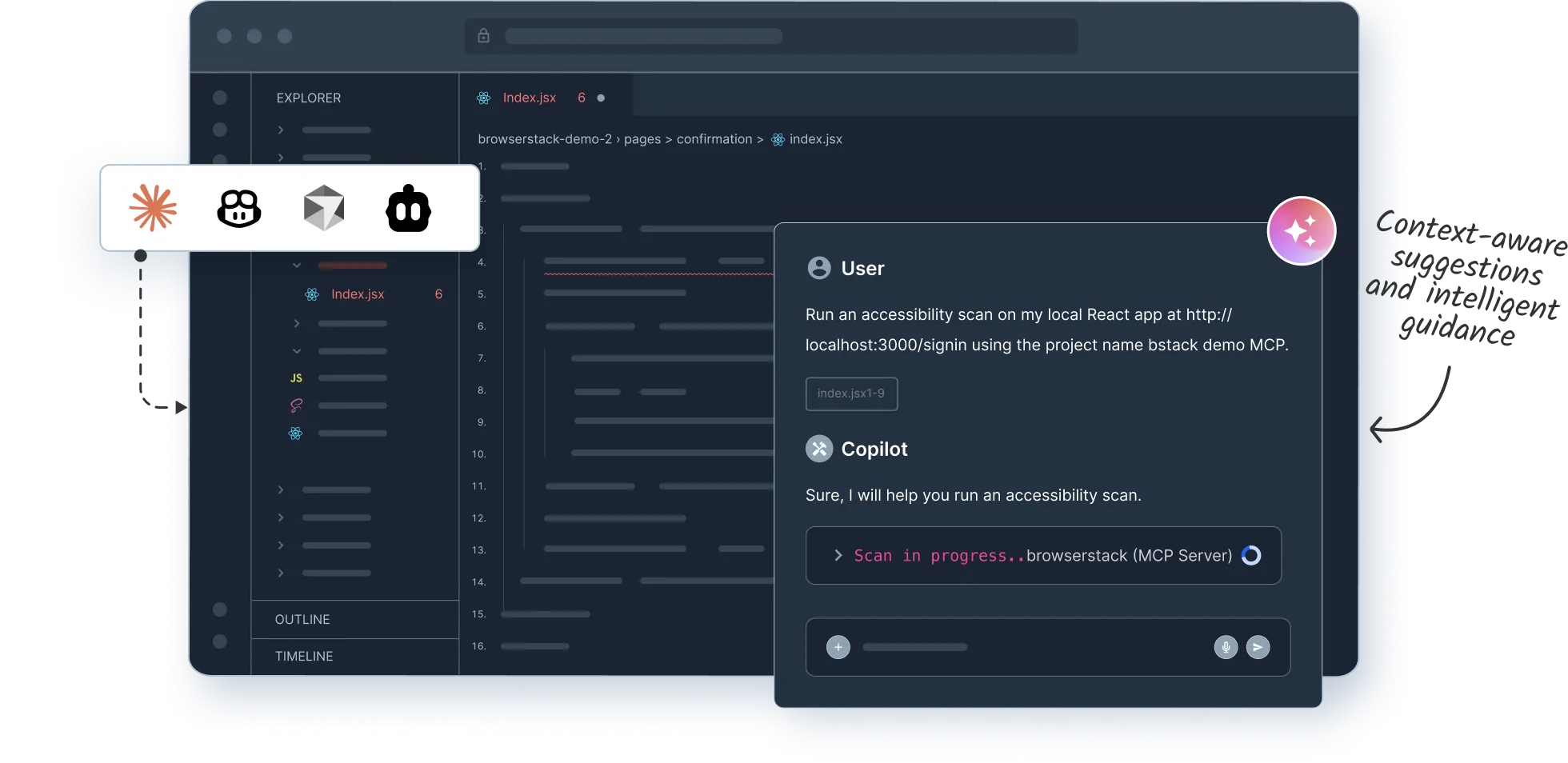
- MCP Server - BrowserStack MCP runs local automated scans on your rendered code, detects accessibility issues, and connects with your favorite AI tools for remediation suggestions
Whether you're building web apps, native mobile experiences, or cross-platform solutions, Accessibility DevTools integrates into your existing workflow.
Here's how it works in practice:
Real-Time Linting as You Type
Get instant feedback on accessibility violations as you write code—just like syntax errors. No waiting for build completion or separate test runs. Issues are flagged immediately with clear severity levels and WCAG guideline references.
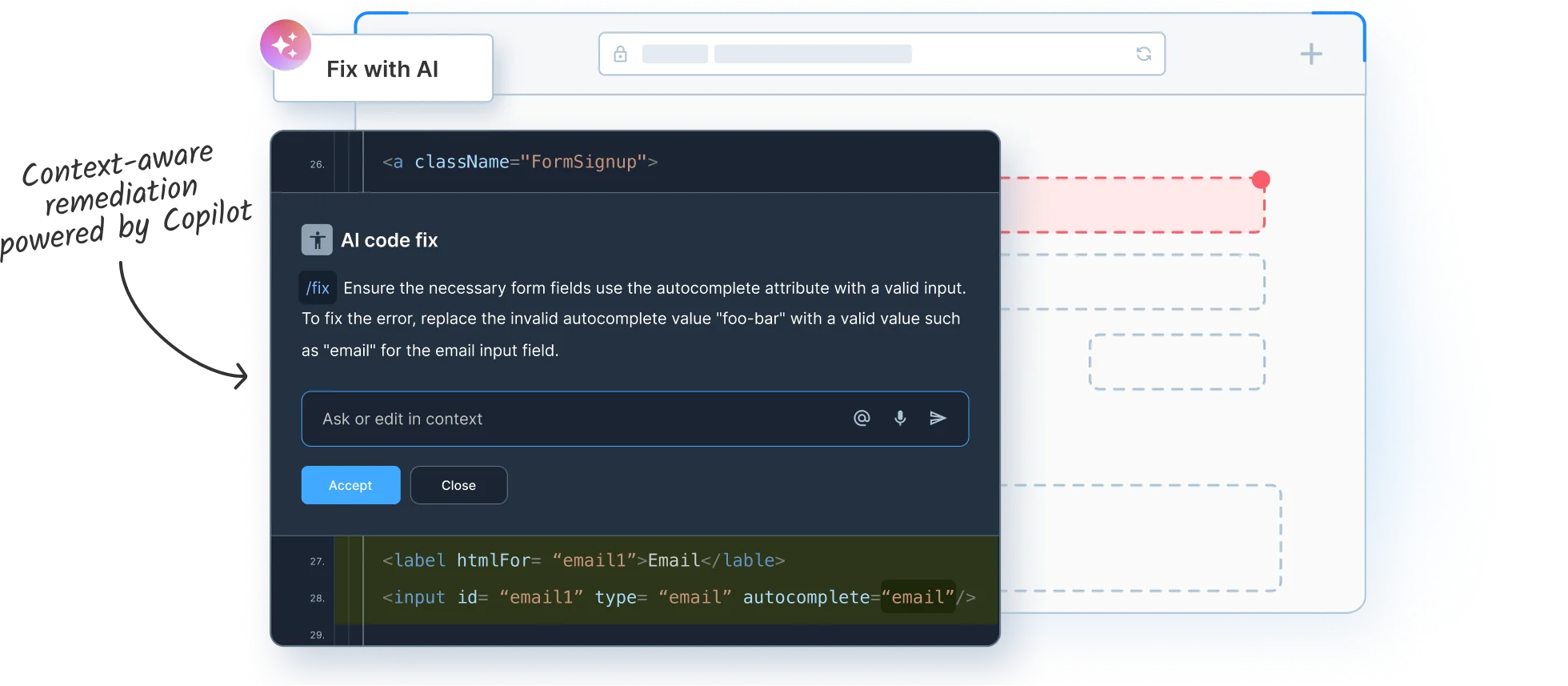
AI-Powered Fix Suggestions
Accessibility DevTools integrates with GitHub Copilot, JetBrains AI Assistant, Claude, Cursor, and your preferred AI tools to provide intelligent, context-aware remediation. Instead of generic suggestions, you get fixes tailored to your codebase, internal component libraries, and coding patterns.
Custom Component Linting
Most tools only scan standard HTML. Accessibility DevTools goes further, analyzing your internal design systems and proprietary component libraries extending to the components that actually power your application.
Automated Quality Gates
Integrated into your pre-commit hooks and CI/CD pipelines, Accessibility DevTools stops inaccessible code before it enters your repository, automatically block pull requests with violations, and get immediate visibility into how code changes impact accessibility compliance.
Why This Matters
An estimated 1.3 billion people worldwide, 16% of the global population, live with disabilities. Building accessible software isn't just about compliance, it's about reaching everyone and creating inclusive digital experiences. With over 4,000 ADA-related lawsuits filed in 2024 and early 2025 showing a 37% surge in litigation, the legal and business imperatives are clear.
But accessibility shouldn't slow teams down. By catching issues during development instead of after deployment, Accessibility DevTools helps you ship faster, reduce rework, and build genuinely accessible products without the traditional bottlenecks.
Get Started Today for Free
BrowserStack Accessibility DevTools is currently available for free. You can download our extensions directly from your IDE marketplace and start building a more inclusive web today—no complex configuration required.
- Install the extension for your IDE from the marketplace (VS Code, JetBrains, Xcode, or Cursor)
- Start coding and let the Spectra™ Rule Engine scan your code in real-time
- Review detected issues with clear severity levels and WCAG guideline references
- Fix issues with AI assistance using integrated coding assistants like Copilot or Claude
- Integrate with CI/CD using the CLI to enforce accessibility standards in your pipeline
For detailed setup instructions and documentation, visit the BrowserStack Accessibility DevTools documentation.

